
How to Check e-Challan Online on Parivahan Sewa | Pay Traffic Challan Instantly
Learn how to check and pay your traffic e-Challan online using the Parivahan Sewa portal. Step-by-step guide for tracking challans by vehicle number, DL, or challan number.

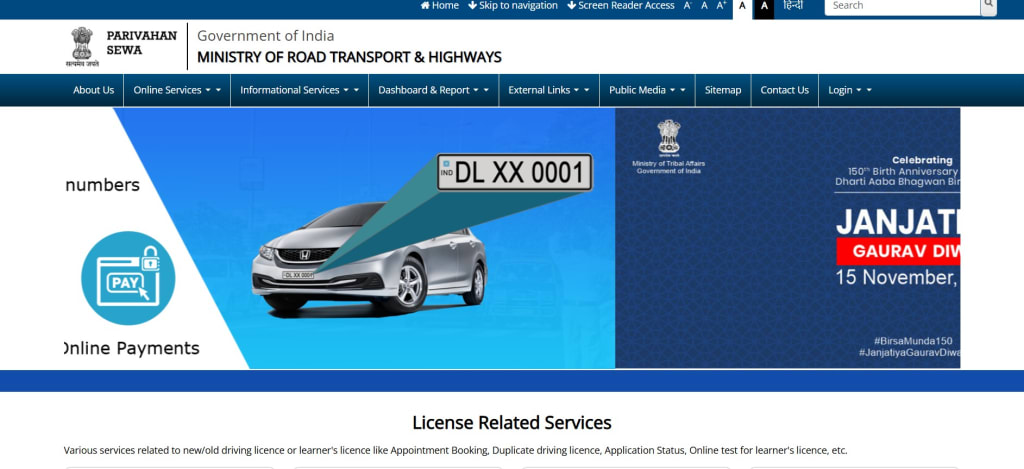
Have you received a traffic fine and want to know how to check or pay it online? With the rise in digital services, the Parivahan Sewa portal now makes it easy for drivers and vehicle owners across India to check and pay their e-Challan online.
Whether it's a fine for overspeeding, red light jumping, or not wearing a helmet, you can track your Parivahan challan status instantly using your vehicle number, driving license, or challan number.
In this blog, we’ll guide you through the process of checking e-Challan on Parivahan, including how to make payment securely.
What is an e-Challan?
An e-Challan is an electronic traffic fine issued by traffic police for violating road safety rules. Generated using automated systems like CCTV surveillance or handheld devices, the e-Challan is digitally linked to the violator's vehicle number or license.
It helps the government enforce traffic laws and promotes transparency in the traffic fine collection system.
What is Parivahan Sewa?
Parivahan Sewa is the official online portal by the Ministry of Road Transport and Highways (MoRTH). It offers access to a wide range of transport and vehicle-related services in India, including:
- Vehicle registration details
- Driving license services
- National permit and fitness certificate
- e-Challan status check and payment
How to Check e-Challan Online on Parivahan Sewa
Follow these simple steps to check your traffic e-Challan online using the Parivahan e-Challan portal:
Step 1: Visit the Official Parivahan e-Challan Portal
Go to: https://echallan.parivahan.gov.in
Step 2: Click on “Check Challan Status”
You’ll find this option in the main menu. Click to proceed.
Step 3: Enter the Required Details
You can search your challan by:
- Challan Number
- Vehicle Number
- Driving License (DL) Number
Enter the captcha code and click on “Get Detail”.
Step 4: View Your Challan Details
If a challan has been issued, you will see:
Challan number
Type of violation
Date and location
Fine amount
Status (paid/unpaid)
How to Pay e-Challan Online Using Parivahan Portal
If your challan is unpaid, you can pay directly through the portal. The supported payment options include:
- Debit/Credit Card
- Net Banking
- UPI (Google Pay, PhonePe, BHIM, etc.)
Once the payment is successful, you’ll receive a payment receipt, which you can download or print for future reference.
Why Use Parivahan Sewa to Check e-Challan?
Official government platform with real-time updates
Convenient access from any device or location
Secure online payment options
No need to visit traffic police offices physically
Helps you stay compliant and avoid extra penalties
Frequently Asked Questions
1. Can I check e-Challan without a challan number?
Yes, you can search using your vehicle number or driving license number.
2. Is the Parivahan e-Challan portal safe to use?
Yes, it is an official government portal and completely secure for transactions.
3. What happens if I don’t pay my e-Challan?
Failure to pay may result in additional fines, legal action, or even license suspension.
4. How soon can I check my challan after a violation?
Challans usually appear on the portal within 24 to 72 hours after the traffic violation.
Conclusion
With the help of the Parivahan e-Challan system, checking and paying your traffic fines is now faster, safer, and easier than ever. Don’t wait for a reminder or penalty notice. Regularly check your Parivahan challan status online to stay informed and avoid legal issues.
About the Creator
E Challan Parivahan Sewa
A complete step-by-step guide on how to check and pay your e Challan online using the Parivahan Sewa portal. Learn how to view traffic e-Challan status, and a walkthrough of the Parivahan e-Challan system.
Keep reading
More stories from writers in Wheel and other communities.
7 Cars You Should Never Buy Used in 2026
Buying a used car can be a smart way to save money, but not every vehicle holds up well over time. Some cars develop recurring mechanical issues, others come with expensive repair costs, and a few simply do not age gracefully. As we move into 2026, certain models and categories stand out as risky purchases in the used market. This article is not meant to criticize brands or owners, but to help buyers make informed decisions based on long-term reliability trends, ownership costs, and common complaints. Understanding which used cars to avoid can protect your budget and reduce stress after purchase.
By Austin Peck4 days ago in Wheel
Rego Hacks That Save Hundreds in 2026
Vehicle registration is one of those unavoidable expenses that many drivers accept without question, yet a closer look often reveals opportunities to save real money. As 2026 approaches, changes in transport policies, vehicle classifications, and digital systems mean drivers who stay informed can reduce rego costs legally and with minimal effort. Whether you own a daily commuter, a secondary car, or an aging vehicle you barely use, understanding how registration works can help you avoid paying more than necessary.
By Austin Peck3 days ago in Wheel




Comments
There are no comments for this story
Be the first to respond and start the conversation.