
Search analytics for e-commerce
Unlocking Customer Insights with E-Commerce Search Analytics

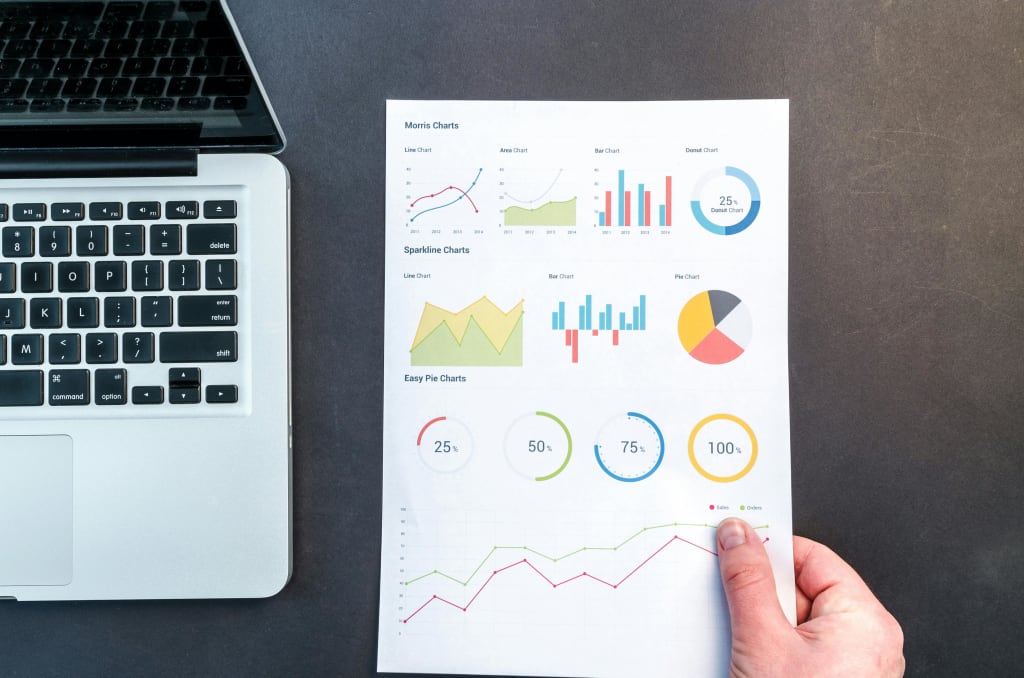
Search analytics is as close as you can get to understanding what users really want. It shows what people are actively searching for, what they can’t find, and where they might be losing interest. Why does this matter? Because knowing your customers’ search behavior gives you an incredible edge: you can meet them exactly where they are, anticipate their needs, and clear any obstacles from their path.
When to use search analytics
Regular Intervals: Just like a well-oiled machine needs routine maintenance, your site’s search data deserves regular check-ins. Monthly or quarterly reviews can help you spot patterns, identify high-performing products, and keep an eye on “no results” searches that might otherwise slip through the cracks.
Before and After Big Sales Events: Major sales events, like Black Friday or holiday seasons, are prime times to analyze post-sale search trends. Review analytics leading up to these events to get insights into product demand. After the event, check which searches performed well and where customers may have gotten stuck, helping you prepare even better for the next big sale.
New Products or Expanding Categories: When launching a new line of products or expanding your categories, your customers’ search behavior can reveal what they’re actually interested in. Analyzing search data after a new launch can show if your new products are easy to find or if you need to adjust your site’s navigation.
Refining Search and Filter Features: Search behavior changes over time, and customer needs evolve. Regularly revisiting your search analytics allows you to optimize search relevancy so customers always find exactly what they’re looking for, no matter what terminology they use.
How to use search analytics
Spot High-Impact Keywords and Popular Searches
Every store has its hidden gems: those “magic” keywords that customers keep searching for. Optimize product titles, descriptions, and tags with these popular terms to ensure that customers quickly find exactly what they’re looking for. If a popular search term isn’t leading customers to the right products, consider renaming or recategorizing items to meet demand instead of just following it.
Banish “No Results” with Synonyms and Redirects
A dead-end “no results” page is the worst thing that can happen to a customer.
For instance, if they search for “sneakers” but you’ve listed them as “trainers,” simply add “sneakers” as a synonym, and let bridge the gap. Such analytics also reveal demand, helping you decide if it’s time to expand your product catalog.
Optimizing Product Recommendations
What your customers really care about can be seen in their clicks and purchases. Utilizing merchandising rules or recommendation widgets, emphasize products that pique the interest of customers.
Understand how customers browse
Search terms tell you what your customers want — filters tell you how they try to find it. That’s where Filter Analytics comes in.
This kind of Analytics shows exactly which filter values and filters customers use most frequently on your collection and search results pages. You’ll learn things like: Your five favorite filters and values for filters a comprehensive list of customer-applied filters and values How consumers combine filters, such as “red + size M”
How to use filter analytics
Spot the filters your shoppers care about most
To view the most frequently used values and filters, visit the dashboard for Filter Analytics. Are customers constantly filtering by size, brand, or color? Make filters in your store’s user interface easier to find by prioritizing or rearranging them using this data.
Simplify the shopping experience
If some filters are rarely used, consider hiding or consolidating them. A cleaner filter menu can help customers find what they want faster.
Improve merchandising strategy
Let’s say you see a lot of people buying “size L” and “blue” together, but you only have a limited amount of that combination in stock. That’s a signal to adjust inventory or highlight similar products.
Tailor filter options to each collection
To determine which filter values are most important for particular product categories, drill down into the collection page of Filter Analytics. For example, “material” might be key in furniture, but not in electronics.
Combine with Search Analytics for the full picture
Use Filter Analytics together with Search Analytics to understand not only what people are looking for — but also how they browse to get there.
This data-driven approach helps you create a smoother path to purchase. And when shoppers find exactly what they want faster, they’re more likely to hit “add to cart.”
You are not just calculating numbers with search analytics; rather, you are deciphering the code to what makes your customers tick. Every search query, click, and “no results” moment is a breadcrumb on the trail of what your shoppers want (and sometimes can’t find!). By tuning into these insights, you’re setting up your store to respond intuitively, crafting smoother shopping journeys, and turning searches into sales. Think of search analytics as your personal shopping sage—except this one’s powered by hard data. Ready to see it in action?
About the Creator
Commercey
Commercey is a BPO company, founded by business-oriented people that understand e-commerce business needs. Since 2017, we have been a full-time outsourced team in Albania and we provide customer care services and support for our B2C and B2B
Crude Oil Price Today: Global Trends, Market Drivers, and Investment Insights
Understanding Crude Oil Price Crude oil is one of the world’s most traded commodities, and its price is a key indicator for global economic trends. It affects industries ranging from energy and manufacturing to transport and consumer goods. Even small fluctuations in crude oil price can ripple through markets, influencing corporate earnings, inflation, and investor sentiment.
By Hammad Nawaz7 days ago in Trader
FTSE 250 Today: Market Movements, Sector Insights, and Investor Trends
What FTSE 250 Represents The FTSE 250 index includes the 101st to 350th largest companies listed on the London Stock Exchange. Unlike the FTSE 100, which is dominated by global giants, FTSE 250 focuses on mid-cap companies that are more closely tied to the UK economy. This makes it a strong indicator of domestic economic health and investor confidence.
By Hammad Nawaz7 days ago in Trader




Comments
There are no comments for this story
Be the first to respond and start the conversation.