
How to Disable Gift Cards in Magento 2
Gift cards can be a powerful tool for driving sales and customer loyalty, but there are situations where you might need to temporarily or permanently disable them in your Magento 2 store. Whether it's due to a promotion ending, inventory issues, a change in your marketing strategy, or technical concerns, this guide will provide you with a comprehensive understanding of how to disable gift cards in Magento 2, both for the default functionality and for third-party extensions.

Gift cards can be a powerful tool for driving sales and customer loyalty, but there are situations where you might need to temporarily or permanently disable them in your Magento 2 store. Whether it's due to a promotion ending, inventory issues, a change in your marketing strategy, or technical concerns, this guide will provide you with a comprehensive understanding of how to disable gift cards in Magento 2, both for the default functionality and for third-party extensions.
Whether it's due to a promotion ending, a change in your marketing strategy, or technical issues, this guide will walk you through the steps to disable gift cards, both for the default functionality and for third-party extensions.
Why Disable Gift Cards?
Before we dive into the "how-to," let's briefly discuss why you might want to disable gift cards in your Magento 2 store:
Promotion Ended: If you ran a gift card promotion that has now concluded, you might want to disable the feature to prevent further purchases or redemptions.
Inventory Issues: If you're experiencing low stock or supply chain disruptions, disabling gift cards can help you manage inventory levels and avoid overselling.
Strategic Shift: You might decide to focus on other marketing strategies or payment options, making gift cards temporarily irrelevant.
Technical Issues: In rare cases, technical glitches or conflicts with other extensions might necessitate disabling gift cards until the issues are resolved.
Disabling Default Gift Card Functionality
Magento 2 comes with built-in gift card functionality. To disable it, you have two options:
1. Through Configuration:
Log in to your Magento 2 Admin Panel.
Navigate to Stores > Configuration > Sales > Gift Options.
Set the "Enable Gift Cards" option to "No."
Save the configuration.
2. Through Command Line:
Open your terminal or command prompt.
Navigate to your Magento 2 root directory.
Run the following command: php bin/magento module:disable Magento_GiftCard
Important Note: Disabling the Magento_GiftCard module through the command line can cause errors if other modules depend on it. It's recommended to use the configuration method if possible.
Disabling Gift Card Extensions
If you're using a third-party gift card extension, the process to disable it will vary depending on the extension. However, here are two common methods:
1. Through Admin Interface:
Log in to your Magento 2 Admin Panel.
Navigate to Stores > Configuration.
Locate the gift card extension in the list of modules.
Disable the extension.
2. Through FTP:
Connect to your Magento 2 server via FTP.
Navigate to the root directory of your Magento 2 installation.
Locate the folder of the gift card extension.
Either rename the folder or delete it.
Troubleshooting
After disabling gift cards, you might encounter a few issues:
Gift Card Links on Frontend: If gift card links still appear on your storefront, you'll need to edit the layout XML files to remove them.
Order Issues: If customers placed orders using gift cards before you disabled them, you'll need to handle refunds or discounts accordingly.
Disabling gift cards in Magento 2 is a straightforward process, whether you're using the default functionality or a third-party extension. By following the steps outlined in this guide, you can easily disable gift cards and ensure a smooth transition for your customers.
For more information on how to create and manage gift cards in Magento 2, you can refer to our detailed guide: [How to Create Gift Cards in Magento 2]
If you encounter any issues or have questions about disabling a specific gift card extension, it's always recommended to consult the extension's documentation or contact the provider for support. Remember to back up your Magento 2 store before making any changes to avoid data loss.
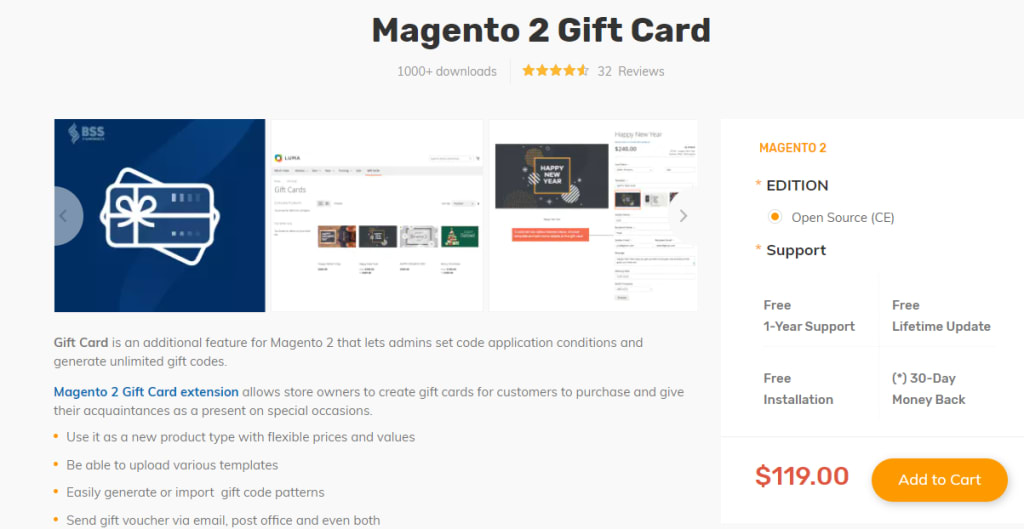
Magento 2 Gift Card by BSS Commerce: Offers advanced features and a user-friendly interface.: https://bsscommerce.com/magento-2-gift-card-extension.html
About the Creator
Keep reading
More stories from Tuan Vu Ngoc and writers in Trader and other communities.
Australia Concrete Reinforcement Market Poised to More Than Double to USD 310.7 Million by 2033
The Australia concrete reinforcement market is gaining momentum as demand for high-strength and durable structural materials continues to rise across the nation’s construction and infrastructure sectors. According to the latest IMARC Group report, the market reached USD 145.5 million in 2024 and is projected to grow to USD 310.7 million by 2033, representing a compound annual growth rate (CAGR) of 8.80% between 2025 and 2033. This strong growth trajectory reflects broad-based drivers, including public infrastructure investment, prefabrication adoption, renewable energy deployment, and urbanisation trends that together are reshaping Australia's built environment and supply chain dynamics.
By Rashi Sharma2 days ago in Trader
Webflow Linux Installation Guide for Beginners Using CLI and Browser Tools
Introduction If you are searching for How to Install webflow Linux Installation, you are not alone. Many Linux users want to work with Webflow even though it is mainly a browser-based platform.
By Safdar meyka6 days ago in Trader
Thoughts on Vocal and the way the world is
"Death cannot stop true love, only delay it." – Wesley in The Princess Bride. I decided to come back to Vocal on a very cold and dark night at the end of December. I had been, and still am, convalescing from a horrible staph infection that had gone misdiagnosed for months. This, paired with the increasing challenges of being healthy, making the best choices for my co-parented child, being a wife, and being a director at a new job, was a lot to manage.
By Jazzy 6 days ago in Confessions


Comments
There are no comments for this story
Be the first to respond and start the conversation.