
Why Closing Apps Makes Phones Feel Worse, Not Faster
The phone habit that still refuses to die

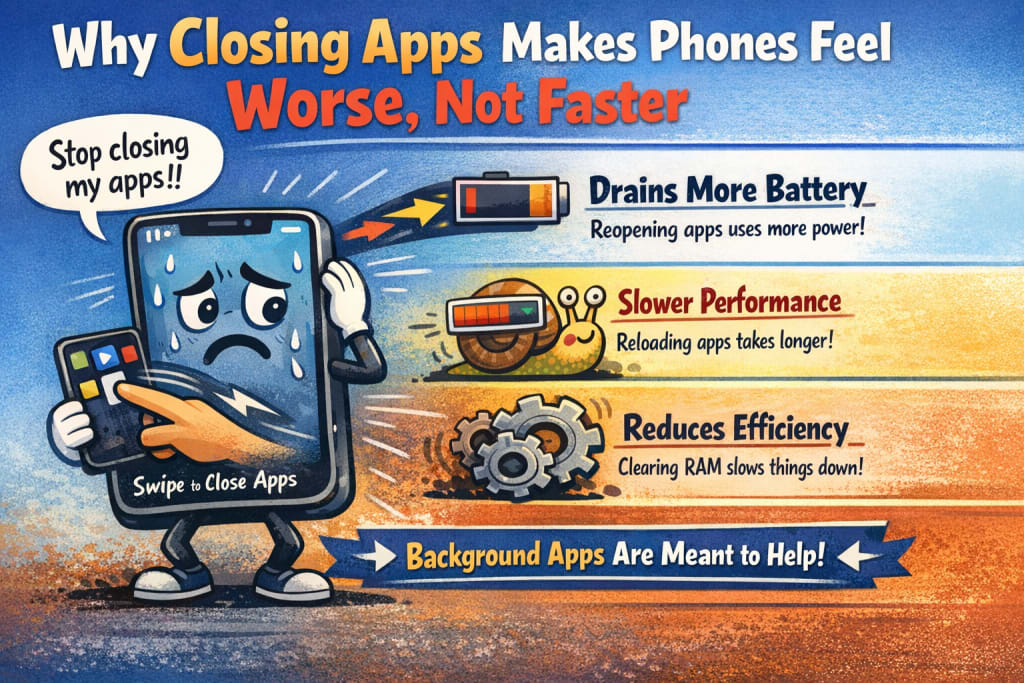
If there’s one smartphone habit virtually everyone shares, it’s this:
Swipe up.
Close every app.
Feel productive.
For years, people have claimed that shutting applications makes phones quicker, cooler, and more battery-efficient. I believed it too. I used to remove my recent applications numerous times a day, certain I was “helping” my phone.
What I soon observed was the contrary.
The more forcefully I dismissed applications, the more my phone stuttered, reloaded, and wasted power. The experience didn’t improve—it became uneven.
That’s when I discovered something important:
Modern smartphones are built to operate better when you leave applications alone.
Why This Habit Started in the First Place
Closing applications used to make sense.
Older phones had:
restricted RAM
weak processors
easy background management
Apps were genuinely kept active and used resources. Manually shutting them helps.
But such rationale belongs to another period.
Phones changed.
Software modified.
The habit didn’t.
How Modern Phones Actually Handle Apps
Today, applications don’t “run” the way most people believe.
When you switch away from an app:
it’s halted
its activity is frozen
it stops utilizing processing power
The system retains it in memory so it may restart quickly.
That’s not waste—that’s efficiency.
Memory exists to be utilized, not kept vacant.
What Happens When You Force-Close Apps?
When you manually close applications, you add unnecessary labor.
The next time you launch the app:
it must reload entirely
reconnect to the network
reconstruct its state
reinitialize background services
That process:
utilizes more CPU
uses more battery
increases heat
creates obvious delays
So instead of conserving resources, you cause additional resource consumption.
Why Phones Feel Slower When You Keep Closing Apps
Constantly closing applications leads to:
frequent app reloads
delayed animations
keyboard lag
camera setup delays
The phone isn’t struggling—it’s being forced to restart tasks frequently.
This produces the sensation of slowness, even on strong devices.
Battery Drain Gets Worse, Not Better
Battery drain doesn’t come from programs resting quietly in memory.
It originates from:
applications launching repeatedly
re-syncing data
rebuilding connections
By closing applications continuously, you increase how often this occurs.
The battery suffers the price.
RAM Isn’t a Problem—It’s a Tool
Many consumers worry when they observe RAM use.
High RAM utilization doesn’t indicate the phone is overwhelmed.
It means:
applications are ready
tasks resume quicker
the system is efficient
Unused RAM is wasted RAM.
Modern systems are intended to purge memory automatically as required.
Manual meddling frequently makes things worse.
When Closing Apps Does Make Sense
This behavior isn’t wholly useless—it’s simply abused.
Closing an app makes sense when:
an app freezes
an app crashes frequently
an app acts improperly
an app is blatantly wasting battery
That’s purposeful activity, not regular conduct.
Closing everything “just in case” is needless.
Why This Myth Refuses to Die
Because it seems rational.
Closing things feels like cleansing.
Cleaning feels productive.
But phones aren’t rooms. They’re systems.
Efficiency comes from management, not continual meddling.
How I Broke the Habit
I stopped shutting applications automatically.
I let the system handle memory.
I only closed applications when things seemed incorrect.
The result:
fewer reloads
smoother multitasking
milder battery behavior
The phone seemed faster—not because it was working harder, but because it was working smarter.
The Deeper Problem: We Don’t Trust Automation
This behavior occurs because people don’t trust phones to handle themselves.
Ironically, contemporary phones are greatest when we do trust them—within limits.
Letting go of control enhanced my experience more than any setting modification.
Conclusion
Closing applications feels beneficial.
But with current cellphones, it’s typically unproductive.
If your phone seems inconsistent, quit battling it.
Let applications rest.
Let memory do its work.
Intervene only when anything is genuinely wrong.
Sometimes, the quickest phone is the one you quit micromanaging.
Disclaimer
This article represents my findings and generic smartphone operating system behavior. Performance may vary based on device type and software version.

About the Creator
abualyaanart
I write thoughtful, experience-driven stories about technology, digital life, and how modern tools quietly shape the way we think, work, and live.
I believe good technology should support life
Abualyaanart
Keep reading
More stories from abualyaanart and writers in The Swamp and other communities.
South Africa’s Strained Ties With the U.S. Face New Test After War Games With China, Iran, and Russia
Introduction South Africa’s already fragile relationship with the United States is facing renewed scrutiny following its participation in joint military exercises with China, Iran, and Russia. The war games have drawn attention from Western governments and analysts, who see the drills as a symbolic and strategic signal at a time of heightened global tensions.
By Mohammed Azam2 days ago in The Swamp




Comments
There are no comments for this story
Be the first to respond and start the conversation.