
5 New Features iOS 26.2 Added to Your iPhone
Apple’s Latest Update Brings Smarter Tools, Better Privacy, and Useful Everyday Improvements

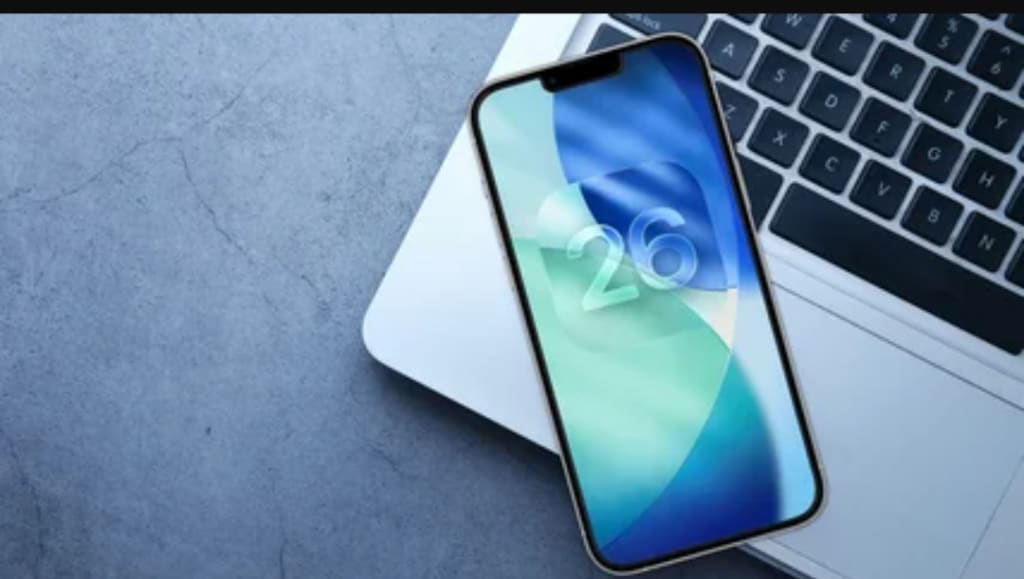
Apple has rolled out iOS 26.2, and while it may not look like a massive redesign at first glance, it includes several highly practical upgrades that improve daily iPhone use. From smarter personalization to stronger security and smoother performance, iOS 26.2 focuses on what Apple does best: refining the iPhone experience.
If you’ve updated your iPhone recently (or you’re planning to), here are the 5 new features iOS 26.2 added to your iPhone, explained in a simple and informative way.
1. Smarter Battery Optimization (Improved Power Management)
One of the biggest complaints iPhone users have after major updates is battery drain. With iOS 26.2, Apple has introduced an improved battery optimization system that better understands how you use your iPhone.
What’s new?
Better background app control
Reduced battery drain during idle time
Smarter charging behavior for long-term battery health
This means your iPhone should last longer during the day, especially if you use it heavily for social media, video streaming, or gaming.
Why it matters:
Battery life isn’t just about having a bigger battery—it’s about smarter power usage, and iOS 26.2 makes noticeable improvements.
2. New Privacy Controls for App Permissions
Apple has always prioritized privacy, and iOS 26.2 pushes it further with new controls that make it easier to manage what apps can access.
What’s new?
More detailed permission prompts
Better tracking transparency
Clearer access logs for sensitive permissions like:
Photos
Contacts
Location
Microphone
Bluetooth
Now, users can quickly spot apps that request unnecessary permissions and remove access instantly.
Why it matters:
Many apps collect data quietly. iOS 26.2 gives users more control and reduces the risk of privacy abuse.
3. Enhanced Siri Suggestions and On-Device Intelligence
iOS 26.2 introduces more improvements to Siri suggestions, and Apple is increasingly relying on on-device intelligence instead of cloud-based processing.
What’s new?
More accurate app suggestions
Better calendar reminders based on your habits
Improved “Siri Suggestions” in Spotlight Search
Faster response time
This makes Siri feel less like a basic assistant and more like a tool that actually understands your routine.
Why it matters:
Users want smart features—but they also want privacy. On-device intelligence helps both.
4. Better iMessage Features (More Customization + Cleaner Chat Experience)
Apple continues to refine iMessage, and iOS 26.2 brings improvements that make messaging smoother and more modern.
What’s new?
Cleaner chat interface improvements
Better spam filtering for unknown senders
More flexible message customization
Improved media sharing quality in certain cases
If you use iMessage daily, these changes make conversations feel faster and more polished.
Why it matters:
Messaging is one of the most-used iPhone features. Even small upgrades here can improve daily experience a lot.
5. New Accessibility and Control Center Enhancements
Apple has added more refinements to Accessibility settings and improved some Control Center controls.
What’s new?
Faster toggles for key features
Improved readability and text scaling options
More customizable accessibility shortcuts
Better Voice Control responsiveness
These updates are especially helpful for users who rely on accessibility tools—but even regular users benefit from better Control Center performance.
Why it matters:
Accessibility improvements don’t just help a few users—they improve the iPhone experience for everyone.
Should You Update to iOS 26.2?
For most users, the answer is yes—especially if you care about:
✅ Better battery performance
✅ Improved privacy settings
✅ Faster Siri suggestions
✅ Cleaner messaging experience
✅ Smoother daily performance
However, if you use older iPhone models, it’s still smart to wait a few days and check for feedback about performance and battery stability.
FAQs
Is iOS 26.2 available for all iPhones?
Not all models. Usually, iOS updates support newer iPhones, while older models may not receive full feature access.
Does iOS 26.2 improve battery life?
Yes, iOS 26.2 includes better optimization that can reduce battery drain for many users.
Is iOS 26.2 safe to install?
Yes. Apple releases updates with security patches, making your iPhone safer against bugs and threats.
Will iOS 26.2 slow down my iPhone?
Most users report better stability, but older iPhones may experience slight performance differences depending on storage and battery health.
How do I update to iOS 26.2?
Go to:
Settings → General → Software Update → Download and Install
Final Thoughts
iOS 26.2 may not be a flashy update, but it’s one of those releases that makes your iPhone feel more refined and secure. The improvements in battery optimization, privacy controls, Siri intelligence, messaging, and accessibility show Apple’s focus on making the iPhone more useful in everyday life.
If you haven’t updated yet, iOS 26.2 is worth considering—especially for the privacy and performance upgrades.
About the Creator
Asad Ali
I'm Asad Ali, a passionate blogger with 3 years of experience creating engaging and informative content across various niches. I specialize in crafting SEO-friendly articles that drive traffic and deliver value to readers.
Why Black History Matters in America?
The United States of America is celebrating their 250th anniversary in 2026. I'm proud to be an American and as someone who was born here, I wouldn't imagine myself living anywhere else. This is a country where opportunities are possible. Where anyone can be successful in anything they desire to do. Equality, community, and togetherness are the backbones of what America is and should be about. However, we have an administration who wants to erase and disregard those who have made positive, meaningful impacts in our country, specifically Black figures, such as Martin Luther King, Jr., Rosa Parks, and Maya Angelou. President Trump and his administration have been constantly complaining and fighting against what they call the "Woke agenda". They use this excuse as a distraction from other issues they refuse to address, such as the high cost of living, climate change, and inflation. That equality is dividing America, when in reality, it's bringing us together. Being woke is not tied to a specific political party. No matter where you stand on the political spectrum, you can still care about other people and their plights. Compassion and empathy for others isn't tied to a political party, either. We were taught as children to treat others the way we want to be treated and not judge others because they're different from us. Caring about others isn't a personal attack on your beliefs. It doesn't make you any less of a person. People who are easily offended over African American figures, past or present, or anything related to it, are grasping at straws. Current and future generations need to know who people like Harriet Tubman and Shirley Chisholm were, especially in the classroom. Black History is part of American History. It should be recognized, not hidden or forgotten. Besides, you can't shield children from everything, just because your feelings are easily hurt.
By Mark Wesley Pritchard 3 days ago in The Swamp



Comments
There are no comments for this story
Be the first to respond and start the conversation.