
How to Create a Token Account on Solana – The Complete 2025 Guide
The Solana blockchain is known for its blazing speed and low fees — making it the perfect platform for decentralized apps, NFTs, and new tokens. If you're planning to manage tokens on Solana, one of the very first steps is creating a token account. In this beginner-friendly guide, you’ll learn what a token account is and how to create one easily using Solana APIs. Let's get started! 🚀


What Is a Token Account on Solana?
On Solana, wallets don't directly hold tokens.
Instead, every token you own is stored inside a separate token account tied to your wallet address.
You can think of it like this:
Your wallet = a big shelf 📚
Token accounts = individual drawers 🗄️ for each token
Each different token (like USDC, SOL, or your own custom coin) needs its own dedicated token account.
Without a token account, you cannot receive, hold, or transfer that specific token.
🛠️ What You Need Before Creating a Token Account
Before creating a token account, make sure you have:
🔐 A Solana Wallet (like Phantom, Solflare, or a private key)
🧠 The Token Mint Address (the ID of the token you're working with)
🔑 An API Key from Solana APIs (free and easy to get)
🪙 Some SOL in your wallet to cover transaction fees
Once you have these ready, you’re all set to create a token account in minutes!
🚀 How to Create a Token Account Using Solana APIs
Creating a token account manually with Solana CLI can be tricky for beginners.
Thankfully, Solana APIs make it super simple with just one API call.
Here’s how to do it:
1. Send the Token Account Creation Request
API Endpoint:
bash
Copy
Edit
POST https://api.blockchainapi.com/v1/solana/account/token
Example JSON Request Body:
json
Copy
Edit
{
"wallet": {
"private_key": "your-wallet-private-key"
},
"token": "your-token-mint-address"
}
✅ Replace:
your-wallet-private-key with your real private key
your-token-mint-address with the token you want an account for
2. Read the API Response
If your request is successful, the response will return:
🆔 Token Account Address (a new address linked to your wallet)
🔗 Transaction Signature (proof of creation on the blockchain)
Now you can use this token account to receive, send, or manage that specific token.
⚡ Why Token Accounts Are Important
Without creating a token account:
You cannot hold SPL tokens
Incoming token transfers to your wallet will fail
Apps and smart contracts won’t recognize your wallet for that token
That’s why setting up a token account before any token transactions is absolutely critical in Solana’s architecture.
🧠 Expert Tips for Token Accounts
🔥 Use Devnet first: Test everything safely before spending real SOL.
🛡️ Keep your private key secure: Never share it publicly.
🖼️ Create metadata: After token account setup, you can add token name, symbol, and logo.
🕒 One token, one account: Every token type needs its own token account — no sharing.
About the Creator
Solana Portal
Solanaportal is a powerful service designed to make your development on Solana faster, easier, and more efficient.
Visit: https://docs.solanaportal.io
Keep reading
More stories from Solana Portal and writers in The Chain and other communities.
How to Create a Token Account on Solana – A Beginner-Friendly Guide
What is a Token Account, Anyway? In Solana, when you create a token (like an SPL token), that token needs a specific account to live in — called a token account. It’s kind of like a locker inside your wallet, and each type of token has its own locker.
By Solana Portal10 months ago in The Chain
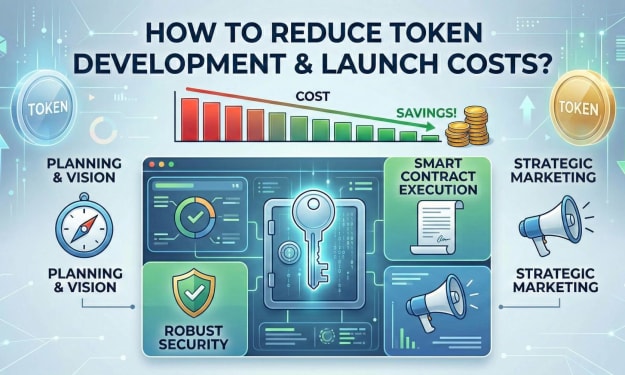
How to Reduce Crypto Token Development and Launch Costs?
Launching a crypto token often looks deceptively simple from the outside. Smart contracts can be deployed in minutes. Token standards are well documented. Marketing channels are accessible. Yet founders frequently discover that what seemed like a modest technical exercise turns into a six-figure undertaking. Development, audits, legal structuring, exchange listings, liquidity provisioning, branding, community management, and post-launch maintenance compound rapidly.
By Jennifer Atkinson5 days ago in The Chain
Crypto Coin: Architecture, Utility Models, and Market Dynamics Explained
The term Crypto coin refers to a native digital asset that operates on its own blockchain infrastructure, functioning as a medium of exchange, store of value, and programmable financial instrument. Unlike tokens that are deployed on existing chains, a Crypto coin underpins its network’s consensus, incentivization, and transaction validation layers. Understanding how a Crypto coin operates requires a multi-dimensional perspective that includes cryptographic security, economic design, governance structures, and regulatory implications.
By Siddarth D4 days ago in The Chain
I was in a Toxic Relationship, with my Workplace
“You got that?” My ex yelled. His hands were balled into fists at his side. At six foot three, he towered over me. A normal person would have been afraid, but I looked up a video of George Lopez repeatedly saying, “I got this,” and showed it to him. I had grown used to this treatment, so much so that I didn’t blink when he ripped the phone from my hand and threw it across the room.
By Jade M.5 days ago in Confessions



Comments
There are no comments for this story
Be the first to respond and start the conversation.