
Best Software To Create NFT Art
Top 5 Best Software To Create NFT Art for beginners without coding experience


How to select popular NFT to purchase from a marketplace?
If you have Ethereum, cryptocurrency and want to make more money, you should think about buying NFTs for yourself.
It is very important that you do your research and learn a lot about the subject and cryptocurrencies, NFT, before you buy some.
After that, you should think about which online market to use. OpenSea is one of the most popular places to buy NFT. It is used by artists all over the world and has grown rapidly in a short time.
After doing that, you need to think about these things:
- Is your NFT unique?
- Do you like the NFT?
- Is the team behind it well-known?
- When will the team behind it reach its long-term goals?
- Is the product in your price range?
Here is a list some best software to create NFT art.
- SketchAR
- NFT Art Generator
- Krita
- Nightcafe
- Fotor
1. SketchAR
This tool is especially for mobile users. As a bonus, you can make your own art while you're on the go.
The app lets you turn your digital art or photos into NFT with powerful AR tools. SktechAR has a drawing tool that you can use to make digital art and convert it quickly.
You can share your NFT art in the SketchAR community, which is very active. If you are chosen as the Creator of the Week, your art will be turned into NFT.
That's not the only good thing about this tool:
It makes your art automatically show up in places like Opensea and Rarible.
Some of the most important features about SketchAR:
- Automatically sends your NFT to well-known marketplaces.
- This tool is especially for mobile and tablet users.
- Quickly turns your digital art into NFT.
- It has an active NFT art community.
2. NFT Art Generator
Another of the web-based NFT art-making tools is called NFT Art Generator. It doesn't take up a lot of space on your PC because it is a web-based tool.
This app's interface is very simple and easy to understand, and you'll be able to use it in a short time. When you use this tool, you can save your digital art in different formats.
For example, there are JPJ, GIF, PNG, and MP4 file types. If you want to make a picture with many different layers, NFT Art Generator lets you.
To start making your NFT masterpiece, you don't need to log in or sign up.
In NFT Art Generator, some of the main features:
- No need to log in or sign up.
- Multiple layers of support
- It is possible to export your NFT in many different formats.
3. Krita
If you need digital art software that can make NFTs from scratch, then Krita is the best tool for you to use. Krita is the best software to create NFT art.
There are many free tools that you can use to make your NFT art. Krita is one of the best. You can get it for free.
You can use all of the drawing tools this app has to make unique digital art and sell it in the market of your choice.
In addition to having a variety of customizable drawing tools, you can make your own tool palette to make it easier to find the tools you use the most.
Krita is one of the best tools for making NFT art because it has HDR painting, more than 100 brushes, brush stabilizers, vector tools, and more.
It's possible to import brushes from your favorite artists in the community by going to "Resource Manager."
Here are some of the best things about Krita:
- The interface is very easy to use, and it doesn't take long to learn.
- There are a lot of tools that can help you draw.
- Stabilizers and tools for drawing with a pen or pencil.
- Paints in HDR mode.
4. Nightcafe
AI to help its users make beautiful digital art quickly. The tool uses a machine learning method called neural style transfer to learn.
This helps you convert your images to any art style you've chosen in the software by putting them in the right place. The process of making digital pictures is very easy.
Upload your picture, choose an art style from the different styles in the tool, and let AI do the rest. It is one of the easy tools to use to make NFT art.
NightCafe lets you make and download high-resolution art. There is also a "bulk" mode that enables you to make a lot of pictures at once.
You can make and download up to five artworks a day for free with no watermarks on NightCafe. You can use it on a variety of different devices.
Some of the best features about Nightcafe are:
- offers a bulk mode for making NFT
- You can make or download up to five art pieces a day for free.
- Many different types of art to choose from
- In-built notification system to let people know when an art piece is ready.
5. Fotor
Fotor is one of the easiest and fastest ways to make NFTs. You can create digital art in seconds with Fotor, so don't worry about it.
Fotor is the software that lets you make digital art quickly.
With AI tools, you will be able to make your digital art in a few simple steps.
The process of making NFT with Fotor is very easy. Just upload the picture, choose the art style you want to turn your image into, and that's it. You can also change the size of the picture.
You don't have to know how to write code to make NFTs. Creating layers, adding your touch, and making the art look better can all be done with the click of a button.
Here are some of the best features of Fotor:
- This tool is very simple to use it.
- In just some clicks, you can make digital art that looks like NFT.
- You don't need to register to make or download NFT.
- Several different types of art.
About the Creator
Dipu Guide By Dipu Verma
Dipu Guide (Dipu Verma) India's No. 1 Trusted Hindi Website. Dipu Guide Is a Blog like Finance, Banking, Make Money online And Last One Business Ideas On Dipu Guide Website.
Keep reading
More stories from Dipu Guide By Dipu Verma and writers in The Chain and other communities.
Top 5 NFT Marketplaces List 2022
Along with the rise in popularity of NFT, there has been a rise in the number of NFT marketplaces. There are a lot of places where you can sell or buy NFT art, from the well-known OpenSea to the smaller and more community-based Hic Et Nunc. Here is a list of places where you can buy or sell NFTs.
By Dipu Guide By Dipu Verma4 years ago in The Chain
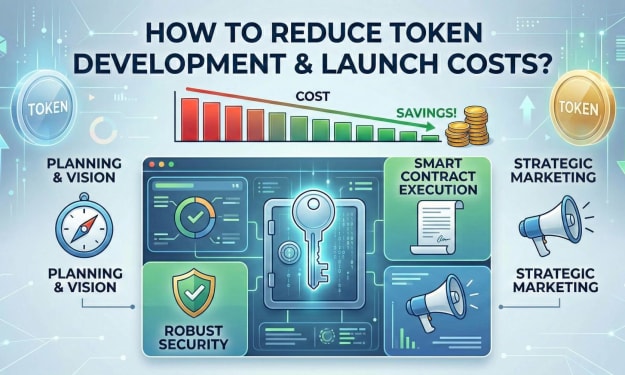
How to Reduce Crypto Token Development and Launch Costs?
Launching a crypto token often looks deceptively simple from the outside. Smart contracts can be deployed in minutes. Token standards are well documented. Marketing channels are accessible. Yet founders frequently discover that what seemed like a modest technical exercise turns into a six-figure undertaking. Development, audits, legal structuring, exchange listings, liquidity provisioning, branding, community management, and post-launch maintenance compound rapidly.
By Jennifer Atkinson6 days ago in The Chain
Crypto Coin: Architecture, Utility Models, and Market Dynamics Explained
The term Crypto coin refers to a native digital asset that operates on its own blockchain infrastructure, functioning as a medium of exchange, store of value, and programmable financial instrument. Unlike tokens that are deployed on existing chains, a Crypto coin underpins its network’s consensus, incentivization, and transaction validation layers. Understanding how a Crypto coin operates requires a multi-dimensional perspective that includes cryptographic security, economic design, governance structures, and regulatory implications.
By Siddarth D5 days ago in The Chain



Comments (1)
NFT is a great technology, so much so that you don't need to know how to program. If you are looking for an interesting post, I recommend this post: https://gamerseo.com/blog/how-to-create-nft-art-without-coding-in-6-easy-steps/