
How to Get Amazon Prime Free Trial
Get Amazon Prime free trial and download Amazon content

Are you interested in trying out Amazon Prime, but hesitant to commit to a monthly subscription fee? Luckily, Amazon offers a free trial period for Prime, allowing you to test out its many benefits without spending a dime. In this article, we'll show you how to get Amazon Prime free trial and download your Amazon videos as MP4/MKV files to keep them forever.
What you can enjoy with Amazon Prime?
1. Free two-day shipping: Prime members can enjoy free and fast shipping on millions of eligible items, with no minimum order size.
2. Prime Video: Access to Prime Video which includes exclusive TV shows and movies, as well as popular titles from major studios.
3. Prime Music: Prime members can stream over two million songs ad-free and on-demand, with unlimited skips and offline playback.
4. Prime Reading: Access to a rotating selection of books, magazines, and comics.
5. Prime Gaming: Free games, in-game content, and a free Twitch channel subscription every month.
6. Early access to lightning deals: Prime members get 30-minute early access to select Lightning Deals on Amazon.
7. Whole Foods discounts: Exclusive discounts and deals at Whole Foods Market stores.
These are just a few of the many benefits that come with an Amazon Prime membership. With so much to enjoy, it's no wonder that Amazon Prime has become a popular choice for online shoppers.
How can you get Amazon Prime free trial?
If you haven't been an Amazon Prime member in the last 12 months, you can sign up for a free trial. To sign up for the Amazon Prime free trial, your account must have a current, valid credit card. Payment options, such as an Amazon.com Corporate Line of Credit, checking accounts, or pre-paid credit cards can't be used.
To sign up for the Amazon Prime free trial:
1. Go to Amazon Prime.
2. Select Start your free trial.
3. Follow the on-screen instructions if prompted.
If you had Amazon Prime before, you can try the ways below:
1. Wait 12 months and then you are eligible for another 30-day free trial.
2. Switch your mobile plan as some phone plans come with a complimentary Amazon Prime membership for free.
3. Sign up for Amazon Prime student membership, which offers a free trial for 6 months.
4. Create a new Amazon account with a different email address after you close the older account, which can avoid being suspended by Amazon.
5. Share Amazon Prime accounts in your household so that each member can take out a free trial at a time.
What’s after the free trial?
When your Amazon Prime trial expires, you will be automatically charged for the full Prime membership fee unless you cancel before the end of the trial period. For help turning off your Amazon Prime membership renewal, go to End Your Amazon Prime Membership.
If you download content such as movies or TV shows to your device during your Amazon Prime free trial period, you will only be able to access the downloaded content as long as you have an active Prime membership. However, you can actually keep your Amazon videos forever by using a professional video downloader, which can download Amazon videos as MP4/MKV files.
NoteBurner Amazon Video Downloader is a user-friendly and powerful tool for downloading videos from Amazon Prime Video. It supports a range of quality options from 240P to 1080P and ensures that all subtitles and audio tracks are preserved. The downloaded videos are ad-free and available in MP4 or MKV formats. The software is capable of downloading batches of videos quickly, making it an efficient option for users.
Tutorial: Save Amazon Video Forever
Please install NoteBurner Amazon Video Downloader on your computer first. Click here to read the full tutorial.
About the Creator
The Biggest Oscar Nominations Snubs and Surprises in 2026
Every year when the Academy of Motion Picture Arts and Sciences unveils its Oscar nominations, the film world collectively holds its breath. The 98th Academy Awards are no exception. The 2026 nominations, announced on January 22, sparked intense discussion, with astonishing inclusions, baffling omissions, and historic achievements that captivated audiences and critics alike. With Sinners breaking records and beloved performers left off the ballots, this year’s list reflects both the Academy’s evolving tastes and the unpredictable nature of awards season.
By Salaar Jamalia day ago in Styled
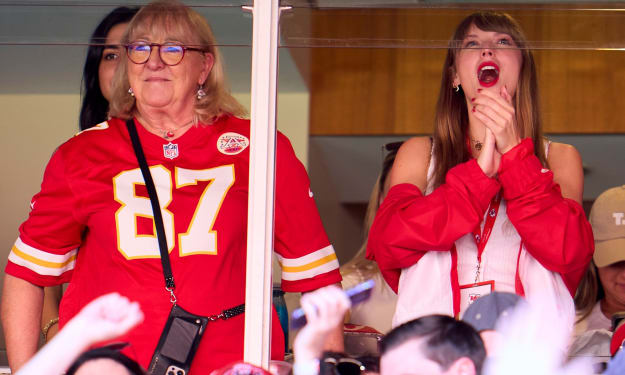
Times When Taylor Swift’s Presence Aligned With Chiefs’ Biggest Wins
Who would have ever wondered that one of the globally recognized pop stars, Taylor Swift, would actually be a fan of sports in the realm of football? Engaging with the star player of the Kansas City Chiefs, Travis Kelce, and bringing her support and glam into the gridiron.
By Emilly Smitha day ago in Styled


Comments
There are no comments for this story
Be the first to respond and start the conversation.