

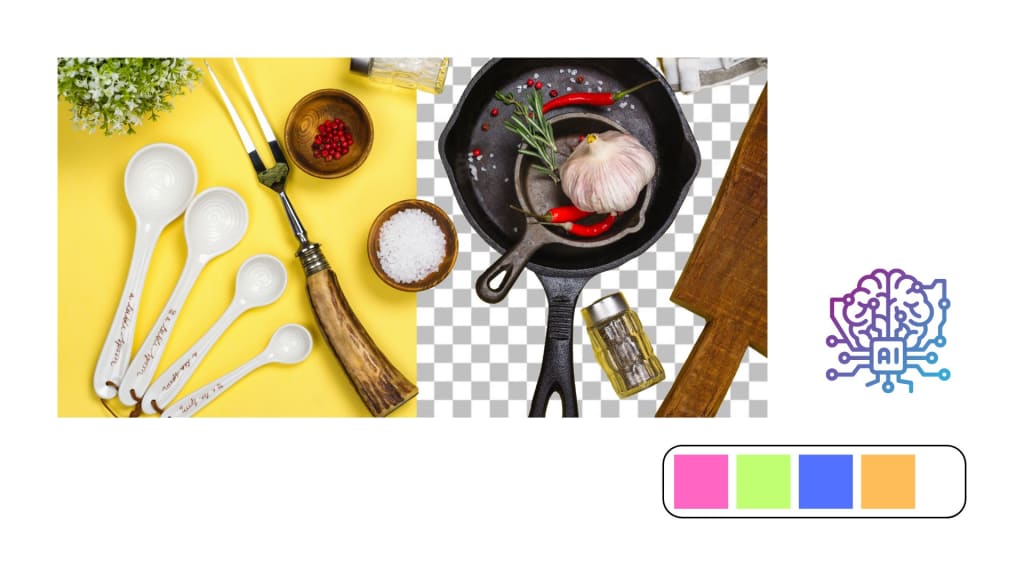
Hours of labor and technical skills to accomplish manually can now be done automatically using AI. Developers and businesses are increasingly using AI tools to perform the most complex image manipulations and enhance visual appeal while saving time and resources. The most exciting trend within this area has been the appearance of AI photo editor APIs. This development helps in seamlessly embedding high-level features of image editing within any given application. APIs that work in an image-processing capacity are also bringing a level of revolution for processing, enhancement, and mass changes to images at unprecedented levels of scalability and efficiency.
An AI photo editor API can serve as the perfect tool for developers, marketers, or businesses looking to create visually striking content. No matter whether the requirement is about removing backgrounds from photos, enhancing them, or adding special effects, these APIs provide an automatic solution that would make your pictures stand out in no time while saving you precious editing hours. In this guide, we'll dive into the top 5 AI photo editor APIs available in 2024, discuss the benefits of integrating AI photo editing, and provide tips on how to get started.
What Does an AI Photo Editor API Do?
Powerful APIs to use artificial intelligence in photo editing allow developers to include AI-powered photo editing functionality within their applications or websites. It leverages the strength of deep learning, computer vision, and object recognition algorithms for image analysis and automatic correction without much human interaction. AI photo editor APIs can efficiently process your need-to-improve picture quality, background replacement, or generation of brand-new images.
Here are some fundamental advantages of using AI photo editing APIs:
- Automation: AI can automate simple tasks from background removal, color correction, or retouching, making the process of modification faster and less labor-intensive.
- Advanced Features: Many of these APIs come bundled with professional features, including object recognition, skin smoothing, face enhancement, and scene analysis, which most of the traditional software lacks.
- Scalability: AI is very efficient in handling bulk images at one time, so it is ideal for businesses dealing with bulk image processing.
- Customization: AI photo editing APIs often offer options for developers to customize the editing process according to their needs, allowing for greater flexibility and personalization.
- Quality: AI models are persistently improving, therefore the results of editing persistently tend to be high quality, often better than that that can be attained manually.
Businesses that integrate AI photo editing APIs save time and money while gaining more enhanced images, which manual editing can never match.
Find out who’s the best photo editor amongst PhotoCut and Remove.bg.
What Defines a Good AI Photo Editor API?
The factors to be considered when choosing an AI photo editor API include:
- Features: A good AI photo editing API should have the specific features you need, such as background removal, image enhancement, face retouching, or object recognition. The API should offer advanced features like AI-powered color correction or image segmentation for more detailed edits.
- Ease of Integration: The API should be easy to integrate into your existing app or website. Look for detailed documentation and clear examples of how to implement the API in your project.
- Implementation Time: It should not take too long to set up the API. A simple, quick integration process will save valuable time.
- Image Quality: The API should provide high-quality results that don’t degrade the original image. Check for smooth edges, natural color enhancement, and no loss of resolution.
- Cost: The pricing structure should be transparent, and the API should fit within your budget, especially if you need to process large volumes of images regularly.
- Bulk Editing: Look for APIs that can handle bulk image processing efficiently. Scalability should be there so that if any business wants to edit thousands of images, the API should be able to handle that amount and process the edits.
- Customization: The API should be flexible enough to offer specific customization to accommodate your style needs or business requirements.
Top 5 AI Photo Editor APIs for 2025
Let's get closer to the top 5 AI photo editor APIs that are making waves in 2025. Such APIs put a wide variety of features at businesses and developers' service, helping them integrate powerful photo editing capabilities into their platforms.
1. PhotoCut API
PhotoCut is one of the leading AI photo editing APIs, known for its exceptional background removal and image editing features. The API provides all the advanced features, including automated background removal, precision segmentation, and the ability to handle complex details in images like hair, spokes, and finer elements. Its ideal usage lies in eCommerce business, content creation, and marketers who need product images, profile photos, and others to be processed.
Discover the magic of instant image editing with PhotoCut’s APIs.
Key Features:
- Background removal with high accuracy
- Advanced object detection
- Seamless integration with other platforms
- Customizable options for different industries
- Supports bulk image processing
- Instant image editing capabilities
Best For: Businesses in eCommerce, product photography, and social media who need quick, reliable image editing.
2. Photoshop Generative Fill API
For a long time, Adobe's Photoshop has been the gold standard of photo editing, and now that it has taken its Generative Fill API to developers, it brings advanced AI-driven tools to their hands. The Generative Fill feature makes use of AI to analyze the image and automatically fill missing or damaged parts by generating content that blends flawlessly with the surrounding environment. This is useful for image restoration, creative photo manipulation, and even content-aware cropping.
Key Features:
- Content-Aware Fill for automatic scene repair
- Seamless integration with Photoshop tools
- Advanced object removal and background editing
- Pattern recognition for generating consistent edits
Best For: Creative professionals and businesses looking to leverage advanced Photoshop tools in their apps.
3. Luminar Neo API
This powerful AI-driven photo editing tool is primarily used for making landscape, portrait, and other kinds of picture enhancements. Luminar Neo API features AI enhancement, automatic color correction, sky replacement, and portrait retouching. In effect, Luminar Neo automatically enhances the original, natural characteristics of images while staying subtle and professional, not over-edited.
Key Features:
- AI-powered image enhancement and upscaling
- Sky replacement for dramatic effects
- AI portrait retouching
- Noise reduction and detail enhancement
- Customizable editing workflow
Best For: Photographers, content creators, and businesses looking for powerful AI tools for photo enhancement.
4. Midjourney API
Midjourney is a cutting-edge service that enables a user to produce highly unique images given a text description. Developers may use its API to integrate the AI-driven generation of images within their applications. The AI understands detailed prompts that can be translated into highly realistic or imaginative images, ideal for creative work, marketing campaigns, and content creation.
Key Features:
- Image generation from detailed textual prompts
- Fine-tuned AI for accurate depictions
- Highly customizable creative outputs
- Integration with platforms like Discord for collaborative projects
Best For: Content creators, marketers, and anyone in need of custom images generated from text descriptions.
5. DALL-E 3 API
DALL-E 3 from OpenAI stands out as among the most highly developed AI technologies for image production and editing directly from text. The API to DALL-E 3 integrates with any platform with a simple request, creating stunning, high-definition images from ordinary text descriptions. The API also supports inpainting, allowing users to modify specific parts of an image based on detailed input.
Key Features:
- Text-to-image generation with high accuracy
- Inpainting capabilities for editing specific image areas
- Seamless integration with ChatGPT for prompt refinement
- Flexible image sizes and resolutions
Best For: Creative agencies, designers, and developers looking for cutting-edge image generation capabilities.
How to Start Using an AI Photo Editor API
Including an AI photo editor API in an application is usually quite easy to do, since most APIs contain comprehensive documentation with developer resources and other helpful guidance. Here's how to get started:
- To get started, you first have to create an account with the API provider. You would get the API documentation and would be able to manage your API keys.
- An API key is essential in authenticating your application, enabling it to have access to features from the API safely. An API key will normally be received once you have signed up for the service.
- Read the Documentation: It should be known to understand the functions of the API as well as integrate it into a project. Any provider will make sure to put out detailed documentation, code examples, and even best practices to follow.
- Add the Code: After reading the documentation, you can begin integrating the API into your app. This usually involves adding specific code snippets to your project, making API calls to trigger the photo editing features, and handling the results.
- Test It Out: It is time for testing once integrated. Upload the test images for any issues concerning the editing and ensure the final output is right.
By using these steps, you will be able to seamlessly integrate into your application powerful AI photo editing capabilities, making image processing faster, smarter, and more efficient.
Learn how to process images from Google Drive using Zapier.
Conclusion
The top 5 AI photo editor APIs include PhotoCut, Photoshop Generative Fill, Luminar Neo, Midjourney, and DALL-E 3. They all have a different set of capabilities that best fit different needs in business operations. By integrating these APIs into your application or platform, you can edit your images more effectively, automate editing tasks, and streamline the creative workflow, hence saving time and resources.
Create amazing backgrounds using PhotoCut’s Image Generator API.
FAQs
Q1. What are the benefits of using an AI photo editor API compared to traditional photo editing software?
Ans. AI photo editor APIs offer a lot of advantages over traditional photo editing software. It can automate, scale, and edit multiple images at once. It also uses AI to improve itself constantly, hence delivering high-quality results with minimal manual intervention. That is why they are perfect for businesses that have to process thousands of images quickly.
Q2. What are some examples of how AI photo editing APIs can be used in businesses?
Ans. AI photo editing APIs are used in several business applications. For instance, they can enhance product images for e-commerce sites, create custom visual content for marketing campaigns, improve social media images, or edit photos for digital ads. It saves time, streamlines workflow, and results in high-quality output.
Q3. Do I need coding experience to use an AI photo editor API?
Ans. While coding experience is helpful, many AI photo editor APIs are designed to be easy to integrate, even for those with limited coding skills. Some services, like PhotoCut, even offer no-code integrations via platforms like Zapier. However, for more customized use, some programming knowledge may be required.
About the Creator
PhotoCut
AI Photo Editing Tool - Remove or Change your Background & Enhance Product Photos
Keep reading
More stories from PhotoCut and writers in Photography and other communities.
PhotoCut vs Remove.bg
Background removal tools are now indispensable tools for any picture enhancement with regards to eliminating distractions or clutter through an unwanted background. As a result, the emergence of two big players in background removal - PhotoCut and Remove.bg - becomes an integral aspect of image editing in its continually changing nature. Both of the tools use artificial intelligence (AI) and machine learning, serving not only individual consumers but also small businesses and larger corporations.
By PhotoCut12 months ago in Photography
The Photographer's Code
You decide to visit your local park. You have become a close confidant to the homeless people who gather there most days. While talking to Cleo and Reed, you notice a new face in the crowd. It belongs to a stick-thin, middle-aged woman. She has her hand on her forehead as if taking her temperature.
By Paul Aaron Domenick7 days ago in Photography
The Gold Tone (Orotone) Technique
She picked it up from a dusty shelf at an estate sale, thinking it was just an old frame. Then the light caught it. The image glowed, not like a print, not like a painting, but like something that seemed to carry its own inner warmth. That was her first encounter with an Orotone, and she bought it without asking the price.
By CurlsAndCommas3 days ago in Photography


Comments
There are no comments for this story
Be the first to respond and start the conversation.