

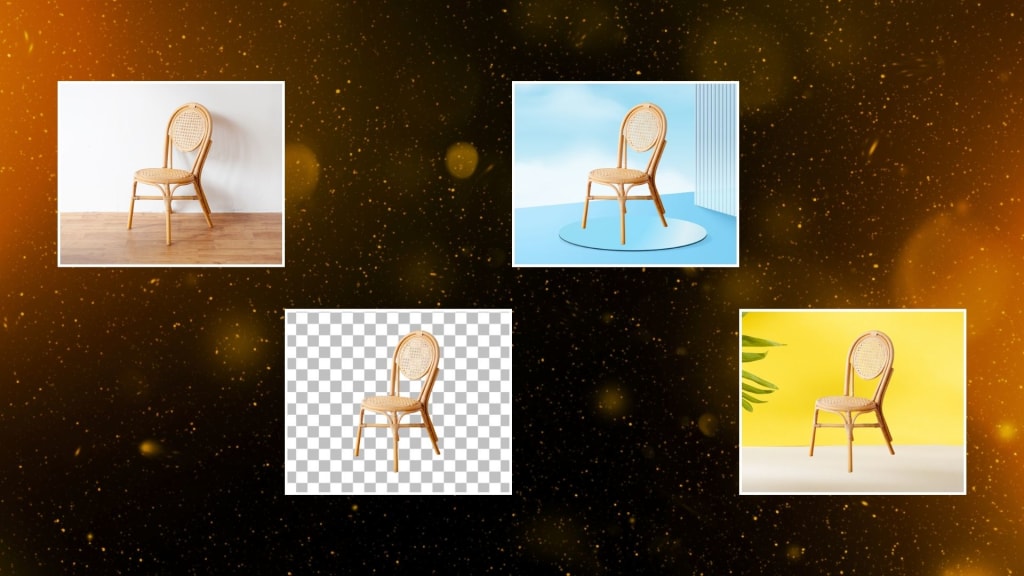
Background removal tools are now indispensable tools for any picture enhancement with regards to eliminating distractions or clutter through an unwanted background. As a result, the emergence of two big players in background removal - PhotoCut and Remove.bg - becomes an integral aspect of image editing in its continually changing nature. Both of the tools use artificial intelligence (AI) and machine learning, serving not only individual consumers but also small businesses and larger corporations.
In this article, we shall go deep in comparing PhotoCut and Remove.bg on the aspect of accuracy, simplicity, pricing, and other pertinent features that should guide your selection.
Testing Accuracy: PhotoCut vs Remove.bg
To provide an objective assessment, we tested both tools on a bicycle image, a relatively complex scenario that includes intricate details like spokes, tires, and the bike’s frame. We wanted to see how each tool handled fine details and whether the background removal process affected the quality of the image.
PhotoCut's Result: PhotoCut delivered an impressive result, with its algorithm efficiently removing the background while preserving fine details. The AI handled the bicycle's spokes, frame, and wheels with remarkable precision. It managed to segment the different components of the bicycle without leaving any artifacts or blurring the edges, making the subject stand out sharply from the clean white background.
Remove.bg's Result: Remove.bg, on the other hand, struggled with some of the finer details, particularly the spokes of the bicycle. While it was able to remove the background, there were visible inaccuracies in areas with intricate shapes, leading to a less polished and somewhat rough result. This highlighted PhotoCut's superior performance when it comes to more complex images.
In terms of accuracy, PhotoCut outperformed Remove.bg, particularly in scenarios that involved finer details and more intricate subjects. The difference in accuracy can be attributed to PhotoCut’s more advanced AI algorithms, which excel in segmenting and processing complex image features.
Explore the top 5 photo editor APIs and choose the one that works best for you.
What is Remove.bg?
Remove.bg is one of the latest online tools built to remove any background from your images easily, using advanced AI technology that helps detect the subjects of a picture and eliminate background in just seconds. It comes in handy very much for those who need professional-looking images for any e-commerce platform, marketing needs, presentations, or social media posts.
One of the many benefits of using Remove.bg is how easy the software is to work with. To begin, just upload an image and let the tool do all the work, but it works fast with accurate results and even no design expertise is required, especially when images involve people or objects or, even animals for that matter.
Besides this, the website provides batch processing to remove the background from several images at one time, saving users a lot of time. Other features include downloading your subject in different formats, including PNG files with transparent backgrounds.
Remove.bg offers a free version but limits the feature set. To download high-resolution images and gain access to further features, there are paid subscription plans. It's a great tool for anyone who wants to make their image editing process easier and not have to deal with something as complex as Photoshop.
Why Choose PhotoCut?
Having established PhotoCut’s superior accuracy, let’s delve into the key reasons why you might choose this tool over Remove.bg.
1. Best-in-Class Accuracy
As evidenced in our test, PhotoCut excels in accuracy. Third-party evaluations have confirmed that PhotoCut outperforms Remove.bg by at least 30% in terms of background removal accuracy. If precision and attention to detail are a priority for your projects, PhotoCut is the clear choice.
2. 100% Money-Back Guarantee
PhotoCut offers a risk-free guarantee with its services. If the background removal does not impress you, then a full refund is also provided. This ensures that customers are confident about the quality of service they pay for and will offer some level of trust to its users.
3. Instant Editing from API to Web
PhotoCut has made its API and web app seamlessly compatible, allowing users to switch between editing modes without interruption. Whether you're a developer integrating PhotoCut’s API into a product or an individual using the web app, the platform ensures that the process is smooth and quick, with minimal delay.
4. Best Value for Your Investment
PhotoCut offers the best value for money because it's straightforward about the price and gives many subscription plans. Be you a one-off individual or a company processing thousands of images per month, there's always a price level that works. In addition to this, PhotoCut has the flexibility and scalability that suit a business when requirements change over time.
5. AI-Powered Editing Tools
PhotoCut also provides a set of AI-powered editing tools, in addition to background removal. These enable the user to improve images by making adjustments to such elements as lighting, color balance, and sharpness, and it is thus a very useful tool for any person involved in digital image manipulation. The advanced editing capabilities help streamline workflows and improve the quality of images with ease.
Discover the magic of instant image editing with API Playground.
6. Trusted by Top Brands
PhotoCut’s technology has already been adopted by renowned brands, including BarbieSelfie.ai, showcasing its effectiveness and reliability. Top companies trust PhotoCut for its quality and precision, which further reinforces its credibility and standing in the market.
PhotoCut API: Seamless Integration for Developers
For developers or businesses looking to integrate background removal into their workflows, PhotoCut offers an API that allows easy implementation. Here’s a simple guide to get started with PhotoCut’s API:
- First, create an account on PhotoCut's platform.
- Upon creating an account, you will be given an API key, using which you are allowed to access PhotoCut's services.
- Subsequently, you shall go to the API playground, in which you can make your custom presets and try out new features while integrating PhotoCut's functionality into your applications.
- PhotoCut offers detailed documentation that guides you through every step of the integration process, ensuring that even beginners can start using the API quickly.
For businesses processing more than 500,000 images per year, PhotoCut also offers custom pricing plans to suit high-volume needs, which ensures flexibility for large-scale operations.
Learn how to use Zapier to process images from Google Drive.
Conclusion
While both services are impressive with their background removal capabilities, PhotoCut is truly superior in accuracy, especially concerning intricate details, such as the spokes of a bicycle or the fine edges of a complex object. Advanced AI tools, flexible pricing, and its money-back guarantee make PhotoCut a comprehensive background removal solution.
PhotoCut, which is a top tool for giving excellent results along with easy integration through an easy-to-use API, is surely your tool. It will be the favorite of developers and businesses alike because it is perfect for streamlining image-processing workloads while still being able to generate high-quality results.
Create amazing backgrounds using Image Generator APIs.
FAQs
Q1. What is the difference between PhotoCut and Remove.bg's APIs?
Ans. PhotoCut’s API is designed for quick and seamless integration, enabling users to enable their API key, create presets, and start using the features within an hour. It provides detailed documentation to assist with integration, making it ideal for developers.
Q2. How long will it take to set up PhotoCut’s API?
Ans. PhotoCut's API can be set up in a very short period, about an hour. Its friendly interface and very well-structured documentation allow any developer to get started easily.
Q3. How much does PhotoCut cost?
Ans. PhotoCut provides multiple subscription options that range from free plans up to plans custom-tailored for small businesses or startup plans. If a business will be processing under 100,000 images monthly, there is a very cost-effective plan that will fit its needs. Enterprises can also acquire custom pricing in case of massive image processing volumes.
Q4. Can I upgrade, downgrade, or cancel my subscription?
Ans. Yes, PhotoCut has flexible subscription plans. You can change, downgrade, or cancel any time you wish. In case you cancel, unused credits are held for six months. That way, when you renew, you will use them.
Q5. Can I roll over unused API credits?
Ans. Unused credits can roll over from month to month, but only up to six times your monthly credit budget. For free plans, unused credits are replenished at the beginning of each month and don’t carry over.
Q6. What image formats are supported?
Ans. PhotoCut’s API supports both JPG and PNG formats. While there’s no set restriction on the image resolution, it’s recommended to stick to images with a resolution of up to 25MP to ensure optimal processing times.
Q7. How fast is the background removal process?
Ans. Background removal through PhotoCut’s API takes an average of 0.3 seconds per image. With the default speed settings, users can process up to 500 images per minute, ensuring fast turnaround times.
Q8. Does PhotoCut store my images?
Ans. No, PhotoCut does not store any images processed through its API. This ensures user privacy and security, with the platform adhering to strict data handling policies.
Q9. Where is PhotoCut's server located?
Ans. PhotoCut’s servers are located in the Eastern United States, ensuring reliable and fast access for users across North America and beyond.
Q10. What about copyright on processed images?
Ans. PhotoCut doesn’t apply any copyright to images processed through its API. This allows users full ownership of the images after they’ve been edited.
About the Creator
PhotoCut
AI Photo Editing Tool - Remove or Change your Background & Enhance Product Photos
Keep reading
More stories from PhotoCut and writers in Photography and other communities.
The Ultimate Guide to Black Color
One of the most striking and alluring hues in fashion, design, art, and culture is black. But for millennia, people have debated whether or not black is a hue. This straightforward query touches on perception, art, culture, and science. Artists, designers, and anybody else who works with colors in their daily lives must have a solid understanding of black and its significance in both design and the wider world. We will go deeper into the essence of black, examine its relevance in a variety of professions, and examine what color is in general in this tutorial. You will know more about black after this guide, including whether it is a color and how to apply it in design.
By PhotoCut12 months ago in Photography
Gold Chrysotype Photography Is Back and the Colours Are Breathtaking
There is a moment when a chrysotype print is lifted from its chemical bath and held up to the light stops people mid-breath. The colours that bloom across the surface — soft dusty pinks fading into deep magenta, rich cyans pooling at the edges, velvety blacks settling into the grain of the paper — look less like a photograph and more like something pulled from a dream.
By CurlsAndCommas4 days ago in Photography




Comments (1)
Remove BG and Photocut are interesting options! Good work