


The shutter is a curtain in front of the camera sensor that remains closed until you start shooting. Once you click the button to take a photo, the shutter opens and lets in light that passes through the lens, exposing the sensor to it. Then the shutter closes again. The length of time the shutter remains open is determined by its speed.
Shutter speed is exactly what it sounds like – the speed at which the shutter of the camera closes. A fast shutter speed creates a shorter exposure — the amount of light the camera takes in —while a slow shutter speed gives the photographer a longer exposure.
What does changing the shutter speed do?
Shutter speed is used in photography to capture images with motion blur and to freeze movement. Most shutter speed examples include subjects which are moving – from wildlife photography to landscapes featuring motion, such as passing clouds or running waterfalls. To use it effectively when you’re out shooting in different settings with various subjects, you need to understand the difference between fast and slow shutter speed and the best techniques to achieve your desired results.
Shutter speed fundamentals.
Shutter speed is measured in fractions of a second. Most modern DSLR cameras are capable of the fastest shutter speeds of up to 1/4000th of a second – some go up to 1/8000th. At the other end of the scale are the slowest shutter speeds. These are measured in whole seconds and generally fall anywhere between two and 30 seconds.
Fast shutter speeds of 1/4000th are used for capturing rapidly moving objects, such as freezing a race car hitting its top speed. The slower the shutter speed, the more motion blur your camera will capture when shooting fast-moving subjects. With long shutter speeds from two to 30 seconds, any movement in the image will blur. This can create a cool effect with landscapes and the sky, as water and clouds turn soft and streaky.
Key equipment for experimenting with shutter speed.
There are a few essential pieces of equipment you need when experimenting with shutter speed in photography:
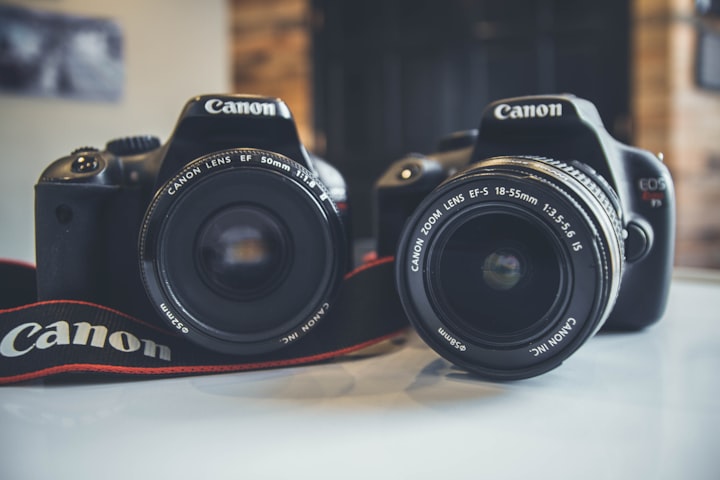
DSLR camera. Most DSLR cameras have the shortest shutter speed of 1/4000th of a second and longest ones of up to 30 seconds. To extend this, you need a camera with manual controls for the ISO, aperture and shutter speeds – not just automatic settings.
Tripod. When shooting handheld action, a tripod can help to avoid any unwanted motion blur. Even if you want to capture the movement of a subject, you might not want other background elements or motion blur around the edge due to camera movement.
Editing software. If your photos don’t turn out 100% as you envisioned, you can always edit them afterwards with the right photo editing software.
How to find shutter speed on your camera.
To find the shutter speed setting on your camera, read your instruction manual or try one of these methods:
1. While shutter speed is measured in fractions of a second, on most cameras it appears as a whole number. When it’s equal to or longer than one second you should see 1” (the quotation marks identifying a second). If it’s a fraction of a second – such as 1/250th – you should see 250. For example:
1” = shutter speed of 1 second.
10” = shutter speed of 10 seconds.
10 = shutter speed of 1/10th of a second.
500 = shutter speed of 1/500th of a second.
2. With most DSLRs, the shutter speed can be seen in the top left corner of the LCD display. If yours doesn’t have a screen, look through the viewfinder and it may appear in the bottom left. When you have neither, it should be on the back screen.
3. Do a manual check by:
Setting the camera to ‘Aperture Priority’ mode.
Turning ‘AUTO ISO’ off.
Moving your camera between dark and light areas.
Looking for the number that changes (this is your shutter speed).
How to set and change shutter speed.
Many cameras automatically set the shutter speed alongside aperture and ISO. This helps beginners get to grips with different shutter speeds without worrying about the other two aspects. Even professional photographers use the setting for ease when shooting in an environment where light changes quickly.
To change your camera’s shutter speed manually:
Alternatively, choose manual mode to adjust the aperture, ISO and shutter speed together.
It’s worth taking a few test shots to make sure you’re not introducing or freezing too much motion blur, depending on the effect you’re going for. This should inform whether you need to manually adjust it or not.
QUOTES
“Shutter speed gives you two things. One, it lets you freeze time. If you have a faster shutter speed, it’s going to open and close quickly and get that slice of whatever’s happening. Then there’s the instance where you want a really slow shutter speed that opens the aperture to let in more light. You can use slow shutter speed in a dimmer environment when you need more light to expose a shot correctly.”
“You could have academic knowledge of how photography works. But you also need to have the practical knowledge of trying it and practising it all the time to put the two together.”
About the Creator
Olaoluwa
Ola was born 24th May 2011
He is a Story teller, Reasearcher, Poem Writer and lot more
Keep reading
More stories from Olaoluwa and writers in Photography and other communities.
Gold Chrysotype Photography Is Back and the Colours Are Breathtaking
There is a moment when a chrysotype print is lifted from its chemical bath and held up to the light stops people mid-breath. The colours that bloom across the surface — soft dusty pinks fading into deep magenta, rich cyans pooling at the edges, velvety blacks settling into the grain of the paper — look less like a photograph and more like something pulled from a dream.
By CurlsAndCommas3 days ago in Photography
Writing To Succeed
If you want to find something that will help readers find your writing, possibly expand your audience, and maybe even get you noticed for other things, then you’re not alone. But how can you get it done in a world full of want-to-be writers? Look less at what you’re writing now, and more at what other writers have used to boost their views and reads.
By Jason Ray Morton 7 days ago in Writers



Comments
There are no comments for this story
Be the first to respond and start the conversation.