
How to Improve Picture Quality in 3 Simple Steps
How to Improve Picture Quality in 3 Simple Steps

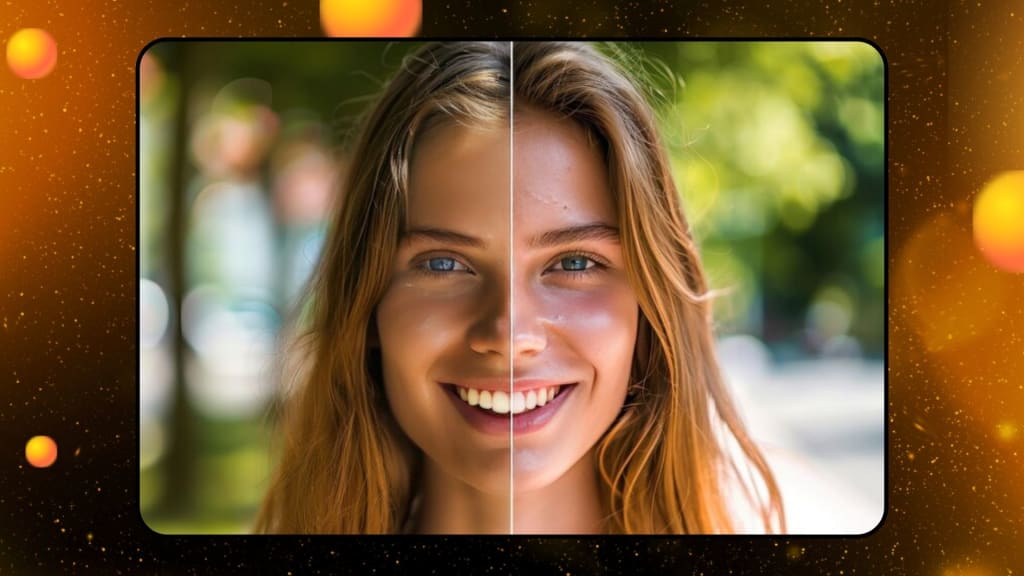
You probably have moments where you want to use a certain picture for some project, as your computer wallpaper, or put it on your social network, only to find out it's fuzzy or pixelated. Worry not; techniques exist for sharpening pictures using nothing fancy. This is a detailed tutorial on how to improve the quality of your photos.
What is Picture Quality?
Picture quality describes how clear or detailed an image is. You can see more in a photo with greater quality. Several factors, like focus, lens quality, and pixel count, can impact the quality of a picture. A high-quality picture is characterized by its crisp, smooth appearance and sharp details.
What is a High-Quality Picture?
You need high-quality photos for printing and other professional applications. A high-resolution photograph is printed at a minimum of 300PPI. This means that it would be great to print out highly detailed pictures in flyers, posters, or publications where details are important. A higher resolution means clearer pictures for digital photos, especially on bigger screens.
Improve Picture Quality for Free Online
If you prefer not to download and install software on your computer, you may improve the quality of your images using free online apps. PhotoCut's AI image enhancer is among the best available online. With the use of AI, PhotoCut's picture enhancer automatically raises the resolution of your photos for crisper shots without the need for technical expertise. You can also resize your images.
Key Features of PhotoCut
- Powered by AI technology
- Includes various editing tools
- Offers design materials
- Free to use
How to Use PhotoCut to Enhance Your Image?
- Upload your image to PhotoCut.
- Select the AI Enlarger tool to increase the image resolution.
- Compare the enhanced photo to the original.
- Refine your image further using the available editing tools.
- Download your final, enhanced image.
PhotoCut also has a teenage filter which can take you back to your teenage days.
Improving Image Quality in Photoshop
It can assist enhance the quality and resolution of images for those who know the basics of Adobe Photoshop. The following is a detailed guide on how to accomplish this in Photoshop:
- Open the image in Photoshop.
- Click Image>Image Size, then set your resolution preferences.
- Export the image with the new resolution for enhanced clarity.
Additionally, Photoshop has more advanced tools like color correction and sharpening that let you adjust the image's quality.
Best Apps to Improve Picture Quality
The quality of your images may be improved using some applications if you prefer to use your phone or are out and about. One of the most well-liked ones is as follows:
PicsArt
PicsArt is a free application for the enhancement of photographs. This app is also quite user-friendly for the starters. One can even change the sizes of the pictures with some minimal clicks, which does the task. You can also add Santa hats to your photos for a festive look using PhotoCut.
Pros:
- Free to use
- Supports social media sharing
- Simple to operate
Cons:
- Occasionally crashes
Pixlr
The user-friendly, free picture editor Pixlr is excellent for improving photo quality with a few clicks. Being able to accept several languages and formats makes it a flexible choice.
Pros:
- Free to use
- Supports various photo formats
- Multiple language options
Cons:
- Contains ads
Snapseed
Snapseed is a professional-grade photo editor that lets you improve the resolution and quality of images quickly. It’s perfect for those who want detailed control over their photo adjustments.
Pros:
- Free to use
- Easy-to-use interface
Cons:
- Only supports JPEG and RAW file formats
3 Easy Ways to Improve Picture Quality
It does not require much-advanced equipment and editing software to enhance the picture. Three simple ways anybody can enhance pictures using any camera are:
1. Focus on Composition
A photograph's composition is the arrangement of its components inside the frame. The secret to improving your photo's visual attractiveness is good composition.
The first guideline is to apply the Rule of Thirds. You divide your frame into nine equal parts using two horizontal and two vertical lines. Then you position your subject on one of those lines or at the point where two of the lines meet to create a balanced and dynamic composition.
Other techniques include:
Leading Lines: Use natural leading lines, for example, road or river lines, to move the viewer's eye through a photo.
- Symmetry: Create a feel of balance within your photo with symmetrical subjects.
- Negative Space: Use the emptiness around the subject to stand out.
- Framing: Frame your subjects with elements in the foreground using tree limbs or windows, for example.
While the Rule of Thirds is a good place to begin, remember not to play it too straight. Unusual compositions can make some fabulous, artistic photos.
2. Use Good Lighting
Lighting plays a very big role in the quality of photographs. The best composition will be ruined by the wrong lighting. Here is how to make the best of lighting:
- Natural Light: Whenever feasible, take advantage of natural light. The mellow, diffused light of the "golden hours" (sunrise and sunset) is particularly pleasing. The harshness of the midday sun can produce unwelcome shadows.
- Artificial Lighting: If indoors, try to use soft artificial lighting or lamps rather than bright overhead lights. It can also be achieved through diffusers or changed angles for better illumination.
- Avoid Backlighting: Your subject will probably seem dark and silhouetted if they are placed in front of a bright light source, such as a window. This may be avoided effectively by placing the light source in front of the subject.
3. Basic Editing
Editing helps make your photographs appear even clearer and better. Fine-tuning makes a great difference, sometimes in very slight changes. Apply the following for better images:
- Sharpen: Enhance details with sharpness.
- Brightness/Contrast: Brighten the image and deepen the contrast, so it makes more of a pop.
- Saturation: Makes colors look bright and vivid while avoiding over-enhancement.
Most free apps and programs have easy-to-use tools for basic editing. Besides making the images clearer, these edits will help bring out the mood and tone of your photos.
Conclusion
It's easier than you think to make your images better. You may produce photographs that are crisper, more professional-looking, and clearer with the use of free applications, web tools, and fundamental photography skills. There is an app for everyone, whether you use PicsArt, Snapseed, Photoshop, or PhotoCut. Furthermore, without an expensive camera, you may improve your images by concentrating on lighting, composition, and simple editing.
If you're shooting images for a project, making visually appealing postings on social media, or simply documenting memories, you can improve the appearance of any photo by using these easy steps.
You can check out the best 18th birthday wishes and birthday card templates to wish your friends or family members who are turning 18 soon.
FAQs
Q1. What are these 3 easy ways you're talking about?
Ans. The 3 ways are:
- Improving your composition by framing the photo well.
- Using good lighting, especially natural light.
- Making basic edits to enhance sharpness and colors.
Q2. Do I need a fancy camera to improve my photos?
Ans. Not at all! These tips work for any type of camera, whether you're using a smartphone, point-and-shoot, or DSLR.
Q3. Are these tips for starters or intermediate photographers?
Ans. These are great tips even for a starter, but every photographer, beginner, or expert can always return to fundamentals.
Q4. What is "composition"?
Ans. A photograph's composition refers to how its components work together to create a harmonious, visually appealing picture.
Q5. How does the "Rule of Thirds" work?
Ans. Using two lines running horizontally and two running vertically, divide your image into nine sections according to the Rule of Thirds, then place your subject on the lines or at their junction.
Q6. What makes lighting so crucial?
Ans. Lighting affects your photo's overall appearance, contrast, and mood. Ordinary subjects may become spectacular when they are illuminated well.
Q7. What is "natural light"?
Ans. Natural light is sunlight; it is one of the most preferred lights in terms of its soft and alluring effects. This light is most great during golden hours sunrise and sunset.
About the Creator
PhotoCut
AI Photo Editing Tool - Remove or Change your Background & Enhance Product Photos
Keep reading
More stories from PhotoCut and writers in Photography and other communities.
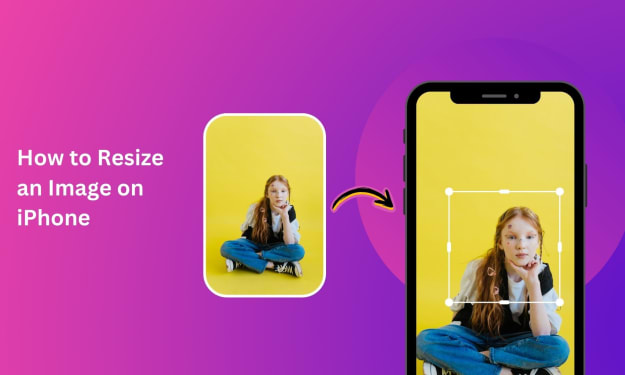
A Complete Guide to Resizing Images on an iPhone
Have you ever used an iPhone or iPad to snap a picture and discovered that it doesn't fit the screen exactly? It may not be the proper size for a particular program or usage, or it may be too big to distribute. One of the most frequent jobs is resizing photos, and thankfully, it's not that hard to accomplish on your iPhone.
By PhotoCut12 months ago in Photography
The Gold Tone (Orotone) Technique
She picked it up from a dusty shelf at an estate sale, thinking it was just an old frame. Then the light caught it. The image glowed, not like a print, not like a painting, but like something that seemed to carry its own inner warmth. That was her first encounter with an Orotone, and she bought it without asking the price.
By CurlsAndCommas4 days ago in Photography
Gold Chrysotype Photography Is Back and the Colours Are Breathtaking
There is a moment when a chrysotype print is lifted from its chemical bath and held up to the light stops people mid-breath. The colours that bloom across the surface — soft dusty pinks fading into deep magenta, rich cyans pooling at the edges, velvety blacks settling into the grain of the paper — look less like a photograph and more like something pulled from a dream.
By CurlsAndCommas4 days ago in Photography
A System That Isn’t Working Challenge Winners
Systems promise order. They organize behavior, distribute opportunity, and suggest that if everyone follows the rules, things will work. The entries in A System That Isn’t Working look closely at what happens when that promise begins to slip.
By Vocal Curation Team4 days ago in Resources



Comments (1)
How did I just discover Pixlr now when i was struggling back then?? And it's free??