
How to create mockups using AI
How to create mockups using AI
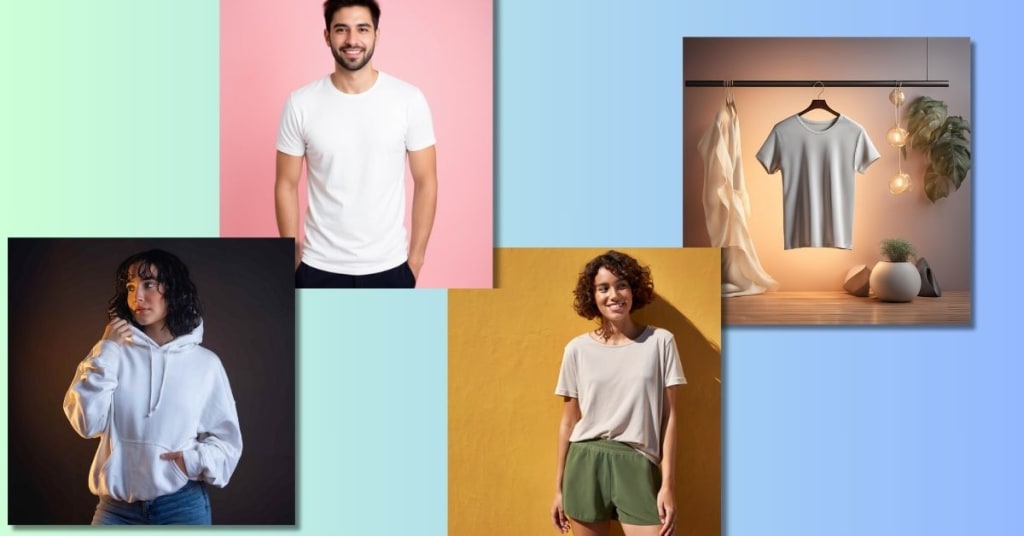
Creating high-quality mockups has never been easier, thanks to AI-powered tools that streamline the design process. Whether you’re a designer, marketer, or entrepreneur, AI-based mockup generators save time, effort, and resources while delivering professional results. In this guide, we’ll explore how you can create mockups effortlessly using AI and discuss the advantages of AI-powered mockup tools.
Step 1: Choose an AI Mockup Generator
The first step in creating a mockup is selecting the right tool. MockupGenerator.ai is an excellent choice, offering an intuitive interface, a vast collection of templates, and AI-driven automation that simplifies the entire process. Other AI-powered platforms also provide various customization options to match your branding and design needs.
With AI-based tools like this, you no longer need advanced Photoshop skills or expensive design software to bring your product concepts to life. Simply pick a tool that fits your needs, and you're ready to begin.
Step 2: Upload Your Design
Once you've selected your mockup generator, upload your design file. Most AI mockup tools support popular formats such as PNG, JPEG, and SVG. If you’re creating a product mockup, such as a t-shirt, mug, or book cover, ensure that your design fits within the template’s dimensions for the best results.
A good practice is to use high-resolution images with transparent backgrounds. This ensures that your design blends seamlessly into the mockup, making it look as realistic as possible.
Step 3: Choose a Mockup Template
AI mockup generators offer a diverse range of templates for various products and industries. Browse through the available options and select one that best aligns with your vision. These templates typically include apparel, digital devices, packaging, and more, giving you the flexibility to showcase your design in different contexts.
Think about your target audience when choosing a template. For example, if you’re promoting a tech gadget, a sleek laptop or smartphone mockup may work best. If you’re designing fashion apparel, a lifestyle mockup with a model wearing your design might be the way to go.
Step 4: Customize Your Mockup
After choosing a template, customize it to align with your branding. AI-driven mockup tools allow you to adjust backgrounds, lighting, colors, and product placements effortlessly. Some platforms even provide automatic background removal and realistic shadows, enhancing the final output.
Adding unique elements such as textured backgrounds or changing the environment can make your mockup stand out. If your design needs text or additional graphics, some AI tools offer layering features to further enhance your presentation.
Step 5: Generate and Download
Once you’re satisfied with the customization, let the AI process your mockup. Within seconds, the tool will generate a high-resolution, photorealistic mockup ready for marketing, presentations, or e-commerce listings. Download the final image in your preferred format and start using it immediately.
Before finalizing your mockup, take a moment to review the details. Check for any inconsistencies in alignment, color contrast, or resolution to ensure that your product looks as professional as possible.
Benefits of Using AI for Mockup Creation
1. Saves Time and Effort
Traditional mockup creation often requires advanced design skills and software proficiency. AI-powered tools automate the process, eliminating the need for complex edits and speeding up production time. What used to take hours can now be done in minutes, freeing up more time for other aspects of your business.
2. Professional-Quality Results
With AI-enhanced rendering, mockups look realistic and polished, making them ideal for marketing materials, client presentations, and online stores. Even if you're a beginner with no design experience, AI tools ensure that your mockups maintain a high level of quality.
3. No Design Expertise Required
Even if you have no prior design experience, AI mockup generators allow you to create stunning visuals with just a few clicks. The user-friendly interfaces and automation features make them accessible to everyone, from startup entrepreneurs to seasoned professionals.
4. Versatile and Customizable
AI mockup tools cater to various industries, offering templates for clothing, packaging, electronics, and more. Advanced customization options let you tweak colors, lighting, and perspectives to match your brand identity. This flexibility ensures that every mockup you create aligns with your vision.
5. Cost-Effective
Hiring a professional designer or investing in expensive software can be costly. AI mockup generators provide a budget-friendly alternative, offering high-quality results at a fraction of the price. Whether you're launching a new product or running a small business, AI tools help you achieve a professional look without breaking the bank.
6. Enhances E-Commerce and Marketing
If you're selling products online, having visually appealing mockups is crucial. AI-generated mockups give potential customers a realistic preview of your product, helping to increase engagement and conversion rates. Whether you're listing products on an e-commerce site, running a social media campaign, or preparing promotional materials, AI-generated visuals can significantly improve your marketing strategy.
Pro Tips for Creating Stunning AI Mockups
Use High-Resolution Designs: Low-quality images can make your mockups appear pixelated or unprofessional. Always use high-resolution designs to maintain sharpness and clarity.
Match Mockups to Your Brand Identity: Stick to colors, themes, and styles that reflect your brand to create a cohesive look across all marketing materials.
Experiment with Different Templates: Don’t settle for just one mockup—try multiple templates to see which best showcases your design.
Consider Audience Perception: Choose mockup backgrounds and elements that resonate with your target audience for better engagement.
Stay Updated with AI Features: AI-powered tools frequently update their templates and customization options. Stay updated with the latest features to make the most out of your mockup generator.
Conclusion
AI-powered mockup generators have revolutionized the way we create product and design previews. Whether you're a business owner, content creator, or marketer, leveraging AI for mockup generation can significantly enhance your workflow. Platforms like MockupGenerator.ai make the process seamless, helping you produce professional-grade mockups in minutes.
So why spend hours in complex design software when AI can do the work for you? Try an AI-driven mockup tool today and elevate your visual content effortlessly!
About the Creator
Keep reading
More stories from David Anderson and writers in Photography and other communities.
Tank Top Mockup Generator for Designers and Entrepreneurs
When it comes to showcasing clothing designs, particularly tank tops, a realistic mockup can make all the difference. A tank top mockup is a crucial tool for designers and entrepreneurs in the fashion industry. Whether you're working on a new collection, promoting a brand, or testing out different designs, having the ability to visualize your creations on a tank top template can save time and improve marketing efforts. Thankfully, with the advent of online mockup tools like mockupgenerator.ai, it's never been easier to create professional, high-quality mockups.
By David Anderson10 months ago in Journal
My Year, in Prattling and Photos
It's been a year since... last year. Ironically, it seems I've found myself a new tradition of getting sick during the New Year holidays. At least, this year (that is, this inter-year period remarkable for its shiny decorations in the streets and houses, and closed supermarkets and pretty much everything), I'm doubtlessly doing better: I've managed to come visit my friends in Germany for Christmas (which I failed to do last year) and—after having some good quality time eating machanka, playing Munchkin and swinging machetes (the last one obviously crept into this checklist only for the sake of the phonological form)—I came back home via proverbial Deutche Bahn and probably less known Schweizerische Bundesbahnen, my body hosting a family of viruses, virions and who knows what other tiny critters somewhere inside my chest.
By Andrei Z.16 days ago in Photography
Acropolis and Its New Museum
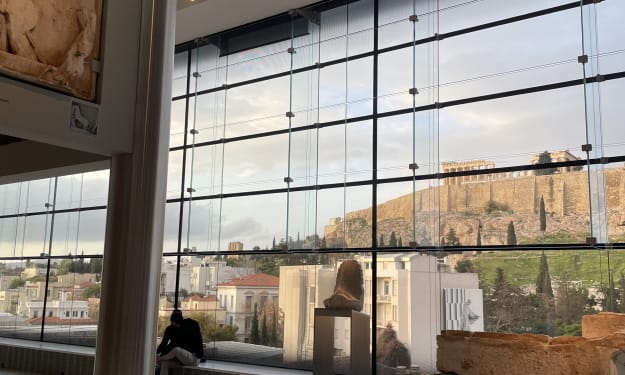
The other day, my son and I went to the Acropolis and the new Museum at its foothill in Athens, Greece. The Museum opened in 2009 to house the collection of artifacts found at different times on the Acropolis Hill. On its own, the building is a masterpiece in architectural design not only because it has a great flow for following the history and evolution of Greek culture through the centuries as they were buried and found on the Acropolis, but also because it has a full-size replica of the Parthenon on the upper floor.
By Lana V Lynx6 days ago in Photography
So You Decided To Become a Nurse Practitioner:
So you decided to become an "Advanced Practice" nurse. Congratulations!... is what I would say if this was a good idea. Grad school? In this economy? What were you thinking? Likely it was something along the lines of either 1) “I've seen these other chucklefucks do it— Why can't I?” or even 2) “I've got a nice career, I should shake it up. I miss feeling like I have no clue what I'm doing.”
By Sandor Szaboabout 13 hours ago in Fiction



Comments
There are no comments for this story
Be the first to respond and start the conversation.