
Clipping Path vs. Masking:
Which Is Best For You?

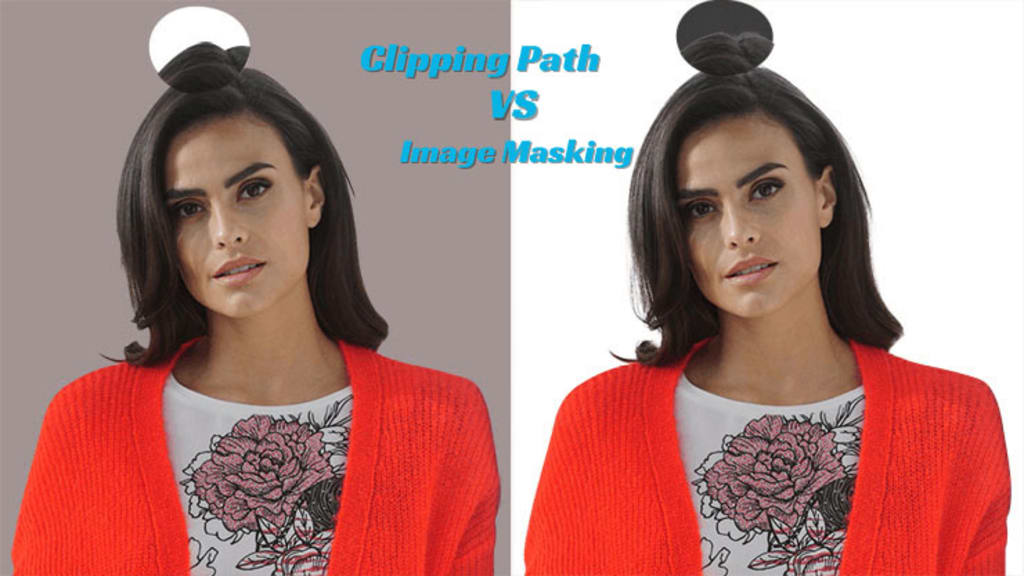
Hey, did you just click the perfect shot, but the background isn't complementing the subject? Then stop right here as the article unwinds to show you the best way to remove the background.
Clipping path and clipping masking are two known techniques in the photo world that help isolate the main subject from the background and thus change the background. But wait! What's the difference between the two?
Well, where both clipping paths and masking serve the same purpose of background removal and subject isolation, the prime difference lies in their mode of action. Where one leaves you with hard corners, the other ends with a flawless result.
So, let's toggle through the article and find clipping masking vs. clipping path- the better one!
What is a Clipping Path?
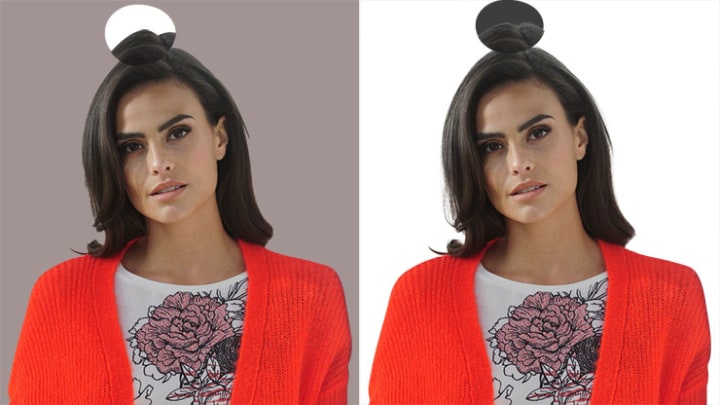
Starting with the clipping path is a Photoshop technique in which you select the image, isolating it from the background. Then, you have control over both the extracted content and the background. You can either change the background or place the subject on another background as per your needs. However, keep in mind that clipping paths work best for subjects with smooth and pointy edges and distinct edges.
In that case, all you need to do is carefully draw the path around the subject, and here you go! Your selected subject path is isolated from the background. Since it requires a deeper look and concentration to get a perfect image, the clipping path is also known as deep etching.
Types of Clipping Path Technique
Single Layer Path
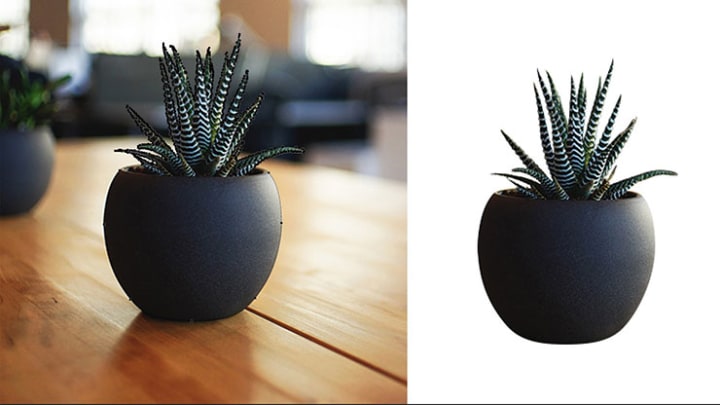
Single Layer Path works for simple objects with plain or no edges. You simply draw a single-layer path around the subject you want to isolate, and that’s it. For example, a single-layer path can be used to isolate a new phone model from the background.
Multilayer Path
Most of the time, the photographs are not that simple, and they incorporate two to three subjects with intricate details, e.g., in jewelry photography.
In that case, a Multilayer clipping Path is used to create different layers by color separation techniques for an array of images. For example, it allows you to change the stone color and remove the background without changing the ring color.
Illustrator Clipping Path
Illustrator clipping path is done using Adobe Illustrator and provides you an edge by giving control over curves and edges, thus making the isolated image look more realistic and easy to blend with the new background.
What is Image Masking?
Image masking is a comparatively more detailed and nondestructive way to remove background and blurry edges.
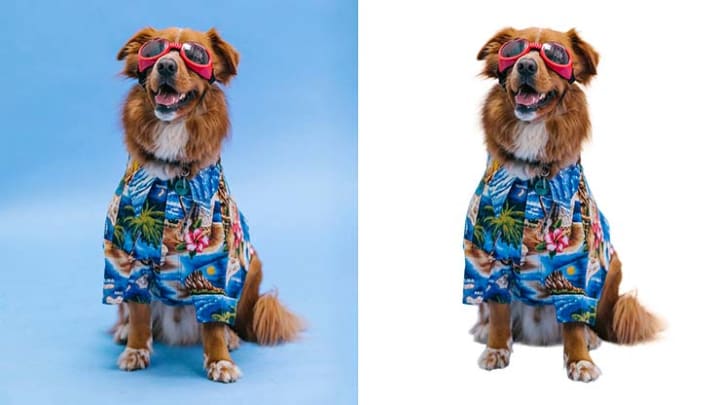
Clipping masking allows you to isolate all kinds of subjects, whether it be a sharp, smooth car image or a blurry, curved one like human hairs, and gives complete control over them. And that’s the reason why most of the professional photo editors vote in favor of image masking.
Types of Image Masking
Clipping Mask
In a clipping mask, one layer in the image is used to control the visibility and clarity of another layer below or beneath it. It is basically limited to simple objects.
Layer Masking
Layer masking is another common type of clipping masking in which you can hide or show a part of an image using the concept of opacity. It includes the following effects:
Transparent Mask creation
Grayscale Mode
Removing part of the image
Alpha Channel Masking
Alpha Channel Masking, also known as raster masking, is an efficient masking technique for separating delicate subjects like hair, fur, threads, etc.
Collage Masking
In college masking, you mask different images and then make a combined seamless collage of them by blending them in a unified manner.
How to use the clipping mask in Illustrator?
To use the clipping mask in Illustrator, follow the instructions:
Open the Illustrator window.
Add the image you want to mask.
Draw the shape, letter, or anything over the image you want to mask. Ensure that the masking shape is on top of the image to be masked.
Click both layers and look for objects in the top menu. The down menu will open.
Click the clipping mask option.
Press make.
All the images except those lying under the draw object will be masked.
You can readjust the size and shape by pressing the shift button and the layer together.
Here you go!
Why should you remove the background from product photos?
Why should you remove the background from product photos?
Last but not least, here are a few reasons why people, including professional photographers, need to remove background of photos from the product images:
It allows you to remove the original background and add any custom background that fits best according to your needs. For example, if you enlist a product on Shopify, followed by adding its details in the picture, would a geometric background work for it? No, you need to replace it with a plain neutral-colored one.
Sometimes, the only problem in a shoot is the background. All the other things are on point. In that case, instead of arranging the whole shoot again, it is favorable to just change the background. It’s both time and cost-effective.
It helps remove distractions and focus all attention on the main subject of a single image.
It allows us to blend and make collage images of similar products, thus making marketing and advertising campaigns easier.
Frequently Asked Questions (FAQs)
Q.1 What is the difference between a clipping mask and a layer mask?
When comparing clipping masks vs. layer masks, the difference lies in terms of layer effect. In the clipping mask, one layer controls the clarity and visibility of another layer. However, in layer masking, you control the opacity and visibility of the selected layer itself.
Q.2 What is the purpose of the clipping path?
The purpose of the clipping path is to isolate a subject by removing its background. Later, you can change the background or the color only.
Both Adobe Photoshop and Illustrator incorporate the function of clipping paths.
Q.3 What is the difference between masking and clipping?
In masking, a layer is created about an object, and its opacity is decided accordingly. However, in clipping, a path is created, and the object is separated from the unselected area.
Final Thoughts
In the realm of photography and background removal, both clipping path and masking are sound techniques, with each having its own area of excellence and pitfalls. Where the clipping path is best for sharp-edged shapes and requires less time, image masking is a better tech when you need to edit and remove background photographs, particularly those having intricate details.
So, now that you are familiar with the difference between clipping path and masking, why not choose the perfect technique and kickstart the background removal process?
About the Creator
Hasan Imam
Hasan Imam Khan With over 15 years of experience as a graphic designer, Hasan Imam Khan is passionate about helping photographers and studios edit their photos. Currently, Hasan is the founder of Zenith Clipping
Keep reading
More stories from writers in Photography and other communities.
My Year, in Prattling and Photos
It's been a year since... last year. Ironically, it seems I've found myself a new tradition of getting sick during the New Year holidays. At least, this year (that is, this inter-year period remarkable for its shiny decorations in the streets and houses, and closed supermarkets and pretty much everything), I'm doubtlessly doing better: I've managed to come visit my friends in Germany for Christmas (which I failed to do last year) and—after having some good quality time eating machanka, playing Munchkin and swinging machetes (the last one obviously crept into this checklist only for the sake of the phonological form)—I came back home via proverbial Deutche Bahn and probably less known Schweizerische Bundesbahnen, my body hosting a family of viruses, virions and who knows what other tiny critters somewhere inside my chest.
By Andrei Z.16 days ago in Photography
The People We Meet on Vacation: Moments, Connections, and Lasting Impressions
The People We Meet on Vacation: Moments, Connections, and Lasting Impressions Vacations are more than a break from daily routines. They are a unique social experience where people from different backgrounds cross paths in unexpected ways. The people we meet during a holiday often leave strong impressions, even if the interaction lasts only a few minutes. These encounters can shape memories, influence perspectives, and sometimes turn into lifelong friendships. Understanding who we meet on vacation helps explain why travel feels so meaningful to many people.
By America today 5 days ago in Photography



Comments
There are no comments for this story
Be the first to respond and start the conversation.