
A Beginner's Guide to Understanding Photo Sizes
A Beginner's Guide to Understanding Photo Sizes

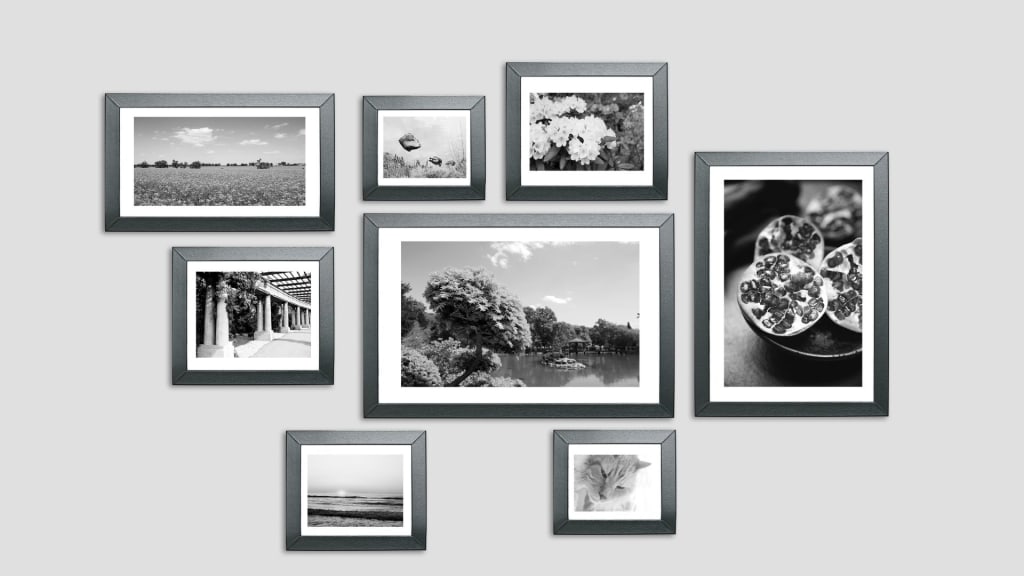
The dimensions of the photos you are dealing with are crucial when modifying them for printing, social media posts, or websites. Whether your photos seem great or are stretched, pixelated, or deformed depends entirely on the size of the picture. It could seem overwhelming to be confronted with a topic as vast as photo sizes, but it's a lot simpler than you might imagine. In this guide, we will step you through what to know regarding photo sizes from general aspect ratios and sizes in specific platforms through the easy methods for resizing online.
What is Photo Size and Why is it Important?
What do we refer to as a photo size? The picture's dimensions we measure in the following units-pixels (px) for images for digital formats and inches for print photos. Because it immediately impacts the image's quality and suitability for display across many platforms and devices, size is important. As a result, an image that is too huge may take a bit longer to load on a page, while an image that is too small may get fuzzy.
Understanding Aspect Ratio
Before diving into certain photo sizes, it's a good idea to understand the aspect ratio. An image's width-to-height proportion is referred to as its aspect ratio. Typically, two integers are used to indicate it, separated by a colon (e.g., 2:3). The width and height are represented by the first and second numbers, respectively.
For example:
- 1:1 refers to the image width and height being equal, hence it's a square.
- 2:3 means the image width is two-thirds of its height, which means the image is vertical and rectangular.
The knowledge of what is the appropriate aspect ratio for your project will also enable you to pick the best photo size. Here are some of the most common aspect ratios and their photo sizes:
- 1:1 (Square): 1080 x 1080px (perfect for social media profile pictures or Instagram posts).
- 2:3 (Vertical): 720 x 1080px (commonly used for portrait photography and printed photos).
Create fun mugshots with PhotoCut’s Free Mugshot Maker.
Common Photo Sizes for the Web
This means you would like to make sure that the pictures you work with are neither too large for web use nor too small to cause a decrease in quality. Some of the most common photo sizes are shown below, in case you're working on any web project:
- 1920 x 1080px: This is the image size used predominantly for photography and social media cover photos, or even YouTube thumbnails. It also is known widely as Full HD resolution.
- 1280 x 720px: This is another common resolution, especially for videos, photography, and film. It’s slightly lower than Full HD but still delivers good quality.
- 1080 x 1080px: The standard size for square images on social media platforms like Instagram.
- 1200 x 628px: A good option for sharing images on Facebook posts, especially for ads or blog content.
Special Photo Sizes You Might Need
In addition to common sizes, there are some unique photo sizes for specific uses. These sizes ensure your images fit certain design layouts or formats.
- Full-Width Image Size: If you want your image to be full-screen size or fill up an entire webpage, you could use 16:9. A standard width is 1500 x 2560px, while this image will stretch across the whole width of your screen but should be good quality.
- Blog Post Image Size: To help maintain consistency, and make the overall look of your blog seem better, consider standardizing your image width. For instance, you may find that you want the images in a blog post to be less than 800px wide. Then, the image will not overshadow the text within the blog post and will also fit well in the design.
Create amazing YouTube banners easily.
Common Photo Sizes for Social Media
Each social media platform has specific image size recommendations. Using the correct size helps ensure your images look their best when shared online. Here’s a breakdown of popular social media platforms and their preferred photo sizes:
1. Instagram:
- 1080 x 1080px: This size is perfect for square posts and photos in the feed.
- 1080 x 1920px: This is the optimal size for Instagram Stories. It’s a vertical image, so it fits the screen perfectly when viewed on mobile devices.
2. Facebook:
- 1200 x 630px: This is a recommended size for Facebook posts and shared links. It helps ensure the image looks sharp and properly formatted.
- 1080 x 1920px: For Facebook Stories, this vertical format is ideal.
3. Twitter:
- 1200 x 675px: This is the best size for a single photo posted on Twitter. It ensures the photo looks crisp and doesn’t get cropped.
- 700 x 800px: When posting two photos, this size works well, allowing both images to fit neatly side by side.
Common Photo Sizes for Printing
Even in the digital age, printing pictures is still common. Understanding the proper printing size is crucial whether you're printing posters, business collateral, or personal images. Here are some common photo sizes for printing:
1. Passport Photo Size: 2 x 2 inches (5.08 x 5.08 cm). This is the typical size for pictures on passports and visas.
2. Standard Photo Printing:
- Probably the most well-known picture printer size for all of your everyday photos is 4 x 6 inches, or 10.16 x 15.24 cm.
- More normal photo printing size is the size 5 by 7 inches or 12.7 cm by 17.78 cm.
3. Poster Printing: 8.5 x 11 inches, or 21.59 x 27.94 cm is the most common poster printing, flyers, and oversized printing.
Explore the best apps to remove people from images on an iPhone.
How to Resize Photos Online for Free
PhotoCut and other internet tools are invaluable when you need to resize your photos for certain uses. The easiest method to crop and resize any image is with PhotoCut, a photo editing tool. Check out how it works:
- PhotoCut's Photo Cropper: You can use PhotoCut's Photo Cropper if you want to crop your picture for a particular website (social media, for example). Simply upload your picture to PhotoCut's Photo Cropper, select a cropping template that will serve your purpose (Instagram, for instance, uses 100 x 1080 pixels), and apply the crop. The application will ensure that no quality is lost and that your image is the proper size.
- PhotoCut’s Image Resizer: You can compress your photo file size without losing quality through the use of an Image Resizer using PhotoCut. This could help alter pixel measurements or file size on submission to websites with restrictions on file size.
Conclusion
Understanding photo sizes is important for any image work, whether it's content creation for websites, social media, blogs, or print. Optimizing picture size guarantees optimal visual appeal and optimal presentation across several devices. With the help of programs like PhotoCut, resizing images for social media postings or printing them for personal use is simple and effective.
This means that the next time you utilize a picture for any of the aforementioned applications, make sure to verify the acceptable size. Be it social media, websites, or prints, selecting a photo in the right size does make all the difference.
Try PhotoCut’s Braces Filter to see how you’d look in braces.
FAQs
Q1. Can I Crop Photos in Bulk?
Ans. Absolutely! Multiple photographs may be cropped simultaneously with PhotoCut's photo cropper. If you need to trim or resize a collection of photos to fit a specific template, this is useful. Time will be saved, and every one of your photos will appear the same.
Q2. What Are the Standard Photo Sizes in Centimeters?
Ans. Here are some standard photo sizes in centimeters:
- 6 x 4 inches = 15.24 x 10.16 cm
- 7 x 5 inches = 17.78 x 12.7 cm
- 10 x 8 inches = 25.4 x 20.32 cm
- 12 x 8 inches = 30.48 x 20.32 cm
- 14 x 10 inches = 35.56 x 25.4 cm
You understand the standard sizes of photographs both in inches and centimeters that will help you choose the proper size for printing and framing photos.
About the Creator
PhotoCut
AI Photo Editing Tool - Remove or Change your Background & Enhance Product Photos
Keep reading
More stories from PhotoCut and writers in Photography and other communities.
Working Process of an Image Editing API
Well, the magic behind this lies in an Image Editing API, Application Programming Interface. For developers, designers, and businesses alike, these are essential tools; they allow the possibility of automating image editing processes and creating very beautiful visuals, without requiring great manual work. The impact of image editing APIs in the digital world is profound because they simplify the process of creating images that are polished and professional for use on various platforms and campaigns. This article explores how image editing APIs work, their common use cases, the industries that benefit from them, and how to integrate them into your business operations.
By PhotoCut12 months ago in Photography
Gold Chrysotype Photography Is Back and the Colours Are Breathtaking
There is a moment when a chrysotype print is lifted from its chemical bath and held up to the light stops people mid-breath. The colours that bloom across the surface — soft dusty pinks fading into deep magenta, rich cyans pooling at the edges, velvety blacks settling into the grain of the paper — look less like a photograph and more like something pulled from a dream.
By CurlsAndCommas4 days ago in Photography
Top tipple tricks
Been thinking a lot about drinking, lately. Not least because of a recent episode of over-indulgence and the inevitable after effects. Some readers may recall the earlier articles I wrote about beating the booze. Here I set out an experiment in techniques for cutting down on my alcohol intake. The experiment was successful, the techniques worked, and I have armed myself with an arsenal of weapons in the war against the demon drink. I have yet to fire the first round however. It's all a question of timing (perhaps procrastination).
By Raymond G. Taylor7 days ago in Psyche


Comments
There are no comments for this story
Be the first to respond and start the conversation.