
7 Best Aging Apps for iPhone and Android in 2025
7 Best Aging Apps for iPhone and Android in 2025

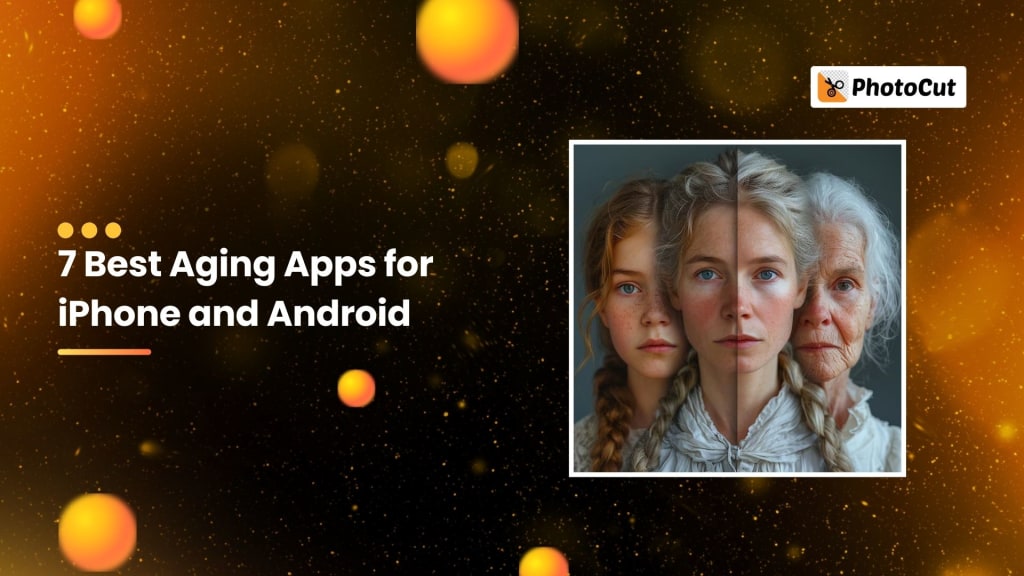
Have you ever wondered how you would look as you grow older or perhaps wanted to see how you looked when you were younger? Thanks to advanced technology, there are now apps that let you do just that! Aging apps use AI technology to make an older or younger version of yourself visible in pictures and give you an idea of what you will look like later. If you just want to have fun and entertain your friends or want to get an idea of what you would look like years down the road, this is all done pretty easily through the use of aging apps.
These seven top aging apps for iPhone and Android in 2025 each have special features to let you examine how you look now or in the past.
1. PhotoCut
Platform: iOS & Android
Platform: iOS & Android
PhotoCut is one of the most popular apps that lets you see yourself at different stages of life. Using AI technology, you can upload a picture of yourself and watch as it transforms into different ages. You can be any age from a teenager, to a young adult, and now older; using this app brings a playful side to viewing the life you'd look like if you were this age. The AI tool automatically detects your face and adjusts it to show how you would look as you age or rewind time.
2. Oldify
Platform: iOS & Android
Oldify is great because it does not have difficulties when it is used and gives room for many users who like taking their pictures all around and playing with how it looks on their faces. Oldify can allow you to upload a photo, and then with the help of various aging filters, you may add wrinkles and gray hair on your face or other age-related features. Therefore, it's a fun application that can give you an idea of how you might look when you get older. Also, you could try the application's stickers, which give a funny look like glasses or other accessories. Oldify lets you adjust the age, so you can see how you'd look at different stages of your life, whether you're 50, 70, or even 100 years old.
Learn easy ways and apps to merge photos on an iPhone.
3. FaceApp
Platform: iOS & Android
FaceApp is one of the most professional and popular face-editing apps with a lot of age-related filters. It's famous for the hyper-realistic transformation that shows you what you may look like when you are older. You only need to upload a photo and FaceApp's AI will automatically apply the aging filter, and you can view your future self. The results are so realistic you might even be amazed at how accurate they look! FaceApp is versatile too, letting you both age your face and make yourself look younger, swap genders, and also different hairstyles. You can easily share the results on social media to amaze your friends with your "new" look.
4. AgingBooth
Platform: iOS & Android
If you want a simple fun app for aging, AgingBooth is perfect. This is the app for helping you envision how you'd look in the future by applying an aging effect to your photos. A very light and funny app that would be excellent for just wanting some laughs. It uploads a picture, and at lightning speed creates an image of you much older. You can share your "aged" photo with friends and family for fun. It is lightweight, has no complicated steps, and is convenient to use, so you are great to go for rapid and simple aging effects.
Try on clothes virtually using PhotoCut’s AI Clothes Changer.
5. FaceLab
Platform: iOS & Android
FaceLab is another great app that lets you change your age with just a few taps. Whether you want to look older or younger, FaceLab can do both. The application allows using AI on your photo with some realistic transformations that let you know how that person might look at various ages. You may even change the age filter to see how you would look at 20, 50, or even 100 years old. FaceLab allows for quick switching between different ages, and the interface is very user-friendly. It is suitable for anyone who wants to experiment with aging effects in a simple yet intuitive way.
6. FaceTrix
Platform: Android
FaceTrix is an advanced aging app that uses AI technology to transform your photos. You can see how you might look at different ages and even add some fun props such as a white beard or wrinkles. It's very powerful, and its offering is greater in customization compared with some of the other applications out there, which would make it pretty exciting for anyone interested in trying on a different look. You can apply aging effects on any photo and then adjust the level of aging, whereby you see how you will look at different stages of life. It's an entertainment app that helps you imagine how you are going to look in the future in a real way.
Try PhotoCut’s online mirror image converter to easily reverse an image.
7. Snapchat
Platform: iOS & Android
While Snapchat offers many fun features like filters and lenses, some aging effects available let you see just how you'd look when much older. One such popular feature used is Snapchat's aging lens for a quick yet easy transformation that can be easily done in no more than five seconds. You can test the filter on your selfie or even on your friends to see how they might look when they age. The application also allows you to try out other filters like making yourself appear younger or even changing genders. Snapchat is a fun application, and it is awesome to play with your appearance and share your creations with others.
Conclusion
These apps allow you to experiment with fun looks and ways in which you may age. Perhaps you want to imagine how you looked as a teenager, visualize your appearance later in life, or even just enjoy some humor, all of this and more can be achieved by the features provided through these applications to transform your face in interesting ways. They're a great way to try on various looks and then share those results with friends and family.
These apps do not foresee your future but can give you a fun way to have a different version of yourself. Try them out and find which one you like best. Have fun exploring your future (or past) self!
Discover 100+ sad captions and Instagram post templates for your photos.
FAQs
Q1. What Are Aging Apps?
Ans. Mobile applications, that are used to simulate the aging effects and alteration of facial recognition using image technology. Features like wrinkles or gray hair, and more, are added to a person's photograph; this allows the viewing of an advanced version of a person in the future.
Q2. How Do Aging Apps Work?
Ans. Most aging apps use AI and machine learning algorithms to analyze a photo. The AI identifies facial features and applies a filter to simulate the effects of aging. These algorithms are trained on large datasets of faces at different ages, which helps the app generate realistic aging effects.
Q3. Are the Results of Aging Apps Accurate?
Ans. No, the results are not intended to be a precise indicator of your aging process. Although aging apps provide a broad image of your potential appearance based on typical aging characteristics, real aging is greatly influenced by lifestyle, health, and genetics. The results are mainly for entertainment.
Q4. Are Aging Apps Just for Fun or Do They Have Other Uses?
Ans. While aging apps are mostly for fun and curiosity, some people may use them to visualize their future or create social media content. They should not be relied upon as a precise reflection of your future appearance.
Q5. Are There Variations in the Quality of Aging Apps?
Ans. Yes, the quality of aging apps varies. Some apps offer more realistic results, while others might produce cartoonish or less convincing transformations. Look at user reviews and ratings to choose the best app for your needs.
Q6. Do Aging Apps Collect My Photos and Personal Data?
Ans. It depends on the app and its privacy policy. Some apps store your photos to improve their algorithms or for other purposes. Be sure to review the privacy policy of each app before you use it and check what permissions are required.
Q7. Is It Safe to Use Aging Apps?
Ans. Generally, yes, but do use reputable apps and know what their privacy policies are. Be wary of applications that request more permissions than you feel comfortable giving or those coming from questionable sources. Make sure your photos are treated with proper care.
Q8. Should I Be Concerned About How My Photos Are Used?
Ans. Of course, it's critical to be vigilant. Applications may use your photos for training algorithms or even advertising. Read the terms of service and privacy policy so you know how your data is going to be used.
Q9. Can I Use Aging Apps on Both iPhone and Android?
Ans. Yes, most famous aging apps have versions for the iPhone (iOS) and Android devices although availability may differ from app to app.
Q10. How Do I Use an Aging App?
Ans. Here's how:
Download from the App Store for iOS or Google Play Store for Android.
Allow the app to access your camera and photos.
Take a photo or upload an existing one straight from the app.
Apply the aging filter to see your transformation.
Save or share the image on social media.
About the Creator
PhotoCut
AI Photo Editing Tool - Remove or Change your Background & Enhance Product Photos
Keep reading
More stories from PhotoCut and writers in Photography and other communities.
Try on Virtual Clothes with AI Clothes Changer
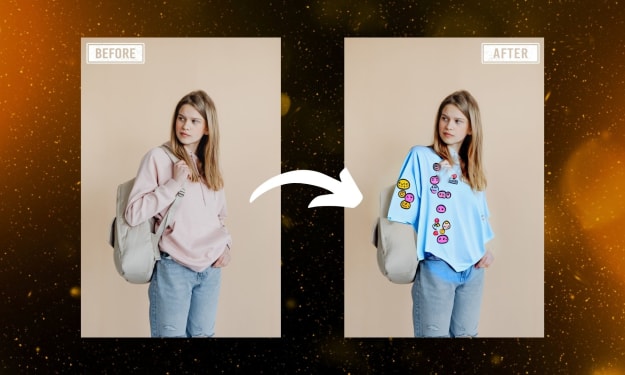
Ever wish you could try on clothes without physically changing into them? With PhotoCut’s AI Clothes Changer, you can now do this all online! For an amazing picture experience, this AI-powered tool lets you switch up your attire, try on new hues, and even try on other costumes. Let's explore how to instantaneously alter your appearance with this amazing technology.
By PhotoCut11 months ago in Photography
Gold Chrysotype Photography Is Back and the Colours Are Breathtaking
There is a moment when a chrysotype print is lifted from its chemical bath and held up to the light stops people mid-breath. The colours that bloom across the surface — soft dusty pinks fading into deep magenta, rich cyans pooling at the edges, velvety blacks settling into the grain of the paper — look less like a photograph and more like something pulled from a dream.
By CurlsAndCommas4 days ago in Photography



Comments
There are no comments for this story
Be the first to respond and start the conversation.