
How to Create an Engaging Vlog Using Only Your Phone
No camera? No problem. Discover how to plan, shoot, and edit fun, personal vlogs using only your phone—perfect for beginners ready to share their story with the world.

Vlogging has become super popular. Everyone from teens to pros shares life moments online.
If you want to start but think you need fancy gear, think again. Your smartphone is all you need to make a good vlog.
That’s right—no expensive cameras or complicated editing required. This guide will show you how to shoot, edit, and share your stories easily. Let’s get started.
Why use your phone for vlogging?
- Smartphones have changed the game. They’re portable, easy to carry around, and now have great cameras.
- Many top vloggers started with just their phones. Plus, filming on your phone saves money and effort.
- With a few simple tricks, you can create videos that look professional enough to share.
Getting ready to vlog with your phone
Basic accessories to improve quality
While your phone works alone, a few cheap tools can make a difference. A small tripod helps keep your shots steady.
A clip-on microphone improves audio so viewers hear you clearly. You don’t need the best gear—affordable options work fine for beginners.
Planning your content
Think about what you want to show. Jot down a quick outline before you start.
For example, if you visit a café, plan to film the walk-in, your order, and your reactions. Creating a mini storyboard helps keep your video organized and fun.
Shooting your first vlog: simple techniques
Set the scene
Find a well-lit place—natural light from windows works best and makes your video look bright.
Frame your shot so that the main subject (you, the place, or the object) stands out. Keep the background uncluttered for viewers to focus on what matters.
How to film like a pro beginner
- Hold your phone steady or use a stabilizer. Use slow, deliberate movements.
- Don’t worry if your speech isn’t perfect—just talk naturally. Spontaneous moments can be the most authentic.
- Remember, mistakes happen. If you mess up, just pause briefly, then continue. You can always edit out errors.
Capture real-life moments
Instead of overthinking, shoot whatever feels natural. Ever notice how those unplanned moments often turn into the best parts of a vlog?
Be yourself, and let your personality shine through.
Simple video editing with CapCut on your phone
Getting your clips ready
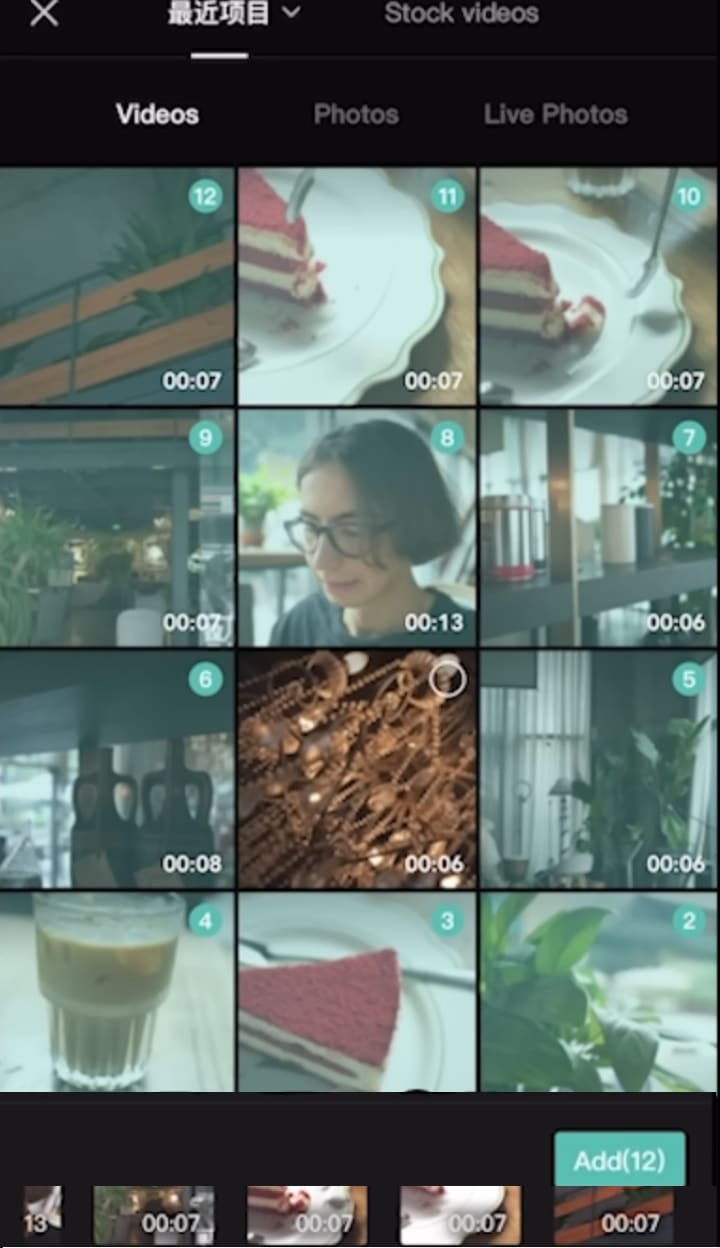
After filming, open CapCut. Import your videos by clicking the "+" sign. Drag and arrange clips to tell your story clearly—like a diary of your day.

Trimming and Refining
Remove parts you don’t want. Cut out mistakes, long pauses, or boring scenes. Adjust how long each clip stays on screen to keep your video engaging.
Adding nice touches
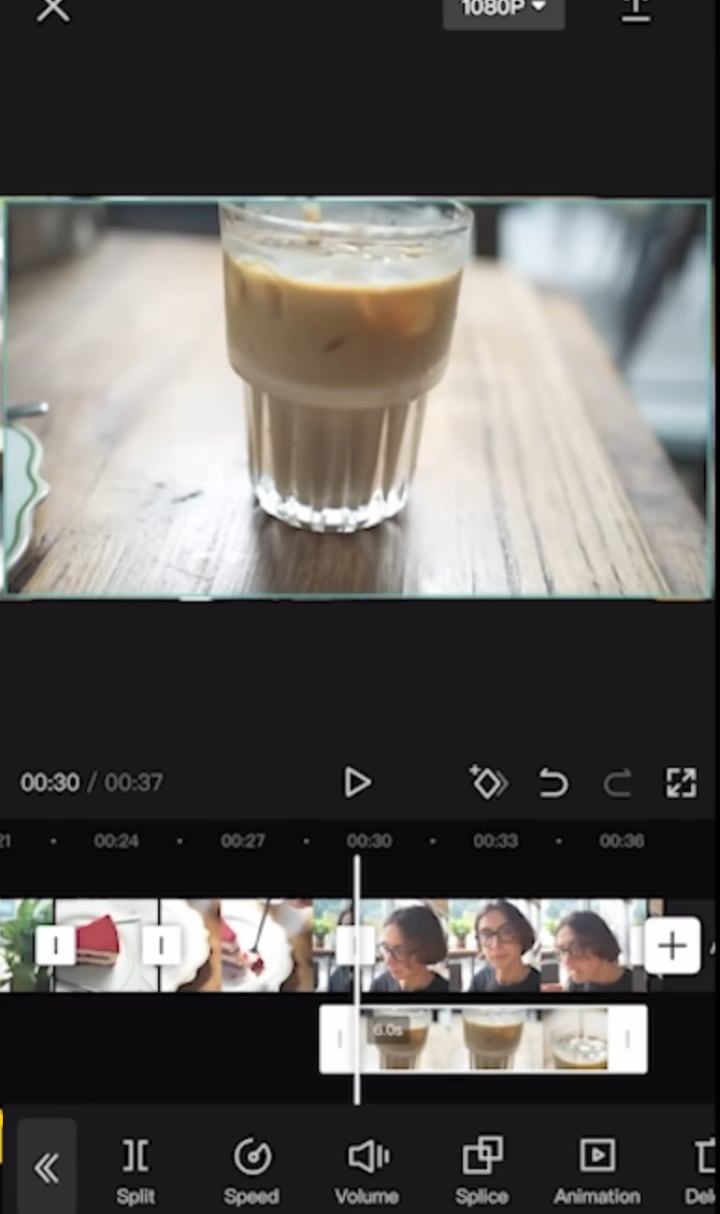
To make your vlog pop, add subtitles automatically with CapCut’s text feature.

This helps viewers follow along, especially if they watch without sound. You can also overlay images or fun effects to spice things up.
Resize or move clips to highlight key moments.
Incorporating music and sound
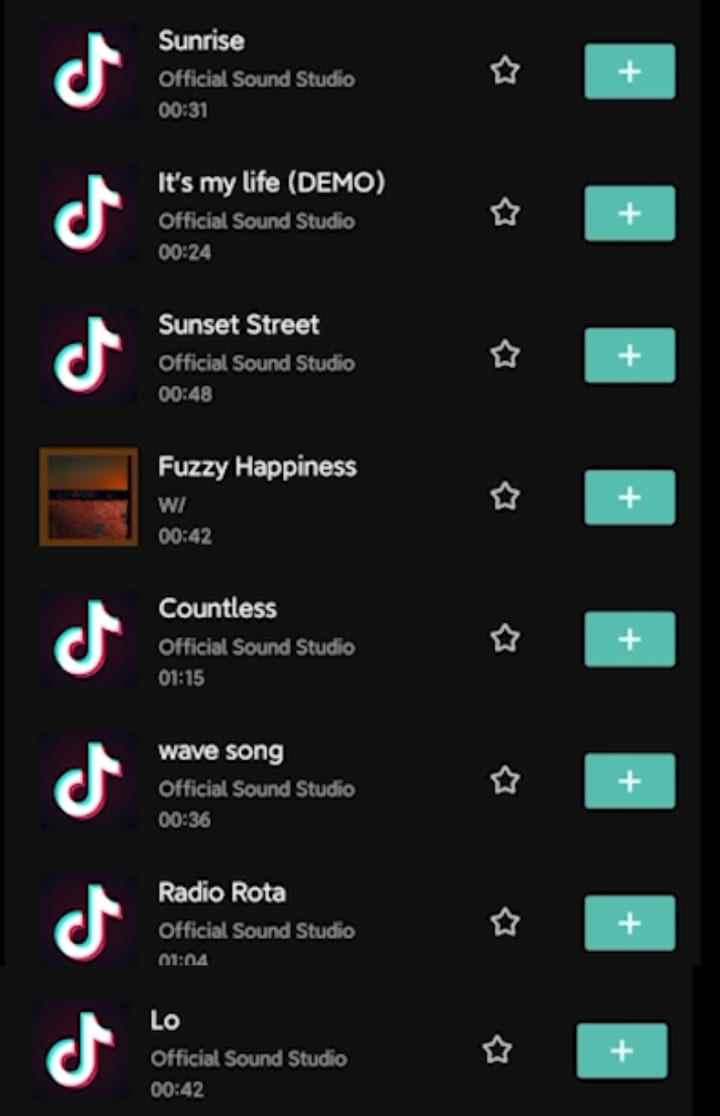
Music makes your video more lively. CapCut has a large library of free songs. Pick tunes that match your mood or theme. Keep volume balanced so your voice remains clear.
Finish and share
Once everything looks good, export your video in high quality.
Upload it to YouTube, TikTok, or Instagram. Short, interesting videos often get more views. Consistency helps build an audience over time.
How to make your vlog more personal and fun
Share your Feelings
Tell viewers what you’re thinking during the vlog. Are you happy, surprised, or nervous? Sharing real feelings creates a connection.

Use reactions and expressions
Smile, laugh, or show your excitement. Fun reactions keep things lively and make viewers want to watch more.

Tell a story
Organize your vlog like a diary or a short story. Follow a simple timeline—morning to evening, event after event. This keeps viewers interested.
Get more engagement
Ask questions at the end to encourage comments. Post regularly to keep your channel active. The more you share, the more people will follow your journey.
Why smartphone vlogging works—the facts
Experts say smartphones are perfectly capable tools for creating engaging videos.
Data shows that most new content creators prefer mobile filming because it's quick and easy.
A lot of popular influencers started with nothing but their phones, proving you don’t need fancy gear to grow a following.
Quick tips for new vloggers
- Practice shooting often to get comfortable.
- Keep videos short—around 3 to 5 minutes—for better attention.
- Use free editing apps like CapCut for professional touches.
- Try different styles—face cams, voiceovers, or scenic shots.
- Listen to viewer feedback so you can improve.
Conclusion
Making a fun, engaging vlog is easier than you think. All it takes is your phone, some planning, and a little creativity.
Focus on being genuine, keep your edits simple, and share your story. Start today—you never know who might be inspired by your journey.
Grab your phone, follow these steps, and begin vlogging now. Your story is waiting to be told.
About the Creator
Adithya S
I am passionate about video editing and creating stories. I explore editing techniques and the latest trends in content creation. I love experimenting and sharing tips with fellow creators. Always learning, always editing!
Keep reading
More stories from Adithya S and writers in Motivation and other communities.
How to Create Dynamic Light Wave Effects for Viral TikTok Videos
Creating eye-catching videos is easier than ever, especially with the rise of effects like dynamic light waves. This effect adds energy, a futuristic vibe, and makes your videos stand out on platforms like TikTok and Instagram.
By Adithya S10 months ago in Photography
Power That Is Not Measured by Prayer
Because what you’re about to read might sting a little. Not because it’s harsh… but because it’s true. Many people are quietly exhausted from asking for things they should never have to ask for. Asking for love. Asking for respect. Asking for attention.
By Ahmed aldeabellaa day ago in Motivation
Why You Should Not Waste Money on Traditional Dropshipping. And What to Do Instead
For years, traditional dropshipping has been marketed as one of the easiest ways to make money online. Social media feeds are full of screenshots showing sales dashboards, rented luxury cars, and influencers promising income with minimal effort.
By Kelmik DT5 days ago in Motivation
Review of 'Man on the Run'
My wife and I saw Man on the Run, a nearly 2-hour documentary on Amazon Prime, about Wings, Paul McCartney's group that flew around the world from shortly after The Beatles broke up in early 1970 to shortly after John Lennon was murdered at the end of 1980, making a Beatles reunion forever impossible.
By Paul Levinson6 days ago in Beat




Comments
There are no comments for this story
Be the first to respond and start the conversation.