
Your Phone Isn’t Overheating by Accident. Here’s What’s Really Causing It
Hidden Apps, Network Behavior, and Settings That Make Phones Run Hot

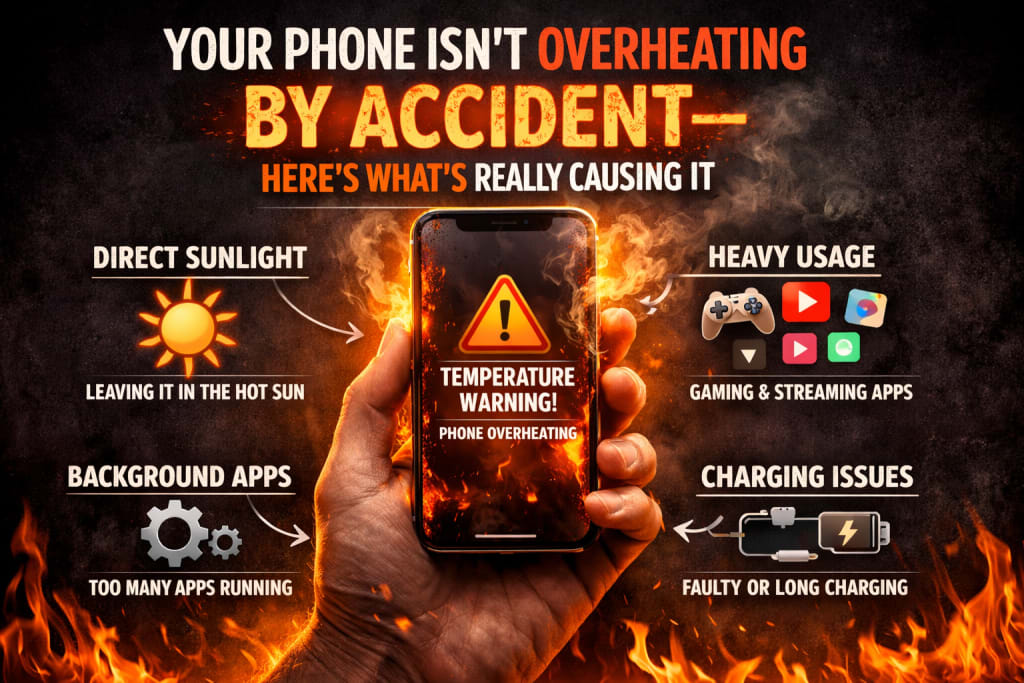
When a phone overheats, most people panic.
They think something is broken.
They blame the processor.
They think the battery is ruined.
But after witnessing overheating on numerous phones—including ones that were new and powerful—I understood something important:
Most phones don’t overheat because of one significant error.
They overheat because of several little ones occurring simultaneously.
And most of them are unseen.
First, Let’s Be Clear: Warm vs. Overheating
Phones are intended to become heated.
Warm while charging is typical.
Warm while navigation is typical.
Warm when capturing video is typical.
Overheating is different.
It feels awkward to hold.
The screen dims abruptly.
Performance declines.
Battery drains quicker than normal.
That’s the phone defending itself.
The crucial question isn’t “Why is my phone warm?”
It’s “Why is my phone stressed?”
Background Apps Are the Most Common Cause
Most individuals blame gaming or heavy applications.
In actuality, background applications create more heat than active ones.
Apps today:
Sync continuously
Track use
Refresh content
Monitor location
Stay somewhat active even when “closed.”
When numerous applications do this concurrently, the CPU never completely rests.
The phone isn’t overheating—it’s never cooling down.
Poor Signal Is a Hidden Heat Generator
This one shocks virtually everyone.
When your phone struggles to sustain signal, it works harder:
Boosts antenna power
Retries data connections
Switches between network bands
This continual exertion produces heat.
That’s why phones frequently become warm:
indoors
in elevators
in basements
while travel
The phone is battling the network, not failing at performance.
5G Can Increase Heat in the Wrong Conditions
5G itself isn’t horrible.
Unstable 5G is.
In places with poor or inconsistent 5G:
the phone continuously changes networks
data sessions restart
the modem remains active longer
This behavior increases both heat and battery consumption.
In these instances, steady 4G frequently creates less heat than unstable 5G.
Location Services Run More Than You Think
Even when you’re not using maps, location services may still be active.
Apps utilize location for:
recommendations delivery tracking
weather updates analytics
If multiple applications have “always allow” access, the phone is continually checking location data.
That continual sensor use leads to warmth—especially outside.
Charging Habits Matter More Than People Admit
Charging creates heat naturally.
Problems emerge when charging mixes with:
quick charging
heavy use
warm surroundings
inadequate airflow
Using the phone extensively while charging retains heat.
Over time, this educates the phone to restrict performance earlier—even during minor tasks.
AI and “Smart” Features Add Constant Load
Modern phones are packed with intelligence:
adaptable battery
use prediction
photo processing
voice detection
background learning
Each feature sounds innocuous.
Together, they produce continual low-level processing.
That processing creates heat—even while you’re not actively using the phone.
The phone seems busy, not broken.
Software Updates Can Temporarily Increase Heat
After updates:
applications re-index data
system services restructure behavior
caches rebuild
background activity increases
This might last days—not hours.
Many people worry during this time, but it normally calms as the system stabilizes.
The trouble arises when it doesn’t settle.
Why Cases Can Make Overheating Worse
Protective cases trap heat.
Thick casings, particularly silicone or rubber, limit heat dispersion.
They don’t cause overheating—but they inhibit cooling.
If your phone runs hot regularly, removing the cover momentarily might indicate if heat is being retained rather than created.
Why Factory Resets Feel Like “Magic”
Factory resets work because they:
eliminate background clutter.
reset app behavior
remove misbehaving permissions
stop superfluous services
They don’t repair hardware.
They eliminate stored tension.
That’s why performance and temperature improve—temporarily.
What Actually Helps Reduce Overheating (Long-Term)
There is no single switch.
But these improvements regularly help:
Restrict background activity for non-essential applications
Use stable networks instead than pursuing faster ones
Review location permissions carefully
Avoid excessive usage when charging
Disable features you seldom interact with
Give the phone time to cool instead than pushing through heat.
Heat is a signal—not a failure.
The Emotional Side of Overheating
Overheating increases anxiety.
It makes people:
dread battery damage
lose faith in their phone
contemplate upgrading needlessly
In most circumstances, the phone is doing precisely what it should—protecting itself.
Understanding that reduces fear.
Conclusion
Phones don’t overheat randomly.
They overheat when they’re overloaded.
Too many applications.
Too much background activity.
Too much signal battle.
Too much “smartness” running all the time.
Once you lower the tension, the heat follows.
Not instantly—but dependably.
Disclaimer
This post is based on personal observations and widespread smartphone behavior. Device temperature and performance may vary based on environment, software version, and use patterns.

About the Creator
abualyaanart
I write thoughtful, experience-driven stories about technology, digital life, and how modern tools quietly shape the way we think, work, and live.
I believe good technology should support life
Abualyaanart
Keep reading
More stories from abualyaanart and writers in Lifehack and other communities.
How to Improve the Immune System During Pregnancy?
Immunity is your body’s capacity to defect against infections and harmful health effects caused from viruses, bacteria, pathogens, and other complications. During a pregnancy, your immune system is focused on supporting your wellness. Thus, it can become vulnerable to illnesses from all the overactivity. In this blog, we will discuss how to improve immune system during pregnancy and why strong immunity is needed when you are expecting.
By Alice Perry3 days ago in Lifehack


Comments
There are no comments for this story
Be the first to respond and start the conversation.