
X Account Hacking: Advanced Protection Against Modern Cracking Threats
Learn About Modern X Account Hacking and How to Protect Your Profile in 2026


The Evolving Battle for Your X (Twitter) Account
In the rapidly changing landscape of social media, X (formerly Twitter) has become a central hub for communication, news, and business. This significance makes it a prime target for cybercriminals who continuously refine their attack methods. While understanding these threats is crucial for defense, it is vital to recognize that attempting to hack into an account you do not own is illegal, unethical, and can result in severe legal consequences, including criminal prosecution. This guide, informed by cybersecurity experts, details the modern threat landscape and provides a definitive, actionable blueprint to fortify your X presence against sophisticated attacks in 2026.
Decoding Modern X Hacking Methods: Awareness as Your First Defense
Cybercriminals have moved far beyond simple password guessing. Today's threats are automated, deceptive, and exploit both technological flaws and human psychology. Understanding these vectors is the cornerstone of effective protection.
1. PASS RECOVERY
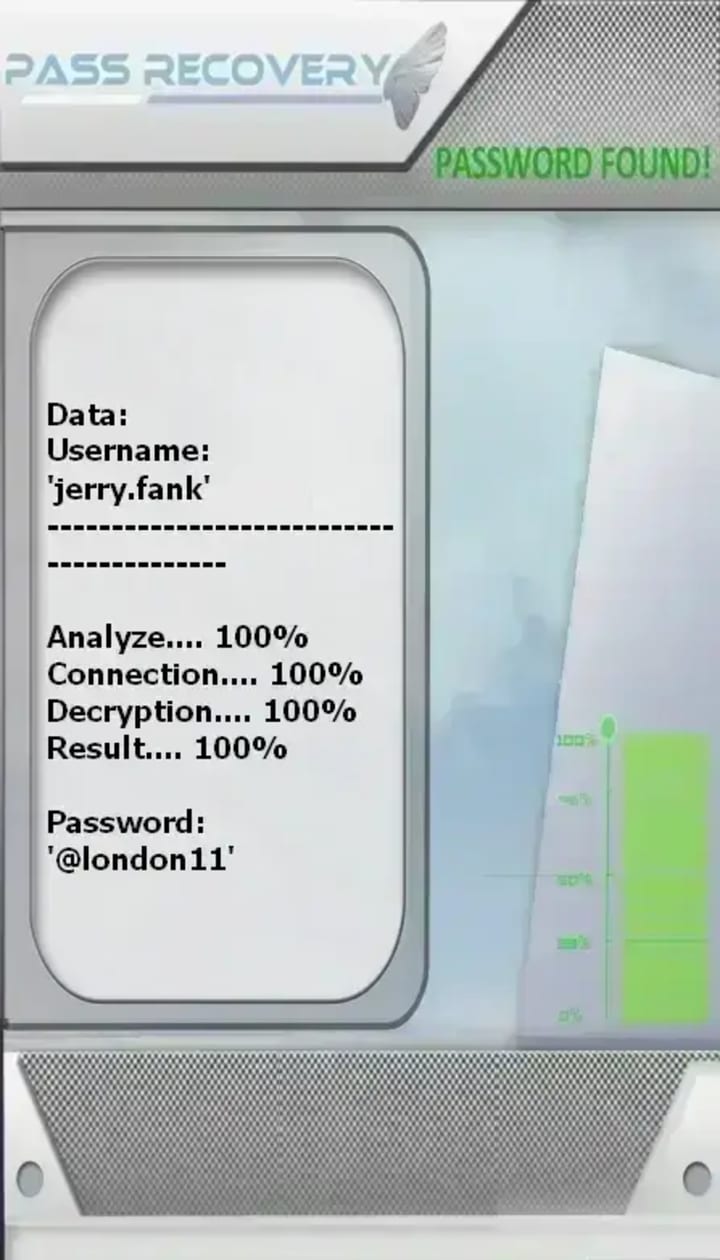
PASS RECOVERY is an AI-powered application that extract the password of any X (formerly Twitter) account. It uses only a target's @username, phone number, or email address, it can decrypt and deliver the account password in plain text within minutes, even for private accounts or complex passwords. It operates without triggering security alerts and carries ISO quality and security certifications. A warning notes it should not be used on accounts other than your own.
You can download PASS RECOVERY from its official website: https://www.passwordrevelator.net/en/passrecovery
2. Advanced Credential-Based Attacks
These attacks target your password directly or indirectly through large-scale automation.
- Credential Stuffing: Attackers use massive databases of usernames and passwords leaked from other site breaches. They employ automated bots to try these credential pairs on X, banking on password reuse.
- Password Spraying: Instead of targeting one user with many passwords, attackers try a few common passwords (e.g., "Spring2026!", "Password123") against a vast number of accounts, avoiding account lockouts.
- Phishing 2.0: Highly targeted campaigns using AI-generated messages that mimic X's official communications or contacts in your network, leading to deceptive login pages that steal your credentials and 2FA codes in real-time.
3. Exploitation of Third-Party Access (OAuth & API Attacks)
This is one of the most insidious threat vectors, as it doesn't require your X password.
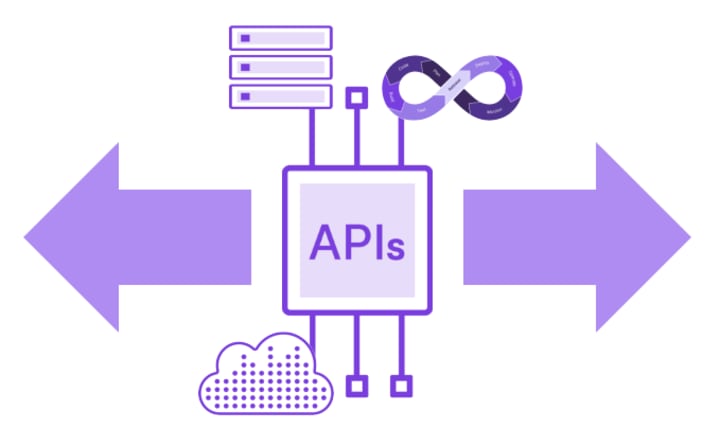
- Malicious Third-Party Apps: Attackers create seemingly useful apps (for analytics, scheduling, etc.) that request extensive X permissions during the OAuth authorization process. Once granted, they can post, read DMs, and access profile data via X's API.
- Access Token Hijacking: These tokens, which grant app access, can be intercepted or leaked, giving attackers persistent control.
- Defense Insight: As noted in security analyses, a compromised app with "read and write" permissions can maintain access even after you change your X password, making regular audits of connected apps non-negotiable.
4. AI-Powered Social Engineering & Identity Theft
Artificial intelligence has supercharged deception.
- Voice Deepfake Attacks: Using public audio clips from podcasts or interviews, attackers can synthesize a person's voice to impersonate them in calls to X support or associates, attempting to bypass security protocols or extract information.
- Hyper-Personalized Phishing: LLMs (Large Language Models) can analyze a target's public tweets and writing style to craft flawless, personalized messages that build trust before delivering a malicious link or request.
5. Account Recovery & SIM Swap Attacks
Attackers bypass the main account security by targeting the weaker recovery pathways.
- SIM Swapping: By tricking or bribing your mobile carrier, an attacker transfers your phone number to their SIM card. They then trigger a "Forgot Password" request on X to receive the SMS reset code.
- Recovery Email Compromise: If the email account linked for X recovery is poorly secured, compromising it provides a direct path to reset your X password.
The Ultimate X Account Protection Checklist: A Step-by-Step Guide
Proactive, multi-layered security is your most powerful weapon. Follow this actionable checklist to significantly reduce your risk.
1. Fortify Your Authentication
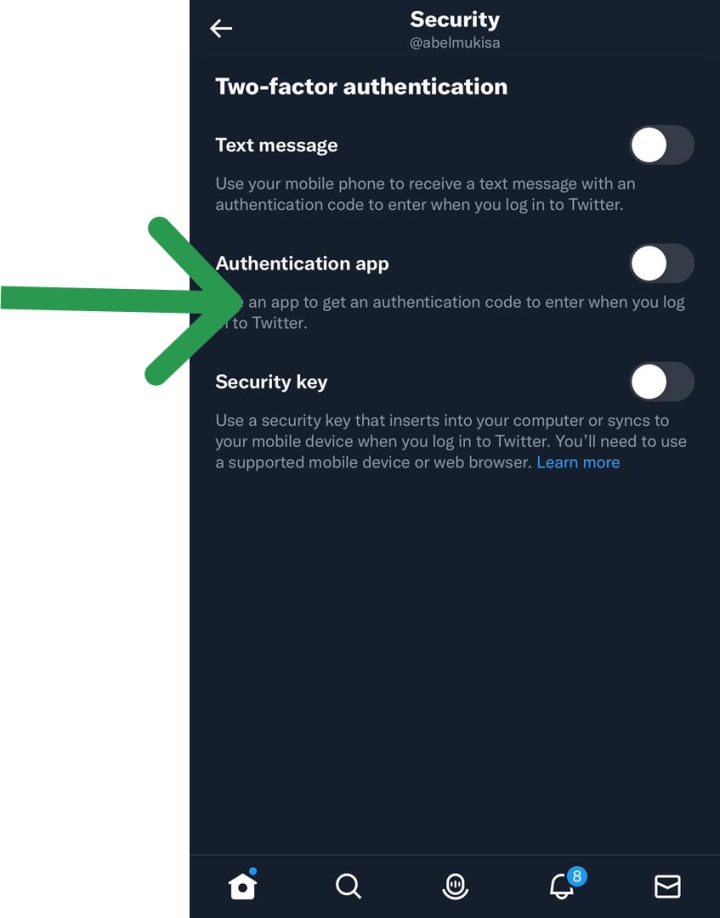
- Enable Two-Factor Authentication (2FA): Go to Settings and privacy > Security and account access > Security > Two-factor authentication.
- DO NOT rely solely on SMS: Use an Authenticator App or, ideally, a Physical Security Key.
- Action: Set up a YubiKey or similar as your primary 2FA method.
- Use a Strong, Unique Password: Create a minimum 16-character password with a mix of character types. Let your password manager generate and remember it.
- Review Login Access: Regularly check Settings > Security and account access > Apps and sessions to review and log out of unrecognized devices or sessions.
2. Audit and Minimize Third-Party Access
- Revoke Unnecessary Apps: In Apps and sessions > Connected apps, remove any app you no longer use or don't recognize. Apply the "principle of least privilege."
- Be Wary of App Permissions: Never grant an app "Read and Write" permissions if it only needs to "Read." Be extremely cautious of apps requesting access to your Direct Messages.
3. Secure Your Recovery Pathways
- Use a Dedicated Recovery Email: This email should have a unique password and its own strong 2FA, separate from your primary email.
- Protect Your Phone Number: Contact your mobile carrier to set up a SIM Swap Protection PIN or port-out validation to prevent unauthorized number transfers.
- Keep Recovery Info Updated: Ensure your recovery email and phone number in X settings are current.
4. Adopt Advanced Monitoring Practices
- Enable Login Alerts: In X settings, ensure notifications are on for new logins.
- Monitor for Deepfakes: For high-profile accounts, consider setting a verbal "safe word" with trusted contacts for sensitive voice-verified requests.
- Conduct Monthly Security Audits: Schedule a monthly review of connected apps, active sessions, and account login history.
X Security FAQ: Answering Your Critical Questions
1. Is X Premium (Verified) safer or more at risk?
It presents a modified risk profile. While priority support can be a benefit during an incident, the verified badge and subscription increase your account's value to attackers, making you a more attractive target for sophisticated social engineering and credential attacks. Enhanced vigilance is required.
2. How can I tell if a third-party app is malicious?
Red flags include: requests for excessive permissions, poor reviews or unknown developer reputation, typos in the app name or description, and a login page that looks slightly "off" from the official X page. Always verify the app's authenticity before authorizing.
3. My account was hacked. What's my immediate response plan?
- Immediately Revoke Access: Go to Connected Apps and revoke all tokens if possible.
- Secure Your Email: Change the password of your linked recovery email first, from a secure device.
- Regain X Access: Use the official account recovery process via X's help center.
- Scan Your Devices: Run antivirus/malware scans on all devices you use to access X.
- Report the Incident: File a report with X and, if financial loss occurred, your local cybercrime unit.
4. Are hardware security keys really worth it?
Absolutely. For high-value personal or business accounts, they are the single most effective upgrade you can make. They cryptographically verify the site's legitimacy, making you virtually immune to phishing attacks that steal passwords and 2FA codes.
5. How does AI change the threat landscape for X?
AI automates and personalizes attacks at scale. It can generate convincing phishing messages, mimic writing styles, clone voices, and identify targets more efficiently. Defense now requires a combination of technological solutions (security keys) and heightened personal skepticism—always verify through a second, known channel.
Final Thought: Building a Security-First Mindset
In 2026, protecting your X account is less about a single action and more about cultivating a proactive, layered security posture. The most sophisticated hacking methods are defeated not by complex tools alone, but by the consistent application of fundamental principles: using unique passwords managed by a password manager, adopting phishing-resistant 2FA like hardware keys, rigorously auditing third-party access, and maintaining healthy skepticism online.
Your digital identity on X is valuable. By implementing the strategies outlined in this guide, you move from being a potential target to an informed, resilient user. Start today by reviewing your connected apps and enabling the strongest form of two-factor authentication available to you.
About the Creator
Alexander Hoffmann
Passionate cybersecurity expert with 15+ years securing corporate realms. Ethical hacker, password guardian. Committed to fortifying users' digital safety.
Keep reading
More stories from Alexander Hoffmann and writers in Lifehack and other communities.
Complete Guide to Wi-Fi Password Recovery & Protection
Understanding Wi-Fi Security Forgetting your Wi-Fi password is a common frustration in our connected world. This comprehensive guide explores legitimate methods to recover lost Wi-Fi credentials while emphasizing network security best practices. Whether you're a homeowner locked out of your network or an IT professional assisting users, this article provides ethical solutions while reinforcing the importance of protecting wireless networks from unauthorized access.
By Alexander Hoffmann2 days ago in Lifehack
How Big Game Hunting in Namibia Supports Wildlife Conservation
Namibia is widely recognized as one of Africa’s greatest wildlife conservation success stories. Unlike many countries where wildlife populations have declined, Namibia has seen steady growth in key species such as elephant, black rhino, lion, and plains game. A major reason behind this success is the country’s carefully regulated big game hunting namibia model, which directly supports conservation, habitat protection, and rural livelihoods.
By Aru Game Lodges 3 days ago in Lifehack
A Priceless Lesson of Life
There was once a man who had four sons. He deeply wished that his sons would learn one of the most important lessons of life: never be quick to judge others. He believed that true understanding comes only with patience and time. To teach them this lesson in a meaningful way, he decided to send them on a journey.
By Sudais Zakwana day ago in Lifehack




Comments
There are no comments for this story
Be the first to respond and start the conversation.