
Why your eSIM might stop working and how to fix it
Best esim services
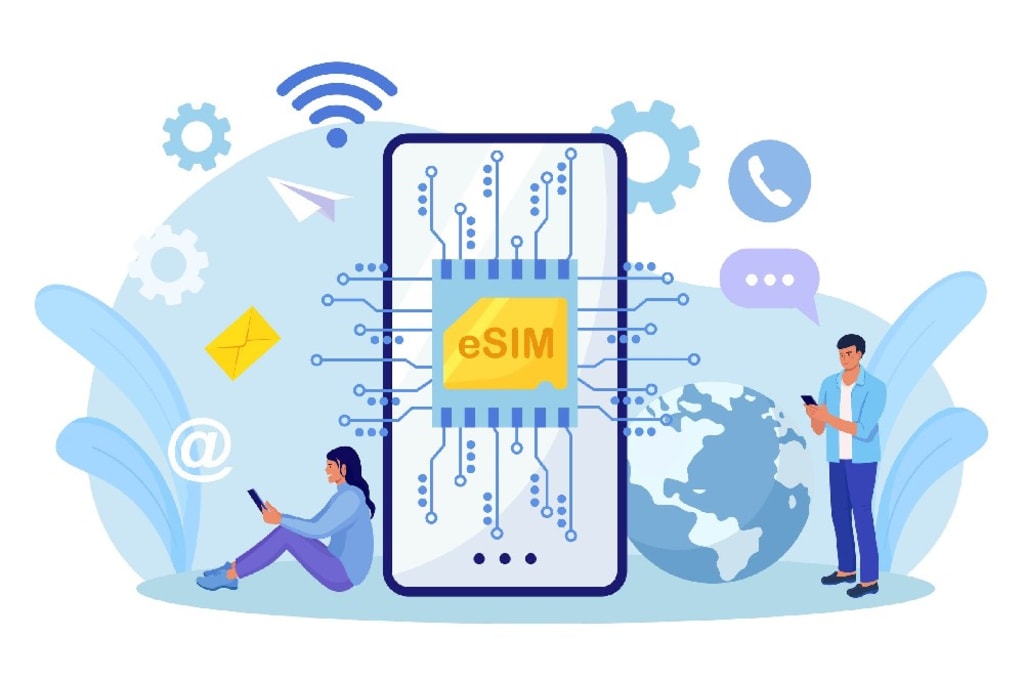
The eSIM is by far the most practical and convenient connectivity solution. It's a technology that replaces the need for a physical SIM card, as it's integrated into the device's components.
Compared to a physical SIM card, the eSIM has advantages in all aspects:
It allows you to access a wide variety of plans that fit your needs;
They are ideal for travelers, because they allow you to purchase data plans for all the countries you visit without having to change your physical card;
By not having to replace the physical card, you avoid tampering with your phone;
The eSIM is also an eco-friendly solution because it saves all the resources required for a physical SIM card in its production and distribution, and also contributes to reducing technological waste.
Although it's a robust and reliable technology, like any technological device, sometimes problems can arise that interfere with its operation. And if that happens to you, it's best to be well prepared. These are some of the most common problems with an eSIM, and here's how to solve them:
Common causes of problems with your eSIM
Fortunately, most of these problems have simple solutions that you can apply without any technical knowledge. Below, we explain two of the most common causes.
I can't find an eSIM I just installed
A common difficulty when using an eSIM services is finding it in the device so you can select it. In most cases, this is due to:
The label or visible name is unfamiliar to you and you do not recognize it;
You have several eSIMs installed and it is difficult to identify them;
It could also happen that the eSIM has been accidentally removed.
How to fix it?
The first two cases are easily resolved. When installing your eSIM, it's a good idea to label it with a name that allows you to easily identify it. You can use a name that combines the country of use and the amount of data: " Argentina-5GB ."
If you're trying to identify an installed eSIM, you'll need to know the eSIM identification code, or "ICCID." Most providers, like Olysim , include this information in their app. You just need to compare that code with the eSIMs installed in your phone to identify them. Once you have that, it's a good idea to label them, as mentioned above, for future reference.
If, on the other hand, an eSIM was removed from the device, you'll need to contact your carrier's support team, and they'll guide you through whether it's possible to reinstall your eSIM. Olysim offers 24/7 support , so you're always covered.
Problems scanning the QR code
Most providers provide a QR code to easily install your eSIM. While this is a simple and convenient method, it's not without its pitfalls or difficulties.
The most common causes of errors when scanning the QR code are:
Image acquisition issues : Whether due to poor lighting, dirt on the camera, or moving the phone before the scan is complete, the image may not be read correctly.
Compatibility issues: While most phones allow QR code scanning, some older devices may not have the necessary software.
Connectivity issues: A weak or unstable internet connection may hinder the installation process.
How to fix it?
You can try these solutions:
Make sure the lighting is correct, and that there are no glare or flashes that interfere with the scan;
Check that your phone's camera lens is clean and clear;
Keep the camera focused and the phone still during the scan;
Make sure your phone supports QR codes;
Make sure you have good internet coverage to complete the installation process.
If after trying these solutions you still can't scan the code, restart your phone. This resolves many common issues.
If you've tried everything, don't despair. You can still manually install your eSIM . It's a simple process that won't take you much time.
How to troubleshoot other problems with your eSIM
Problems installing and activating an eSIM are rare, but problems with an already installed and working eSIM are even rarer. Your phone may experience slower browsing than usual, or you may not be able to access any online services at all. With these simple checks, you can quickly resolve these issues.
Browsing speed is slow
Truth be told, browsing speed in general doesn't strictly depend on the eSIM services, but rather on the coverage of the network you're connecting to. A weak or heavily congested network signal could impact your connection speed.
However, in some cases, your device's settings may affect your browsing speed. Choose a 3G network and see if that resolves your browsing issues:
Go to your phone settings / Internet & Networks;
Tap “Mobile Networks” and then “Advanced”;
There, select “3G” within the “Preferred Networks” menu.
If that doesn't work, check if there is another network you can access.
The phone does not navigate directly
This can be due to a variety of reasons, and it is important to determine what is causing the problem:
Poor or no operator signal: In some rural or remote areas, mobile network coverage may be poor. Also, in crowded venues—recreations, museums, etc.—networks often become congested.
If you're in a deserted or crowded area, try changing your location and looking for open areas to improve signal reception.
Your eSIM plan has expired or you've used all your data: With an Olysim eSIM , you can check your plan status from the app, see if it's valid and how much data you have available. If you find that your data has been used up, in most cases you can renew your eSIM. You can also set it to renew automatically to avoid this inconvenience . If your eSIM doesn't support top-ups, you'll need to purchase a new one.
Additionally, to avoid this problem, it can be helpful to be clear about how much data you'll need during your trip . It's also important to review these tips to keep your data usage under control and avoid using up your plan before you expect.
Contact the eSIM provider's technical support
If the problem persists and you can't resolve it, it's best to contact your eSIM provider's technical support. Olysim, for example, offers customer service that will help you resolve any issues you may have.
Make sure you have all the details about your device and the issue you're experiencing on hand. This will help technical support resolve your issue more quickly and efficiently.
Conclusion
Although eSIM problems can be frustrating, most of them are easy to fix. If you follow these tips and check your device's settings, you'll be ready to continue your journey worry-free. Don't forget that if problems persist, you can always count on your eSIM provider's technical support to find a quick solution.
Remember, an eSIM not only offers you convenience and flexibility, but also the opportunity to stay connected without the limitations of a physical SIM card. Enjoy your next connected adventure, hassle-free!
Frequently Asked Questions
About the Creator
Is It Better To Eat Protein Before Or After A Workout? How To Optimize Your Intake For Muscle Growth
If you've given WH's protein challenge a go, you know how important this macro is to your health and fitness goals and a strong training sesh. But does it matter when, exactly, you get some protein in around your workouts impact muscle growth?
By Dena Falken Esq5 days ago in Lifehack
You Can’t AI a Jobsite
Artificial intelligence dominates recent discussions regarding the future of work, and it’s no wonder. Namely, software now writes code, generates legal briefs, and manages complex logistics. White-collar professionals face a period of uncertainty as automation settles into offices worldwide.
By Angela Ash3 days ago in Lifehack




Comments
There are no comments for this story
Be the first to respond and start the conversation.