
Why a Portable External SSD Is a Must-Have for Remote Work
Portability is another major reason external SSDs are so valuable
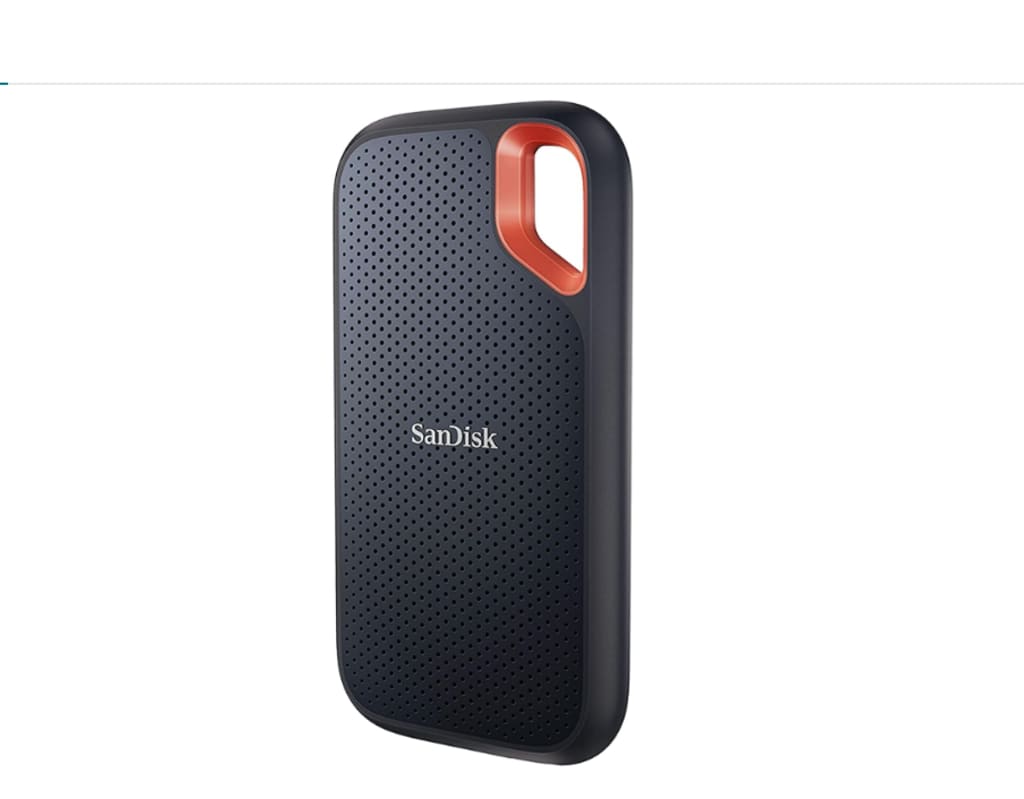
Remote work depends heavily on how efficiently you manage your files, tools, and data. As more professionals work from home or on the go, storage has become a critical part of daily productivity. Relying solely on a laptop’s internal storage is no longer enough, especially when work files continue to grow in size and complexity. This is where a portable external SSD becomes an essential remote work tool.
One of the most common problems remote workers face is limited storage space. Documents, spreadsheets, presentations, images, videos, and software files quickly take up room. Once your internal storage starts filling up, your device's performance often slows down. Applications may take longer to load, updates can fail, and multitasking becomes more difficult. A portable external SSD helps relieve this pressure by moving large files off your main system.
Speed is one of the biggest advantages of using an external SSD. Unlike traditional hard drives, SSDs use flash memory, which allows for much faster data access. This means you can open files, copy folders, and back up your work in a fraction of the time. For remote workers who handle large files or tight deadlines, this speed can make a noticeable difference in daily efficiency.
Portability is another major reason external SSDs are so valuable. These devices are compact and lightweight, making them easy to carry anywhere. Whether you’re working from home, traveling, or switching between locations, you can bring your entire work library with you. This flexibility is ideal for professionals who use more than one device or need access to their files at all times.
Data protection is a crucial concern in remote work. Keeping important documents on a single device increases the risk of data loss. Laptops can crash, be stolen, or get damaged unexpectedly. A portable external SSD serves as a reliable backup solution, ensuring that critical files are stored safely outside your main system. Having a physical backup provides peace of mind and reduces stress during technical issues.
External SSDs are especially helpful for people using laptops with limited RAM or older hardware. When internal storage is overloaded, system performance suffers. By transferring large files to an external SSD, your laptop has more room to operate efficiently. This can result in smoother performance, faster boot times, and fewer system slowdowns without needing to upgrade your device.
Another benefit is improved file organization. With an external SSD, you can create structured folders for projects, clients, or work categories. This separation keeps your main system clean and makes it easier to locate files when you need them. Good organization saves time and reduces errors, especially for remote workers managing multiple responsibilities.
Offline access is another important advantage. While cloud storage is useful, it relies entirely on internet connectivity. An external SSD works independently of the internet, giving you access to your files anytime, anywhere. This is particularly useful during power outages, travel, or unstable network conditions. Your work remains accessible no matter the situation.
Durability also plays a role in why SSDs are preferred over traditional drives. Many portable SSDs are designed to withstand daily use and movement. Without moving parts, they are less likely to fail due to drops or vibrations. This reliability makes them a practical choice for remote professionals who frequently transport their equipment.
In today’s digital work environment, efficiency, security, and flexibility are essential. A portable external SSD supports all three. It improves system performance, protects valuable data, and adapts easily to different work setups. For remote workers looking to optimize their workflow and reduce technical stress, this simple device can have a powerful impact.
See you next time
About the Creator
Keep reading
More stories from Bahati Mulishi and writers in Lifehack and other communities.
Why an Ergonomic Foot Rest Is One of the Most Underrated Remote Work Tools
Remote work has made many people rethink how they set up their workspaces. While most attention goes to desks, chairs, and monitors, one essential item is often overlooked: an ergonomic foot rest. It may seem like a minor accessory, but for anyone spending long hours seated at a desk, a foot rest can play a surprisingly important role in comfort, posture, and overall well-being.
By Bahati Mulishi2 days ago in Lifehack
Relocating in Arlington Heights: What Residents Should Know Before Moving Day
Moving within Arlington Heights often feels simple at first glance, but many residents quickly learn that even short-distance relocations require thoughtful planning. The village’s mix of residential streets, apartment complexes, and townhomes creates a variety of moving scenarios, each with its own challenges. Understanding how local moving services—such as companies operating in the area like Falcon Moving LLC—fit into this process helps residents approach moving day with confidence.
By House Doctor6 days ago in Lifehack
Our Song
Evening has given way to night. Gently, I settle next to you on the comfortable, old love seat and reach for your hand. You snatch it away, again. It cuts me to the quick, but I hide the pain, understanding that the reaction is but part of your demented state. Since the accident, your presence here in our cozy home has been clouded by a haze I can't see. Nevertheless, I feel the frigidity of your expressions and it serves as an excruciating reminder of the immeasurable distance between us.
By Dana Crandell5 days ago in Fiction




Comments
There are no comments for this story
Be the first to respond and start the conversation.