
What to look for when buying ethernet cable?
Types Of Ethernet Cables Explained: All You Need To Know

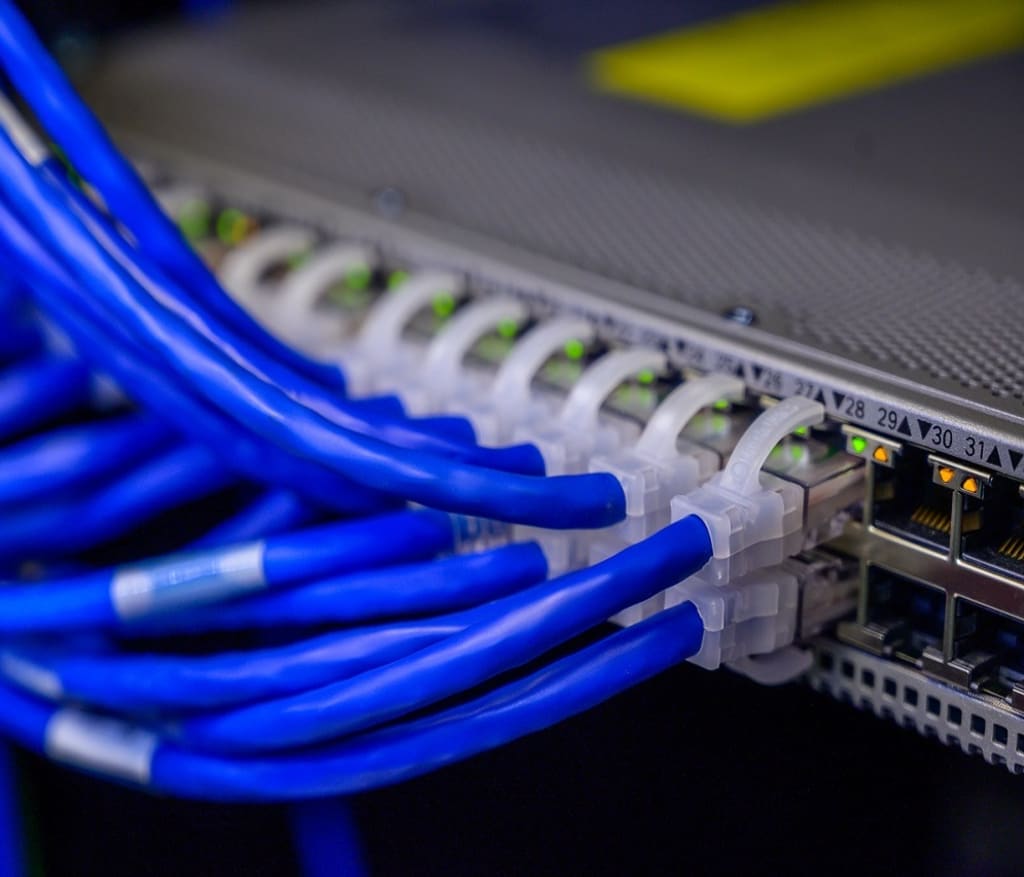
WiFi is becoming advanced day by day and it has fewer imperfections, but the Ethernet cable is still an essential option for many users. It provides more stability and ensures that we have the Internet even where the WiFi signal does not reach. But we do not always know which Ethernet cable to choose, what advantages each of them has or which one we should choose to use normally in our home.
Ethernet cable is an essential accessory for your smart TV if you want the movies you watch on Netflix not to be cut off, if you want the connection to be unstable or if you want to make the most of the optical fiber connection speed that matches you by contract.
We can believe that just buying an Ethernet connection is enough and that's it. But no, there is a difference between the transfer speed and the transmission frequency, although you can see the difference in protection by covering them.
Types of Ethernet Cables: There are two things you should look at that differentiate Ethernet cables: category and protection.
Categories:
They differ, as we say - in speed or frequency of transmission. The frequency tells us the power that the cable has.
Each cable is known as CAT 5, CAT 5E, CAT 6, CAT 6A... Up to CAT 8. This is the denomination that has been given over time to these cables and each of the categories has better ones with respect to the previous one. For example, it allows us higher transmission speeds.
- CAT 5 allows us a speed of 100 Mbps and a frequency of 100 MHz
- CAT 5e allows us a speed of 1,000 Mbps and a frequency of 100 MHz
- CAT 6 that offers us speeds of up to 1,000 Mbps and a frequency of 250 MHz
- CAT 6A with speeds of 10,000 Mbps and frequency of 500 MHz
- CAT 7 with speeds of 10,000 Mbps and frequencies of 600 MHz
- CAT 7A with speeds of 10,000 Mbps and frequencies of 1,000 MHz
- CAT 8 with a speed of 40,000 Mbps and a frequency of 2,000 MHz
How to choose a cable?
At first glance, they will be identical. There are many colored cables, but the color has nothing to do with the category to which they belong. To choose, you will have to look at the cable category. You should also take into account the shielding depending on the use you intend to give this Ethernet cable.
In the case of domestic use of the cable, you will not need it to go beyond a category 5e or category 6 . The category 5e Ethernet cable is the one that we usually find in the routers of conventional operators and allows us a maximum transmission speed of 1,000 Mbps at distances of up to one hundred meters, so it should be enough (currently) for the day to day, since it is about what the operators offer us as speed. Of course, it is very likely that it will be a matter of years before this category will be insufficient for us, so it is advisable to bet on more advanced models for high-speed connections, such as CAT-6 or CAT-6A, which will ensure stable speed even if the cable has a great length.
Ethernet Cables
In terms of protection, you will not need a very complete shield if you are simply going to connect the cable from the router to the computer or from the router to the Smart TV. The most basic will suffice and there is no problem in using a Lan kabel with UTP shielding , which is cheaper.
If you want to create a home network installation, the category 5E of Ethernet cable is too small for us and it will be saturated. In case of creating a local network, it is more advisable to bet on cables of category 6A or higher. In CAT 6A, CAT 7 or CAT 7A models we have speeds of up to 10,000 Mbps so we would not encounter any problems of saturation or bottlenecks and it will be able to support transmission from various devices without problems. Cat 8 can have speeds of 40,000 Mbps.
About the Creator
Annett Ziegler
Annette Ziegler is an writer, Editors and Reviewers.
Keep reading
More stories from writers in Lifehack and other communities.
Premium Gas Is Draining Your Wallet — Unless Your Engine Needs It
Have you ever wondered whether premium fuel could actually help your engine? Fuels rated at 91–93 octane do resist detonation better than lower-octane fuels, and in some cases they can burn more completely. But does that mean your engine will run better, last longer, or get more power?
By Jack Martin18 minutes ago in Lifehack
Being Human Is Heavy
No one tells you that being human comes with a weight you cannot put down. Not when you’re born, not when you learn to walk, not even when you learn to love. It arrives quietly, accumulating over years, stacking itself in invisible layers until one day you wake up tired for no clear reason. You blame sleep. You blame work. You blame age. But the truth is simpler and harder: being human is heavy.
By LUNA EDITH2 days ago in Lifehack


Comments
There are no comments for this story
Be the first to respond and start the conversation.