
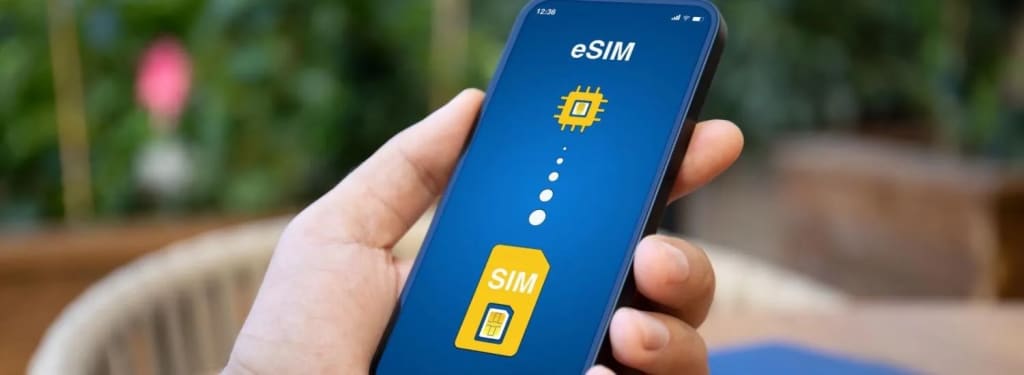
eSIM is short for Embedded SIM, meaning: Embedded SIM card. The microchip is already built into compatible phones.
The eSIM , also known as a virtual SIM card, is a chip that is already incorporated into a wide list of compatible latest generation mobile phones and allows the activation of mobile services without the need to use a physical SIM.
This technology has gained popularity among travelers due to its ease of purchase and use, making it the ideal option to secure your connection on international trips. Read on to find out what it is used for, what its benefits are, where to get it and how to activate it.
What is eSIM and how does it work?
The eSIM is the digital version of the SIM card you use in your mobile phone. Instead of inserting a physical chip, the eSIM stores information directly in the device's software , making it easy to connect to the network and activate mobile services remotely.
This means that after activating your eSIM, it will work just like a physical SIM card and you can use it to browse the Internet, make calls and receive SMS messages . One of its biggest advantages is that it allows the storage of multiple eSIM profiles on the same device.
Thanks to this functionality, you can change mobile lines whenever necessary, whether to use an international data plan or switch between different personal and professional lines. This flexibility is one of the features that makes eSIMs especially attractive for travelers.
eSIM vs. SIM card: what's the difference?
The difference between an eSIM and a physical SIM card is that the eSIM is completely digital thanks to a chip that is already built into the device from its manufacture and is programmable via software, while SIM cards are removable and use plastic chips.
Although both perform the same function, eSIMs are not compatible with older phones; therefore, it is essential to have an iOS or Android model that is compatible. In fact, physical SIM cards are expected to become obsolete in the near future.
A clear example of this trend are the iPhone 14 , iPhone 15, and iPhone 16 models sold in the US, which work exclusively with eSIM, as they do not include physical SIM card slots.
Why should I use an eSIM?
The main benefit of an eSIM is to make your life easier , especially when you travel outside your country, as it is configured remotely, is easy to use and does not require the handling of a plastic card. In addition, it offers multiple advantages:
Instant delivery and activation: When you purchase an eSIM, you will receive it instantly in your email and it will only take a few minutes to activate it.
Multi-country coverage: If you're traveling across multiple countries, you can get a regional eSIM plan that gives you coverage in multiple destinations with a single virtual SIM.
Multiple line support : With an eSIM you can have multiple mobile lines and use them simultaneously by changing the device settings.
Security: The physical SIM card is susceptible to damage, theft or loss, while the eSIM card is completely digital, so there is no way to lose it.
Cost savings: Using an eSIM is significantly cheaper than other alternatives such as roaming and pocket wifi or portable wifi devices.
Environmentally friendly: Being completely digital, eSIMs do not generate plastic waste, making them a more sustainable option.
Which mobile phones use a virtual SIM card?
Although there are more and more devices that support eSIM, for now this technology predominates in high-end models. Among the most common are the iPhone from the XR model, Samsung Galaxy from the S20, Google Pixel, Xiaomi, among others.
What other devices support eSIM?
Smartphones aren't the only ones that feature a built-in digital SIM . This technology is also present in tablets, smartwatches , laptops , and even IoT devices, making it easy to connect to a data plan instead of relying on Wi-Fi connections when you're on the move.
How to get an eSIM?
The process for getting an eSIM varies depending on the provider you choose and the use you plan to give it. In general, the main difference is whether you sign up for eSIM services with a mobile operator or a provider specializing in eSIMs for international use .
Getting the eSIM with a local operator
If you need an eSIM for daily use in your country , it is best to purchase it from a local operator. You can do so through their physical store, website or mobile app. In any case, you must request the change from SIM to eSIM or order a new line . If you opt for the physical store, you will have to go to the nearest customer service center to carry out the procedure.
Getting an eSIM from an international provider
International eSIM providers specialize in offering prepaid data plans for tourists, business travelers, and digital nomads. These plans work with local networks to ensure stable coverage and optimal connection speeds, wherever you go.
In this case, you can purchase the eSIM in specialized online stores such as Olysim . There, you will find data plans with coverage in more than 200 destinations and flexible rates so you can choose the option that best suits your connectivity needs and travel budget.
After purchase, you will receive an email with activation details. Follow the instructions carefully and your phone will be ready to connect to a mobile network and have mobile data in a matter of minutes.
How to activate an eSIM card?
After purchasing the eSIM, the global eSIM provider will send the user an email with the information necessary for installation and activation on Android or iOS phones. In any case, this process should not take more than a few minutes.
The most common way to install an eSIM is by scanning a QR code. You can also set it up manually or automatically through the provider's app.
Steps to activate the eSIM on iOS
- Go to Settings .
- Tap on Mobile data .
- Locate and tap the Add eSIM button .
- Choose the Use QR code option .
- Scan your QR code and follow the instructions to complete the setup.
Activate eSIM on Android
If you are wondering how to activate an eSIM on Android, follow the steps below, keeping in mind that the names of the options may vary slightly depending on the customization of each manufacturer, such as Samsung, Xiaomi, Huawei, among other brands.
- Go to Settings .
- Open the Connections menu .
- Locate and tap the SIM Manager option .
- Tap Add eSIM and then Scan QR code .
- Scan your QR code and follow the instructions to complete the setup.
- Watch the activation video on Android
After completing the setup, the eSIM will be ready to automatically connect to a mobile network, allowing you to use data, make calls and send messages without needing to insert a physical SIM card.
The eSIM is undoubtedly the latest step in the evolution of telecommunications. So don't be left behind and switch to the technology that simplifies your life.
About the Creator
You Can’t AI a Jobsite
Artificial intelligence dominates recent discussions regarding the future of work, and it’s no wonder. Namely, software now writes code, generates legal briefs, and manages complex logistics. White-collar professionals face a period of uncertainty as automation settles into offices worldwide.
By Angela Ash3 days ago in Lifehack
Top 10 Best Peptide Vendors in USA (Ranked & Reviewed)
Are you searching for the best peptide vendors in 2026 for research purposes or even for personal wellness goals like fat loss or hormone support? With the rise in popularity of peptides such as Semaglutide, Tirzepatide, BPC-157, and TB-500, the market has exploded—unfortunately, so have the number of shady or unverified suppliers. Finding a legit, trustworthy peptide vendor with high purity, third-party COAs, and affordable pricing can feel overwhelming.
By Hazel Jacksona day ago in Lifehack




Comments
There are no comments for this story
Be the first to respond and start the conversation.