
Streamline Video Captioning with AI: Boost Engagement and Save Time
Discover how AI-powered editing tools can simplify video captioning, enhance accessibility, and boost viewer engagement. Save time and improve quality with smart automation

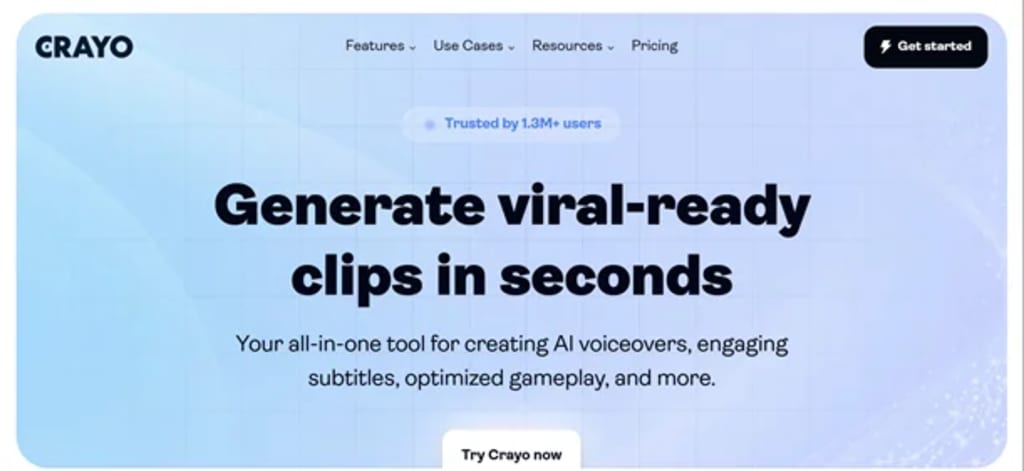
In today's digital-first world, video is the most consumed form of content. Whether it’s short-form social media videos, educational content, or corporate training sessions—videos dominate the way we learn, engage, and communicate. But one critical component often overlooked is captioning.
Captions not only improve accessibility but also boost engagement and retention. However, manually captioning videos is time-consuming, tedious, and expensive—especially for creators working at scale. That’s where AI-powered editing tools come in to streamline the process and deliver both speed and accuracy.
In this article, we’ll explore the problems associated with traditional video captioning, and how smart automation—like the features found in Crayo AI editing tools—is solving them efficiently.
The Problem: Manual Captioning is a Bottleneck
Video captioning serves many essential purposes:
Enhances accessibility for hearing-impaired viewers
Increases engagement in sound-off environments (like public spaces or social media)
Improves SEO through searchable text
Supports multi-language viewers
Helps with comprehension and retention
Yet, for many creators and businesses, adding captions becomes an afterthought due to the time and cost involved.
Common Issues in Manual Captioning:
Time-Intensive: Captioning a 10-minute video manually can take over an hour.
Human Error: Typos, timing mismatches, and inconsistent formatting are common.
Costly: Outsourcing to transcription services or hiring in-house editors adds up.
Scalability Issues: As content volume increases, maintaining consistency becomes harder.
Limited Accessibility Support: Many tools don’t support multiple languages or adapt to different viewing needs.
For content creators, marketers, educators, and businesses alike, these challenges become barriers to content performance and viewer satisfaction.
The Solution: AI-Powered Captioning Tools
This is where AI steps in—not just to automate captioning, but to optimize it.
Modern AI editing platforms are built with natural language processing (NLP), machine learning, and voice recognition technology that enables them to detect speech, punctuation, emotions, and even slang in real-time.
Instead of spending hours transcribing, timing, and formatting subtitles manually, you can now generate high-quality captions within minutes—often with the option to review and tweak them for perfection.
How AI Tools Enhance Captioning Efficiency
Let’s break down how artificial intelligence is transforming the video captioning process:
Crayo AI editing tools
In today's digital-first world, video is the most consumed form of content. Whether it’s short-form social media videos, educational content, or corporate training sessions—videos dominate the way we learn, engage, and communicate. But one critical component often overlooked is captioning.
Captions not only improve accessibility but also boost engagement and retention. However, manually captioning videos is time-consuming, tedious, and expensive—especially for creators working at scale. That’s where AI-powered editing tools come in to streamline the process and deliver both speed and accuracy.
In this article, we’ll explore the problems associated with traditional video captioning, and how smart automation—like the features found in Crayo AI editing tools—is solving them efficiently.
The Problem: Manual Captioning is a Bottleneck
Video captioning serves many essential purposes:
Enhances accessibility for hearing-impaired viewers
Increases engagement in sound-off environments (like public spaces or social media)
Improves SEO through searchable text
Supports multi-language viewers
Helps with comprehension and retention
Yet, for many creators and businesses, adding captions becomes an afterthought due to the time and cost involved.
Common Issues in Manual Captioning:
Time-Intensive: Captioning a 10-minute video manually can take over an hour.
Human Error: Typos, timing mismatches, and inconsistent formatting are common.
Costly: Outsourcing to transcription services or hiring in-house editors adds up.
Scalability Issues: As content volume increases, maintaining consistency becomes harder.
Limited Accessibility Support: Many tools don’t support multiple languages or adapt to different viewing needs.
For content creators, marketers, educators, and businesses alike, these challenges become barriers to content performance and viewer satisfaction.
The Solution: AI-Powered Captioning Tools
This is where AI steps in—not just to automate captioning, but to optimize it.
Modern AI editing platforms are built with natural language processing (NLP), machine learning, and voice recognition technology that enables them to detect speech, punctuation, emotions, and even slang in real-time.
Instead of spending hours transcribing, timing, and formatting subtitles manually, you can now generate high-quality captions within minutes—often with the option to review and tweak them for perfection.
How AI Tools Enhance Captioning Efficiency
Let’s break down how artificial intelligence is transforming the video captioning process:
1. Speech-to-Text Automation
Advanced speech recognition can transcribe spoken content with impressive accuracy, including multiple speakers, regional accents, and background noise filtering.
2. Smart Timing Sync
AI ensures that captions are perfectly synchronized with the video, reducing the jarring experience of out-of-sync subtitles.
3. Multi-Language Support
Many platforms now support translation and localization, helping global audiences engage with your content in their native languages.
4. Custom Styling and Branding
Beyond plain text, AI tools allow you to stylize captions—fonts, colors, placement—making them match your video’s brand aesthetic.
5. Context-Aware Editing
Some tools use AI to understand tone, pauses, and emphasis to produce more natural-looking and readable captions.
6. Batch Processing
With automation, users can caption multiple videos simultaneously, cutting hours from editing timelines.
Real-World Use Cases
🎬 Content Creators
YouTubers, podcasters, and influencers use AI-powered tools to caption content quickly, increase reach, and ensure accessibility on platforms like Instagram and TikTok where many users watch without sound.
🎓 Educators and Trainers
E-learning platforms benefit from captioning for comprehension, accessibility, and compliance. AI speeds up the process and supports multilingual learning.
🧑💼 Businesses and Marketers
Internal training videos, customer-facing product demos, and social content all need clear communication. Captioning helps break language barriers and boosts professionalism.
📰 Media Outlets
Newsrooms and media companies operate on tight deadlines. Auto-captioning ensures content is published faster, without sacrificing accuracy.
Why Smart Captioning is Now a Competitive Advantage
Here’s why adopting AI captioning today sets you ahead of the curve:
Boost Viewer Retention: Studies show that captioned videos have 12% longer view time.
Improve Accessibility: Captions make your content inclusive, which is not just ethical, but legally required in many regions.
Enhance SEO: Search engines index captions and transcripts, helping your content get discovered.
Reach Global Audiences: Translate once, reuse often—captions unlock international visibility.
Scale Efficiently: Whether you publish 1 video a week or 100 a month, AI keeps pace.
Example in Action
Creators using Crayo AI editing tools report saving up to 80% of their captioning time. The tool automatically transcribes speech with high accuracy, generates perfectly timed subtitles, and allows quick customization before export. It's a practical choice for anyone looking to streamline their content workflow.
Other tools in the space offer similar functionality, but what matters most is ease of use, integration with your workflow, and customization options.
What to Look for in a Captioning Tool
Before choosing a platform, consider:
Accuracy of speech recognition
Multi-language capabilities
Customization options
Turnaround speed
Ease of use and interface
Privacy and data security policies
The ideal solution should offer a balance of automation and control—giving you speed without compromising quality.
Final Thoughts
AI is not just reshaping video editing—it’s redefining how we create, communicate, and connect through visual content. Captioning is no longer a cumbersome add-on; it’s a strategic asset, and AI makes it achievable at scale
About the Creator
AIChief
AIChief is the #1 AI tools directory created exclusively for businesses, AI explorers, and curious minds alike! Each tool is manually tested and verified by our expert editors.
We’re here to keep you updated with latest news insights
Pregnancy Test During Period – Can You Conceive When Bleeding?
During menstruation, women experience vaginal bleeding for a few days. This is a biological activity where the body expels the unfertilized eggs following a cycle. The menstrual blood usually contains the uterine lining and eggs that have never been fertilized by sperm. A pregnancy while you are on your period is usually not possible.
By Jessica Perry3 days ago in Lifehack
Building Influence in a Remote Team
In traditional office environments, influence often developed naturally through proximity. People who spoke confidently in meetings, participated in hallway discussions, or regularly interacted with leadership often gained recognition and influence simply because they were visible.
By Bahati Mulishi4 days ago in Lifehack



Comments
There are no comments for this story
Be the first to respond and start the conversation.