
Is 4K Video Downloader Safe?
Why Choose 4K Video Downloader?

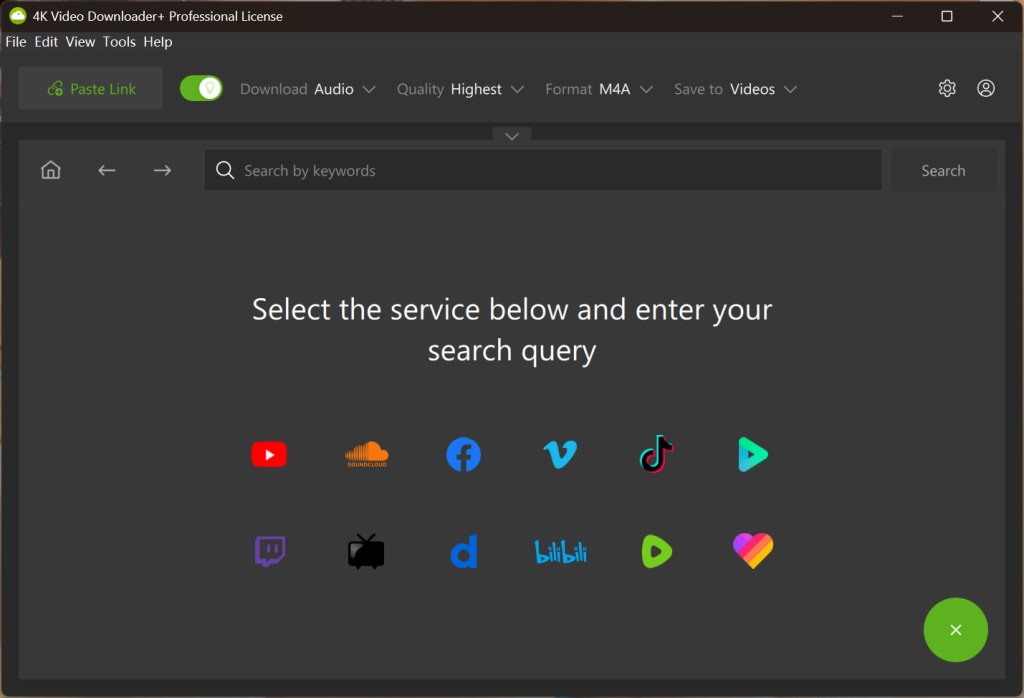
4K Video Downloader is one of the best video downloaders for users to download videos from 1000+ popular sites. It supports downloading videos up to 4K and 8K quality, in popular video formats like MP4, MKV, and audio formats like MP3, M4A, and OGG. Before choosing it as your preferred video download tool, you may wonder if 4K Video Downloader is safe and how it works. In this blog, we will answer your question and provide a step-by-step tutorial for your guidance.
Part 1: Is 4K Video Downloader Safe?
When it comes to the user experience, 4K Video Downloader is safe to use. The installation package is clean, with no virus, adware, malware, or third-party software bundled, so you can feel secure downloading and installing it.
As for the download content, for your security and legality, you are highly suggested to download the royalty-free and licensed content from sites like YouTube, Vimeo, Facebook, X, and more. Please be attentive to their legal notice and the terms of service. In addition, please make sure that the downloaded content is for personal use, not for commercial use, and do not distribute it to others.
After being aware of these notes, you can start using 4K Video Downloader.
Part 2: Why Choose 4K Video Downloader?
There are many video downloaders available for you to choose from, but why choose 4K Video Downloader? Here are the main reasons.
1. It is a dedicated video downloader that can meet almost all download needs, not only for the many supported sites, but also for the high download quality and the supported formats.
2. It supports many advanced download features that you can not find in other video downloaders.
(1) You can subscribe to a playlist or channel on the app so that it can automatically download any newly uploaded videos.
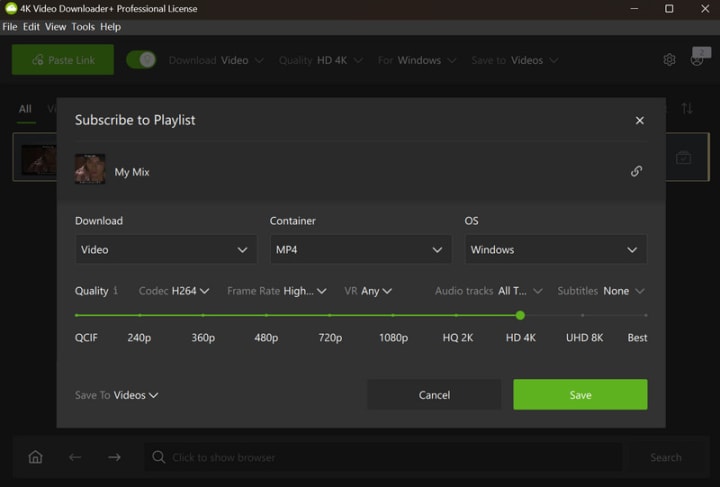
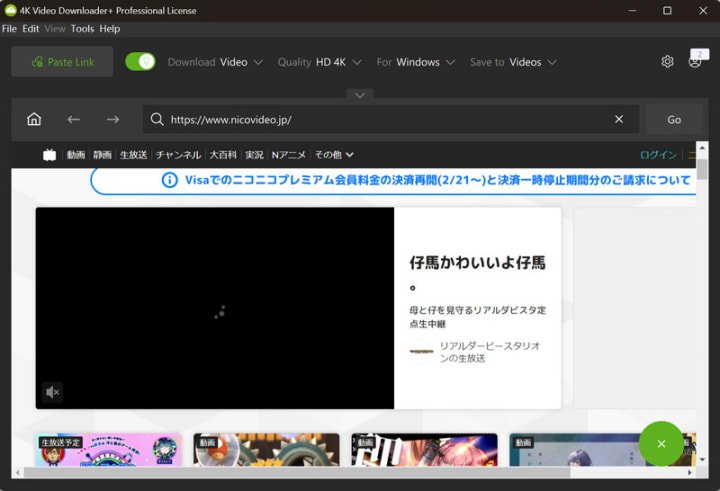
(2) It supports the built-in browser and searching for videos by keywords. The built-in browser can help to avoid most of the download issues you may encounter.
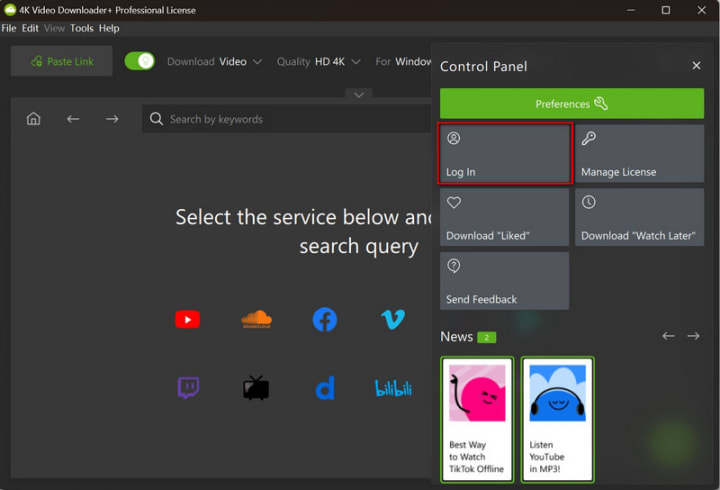
(3) You can log in to your YouTube account within the app, which ensures that you can download private videos and age-restricted content.
(4) Numerate the file in the playlist or channel download, so that you can easily manage the downloads.
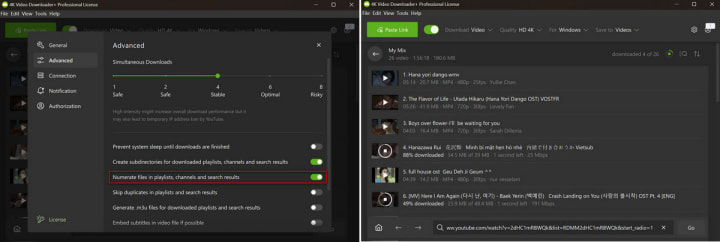
(5) If you download an entire playlist or a whole channel, it will create a subfolder to save the downloads, which will help you locate your downloads with ease.
Part 3: Some Disadvantages of 4K Video Downloader
While 4K Video Downloader offers a range of advanced features specified for professionals, it also comes with certain limitations or drawbacks.
1. Lack of manual configuration.
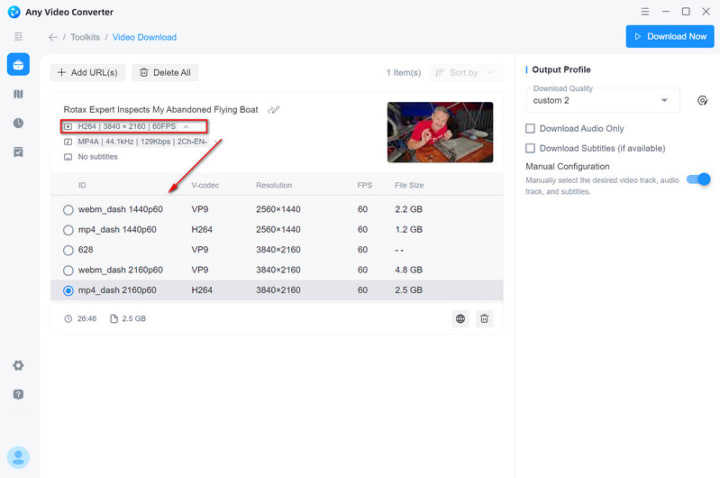
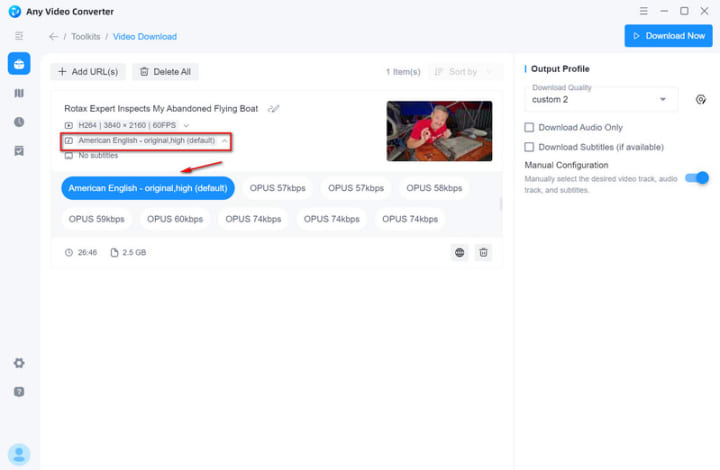
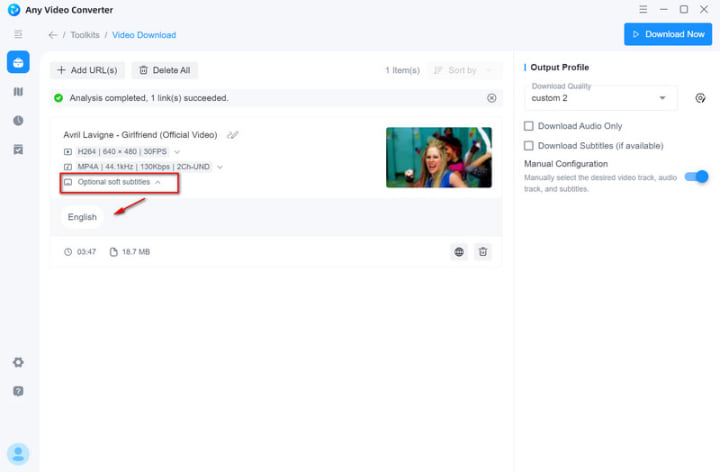
The manual configuration gives users full control over the specific video tracks, audio tracks, and subtitles they want to download. Here we will take Any Video Converter as an example to show how manual configuration works.
(1) Video Track. Once the program completes parsing the URLs, click the "Open Track List" to view all video tracks supported by this video. From this list, you can select your desired video track that contains the video container, video codec, resolution, FPS, and size.
(2) Audio Track. Click "Open Track List" to view all audio tracks and select the specific one you would like to download.
(3) Subtitles. If the source video has subtitles, click "Optional soft subtitles" to select your desired subtitles.
2. Select the specific videos from a playlist.
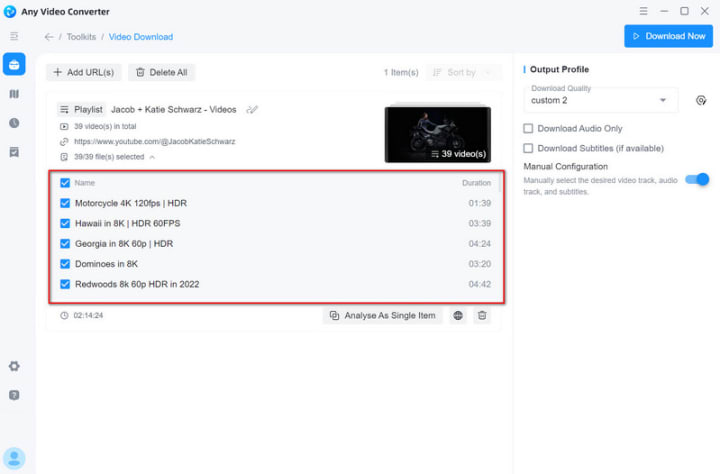
While 4K Video Downloader supports downloading an entire channel and an entire playlist, it does not offer the ability to select specific videos from the playlist to download. If you're looking to download only selected videos from a channel or playlist, Any Video Converter is a great alternative, as it provides more flexibility by allowing you to choose individual videos to download.
After parsing the URL of a playlist or channel, click "View the playlist items" to expand the list. From there, you can select the specific videos you wish to download.
You can refer to this review to learn more details about 4K Video Downloader.
About the Creator
Joker Young
An editor from a software indusrty.
Keep reading
More stories from Joker Young and writers in Lifehack and other communities.
How to Split an MKV TV Episode or Movie into Segments
There are several circumstances where you want an MKV splitter to help you split an MKV video into clips. You probably have an MKV video that was ripped from a DVD, which is a big file containing all 6 or 7 episodes. You just wonder a program that can help split by chapter.
By Joker Young11 months ago in Lifehack
Twiddling Your Thumbs: A Simple Habit That Offers Surprising Mental Health Benefits
Thumb twiddling has emotional benefits “Twiddling your thumbs” is an expression that means someone is doing nothing while passing the time away, or they are feeling bored or waiting. The phrase suggests wasting time or idleness but this simple repetitive motion of interlocking fingers and moving the thumbs together in a circular pattern is a self-soothing behavior that psychologists recognize as potentially beneficial for mental health well-being.
By Cheryl E Prestonabout 8 hours ago in Lifehack
Top tipple tricks
Been thinking a lot about drinking, lately. Not least because of a recent episode of over-indulgence and the inevitable after effects. Some readers may recall the earlier articles I wrote about beating the booze. Here I set out an experiment in techniques for cutting down on my alcohol intake. The experiment was successful, the techniques worked, and I have armed myself with an arsenal of weapons in the war against the demon drink. I have yet to fire the first round however. It's all a question of timing (perhaps procrastination).
By Raymond G. Taylor6 days ago in Psyche



Comments (2)
This reminds me of how tools like Remaker AI balance powerful features with ease of use. Just like video downloaders need fine control for pros, AI tools benefit when they give users both automation and flexibility.
Very clear breakdown — 4K Video Downloader is feature-rich, but the lack of manual configuration and playlist selectivity can be a real limitation for power users. Thanks for laying it out simply.