
I Tried to “Future-Proof” My Phone in 2026
Here’s What Actually Worked (and What Was a Waste of Money)

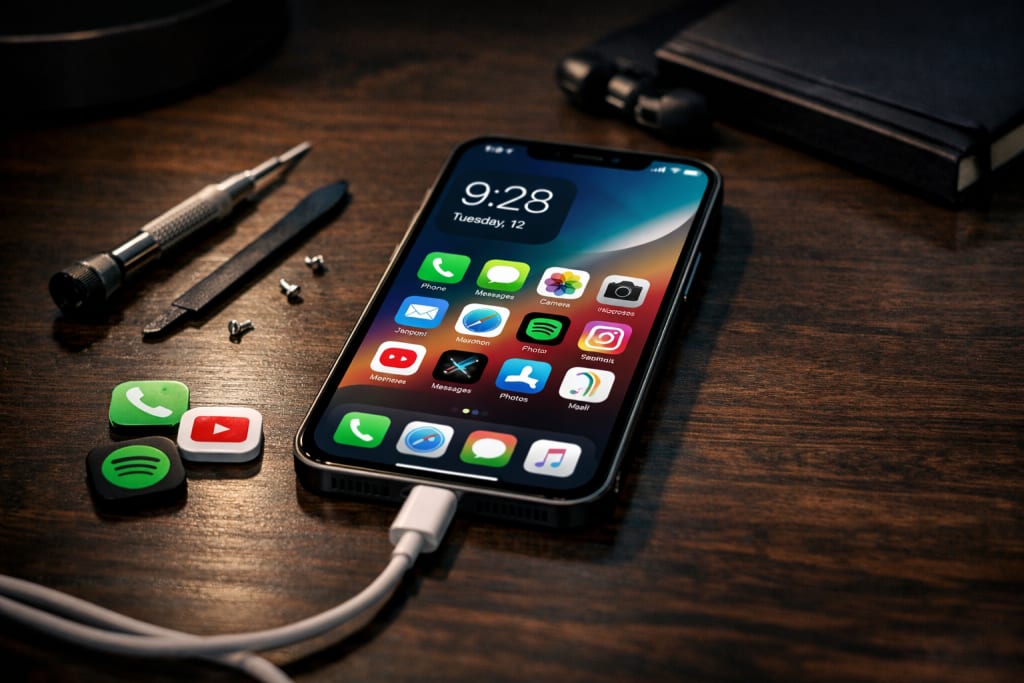
These are the changes and behaviors that made my phone seem fresh again, without having to buy a new one. They helped with battery anxiety and made it run faster.
Every smartphone user knows this moment all too well.
Your phone is not broken. It still works. The camera is still working. But the whole thing feels... heavier. It takes longer for apps to open. The battery goes down quickly. The storage is constantly full. Notifications seem to take a long time. And then you see a new flagship phone launch and think, "Maybe it's time."
That's what I looked like at the start of 2026.
I didn't want to get a new version. Not because I couldn't, but because I was sick of the upgrade cycle. Every year, a new phone promises "AI features," "desktop-level performance," and "all-day battery." And yet somehow, most people still wind up charging twice a day and removing apps to make room.
So I did something different: I sought to future-proof my current phone instead of upgrading it.
No magic settings. No unrealistic claims. Just real updates that either improved my phone experience—or turned out to be a terrible waste.
Here’s what actually worked.
1) The #1 future-proofing move: Resetting the program (without losing everything)
Let’s start with the most powerful thing I accomplished.
Not buying accessories. Not installing performance apps. Not changing launchers.
It was this: a clean reset.
I know factory reset sounds dramatic. But modern smartphones gather rubbish over time—cached data, background program garbage, obsolete settings, half-installed apps, and unseen clutter.
What I did:
Backed up everything (Google Drive / iCloud)
Noted my important apps.
Did a factory reset
Reinstalled just what I genuinely use.
The result:
My phone suddenly felt:
smoother, cleaner
more responsive
less battery-draining
This is the closest thing to “getting a new phone” without buying one.
Worth it? 100% yes.
2) Battery life: Stop chasing settings—fix the root problem.
Most battery advice online is useless. You’ve seen them:
reduced brightness
switch off animations.
Disable 5G.
close background apps.
These help, but just marginally. The greater issue is virtually always this:
Apps you don’t realize are wasting battery
In 2026, apps are more aggressive than ever—especially:
social media apps
shopping apps
ad-heavy free apps
apps with continual synchronization
So I went into my battery data and did something simple:
What I removed:
apps I “might use someday”
duplicate messaging applications
battery cleanup applications (yep, those actually deplete battery)
wallpaper/theme apps running in background
What I kept:
only necessary applications
only one cloud backup system
Result: I received considerably greater standby time—my phone stopped losing 10–15% overnight.
Worth it? Yes, but it requires discipline.
3) The biggest surprise upgrade: Switching to lightweight apps
This one felt like cheating.
Instead of using the heaviest versions of programs, I moved to lighter alternatives:
Facebook Lite (or browser version)
YouTube in browser (or lightweight client apps)
Gmail alternative for alerts control
fewer widgets
It made my phone feel faster without having a new processor.
If your phone is 2–4 years old, this is a real performance win.
Worth it? Absolutely.
4) Storage management: Stop deleting photos—do this instead.
Storage is one of the biggest reasons phones feel ancient.
You don’t need a new phone. You need:
smarter media storage
better backup habits
What I did:
enabled “storage saver” in cloud photographs
transferred old videos to cloud or PC
cleared “Downloads” folder (most folks never check it)
deleted duplicate WhatsApp media
This alone freed up 15–25 GB for me.
And here’s what I learned:
A phone with full storage behaves like a fatigued laptop.
Less free space means slower performance.
Worth it? Yes.
5) Display protection: Screen protectors are overrated—cases are not.
This is contentious.
I used to buy pricey screen protectors, thinking I was saving money long-term.
But the key future-proofing item wasn’t the protection.
It was the case.
What mattered:
elevated edges
solid corners
nice grip
A quality case minimizes risk of drops, scratches, and micro-cracks.
And in 2026, a broken phone equals reduced resale value and lower trust using it.
Worth it? A good case: sure. Overpriced protectors: not always.
6) The accessory that genuinely improves daily use: a high-quality charger + wire
Most individuals forget the charger after buying a phone.
Then they suffer:
slow charging
overheating, unstable charging
cable damage
So I invested in:
one reliable rapid charger
one durable cable
one power bank (only if needed)
It didn’t “upgrade” performance—but it upgraded my day-to-day experience.
Worth it? Yes, because charging is part of daily existence.
7) The truth about AI features: They don’t future-proof your phone.
This is the part nobody says out loud.
In 2026, phones are marketed like this:
AI assistants everywhere
on-device AI editing
generative wallpaper tools
real-time voice translation
But here’s the true experience:
some AI elements are cloud-based.
some don’t work in all regions.
some drain batteries heavily.
many are gimmicks you stop using after a week.
AI is not worthless—but it’s not the major reason your phone lasts longer.
Future-proofing involves stability, battery, storage, and smoothness.
Worth it? AI features are “nice to have,” not core.
8) What DIDN’T work (and honestly wasted time)
Let’s be real. Not everything helped.
Things I attempted that were basically useless:
“RAM booster” apps
battery optimizer apps
aggressive app killers
operating phone in ultra power-saving mode daily
Some of these actually made my phone worse:
applications reopened slower
notifications delayed
background syncing broke.
Sometimes “optimizing” becomes self-sabotage.
Worth it? No.
9) The finest long-term habit: update rules.
A lot of folks update mindlessly.
In 2026, updates are more frequent but potentially riskier:
abrupt battery drain
camera bugs
UI lag after updates
So I started doing this:
My update rules:
wait 3–7 days before installing significant updates.
verify feedback from users online.
never update right before travel.
always restarts after update
clear cache/restart apps if lag arises.
This reduced “update regret” considerably.
Worth it? Yes.
Final takeaway: Future-proofing isn’t a product—it’s a strategy.
After accomplishing all this, I learned something important:
People don’t update because phones are old.
People update because phones become annoying to use.
If you lessen the annoyances:
battery anxiety
slow apps
low storage
overheating
buggy software
Your phone can easily endure one to two more years.
And that’s not just saving money—that’s taking power from the upgrade hype.
Disclaimer
This post is based on personal user experience and general smartphone optimization methods. Results may vary depending on device type, software version, battery health, and individual usage patterns. Always back up your vital data before changing system settings or conducting a factory reset.
About the Creator
abualyaanart
I write thoughtful, experience-driven stories about technology, digital life, and how modern tools quietly shape the way we think, work, and live.
I believe good technology should support life
Abualyaanart
Keep reading
More stories from abualyaanart and writers in Lifehack and other communities.
Galaxy S25 Plus Review
There is a kind of phone that doesn't follow after the news. It doesn't shout "revolution." It doesn't try to change the way you use your phone. Instead, it quietly makes the things that really affect your day better, such as the comfort of the battery, the quality of the display, the smoothness of the performance, and the general feeling of trust.
By abualyaanarta day ago in Lifehack
7" Simple Daily Habits that can change your life
7 Simple Daily Habits That Can Change Your Life Life can often feel overwhelming. With endless responsibilities, constant notifications, and the pressure to succeed, it’s easy to lose track of what really matters. But the good news is, making small, consistent changes in your daily routine can have a huge impact on your overall well-being, happiness, and productivity. Here are seven simple daily habits that, if practiced consistently, can truly change your life. 1. Wake Up Early
By Kawtar Aithammou6 days ago in Lifehack
10 Questions to Ask a Painter Before You Sign a Contract
Hiring a painter may seem straightforward, but many Australian homeowners and business owners only realise the risks after they sign a contract. Poor preparation, vague quotes, and unclear responsibilities often lead to budget overruns, delays, or substandard results.
By Anshul Vijay5 days ago in Lifehack
How, Too
Many people wonder how, too. You are not alone, and I am an expert. I will teach you how, too! First, you need to remit a small application fee and fill out an application describing the nature of your financial situation and how often payments will be made, as this will have great bearing on how well I teach you how, too.
By Harper Lewis8 days ago in Fiction




Comments
There are no comments for this story
Be the first to respond and start the conversation.