
How to solve cpu bottleneck: Strategies for Optimizing Performance
A CPU bottleneck
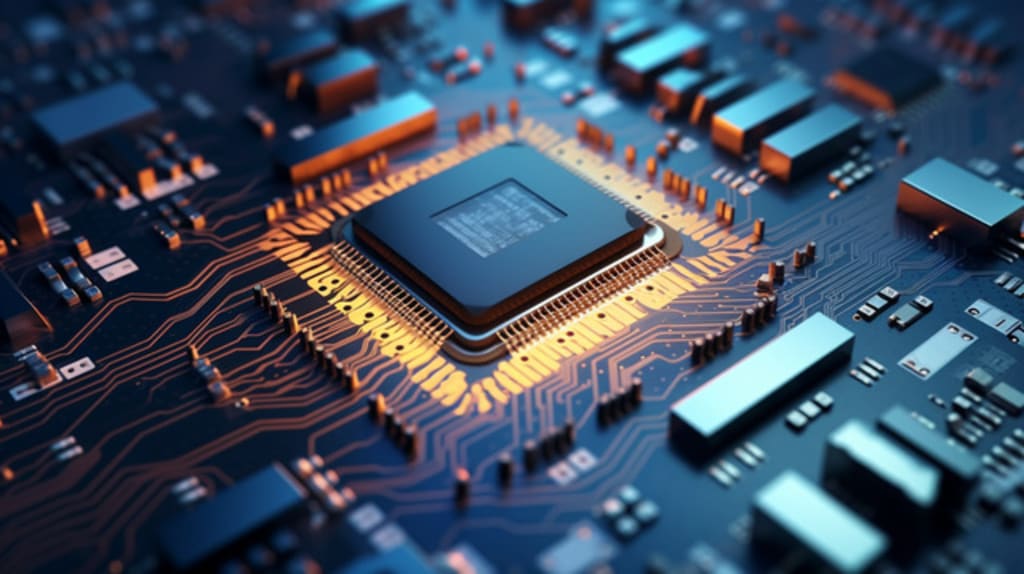
A CPU bottleneck occurs when the processor cannot keep up with the demands of other components, typically the GPU, leading to reduced overall system performance. This issue is common in gaming, video editing, and other CPU-intensive tasks. In this article, we will explore various strategies to identify and solve CPU bottleneck to ensure a balanced and efficient PC setup.
Understanding CPU Bottlenecks
Before diving into the solutions, it’s crucial to understand what a CPU bottleneck is and how it impacts your system. A CPU bottleneck happens when the CPU is overburdened, causing it to limit the performance of other components like the GPU. This leads to reduced frame rates in games, slower processing times in applications, and an overall sluggish system performance.
Identifying a CPU Bottleneck
Performance Monitoring Tools: Use tools like Task Manager, MSI Afterburner, or HWMonitor to check CPU and GPU usage. If the CPU usage is consistently at 100% while the GPU is underutilized, it indicates a CPU bottleneck.
Benchmarking Software: Run benchmarking software like Cinebench, 3DMark, or UserBenchmark. These tools can help compare your system's performance against others and highlight any discrepancies.
Real-World Testing: Observe system performance during typical use cases, such as gaming or rendering. If performance drops significantly during these tasks, it’s likely due to a CPU bottleneck.
Fixing a CPU Bottleneck
Once you’ve identified a CPU bottleneck, you can explore several strategies to mitigate it. These strategies range from software tweaks to hardware upgrades.
Software Optimization
Update Drivers: Ensure that all drivers, especially those for the CPU and GPU, are up to date. Updated drivers can improve compatibility and performance.
Optimize In-Game Settings: Lower CPU-intensive settings like shadows, reflections, and AI processing. This can free up CPU resources and improve performance.
Close Background Applications: Close unnecessary applications and processes running in the background. This can free up CPU resources for more important tasks.
Adjust Power Settings: Set your PC to High Performance mode in the power settings. This ensures that the CPU operates at its maximum potential.
Update BIOS/UEFI: Updating the BIOS/UEFI can improve system stability and performance, especially if newer updates include optimizations for your CPU.
Hardware Upgrades
Upgrade the CPU: The most direct way to fix a CPU bottleneck is to upgrade to a more powerful processor. Ensure compatibility with your motherboard and consider the cost-to-performance ratio.
Improve Cooling: A better cooling solution can help your CPU maintain higher clock speeds without thermal throttling. Consider upgrading to an aftermarket CPU cooler or improving case airflow.
Increase RAM: Insufficient RAM can exacerbate CPU bottlenecks. Upgrading to more or faster RAM can improve system performance.
Overclock the CPU: Overclocking can boost CPU performance, but it requires a compatible motherboard, adequate cooling, and a willingness to accept potential risks.
Optimizing Specific Use Cases
Gaming: For gaming, focus on optimizing in-game settings, updating drivers, and closing background applications. Upgrading the CPU or overclocking can also provide significant improvements.
Content Creation: In content creation tasks like video editing or 3D rendering, ensure you have enough RAM and storage bandwidth. Upgrading to a CPU with more cores and threads can also help.
Multitasking: For heavy multitasking, prioritize a CPU with higher core counts and adequate RAM. Closing unnecessary applications and optimizing startup programs can also reduce the load on the CPU.
Practical Example
Let’s consider a practical example to illustrate the steps involved in fixing a CPU bottleneck:
Identifying the Bottleneck: A user notices that their gaming performance drops significantly in CPU-intensive games like "Assassin’s Creed Valhalla." Using MSI Afterburner, they observe that the CPU usage is at 100% while the GPU usage hovers around 60%.
Optimizing Software: The user updates their GPU drivers, lowers CPU-intensive settings in the game, and closes background applications like web browsers and chat programs.
Checking for Improvements: After making these changes, they see a slight improvement but still experience performance issues.
Hardware Upgrades: The user decides to upgrade their CPU from an Intel Core i5-7600K to an Intel Core i7-9700K. They also upgrade their CPU cooler to a higher-end air cooler to support overclocking.
Testing the New Setup: After installing the new CPU and cooler, the user runs Cinebench to benchmark the performance increase. They also re-test their games and notice a significant improvement in frame rates and overall performance.
Future-Proofing Your System
To avoid future bottlenecks, consider these tips:
Balanced Components:
When building or upgrading a PC, ensure that the CPU and GPU are well-matched in terms of performance.
Research and Reviews:
Read reviews and benchmark results for components to understand their performance and compatibility.
Plan for Upgrades:
Choose components that allow for future upgrades. For instance, opt for a motherboard with support for the latest CPU generations and faster RAM.
Regular Maintenance:
Keep your system clean and dust-free, update drivers regularly, and monitor system performance to catch potential bottlenecks early.
Conclusion
Fixing a CPU bottleneck involves a combination of software optimizations and potential hardware upgrades. By identifying the bottleneck accurately, optimizing your system settings, and considering future-proofing strategies, you can ensure a balanced and high-performing PC. Whether you’re a gamer, content creator, or multitasker, addressing CPU bottlenecks will significantly enhance your computing experience.
About the Creator
Keep reading
More stories from Danial Tariq and writers in Lifehack and other communities.
Filipino Chicken Macaroni Salad: A Classic Comfort Dish
Filipino Chicken Macaroni Salad is a beloved dish in Filipino cuisine, especially popular during festive occasions, family gatherings, and potlucks. This creamy and flavorful salad combines tender chicken, macaroni pasta, and a medley of vegetables, all enveloped in a luscious mayonnaise dressing. The dish’s versatility and rich taste make it a favorite among many. In this article, we will delve into the history of this dish, provide a detailed recipe, and offer tips for making it perfectly every time.
By Danial Tariq2 years ago in Education
Kale in the Home Garden - Growing a Resilient Green from Seed to Harvest
Kale has a way of thriving quietly. It doesn’t demand attention, doesn’t rush its growth, and doesn’t punish small mistakes, qualities that make it one of the most dependable vegetables in a home garden. For beginner gardeners, kale often becomes the first leafy green that truly feels successful.
By The Brown Chair4 days ago in Lifehack
How to Choose the Right Moving Company in Boise, Idaho
Moving in Boise, Idaho, has become increasingly common as the city continues to grow and attract new residents. While Boise offers a balanced lifestyle and accessible neighborhoods, relocating within or into the area still requires thoughtful planning. Choosing the right moving company and understanding local conditions can make a significant difference between a smooth transition and a stressful experience.
By House Doctor6 days ago in Lifehack
Trouble at the Tea Leafing Café
The rain had started right around the time that Annie was buttering her second thick slice of homemade toast for breakfast, and hadn’t paused since. Not that anyone could tell. The windows of the café were fogged over, and with every seat filled with happy customers munching on fresh baked pastries or steaming bowls of the delicious soup of the day, it was hardly surprising. Annie looked around the room, finally taking a moment to breathe after the lunch time rush. Her old life already felt like a bad memory, a part of her history, always, but just that. History.
By Hannah Moore5 days ago in Fiction


Comments
There are no comments for this story
Be the first to respond and start the conversation.