
How to Read and Write NTFS-Formatted WD My Passport Drives on Mac
The step-by-step guide to make your NTFS-formatted WD drive readable and writable on macOS

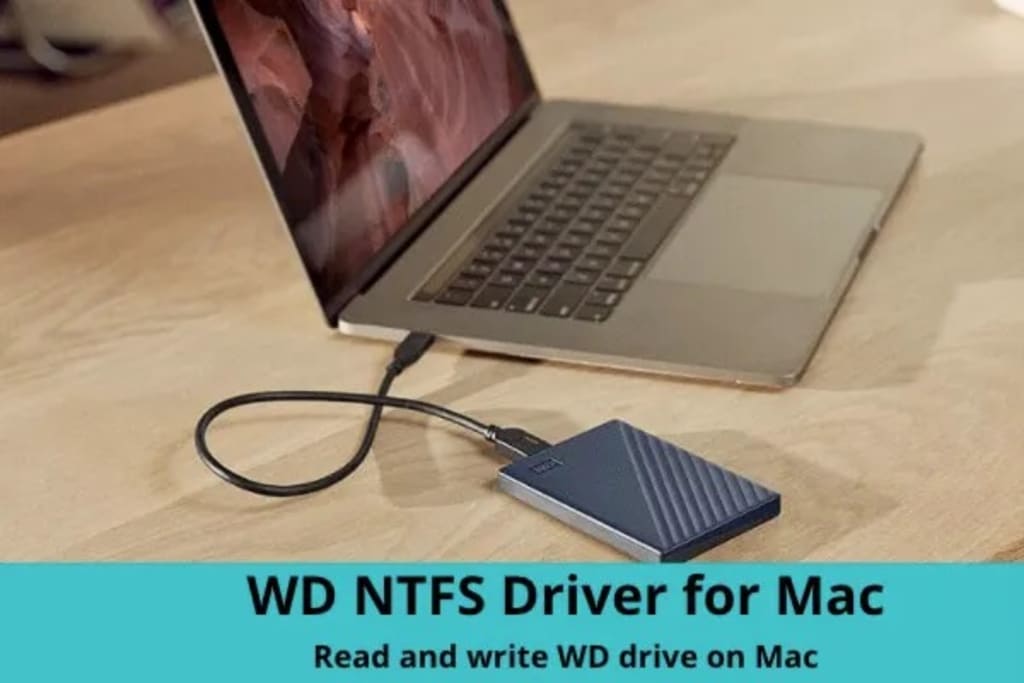
WD My Passport external hard drives are popular choices for storing and backing up data. Many WD My Passport drives come pre-formatted with the NTFS file system, which is the default file system used by Windows operating systems while read-only on Mac. Thus, if you are a Mac user, you may run into issues with reading and writing to an NTFS-formatted WD My Passport drive on macOS. To make the read-only NTFS drive writable on Mac, you need to free download WD My Passport NTFS driver for Mac and then use it to enable write support for your non-writable WD drive.
In this article, we'll take a closer look at a feature-rich WD My Passport NTFS driver for Mac called after iBoysoft NTFS for Mac to elaborate on what it is, and how it works to help you read and write your NTFS formatted WD drive on Mac.
What Happens When You Insert an NTFS-Formatted WD Drive into the Mac?
When you connect an NTFS-formatted WD drive to a Mac, the drive will typically be recognized by Mac's operating system, but it will be read-only. This means that you can view the files on the drive, but you won't be able to modify or edit them.
This can be frustrating if you need to write to the WD drive, as you can’t do so directly from your Mac. Fortunately, there are third-party applications like iBoysoft NTFS for Mac that can enable read and write access to NTFS-formatted WD drives on Mac without conducting drive erasure.
iBoysoft NTFS for Mac - A Versatile WD My Passport NTFS Driver for Mac
iBoysoft NTFS for Mac is a third-party NTFS driver for Mac that enables Mac users to read and write to NTFS-formatted HDDs, SSDs, and external hard drives (such as WD My Passport drives) with ease. It's a reliable and easy-to-use NTFS for Mac solution that comes with a range of features, including easy installation, seamless integration with your Mac operating system to let you read and write to NTFS-formatted drives without any issues, and high-speed data transfer.
As a WD My Passport NTFS driver for Mac, iBoysoft NTFS for Mac is capable of performing a series of operations on your NTFS-formatted WD drive:
- Read and write to your WD NTFS drive on Mac running macOS 10.13 and higher versions.
- Mount your NTFS-formatted WD drive automatically.
- Open and eject your NTFS-formatted WD drive easily.
- Check and repair errors found on your WD My Passport NTFS drive.
- Erase your WD NTFS drive for data cleanup.
How to Use iBoysoft NTFS for Mac to Read and Write NTFS-Formatted WD My Passport Drives on macOS?
iBoysoft NTFS for Mac comes with a user-friendly and intuitive UI, which simplifies the procedure to a great extent.
Step 1 Go to iboysoft.com to free download iBoysoft NTFS for Mac and double-click the installer file to enter the installation window, and then follow the online prompts to complete the installation process.
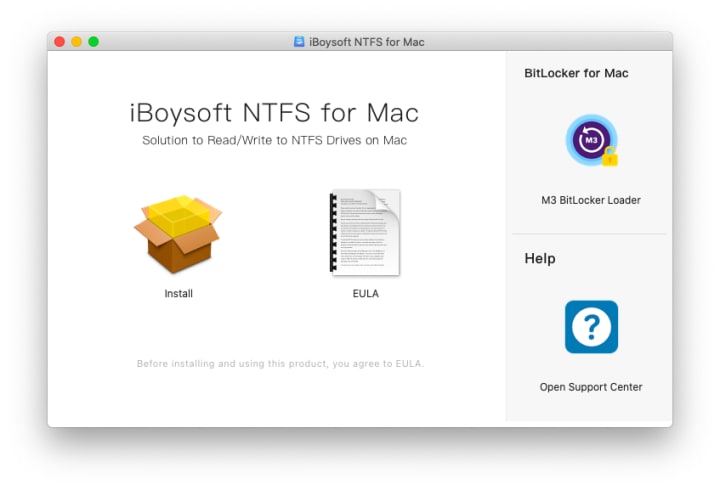
Step 2 Insert the read-only WD drive into your Mac machine.
Step 3 Click the software icon to launch iBoysoft NTFS for Mac. Then, it will detect and mount the connected WD drive automatically with its auto-mount technology.

Step 4 Start writing to your WD My Passport NTFS drive. All the write operations, including deleting, renaming, editing, moving, and saving files stored on the WD drive are available.
Conclusion
iBoysoft NTFS for Mac is a versatile and reliable WD My Passport NTFS driver for Mac that permits Mac users to read and write to NTFS-formatted WD drives on macOS securely. With its easy installation process, seamless integration, high-speed data transfer, and compatibility with a range of drives, iBoysoft NTFS for Mac can be one of the go-to solutions for Mac users who need to have direct read-write access to their NTFS drives.
About the Creator
Mikya Elyna
I am a tech enthusiast interested in everything related to tech, including macOS, Windows, software, and tech gadgets, to name a few. As a photographic lover, I also like to take photos to record some good moments during my spare time.
Keep reading
More stories from Mikya Elyna and writers in Lifehack and other communities.
What Is BitLocker and How Can You Use It on Mac
Encryption of storage devices is a huge deal when it comes to storage devices and computer devices in general. Although there exist numerous encryption types, BitLocker by Microsoft is a go-to encryption program that is widely in use.
By Mikya Elyna3 years ago in Lifehack
Smartphones Are Better Than Ever
A few years ago, it was fun to get a new phone. You took it out of the box, looked at all the features, tried out the camera, and felt that calm joy that comes with possessing something truly new. Smartphones are objectively more powerful than ever today, with faster processors, smarter software, and better displays. But the enthusiasm is essentially gone.
By abualyaanart5 days ago in Lifehack



Comments
There are no comments for this story
Be the first to respond and start the conversation.