
How To Get A Free YouTube Premium Subscription
YouTube Premium is a subscription service which offers several benefits including ad-free content. Here's how to get it for free.

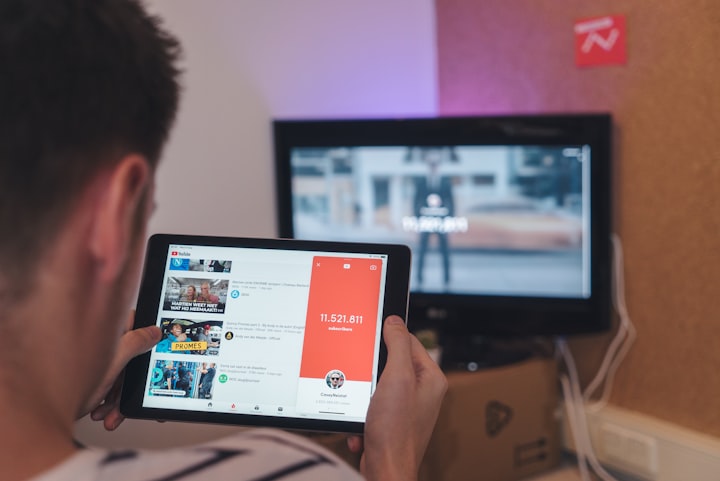
TL;DR: Use A Free YouTube Premium For 3 Months Offers And Then Sign Up For Google Opinion Rewards.
As the biggest video content platform in the world, YouTube provides all sorts of content for you to get lost for the day. The main source of revenue for the platform came from advertisements that played during the video. In 2014 YouTube launched a paid subscription service called Music Key which offered only advertisement-free streaming of music videos from participating labels on YouTube and Google Play Music. The service was then relaunched as YouTube Red in 2015 expanding its scope to offer advertisement-free access to all YouTube, YouTube Music, and YouTube Kids. Then in 2018 YouTube announced the rebranding of the service as YouTube Premium.
YouTube Premium Subscription Benefits
When you sign up for YouTube Premium you gain premium access to YouTube, YouTube Kids and YouTube Music. Each of them comes with their own set of perks, summarized below, but the common theme is you will no longer see any advertisements once you pay for the service. The other benefit is that YouTube pays creators more for views from premium accounts so you will also be supporting your favorite creators.
YouTube & YouTube Kids
- YouTube Originals: Get free access to exclusive series and movies from YouTube's most popular creators.
- Ad-Free Videos: You can watch any YouTube video without advertisements before, during, or after it. When you use the platform, you also won't see any third-party banner advertisements or search ads.
- Watch Offline: Download videos you wish to watch and keep them on your computer even if you aren't connected to the internet. Only mobile devices are supported by this service.
- Background Play: You can watch videos in the background while using other apps or even when your screen is off. It's a terrific method to multitask while also conserving battery life.
YouTube Music
- Ad-Free Music: Listen to as many songs as you want on the platform uninterrupted by ads. A great feature to have when you just want to listen to a playlist with interruptions.
- Listen Offline: Download songs and playlists to your mobile device and listen to them offline. This feature is not available on desktops or laptops.
- Background Play: Keep listening to music even when the app is closed and your screen is turned off. A good feature for when you want to save battery life.
- Audio-Only Mode: Listen to music without loading the video so save on data. This is great to have when you are using a limited data plan to stream songs.
Types Of YouTube Premium Subscriptions
There are many type of YouTube Premium subscriptions made to fit the budgets of different people. You can easily change which subscription type you have but it's best to choose something that fits into your budget from the start.
- Monthly Plan: Probably the most common subscription plan, where users pay a monthly subscription fee to gain access to the service.
- Annual Plan: A discounted subscription plan where users pay for 12 months in advance. This is a good option for people who have already used the service and plan on committing for the year.
- Family Plan: A group subscription that allows you to add up to 5 "family members" to your subscription. All members will have the same set of features and full access to the platform.
- Student Plan: A discounted month plan which requires you to prove you are an eligible student. This usually means having to sign up with a .edu email address.
How To Get A Free Subscription
To get a "free" subscription to YouTube Premium we will first take advantage of an extended free trial membership at the start of our service. We will then utilize a rewards program from Google to help pay for the service.
Free Trial: Anyone can join YouTube Premium and get their first month free. However, you can get three months free if you buy a special coupon from BestBuy. The offer is only available to first-time subscribers so make sure to use it when you sign up.
Rewards Program: YouTube is a subsidiary of Google which has a rewards program called Google Opinion Rewards. The rewards program will randomly send you brief 1-2 question surveys. If you choose to complete the surveys you will receive some Google Play Credits. Those credits can then be used to pay for your YouTube Premium subscription.
Pro Tip 1: If You don't think you will have enough Play Credits to pay for the next month subscription you can pause your subscription for a month and wait until you have enough.
Pro Tip 2: If you are required to input a card number when signing up use Privacy.com to make a single use card so you don't have to worry about getting by mistake.
Want More Passive Income Methods?
If you're interested in learning more about passive income visit my website to see what method I am using to generate passive income right now. You'll see a full list of passive income methods I'm using right now as well as my current earnings. The website is updated regularly so bookmark it to stay updated.
About the Creator
John Smith
I write articles about websites that will help you make money.
Keep reading
More stories from John Smith and writers in Lifehack and other communities.
How To Turn A $100 Investment Into A $100 A Month Passive Income Stream
Traditionally, if you wanted to generate a monthly passive income stream you would have to park large sums of cash into income portfolios such as high-yield dividend stocks or real estate investment trusts (REIT). While these methods will work for people with large piles of cash they are out of reach for most people. However, with a little creativity and a little but if upfront work you can set up a monthly passive income stream with just $100.
By John Smith5 years ago in Lifehack
The Top Five Things You Should Consider When Looking For A Homestead
A homestead is more than its parts. However, those parts need to work well together, and that’s why you need to know what you’re looking for. Any homestead can work, if you put enough work into it, but that doesn’t mean that you should settle for a parcel with more banes than boons. You should be looking for something that at least gives you a fighting chance, and so therefore there are some things you should be looking for. With that in mind, here are some things that every good homestead should have.
By Jamais Jochimabout 19 hours ago in Lifehack



Comments
There are no comments for this story
Be the first to respond and start the conversation.