
How to co-post on Instagram* and add a collaborator
How to Use Instagram Collab Post to Increase Reach


The Collaboration feature was tested in early 2021 in several countries and was launched at the end of the same year worldwide. Co-posting is available for any open account and can be another free way to promote, as well as an ideal way to collaborate with brands and bloggers.
Let's see how the "Co-authorship" function works, how to make a joint post or Reels on Instagram*, and how to use this tool in your work. In conclusion, we will tell you what to do if you can’t create a joint publication.
How to add a co-author of a post/reels on Instagram* and make a joint publication
We explain and show how the “Co-authorship” function works on Instagram*.
Co-authorship in posts
- Step - Start creating a post. Add a photo or video, and get to the publishing stage.
- Step - Below the signature text box, click Tag People.
- Step - On the page that opens, click "Invite a co-author".
- Step - In the search field at the top, start typing the name of the account and select the desired user.
- Step - After that, select the location of the collaborator tag on the photo and publish the post.
How to accept co-authorship
The user that you specified as the co-author of the publication will receive a notification about the mark and will be able to accept or reject it.
If you confirm the collaboration, the post will appear in the feed of the specified user, and two avatars will be displayed - the author and the co-author.
The mark can be removed or changed at any time. To do this, open the post menu and select "Stop sharing."
How to post joint Reels
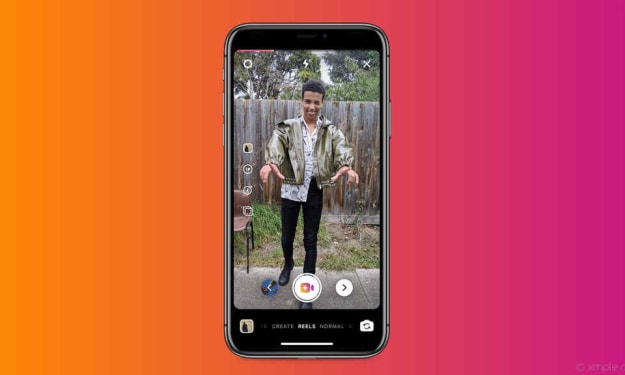
For Rils, the process is similar. Start creating Reels, add videos, music, effects and so on. At the last step, under the description field, click "Tag people".
On the page that opens, click "Invite a co-author" and add the desired user.
Important: If you want to invite a co-author after publication, then this will not work. Adding a co-author is possible only at the stage of publishing content.
Will posts have the same number of likes and comments?
Yes. If you use the co-authoring feature when posting, the post will appear on your profile and on the other person's profile.
Likes and comments from your followers and other user's followers will be summed up.
So a post that is co-created can get more likes and comments because you are joining forces.
How to use co-authorship to promote
The launch of the new feature opens up many opportunities for collaboration between bloggers and brands, co-creation of content by different authors, and monetization.
For example, if a company wants to get more coverage for a post, instead of ordering ads in stories from a blogger, they can advertise in his feed using the co-authorship function.
Why I can't make a joint post and what to do about it
Errors may occur if:
- The user you are trying to specify as a collaborator has a business account. Solution: switch from a business account to an author account.
- The user you are trying to specify as a collaborator does not or should not have access to music (located in a region where music is not available).
- Solution: there is no solution here, you just need to wait for the social network to open access to music in the user's region.
- The user has a closed account or is banned from being mentioned in posts. Solution: Make the account public and allow tagging in posts.
- Instagram bugs*. A classic case when everything works on one account, but the function does not work on another. Solution: Wait until it starts to work. You can try updating or reinstalling apps.
About the Creator
Jack Wave
If You’ve Always Done What You’ve Always Done
At the start of 2025, I started to post articles on my website under the category of ’52 Guiding Lights.' The goal was to share insights on sayings and idioms that aid daily life. I got up to number 16. The goal is to publish these as a management aid. However, we plan to release them in smaller batches, such as 12 at a time. That’s a year’s worth.
By Calvin Londonabout 22 hours ago in Lifehack
The Nutrient Gap No One Talks About When It Comes to Focus and Attention
Key Takeaways Taking the proper nutrients helps maintain optimal body function. The vagus nerve is a vital component in the connection between the brain and the gut. The right supplements, such as Neupril Pure Methylfolate, play a key role in helping clear brain fog.
By Tess DiNapoli4 days ago in Lifehack
The Devil's Cut
“Comrade, finally you’re awake.” The voice was smooth, sensual. A flickering incandescent bar was all that lit the white, sterile room. All Vladimir remembered was everything going black. He tried to move his arms and found them strapped to the gurney.
By Matthew J. Fromm4 days ago in Fiction


Comments
There are no comments for this story
Be the first to respond and start the conversation.