
Dropped Your iPhone? Here's What to Do Before It Gets Worse
Essential Steps to Prevent Further Damage and Save Your Device
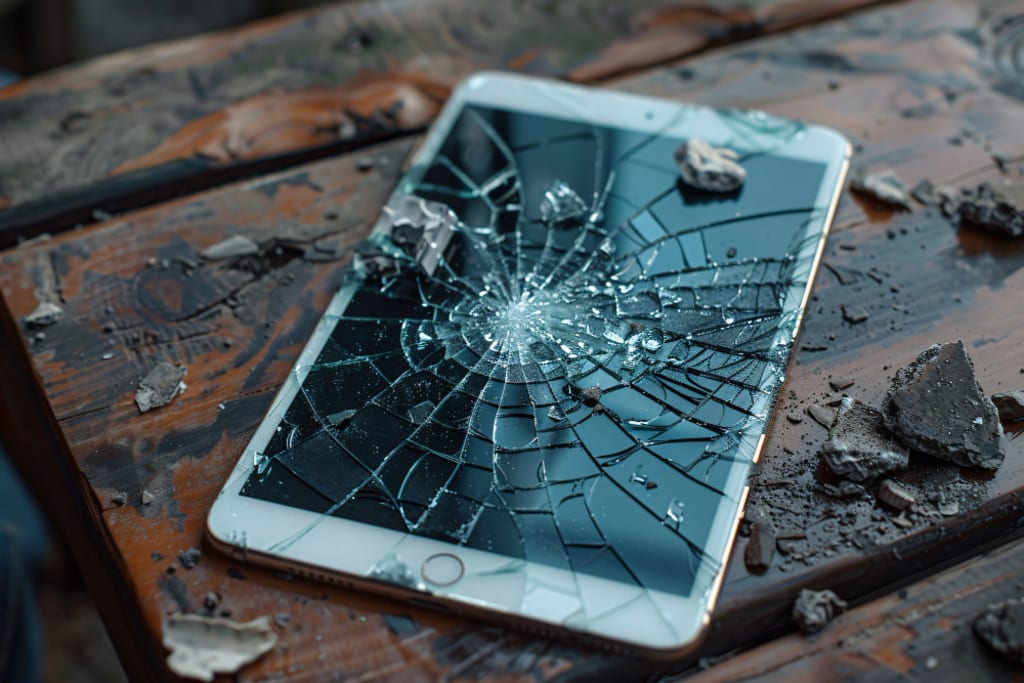
Look, we've all been there. That heart-stopping moment when your iPhone slips from your hand and crashes to the ground. Time seems to slow as you watch your precious device tumble through the air and then... crack.
Maybe you got lucky, and it's just a tiny chip. Or your screen looks like a spider's web right now. Either way, I will walk you through exactly what you need to do next – before things get worse (and trust me, they can get worse).
First Things First: Don't Panic
Most people don't realize that even a minor crack or dent can become a significant problem if you ignore it. That tiny crack? It's an open door for dust, water, and debris to sneak into your phone's delicate internal components. And once that happens, you're looking at repairs that could cost hundreds more than fixing it right away.
Immediate Steps to Take After Dropping Your iPhone
1. Check for Sharp Edges
Before you do anything else, carefully check for loose glass or sharp edges. The last thing you need is a cut finger on top of a broken phone. If you find any loose pieces, don't try to pull them off—this could further damage your display.
2. Assess the Damage
Take a good look at your phone and check for:
Screen responsiveness (Does the touch screen still work?)
Button functionality (Home button, volume, power)
Camera clarity (Any cracks over the lenses?)
Speaker and microphone performance.
Signal strength and WiFi connectivity.
3. Protect Your Phone Until You Can Get It Repaired
Here's a crucial step most people skip: You must prevent further damage until you can fix it. Get a screen protector on that phone ASAP – even temporarily. This will help hold any cracks together and prevent sharp edges from cutting your fingers.
What NOT to Do (Seriously, Don't)
Let me save you from some common mistakes that could make things much worse:
Don't keep using your phone if the glass is falling out. Each swipe could push glass particles more deeply into your phone.
Don't try the "toothpaste trick" or any DIY repairs you saw on TikTok. These home remedies often do more harm than good.
Don't ignore water damage indicators. If you see red dots inside your phone's ports, you need professional help immediately.
Don't delay repairs; insurance will cover them later. Many insurance policies have time limits for reporting damage.
When to Repair vs. When to Replace
Let's be honest for a minute. Sometimes, a repair isn't worth it. Here's how to decide:
Consider Repair If:
- Your iPhone is less than 2 years old.
- The damage is limited to the screen.
- The phone still functions normally.
- The repair cost is less than 50% of a new phone's price.
- Consider Replacement If:
- Your iPhone is more than 3 years old.
- There's significant internal damage.
- Multiple components need repair.
- The repair cost approaches 70% of a new phone's price.
- The Real Cost of Waiting
Here's something that might surprise you: a cracked screen that costs $200 to fix today could turn into a $500 repair next month. Why? Because that initial crack can lead to:
- Water damage (goodbye water resistance)
- Dust accumulation in internal components.
- Further screen deterioration.
- Battery damage.
- Camera malfunctions.
- Professional Repair vs. DIY - The Truth
I know what you're thinking – "I can fix this myself. How hard can it be?". Broke your screen? You'll have more luck fixing it with a quick "iPhone Screen Repair Near Me” Google search.
Modern iPhones are incredibly complex devices. They're packed with delicate components that can be easily damaged if you don't know exactly what you're doing. One wrong move and you could end up with:
- Non-functioning Face ID.
- Damaged display connectors.
- Broken water resistance seals.
- Lost screws or components.
- Voided warranty.
The CellularPort Difference
You're in luck if you're looking for iPhone damage repair near Houston or the surrounding areas. CellularPort specializes in professional iPhone repairs, and its technicians are certified and know exactly what we’re doing. They use high-quality parts, offer warranties on their repairs, and can often fix your phone the same day.
Protecting Your iPhone in the Future
Once you've repaired your phone, let's ensure this doesn't happen again. Here are some proven ways to protect your investment:
- Get a high-quality case (spend at least $30-40)
- Add a tempered glass screen protector.
- Consider phone insurance.
- Use a PopSocket or phone grip.
- Keep your phone away from water.
The Bottom Line
A dropped iPhone isn't the end of the world, but how you handle it in the first few hours can make a massive difference in both repair costs and outcome. Don't wait until a small problem becomes a big one.
Looking for iPhone repair in Houston? Head to CellularPort. Our experienced technicians will return your phone to perfect condition, often the same day. Don't let a cracked screen become a bigger problem – get it fixed by professionals who know what they're doing.
About the Creator
Keep reading
More stories from Cellular Port and writers in Lifehack and other communities.
How Big Game Hunting in Namibia Supports Wildlife Conservation
Namibia is widely recognized as one of Africa’s greatest wildlife conservation success stories. Unlike many countries where wildlife populations have declined, Namibia has seen steady growth in key species such as elephant, black rhino, lion, and plains game. A major reason behind this success is the country’s carefully regulated big game hunting namibia model, which directly supports conservation, habitat protection, and rural livelihoods.
By Aru Game Lodges 4 days ago in Lifehack
A Priceless Lesson of Life
There was once a man who had four sons. He deeply wished that his sons would learn one of the most important lessons of life: never be quick to judge others. He believed that true understanding comes only with patience and time. To teach them this lesson in a meaningful way, he decided to send them on a journey.
By Sudais Zakwan2 days ago in Lifehack



Comments
There are no comments for this story
Be the first to respond and start the conversation.