
Audio Converter: Which One is the Best, Softaken vs. Online Converters?
Compare Softaken vs. Online Converter and choose the best audio converter.
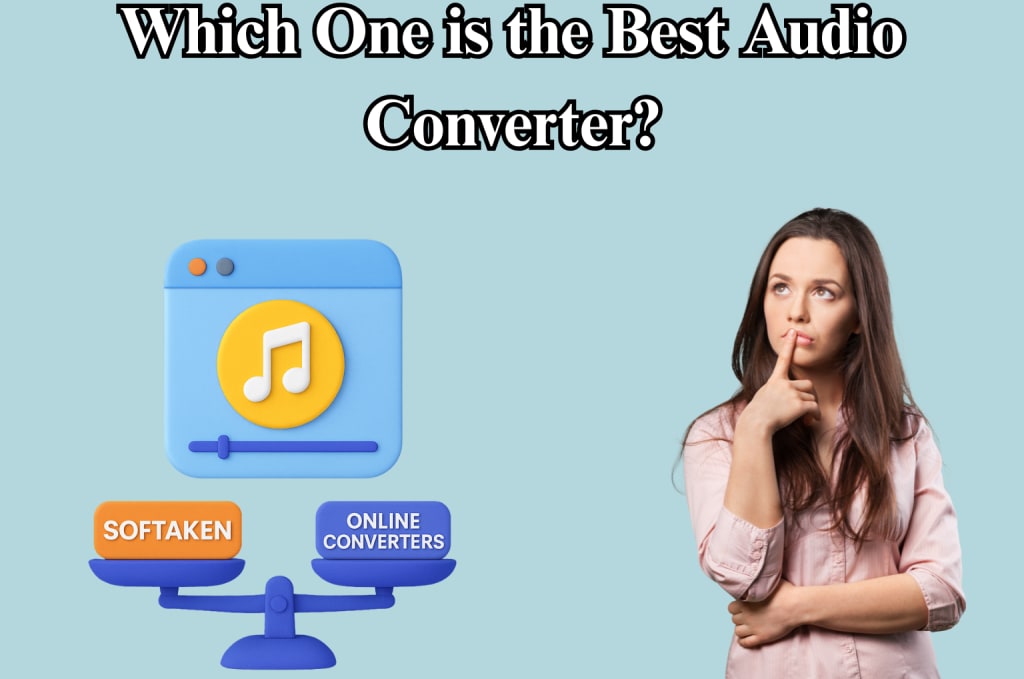
In today's digital world, both casual users and experts often need to convert audio files. Having the correct audio conversion tool can save you time and make sure the quality is good, whether you're making a podcast, changing an uncommon audio format, or getting files ready for mobile devices.
There are various programs to choose from, but Softaken Audio Converter and a large range of online audio converters are two of the most popular. But which one is best for you? Let's take a closer look at the comparison.
What is the Softaken Audio Converter?
Softaken Audio Converter is a desktop program that can convert many different types of audio files. It lets users convert audio files without needing the internet, giving them full control over how the files are processed. It's known for being fast, keeping quality, and being able to process multiple files at once. This makes it great for people who often convert audio files and need more powerful features.
What are Online Audio Converters?
Online audio converters are programs that you can use in your web browser to change audio files. You don't need to install any software to use websites like OnlineAudioConverter.com, Zamzar, Convertio, and CloudConvert. They let you drag and drop files, choose formats, and convert them quickly. These services are usually free (or freemium) and are meant for people who need quick, one-time conversions.
Installing and Getting to It
- Softaken Audio Converter: You need to install it on a Windows computer. Once it's installed, it operates without an internet connection, which is good for people who are worried about their privacy or don't have a lot of online access.
- Converters on the Internet: No need to install. You can access it from any device that has a browser and an internet connection. Great for getting to quickly on public computers or phones.
Verdict: Online tools are more convenient for one-time or infrequent use. Softaken is the best choice for regular use and offline access.
Formats that are Supported
- Softaken works with a lot of different audio formats, such as MP3, WAV, M4A, AAC, FLAC, and OGG. It can also change video files (such MP4 and AVI) into audio files.
- Most online converters can handle common formats like MP3, WAV, and AAC. But support for niche or professional formats, such ALAC or AIFF, can not be as good or can be behind paywalls.
Verdict: Softaken is a better choice for audiophiles and pros because it usually supports more formats.
Speed and Performance of Conversion
- Softaken Converter: it exploits the hardware capabilities on your computer. This makes conversions go faster, especially when processing large files or batches of files. There are no delays when uploading or downloading.
- Online Tools: How fast they are depends on how much bandwidth the internet has and how quickly the server responds. It can take a long time to upload big files, and you can't convert more than one file at a time.
Verdict: Softaken is clearly faster and better at handling many or big files.
Keeping the Quality of the Sound
- Softaken Software: It gives you precise control over bitrate, sample rate, and channels, which guarantees high-quality output. It stops compression losses that can happen when files are sent over the Internet.
- Tools on the Web: Most of the time, they choose moderate or low quality to speed things up. Some premium versions let you check the quality, but they still rely on server-side processing, which could change the results.
Verdict: Softaken has better audio quality, therefore it can be used for professional audio editing, archiving, or business purposes.
Safety and Privacy
- Softaken: Because all processing happens on your computer, there is no chance of files leaking or being seen. Great for private audio files or recordings that need to be kept safe.
- Online Tools: Files are sent to servers that are far away. There is a chance of data breaches even though trustworthy sites say they erase files after processing. Some platforms can also limit the size of files unless you sign up or pay.
Verdict: For people and businesses who care about privacy, Softaken is the safer alternative.
How Easy it is to Use and the User Interface
- Softaken: Made using a simple user interface. It is easy for beginners to use because it has drag-and-drop functions, preset formats, and batch choices. However, you have to install it.
- Online Tools: Very simple to utilize. Users can change files with just a few clicks, without having to deal with complicated settings. Most of the time, though, there isn't much room for modification.
Verdict: Regular users will find that Softaken has more depth and versatility.
Prices and licenses
- Softaken: Software you have to pay for, but you can try it for free. A lifetime license is available for both personal and business use. This can include upgrades and support.
- Online Tools: These are mostly free, although there are limits on the size of files or the number of conversions you can do in a day. Premium tiers provide you access to more capabilities, such as the ability to work with larger files, process them faster, and change the quality.
Verdict: If you convert audio often, Softaken's one-time purchase is a better deal than paying for a paid subscription every month.
Why You Should Use Softaken Audio Video Converter?
Complete Security and Privacy:
- Softaken doesn't need an internet connection at all.
- Your data stays on your PC; you can't upload files to any server.
- This is great for people that work with private audio or video data, including businesses, legal recordings, or secret voice memos.
Quick Conversion with no Size Limits:
- Because the software runs on your computer, it takes all of its computing power.
- Unlike internet tools, there are no delays when uploading or downloading.
- Depending on the size of the file, you can convert huge files or even directories in a few minutes or seconds.
High-Quality Output with Personalized Settings
- You can change crucial audio settings:
- Bitrate, like 128kbps to 320kbps
- Rate of sample (44.1kHz, 48kHz, etc.)
- Mono or stereo channels
These options make sure you get the greatest sound quality possible, tailored to your preferences, whether you're listening to music, podcasts, or voiceovers.
Changing Audio and Video Files
- Change the format of audio files (for example, from MP3 to WAV, FLAC, or M4A).
- You may also get sound from video formats like MP4, MOV, MKV, and AVI.
This means you can save just the audio from a YouTube video or webinar without having to use two different applications.
Save Time with Batch Processing
- You can import and convert a lot of files at once.
- Great for people who want to change a whole folder or group of songs, lectures, or recordings.
- You don't have to change files one at a time.
Conclusion:
If you only need to convert an audio file now and then, online applications like Zamzar or Convertio will work well for you. They're quick, easy to find, and usually free, which makes them great for people who don't need a lot of them. Softaken Audio Video Converter is a far better, safer, and more professional option if you work with a lot of audio, care about file quality, need support for a wide range of formats, or are worried about privacy. It is worth the money for serious users because it can process many files at once, work offline, and check the quality of files. In the end, both of them have a place. It's not about which tool is better for everyone; it's about which one works best for you.
About the Creator
Keep reading
More stories from Robert Thoms and writers in Lifehack and other communities.
How to Convert FLAC, OGG, or AAC Files to MP3 Format Easily
These days, there are a lot of different kinds of audio files, such as FLAC, OGG, AAC, MP3, and others. Each has its own pros and cons, but MP3 is still the most widely used and works with the most devices. If you want to make your music library more uniform, construct playlists for devices that don't support various formats, or just make your files smaller, converting audio files like FLAC, OGG, or AAC to MP3 can be quite helpful.
By Robert Thoms7 months ago in Lifehack
The Path to Salvation
The late autumn evening air filled the monk's lungs, but it wasn't the season that chilled his bones. The heavy-handed presence of evil he had sensed upon entering the woods surrounding this mountain village had not bothered to conceal itself from him.
By Made in DNAa day ago in Fiction


Comments
There are no comments for this story
Be the first to respond and start the conversation.