
💡 7 Chrome Extensions That’ll Make You Instantly Smarter (Without Lifting a Finger)
Because why work harder when your browser can do the heavy lifting?

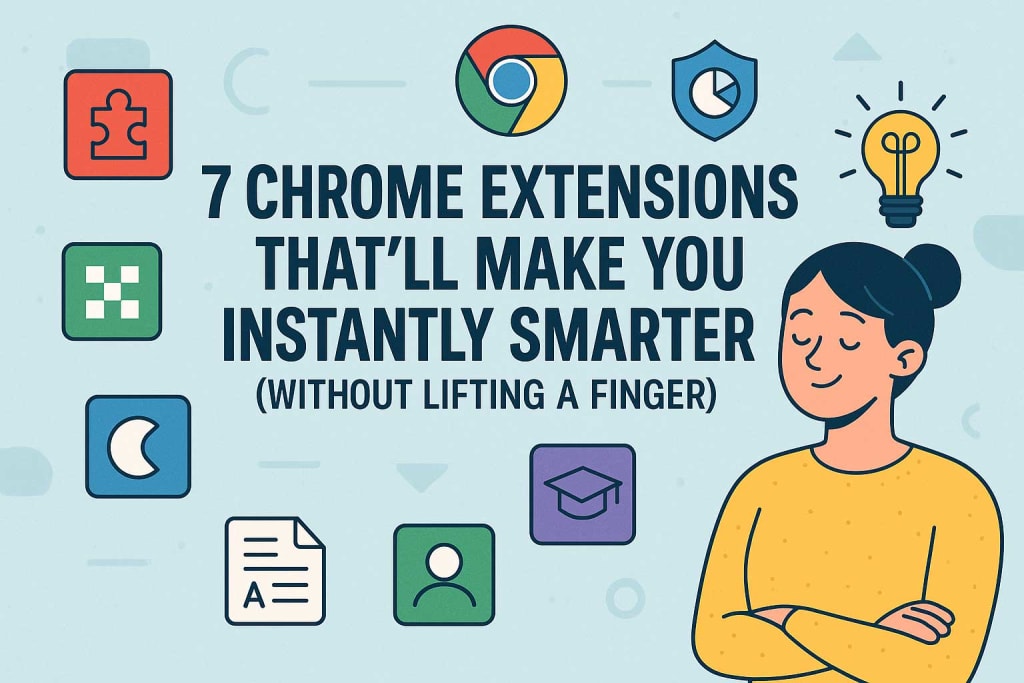
Let’s be honest—most of us spend way more time in front of a screen than we’d like to admit. From writing emails and doing research to accidentally falling down a YouTube rabbit hole (guilty 🙋), our browsers are our daily sidekicks. But did you know they can also make you smarter?
Yep. And no, this isn’t one of those “take this quiz and boost your IQ” gimmicks.
I’m talking about Chrome extensions—those tiny tools that quietly sit in your browser and do magical things behind the scenes. With just a few clicks, you can turn your everyday browsing into a personal productivity and learning machine.
Here are 7 Chrome extensions that have genuinely helped me work smarter, not harder—and I bet they’ll do the same for you.
1. Grammarly – Your Writing Wingman
Ever hit “send” on an email only to realize you typed “defiantly” instead of “definitely”? Yep, been there. Grammarly has saved me from dozens of these little embarrassments.
It checks your spelling, grammar, and tone while you write. Whether you're drafting an email, a blog post, or a social media caption, Grammarly’s like having an editor sitting over your shoulder—minus the judgment.
📌 Why it’s smart: Writing clearly and confidently opens doors. From job applications to personal messages, great communication is a game-changer.
2. LanguageTool – For Multilingual Mavericks
Grammarly is awesome for English, but what if you write in Spanish, French, or even German? That’s where LanguageTool shines. It supports over 25 languages and checks grammar, punctuation, and style.
I used it when I was trying to brush up on my high school French. Let’s just say… it saved me from sending some pretty awkward texts to my French-speaking friend.
📌 Why it’s smart: Clear writing in any language builds confidence and connection—whether it’s for work, travel, or fun.
3. Momentum – A New Tab That Gets You in the Zone
Momentum turns every new tab into a moment of calm. Instead of being bombarded by search bars and bookmarks, you get a stunning photo, a daily quote, and a gentle reminder of your main goal for the day.
It’s like a mini pep talk every time you open a new tab. I didn’t expect much when I installed it—but now I can’t imagine browsing without it.
📌 Why it’s smart: Helps you focus on what matters (and adds some beauty to your day).
4. MyBib – Research Life Saver
I wish I had known about MyBib in college. This extension creates citations for any online source in seconds—APA, MLA, Chicago—you name it.
When I started writing freelance articles and needed to cite studies properly, this tool was a total lifesaver.
📌 Why it’s smart: Saves time, avoids citation mistakes, and makes your work look super professional.
5. Mercury Reader – Clean Up the Clutter
Ever try to read an article but get distracted by 17 pop-ups, banner ads, and autoplay videos? Mercury Reader strips all of that away and gives you just the clean text and images.
I use it every time I want to actually finish an article without being interrupted by flashing ads.
📌 Why it’s smart: Improves focus, reduces distractions, and gives your brain a break.
6. Toby – The Tab Organizer You Didn’t Know You Needed
I’m one of those people with a tab addiction. At any moment, I’ve got at least 15 open. Toby helped me organize them into collections like “Work,” “Blog Ideas,” and “Recipes I’ll Probably Never Try.”
Now, I can actually find what I’m looking for—without the digital chaos.
📌 Why it’s smart: Organizes your digital space so you can think more clearly.
7. ChatGPT for Chrome – Your Instant AI Helper
Okay, I may be a little biased on this one 😉 but seriously, having ChatGPT right in your browser is like carrying a pocket genius around with you. Need help drafting an email? Brainstorming ideas? Understanding a complex topic? Boom. Ask and you shall receive.
I use it almost daily for everything from writing to solving random “How do I...?” questions.
📌 Why it’s smart: Instant answers, creative ideas, and support whenever you need it.
Final Thoughts: Your Smarter Self Is Just a Click Away
Here’s what I’ve learned: you don’t need a fancy degree, endless books, or extra hours in the day to get smarter. Sometimes, it’s just about using the right tools.
These Chrome extensions aren’t flashy. They’re simple, helpful, and quietly powerful. They’ve helped me write better, stay organized, and learn faster—and I know they can do the same for you.
So why not give a few of them a try? You might be surprised at how much smarter your browser (and you) can become. 😉
About the Creator
Md Zillur Rahaman Chowdhury
✍️ Blogger | 📰 Article Writer | Turning ideas into engaging stories, one word at a time.
Keep reading
More stories from Md Zillur Rahaman Chowdhury and writers in Lifehack and other communities.
5 Simple Lifehacks to Keep Your Teeth Healthy Every Day
Healthy teeth aren’t just about occasional dental visits—they’re shaped by the little choices you make every day. Simple habits, when done consistently, can prevent cavities, gum issues, sensitivity, and other oral concerns while keeping your smile bright and comfortable. These lifehacks are easy to integrate into your routine and don’t require drastic lifestyle changes.
By Smile Sydney7 days ago in Lifehack
The BAFTA Awards
By now, in a stunning departure from recent years, most of the world is aware of what happened at the BAFTA film awards. Social Media Headlines will tell you the bare bones: that John Davidson, a Tourette's Syndrome advocate, shouted a racial slur at two Actors of Colour, Michael B Jordan and Delroy Lindo.
By Natasja Rose6 days ago in Psyche




Comments (1)
I've used Grammarly before and it's a lifesaver. Caught so many silly spelling mistakes. Gonna check out LanguageTool too, since I sometimes write in Spanish. And Momentum sounds interesting. Turning a new tab into a calm moment? Sign me up. Do you think these extensions are worth it for someone who doesn't use their browser for work much?