
5 Smart Ways to Master ChatGPT in Your Daily Life
Turn ChatGPT into your daily personal assistant with these simple, game-changing habits.


If you haven’t been living under a rock, chances are you’re already using ChatGPT in your daily life. Whether it’s drafting emails, learning new skills, or planning a big project, this AI tool can be incredibly useful. But if you often find that it gives generic or shallow answers, don’t worry — the problem isn’t with the app itself. You just need to know how to collaborate with it effectively.
With a few simple techniques, you can transform ChatGPT from a basic question-answer tool into something that feels more like a personal assistant or creative partner. These tips aren’t just about getting faster results — they’ll help you form habits that make ChatGPT work smarter for you. Your creativity and clear communication are the keys to unlocking its full potential. Try the tips below, and you’ll quickly notice how much better your experience becomes.
1. Personalize Your Prompts
One of the simplest ways to get more value out of ChatGPT is to give it detailed context. The more background you provide, the more specific and useful the responses will be. For instance, instead of saying, “Give me a five-day London travel itinerary,” you could write, “Create a five-day London itinerary that includes plenty of downtime, focuses on museums, and avoids crowded tourist spots.”
Adding details helps ChatGPT tailor its answers to your needs. You can even mention your preferences or goals — for example: “I prefer a slow travel pace and enjoy fine dining experiences.”
If you realize you’ve left out important context, you can use the “Edit message” feature instead of retyping the entire prompt. Similarly, when writing an email, don’t just say, “Write a professional email.” Instead, try: “Write a friendly yet professional email to a potential client introducing my event management services. I want to sound approachable but confident.”
The clearer you are about what you want, the more ChatGPT will feel like a personalized assistant — not just another chatbot.
2. Ask for Multiple Options
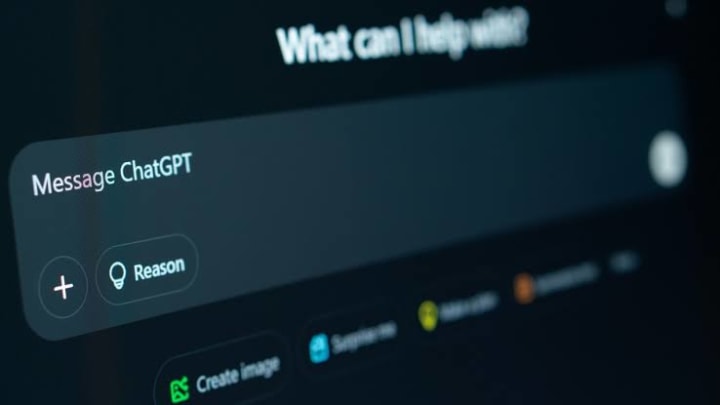
Don’t settle for the first answer ChatGPT gives you. It’s capable of generating endless creative ideas if you ask for them. For example, instead of saying, “Write a caption about London,” try: “Give me five different Instagram captions about London — one witty, one poetic, one travel-guide style, one inspirational, and one romantic.”
By requesting multiple versions, you’ll instantly have a variety of tones and ideas to choose from. You can even combine the best parts of different responses to create something unique.
The same approach works for brainstorming — for instance: “Suggest ten names for a productivity newsletter,” or “Give me five birthday party themes for my mom.” Over time, ChatGPT will start to recognize your preferences and produce ideas that align more closely with your style.
3. Challenge the AI
ChatGPT is designed to be agreeable — a tendency known as “sycophancy.” It often mirrors your opinions instead of questioning them. To get deeper, more balanced insights, invite it to disagree or present alternative viewpoints.
For example, instead of asking, “Why is remote work better than office work?” try: “List the pros and cons of remote work compared to office work, and tell me which might be more effective in the long term — and why.”
You can also push it further by saying, “Now challenge your own argument and explain what someone who disagrees might say,” or “Play devil’s advocate and argue that social media has more negative effects than positive ones.”
This method helps you explore different perspectives, sharpen your thinking, and turn your conversations into a real exchange of ideas instead of one-sided agreement.
4. Co-Create with ChatGPT
The real magic of ChatGPT comes from collaboration. Instead of relying on it for complete solutions, treat it as a co-creator. Combine your knowledge and creativity with its ability to organize and generate ideas.
For example, if you’re planning a product launch, you might use ChatGPT to brainstorm event themes, venue ideas, or timelines. Then refine those suggestions to fit your company’s goals and tone.
It works just as well for personal tasks — like planning a birthday party. Start with: “Help me plan a 30th birthday party for my best friend. Suggest a color palette and menu ideas that feel warm and relaxed.” Then continue the collaboration with follow-ups like: “Now create a checklist for decorations, music, and food,” or “Write a creative invitation and a few fun activity ideas.”
This back-and-forth approach blends your ideas with ChatGPT’s structure and creativity, leading to results that are far more polished and inspired. You can even use ChatGPT’s Projects feature to keep your plans organized and ongoing — turning it into a true creative partner.
5. Use It for Self-Reflection
As Aristotle said, “Knowing yourself is the beginning of all wisdom.” ChatGPT can actually help you with that. You can use it as a nonjudgmental sounding board to reflect on your thoughts, habits, or emotions.
Try starting with prompts like: “Help me reflect on what went well and what didn’t this week,” or “I’ve been feeling stuck lately. Ask me three questions to help me figure out why.”
You can even share journal entries and ask, “Can you identify recurring themes or worries in these?” ChatGPT can help you recognize patterns — such as times when your motivation dips or what triggers your creativity.
While it’s no replacement for human reflection or therapy, using ChatGPT this way can deepen your self-awareness. It gives you space to process your thoughts, explore your emotions, and gain new insights about yourself and your decisions.
In short: mastering ChatGPT isn’t about memorizing fancy prompts or secret hacks. It’s about clarity, curiosity, and collaboration. The more you personalize, challenge, and engage with it, the more powerful and intuitive it becomes — not just as a tool, but as a creative and intelligent partner in your everyday life.
About the Creator
General gyan
"General Gyan shares relationship tips, AI insights, and amazing facts—bringing you knowledge that’s smart, fun, and inspiring for curious minds everywhere."
Keep reading
More stories from General gyan and writers in Lifehack and other communities.
Make ChatGPT Your Ultimate Personal Assistant and 10x Smarter
Yet, many users never explore these tools, leaving enormous potential untapped. If you’ve ever felt that ChatGPT’s responses could be sharper, more personalized, or better aligned with your needs, this guide—based on AI Advantage’s insights—will show you how to unlock that next level.
By General gyan5 months ago in Lifehack
5 Best AI Tools for Women
A modern woman's life is full of tasks. We need to balance work, home, family, friends, and personal care. But with only 24 hours in a day, we often struggle to find time for our favorite activities because we need to plan what to cook for dinner or make a shopping list for the week. It can all feel overwhelming, but the load can be made lighter with the help of AI, as many of our daily tasks can be delegated to various AI assistants. What apps can help you spend more time on yourself? Read on to find out.
By Lesya Chumak3 days ago in Lifehack
The BAFTA Awards
By now, in a stunning departure from recent years, most of the world is aware of what happened at the BAFTA film awards. Social Media Headlines will tell you the bare bones: that John Davidson, a Tourette's Syndrome advocate, shouted a racial slur at two Actors of Colour, Michael B Jordan and Delroy Lindo.
By Natasja Rose5 days ago in Psyche


Comments
There are no comments for this story
Be the first to respond and start the conversation.