
10 Must-Have Websites to Boost Your Productivity
"From Task Management to Time Tracking, These Tools Will Help You Get More Done"


Are you tired of feeling unproductive and disorganized? Do you struggle to stay focused on your tasks and avoid distractions? If so, you're not alone. Many of us struggle with productivity in our daily lives, whether it's at work, school, or home.
But fear not, because there are a multitude of websites and apps out there that can help you boost your productivity and achieve your goals. In this blog, we'll be exploring the top 10 websites to boost your productivity, and how they can help you become more productive, organized, and efficient.
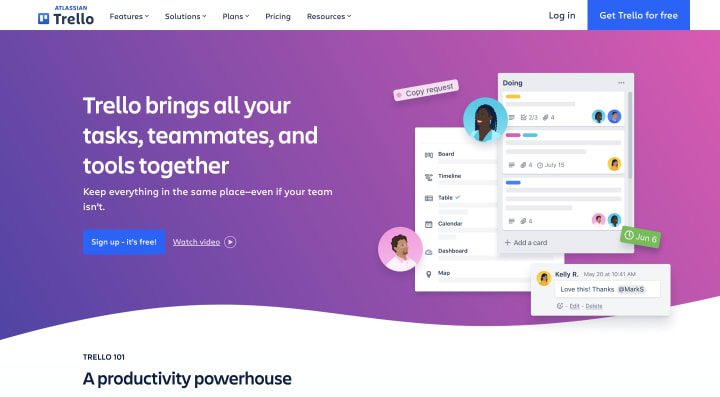
1. Trello: Trello is a productivity and project management tool that is designed to help teams and individuals stay organized and on track with their work. It uses a Kanban-style board, which is a visual representation of your workflow, to organize and prioritize tasks. You can create multiple boards for different projects or workflows, and each board contains lists of cards, which represent individual tasks. You can add due dates, labels, and checklists to cards, as well as assign them to team members. Trello also supports collaboration, so you can invite team members to your boards and work together on tasks. With Trello, you can easily see what needs to be done and who's responsible for each task, which helps you stay productive and focused.
Link to website:-
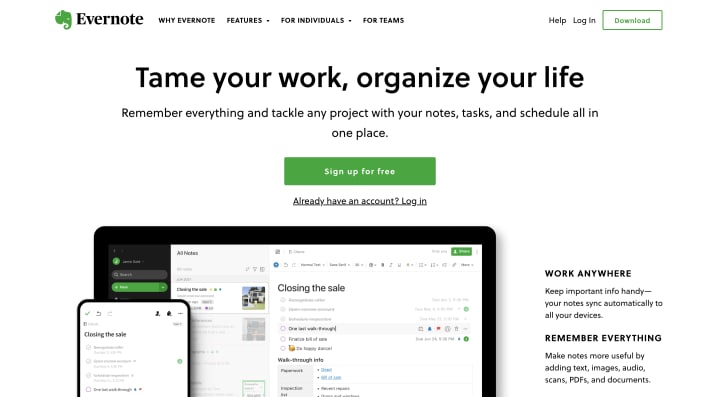
2. Evernote: Evernote is a digital note-taking tool that allows you to capture and organize information, ideas, and tasks in one place. With Evernote, you can create notes, add images and attachments, clip articles from the web, and even record audio notes. You can organize your notes into notebooks and add tags to make them easy to find. Evernote also supports collaboration, so you can share your notes with others and work together on projects. One of the most useful features of Evernote is its search functionality, which allows you to quickly find any note, even if you have thousands of notes in your account. With Evernote, you can stay organized and productive, no matter what type of work you do.
Link to website:-

3. RescueTime: RescueTime is a time-tracking app that helps you monitor how you spend your time on your computer or mobile device. It runs in the background and tracks the time you spend on different apps and websites, giving you insights into how you're spending your time. With RescueTime, you can see which apps and websites are most time-consuming, and set goals and alerts to help you stay on track. You can also use RescueTime's reports and analytics to identify patterns in your behavior and make changes to your habits. RescueTime helps you be more mindful of how you're spending your time, and gives you the information you need to make positive changes.
Link to Website:-

4. Focus@Will: Focus@Will is a music app that is designed to help you stay focused and productive while you work. It uses neuroscience-based music to improve your attention and reduce distractions. With Focus@Will, you can choose from a variety of music channels that are optimized for different types of work, such as writing, coding, or studying. The music is designed to increase your productivity by keeping you focused and energized, without distracting you from your work. You can also customize your music by adjusting the tempo, style, and intensity to match your personal preferences and work style. With Focus@Will, you can create the perfect environment for getting work done.
Link to Website:-
(I don't know why the link is not embedded 😑)

5. Pocket: Pocket is a bookmarking app that allows you to save articles, videos, and other content to read or watch later, when you have more time. With Pocket, you can save content from your browser or mobile device, and Pocket will sync your content across all your devices. You can organize your content into categories and tags, and use Pocket's search functionality to quickly find what you're looking for. Pocket also suggests new content based on your interests and reading habits, which can help you discover new ideas and perspectives. With Pocket, you can save time by keeping all your content in one place, and read or watch it when it's most convenient for you.
Link To Website:-
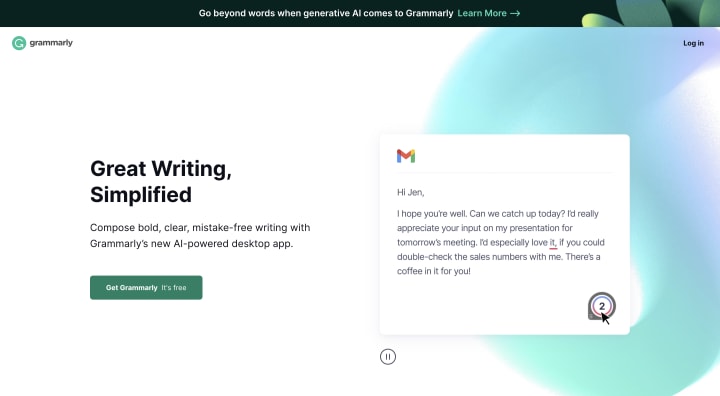
6. Grammarly: Grammarly is a writing tool that helps you improve your grammar, spelling, and writing style. With Grammarly, you can check your writing for errors and get suggestions for improvements. Grammarly uses artificial intelligence to analyze your writing and suggests corrections based on the context of your writing, ensuring that your message is clear and professional. Grammarly can be used as a browser extension, a desktop app, or a mobile app, making it easy to use no matter where you are. It can also be integrated into various applications, such as Microsoft Word or Google Docs, to help you improve your writing in real-time. Whether you're writing an email, a report, or a blog post, Grammarly can help you communicate your ideas effectively.
Link To Website:-

7. Forest: Forest is a productivity app that encourages you to stay focused and avoid distractions. It works by planting a virtual tree when you start a task, and the tree grows as long as you stay on task. If you leave the app or start using another app, the tree dies. This gamification aspect of Forest makes it fun and engaging to use, and encourages you to stay focused and avoid distractions. You can also earn coins by using Forest, which you can use to plant real trees through a partnership with Trees for the Future. With Forest, you can be productive while also helping the environment.
Link To Website:-

8. Todoist: Todoist is a task management app that helps you keep track of your to-do list and stay organized. It allows you to create projects and tasks, set due dates and reminders, and categorize your tasks with labels and filters. Todoist also supports collaboration, so you can share your projects and tasks with others and work together on them. With Todoist's productivity features, such as the "Today" view and the "Karma" system, you can stay motivated and focused on your tasks. Todoist also integrates with various other apps, such as Google Calendar and Zapier, to make it even more useful for your productivity needs.
Link To Website:-

9. Dropbox: Dropbox is a file-sharing and cloud storage service that allows you to store and share your files across devices and with others. With Dropbox, you can upload files to the cloud, access them from any device with an internet connection, and share them with others through a link or by inviting them to a shared folder. Dropbox also supports collaboration, so you can work together on files in real-time, and see changes made by others instantly. With Dropbox, you can keep your files organized and accessible, no matter where you are.
Link To Website:-

10. LastPass: LastPass is a password management tool that helps you generate and store secure passwords for all your online accounts. With LastPass, you only need to remember one master password to access all your other passwords, which are stored securely in the LastPass vault. LastPass also supports autofill, so you can log into your accounts with just a few clicks, without needing to remember or type your passwords. LastPass also offers features such as password auditing, which checks your passwords for security weaknesses, and multi-factor authentication, which adds an extra layer of security to your accounts. With LastPass, you can keep your accounts secure and save time logging in.
Link To Website:-
So there you have it, the top 10 websites to boost your productivity. By incorporating these tools into your daily routine, you can become more productive, efficient, and organized, and achieve your goals with ease.
About the Creator
Shreeraj Shinde
Hi There, I'm Shreeraj - A Web Developer interested in Fitness, Stock Market, Design and Self-Help Books. Through my blogs and articles , I'll help you to achieve your maximum in minimum time.
Keep reading
More stories from Shreeraj Shinde and writers in Lifehack and other communities.
DEEP WORK - Book Review
Are you tired of feeling like you're constantly busy, but never actually getting anything done? Do you long for the days when you could focus on a task for more than five minutes without checking your phone? If so, Cal Newport's book Deep Work might just be the answer to all of your productivity woes. And as an AI language model, I'm here to tell you all about it in a witty and entertaining way.
By Shreeraj Shinde3 years ago in Education
How To Use Search Engines
Ah, search engines. From Google to Yahoo, Bing, and even more indie-styled ones such as DuckDuckGo, these popular websites can be very useful tools for finding information on various matters in life and in the world — even if they don’t necessarily have much information of solely their own to give.
By Snarky Lisa5 days ago in Lifehack


Comments
There are no comments for this story
Be the first to respond and start the conversation.