
What is a Remote Access Trojan (RAT)? How It Enables Spying on You
Inside the Silent Cyberattack That Lets Hackers Spy on Your Every Move Through a Remote Access Trojan

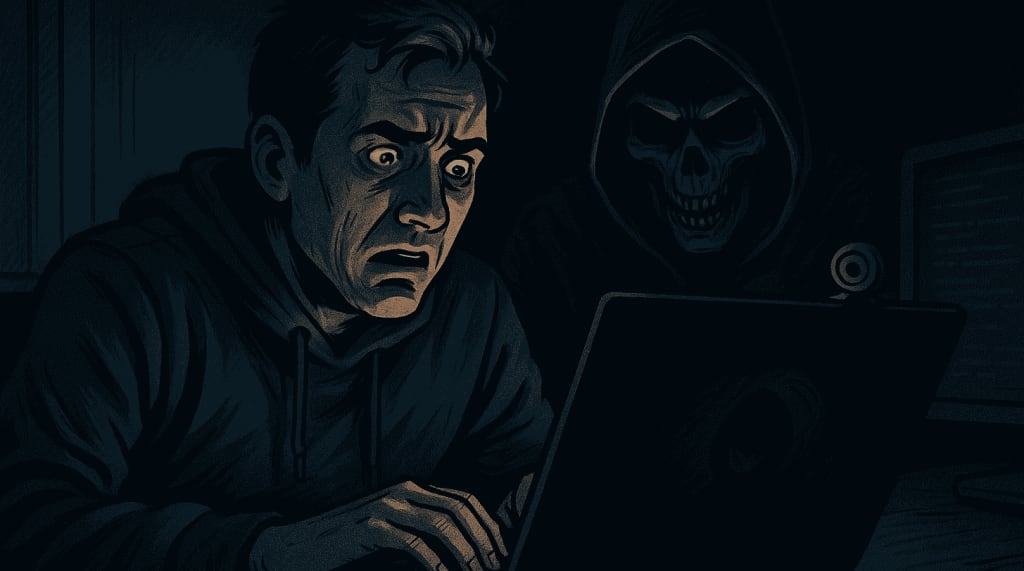
You lock your doors at night. You close your blinds. You think you're safe in your room, scrolling through your phone or typing on your laptop. But what if someone was watching you? Not through a window or camera in the hallway, but through your own device. This was the terrifying realization I had when I became the victim of a Remote Access Trojan, commonly referred to as a RAT.
My Experience With a RAT Attack
It all started subtly. My laptop’s fan would randomly speed up, even when I wasn’t doing anything demanding. The webcam light flickered briefly once or twice. I thought it was a bug or a software glitch. But then my friends started receiving strange emails from my address. One night, my screen froze, and a strange command window opened for a split second before closing on its own. That’s when I knew something was very wrong.
I ran a scan and found nothing. But a deeper forensic analysis by a friend in cybersecurity confirmed it. My system had been infected with a Remote Access Trojan. Someone had been spying on me silently. Watching through my webcam, logging my keystrokes, and capturing sensitive documents. I was horrified.
What Is a Remote Access Trojan (RAT)?
A Remote Access Trojan is a type of malware that gives cybercriminals complete control over an infected system. Unlike typical viruses, RATs operate silently and often go unnoticed by standard antivirus programs. Once installed, they can allow hackers to:
- View and control your desktop in real-time
- Access or delete files
- Log keystrokes to steal passwords and personal data
- Turn on microphones and webcams without your knowledge
- Install additional malware or spyware
- Extract saved credentials and session cookies
RATs are used for espionage, corporate spying, financial theft, stalking, and in many cases, for sheer malicious curiosity.
How Are RATs Delivered?
RATs are often disguised as legitimate files. They can be embedded in:
- Pirated software or games
- Fake video codecs
- Email attachments (especially ZIP or executable files)
- Infected websites that prompt you to install "security updates"
- Malicious macros in Word or Excel documents
Once the file is executed, the RAT installs silently in the background. Some advanced versions can even disable security software and run in safe mode.
What Happens Once a RAT Takes Over
After installation, the attacker gains a persistent connection to your device. They can explore your files, read your chats, steal banking credentials, and in many cases, remotely activate your webcam or microphone. I later learned that screenshots and logs from my system had been shared in underground forums for others to view, analyze, and potentially exploit.
I had unknowingly given someone a window into my life. Not just digital information, but moments of privacy I believed were mine alone.
The Role of Dark Web Monitoring and How It Helped Me
After cleaning the system and reinstalling my OS, I was advised to check whether any of my credentials were being sold or shared online. That’s when I discovered PureVPN’s Dark Web Monitoring. This tool scans known hacker forums, dump sites, and breached data archives on the dark web. It alerted me that my email, one old password, and even a login session cookie were being circulated as part of a data package. These alerts allowed me to quickly change passwords, de-authorize old sessions, and regain control over my accounts.
How to Protect Yourself From a Remote Access Trojan
- If you want to avoid falling victim to a RAT attack like I did, here are the precautions I now take and strongly recommend:
- Do not download software from unofficial sources: Most infected software comes from shady torrent or third-party sites.
- Be cautious with email attachments and links: Even if it looks like it came from someone you know, verify before opening.
- Disable macros in Microsoft Office by default: Many RATs use macro scripts to install themselves silently.
- Keep your operating system and software up to date: Security patches often close the holes that allow RATs to install.
- Use antivirus and firewall protection: While not foolproof, these tools can catch or block many known RAT variants.
- Use a VPN and Dark Web Monitoring service: A VPN helps encrypt your internet activity while tools like PureVPN’s Dark Web Monitoring help you track stolen credentials and prevent further damage.
Final Thoughts
A Remote Access Trojan is not just a technical threat. It is a personal invasion. The worst part is not knowing you’re being watched until the damage is already done. My experience was both humbling and frightening. But it also taught me the importance of being proactive with digital security.
You may never know who’s watching, but with the right tools, vigilance, and knowledge, you can make sure they never get the chance. Protect your privacy, your data, and most importantly, your peace of mind.
About the Creator
Ester Allenwood
A finance, savings, and trading enthusiast from Canada who’s passionate about exploring new destinations and unwinding with a good binge-watch session. Balancing smart investments with the joys of travel and entertainment!
Keep reading
More stories from Ester Allenwood and writers in Journal and other communities.
The Future of Wealth: How Canadians Are Rethinking Financial Growth
From Traditional Advisors to AI-Powered Investing—The Evolution of Wealth Management For decades, wealth management in Canada followed a simple pattern: find a trusted financial advisor, hand over your portfolio, and hope for steady growth over time. But as markets evolve and technology advances, many Canadians are rethinking how they manage their wealth.
By Ester Allenwood12 months ago in Journal
Fetty Wap
Fetty Wap’s rise to fame is one of the most memorable success stories in modern hip-hop. Bursting onto the scene with an unmistakable melodic style and raw authenticity, he quickly became a household name. Yet, behind the hit records and sold-out shows lies a complex journey—one that includes legal troubles, personal setbacks, and a period that reshaped his life forever. Understanding Fetty Wap today means looking at both his musical legacy and the chapter that unfolded during his time in jail. The Early Rise of Fetty Wap Born Willie Junior Maxwell II in Paterson, New Jersey, Fetty Wap grew up surrounded by challenges that later influenced his music. His breakthrough came in 2014 with the release of “Trap Queen,” a song that blended hip-hop with melodic hooks and emotional storytelling. The track became a cultural phenomenon, dominating radio waves and charting at No. 2 on the Billboard Hot 100. Soon after, Fetty Wap followed up with successful singles like “679” and “My Way,” cementing his place in the industry. His debut album showcased his unique sound and earned widespread recognition. For a moment, it seemed like his ascent was unstoppable. Fame, Pressure, and Legal Trouble As fame intensified, so did the pressures surrounding Fetty Wap’s life. The music industry often magnifies personal struggles, and for him, legal issues became increasingly difficult to avoid. In 2021, federal authorities arrested Fetty Wap on serious drug-related charges. The news shocked fans who had watched his meteoric rise years earlier. The phrase “Fetty Wap jail” quickly became a trending topic online, sparking debates about fame, responsibility, and the cost of poor decisions. While many expressed disappointment, others showed empathy, recognizing how quickly success can collide with real-world consequences. How Long Was Fetty Wap in Jail? One of the most frequently asked questions since his sentencing has been: how long was Fetty Wap in jail? Following his arrest, Fetty Wap pleaded guilty to conspiracy to distribute controlled substances. In 2023, he was sentenced to six years in federal prison. Although the sentence was significant, it was also seen by some legal analysts as a moment for accountability rather than an end to his career. During this time, Fetty Wap largely disappeared from the public eye, focusing instead on self-reflection and personal growth away from the spotlight. Life Behind Bars and Personal Reflection Incarceration often forces individuals to confront realities they previously avoided. For Fetty Wap, jail became a place of introspection. Reports suggested that he used the time to reconnect with his faith, reflect on his responsibilities as a father, and reconsider the choices that led him there. Unlike many celebrity cases filled with constant updates, Fetty Wap’s silence during this period was noticeable. That absence, however, allowed fans to shift focus from scandal to accountability. It also reminded many that behind the fame is a human being capable of growth and change. Fetty Wap Release Date and Public Reaction When news of Fetty Wap’s release date surfaced, it reignited interest in his story. He was released earlier than expected due to good behavior and sentence adjustments, marking a new beginning rather than a return to old habits. Fans responded with mixed emotions—relief, curiosity, and cautious optimism. Social media flooded with messages welcoming him back while urging him to stay focused and positive. The hip-hop community, known for offering second chances, largely embraced the idea of redemption. Can Fetty Wap Reclaim His Place in Music? The question now isn’t whether Fetty Wap still has talent—it’s whether he can successfully navigate a changed industry. Hip-hop evolves rapidly, and extended absences can make comebacks challenging. Still, Fetty Wap’s sound remains distinctive, and nostalgia continues to play a powerful role in music consumption. Many artists have returned stronger after setbacks, using their experiences as creative fuel. If Fetty Wap chooses to channel his journey into his art, his story could resonate more deeply than ever before. Authenticity has always been his strength, and real-life lessons could add new depth to his music. A Story of Accountability and Redemption Fetty Wap’s journey is a reminder that success does not erase consequences. His time in jail reshaped his public image, transforming him from a chart-topping star into a cautionary tale—and potentially, a redemption story. For fans and observers alike, his experience highlights the importance of accountability, resilience, and growth. Whether Fetty Wap’s future includes another major musical comeback or a quieter, more grounded path, his story remains impactful. Final Thoughts Fetty Wap’s life reflects both the highs and lows of fame. From dominating the charts to confronting life behind bars, his journey is complex and deeply human. The questions surrounding how long Fetty Wap was in jail, his release date, and what comes next continue to spark conversation—but ultimately, his future depends on the lessons he carries forward. As he steps into this new chapter, Fetty Wap stands at a crossroads—one where experience, accountability, and creativity could redefine his legacy in ways fans never expected.
By Saboor Brohi 5 days ago in Journal




Comments
There are no comments for this story
Be the first to respond and start the conversation.