
What Automated Web Accessibility Checkers Can’t Catch: 12 Key Problems
12 Key Problems Can’t Catch Web Accessibility Checkers

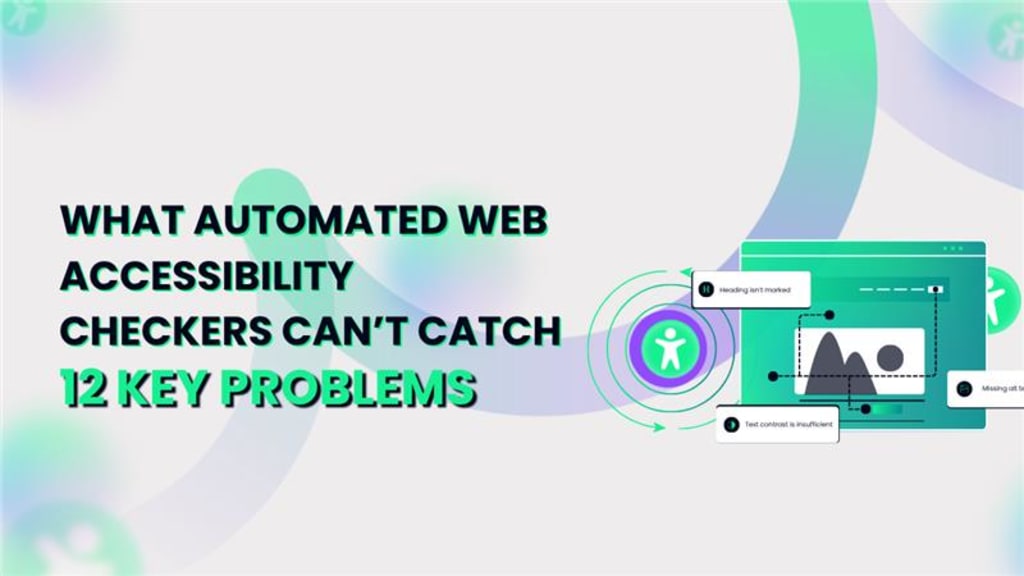
You ran your site through an automated accessibility checker, and it passed with flying colors. Great, right? Not so fast.
While automated tools are invaluable for identifying some low-hanging accessibility issues, they’re far from comprehensive. In fact, most experts agree that automated tests can only detect around 30–40% of accessibility violations.
The rest? Hidden beneath layers of nuance, context, and user experience-things no machine can truly grasp.
If your goal is a site that works for everyone, you need to understand where automation ends and human judgment begins.
This article dives into 12 critical issues automated web accessibility checkers routinely miss-and why you can’t afford to overlook them.
Why Automation Isn’t Enough for Accessibility
Automated accessibility testing tools scan your site for violations of standards like WCAG (Web Content Accessibility Guidelines). They’re great at flagging missing alt text, improper use of ARIA roles, or missing form labels.
But they lack human context. They don’t understand how content flows. They can’t tell if a user can navigate intuitively. They certainly can’t simulate a person with a disability using a screen reader, keyboard, or switch device.
Accessibility is as much about experience as it is about code-and experience can’t be fully validated by a script.
Color Contrast That Meets Ratios but Fails Visibility
Automated tools measure contrast ratios numerically. If the numbers check out, they give a pass. But contrast testing isn’t just math-it’s about usability.
Where they fall short:
- Light-colored text over busy or textured backgrounds
- Hover effects that reduce visibility
- Focus outlines that become invisible on some elements
- Colors that pass mathematically but fail under real lighting or screen glare
A skilled reviewer can assess contrast in context, taking into account surrounding design elements and readability.
Inappropriate or Misleading Alt Text
Most checkers will flag missing alt attributes-but not the quality of the description.
Common human-only detectable issues:
- Alt text that says "image" or "photo" without describing content
- Decorative images given unnecessary alt descriptions
- Overly detailed or confusing alt text
- Alt text that doesn't match the image purpose in context
Only a person can judge whether the description is useful, accurate, and appropriate to its setting.
Poor Keyboard Navigation Experience
A huge number of users depend on keyboard navigation, especially those with motor disabilities or who use screen readers. Automation can check for tabindex or focusable elements-but it can’t actually navigate your site like a user does.
Issues automation won’t catch:
- Logical tab order that makes sense for reading
- Elements that trap keyboard focus (like modals)
- Menus that collapse before they can be selected
- Missing visual indicators for focus
Testing with a keyboard in hand uncovers a lot that automation simply cannot simulate.
Ambiguous Link Text
Screen reader users often scan links out of context. “Click here” or “Read more” may pass an automated test, but they offer no clarity on where that link goes.
Better practices (that only humans can assess):
- Use descriptive link text that makes sense out of context
- Avoid repetitive links with identical text
- Ensure multiple links on a page lead to distinct destinations
- Use contextual cues in adjacent content if necessary
Reviewers with assistive technology experience can spot these quickly, but automation cannot.
Missing or Ineffective ARIA Labels and Roles
ARIA (Accessible Rich Internet Applications) attributes are vital for screen reader users, but misusing them can make things worse than using none at all.
- Human review is needed for:
- Incorrect or overly complex ARIA roles
- Labels that don’t match the visual context
- Redundant or nested ARIA usage
- Inaccessible custom widgets (e.g., sliders, tabs)
Automated tools can confirm syntax-but they can’t verify usability or functional intent.
Content That’s Visually Structured But Semantically Broken
Developers often style elements visually to look like headers, lists, or tables-without using proper HTML structure.
This results in:
- Users unable to navigate with heading shortcuts
- Content that loses meaning for screen readers
- Lists or tables that don’t announce correctly
- Lack of proper landmarks for orientation
Automated checkers may miss these entirely because they focus on tags-not semantics or user interpretation.
Forms That Confuse Rather Than Guide
Forms are complex, especially for users relying on assistive tech. While checkers can flag missing labels, they can’t determine if forms are logically structured or easy to use.
Only humans can judge:
- Whether label associations make sense
- If error messages are clear and helpful
- How validation messages are presented and announced
- Whether users are informed about required fields correctly
Form testing with actual users or accessibility experts is essential.
Animations and Motion Effects That Trigger Discomfort
Subtle animations, parallax effects, or auto-playing carousels may seem harmless but can trigger vestibular disorders or distract users with attention disorders.
Automation cannot detect:
- Motion that cannot be paused or stopped
- Unpredictable timing or transitions
- Visual distractions that interrupt reading or focus
- Carousels that cycle too quickly or can’t be paused
User testing and manual review are the only ways to assess these issues meaningfully.
Inaccessible PDF Downloads and Embedded Media
A perfectly accessible page may still link to a completely inaccessible resource.
Things automation misses:
- PDFs with no tagging structure or text content
- Embedded videos without captions or transcripts
- Audio files without descriptions
- Interactive documents or infographics that aren’t keyboard-friendly
These require human inspection of the file itself-not just the webpage.
Dynamic Content Not Announced to Screen Readers
JavaScript-driven content, AJAX updates, or modal pop-ups may not trigger screen reader announcements unless programmed correctly.
Humans must check:
- ARIA live regions and their behavior
- Whether content updates are perceivable without sight
- Modals that trap focus or fail to announce themselves
- Notifications or toasts that appear and vanish silently
Automated tests rarely simulate dynamic interaction in real time.
Mobile Accessibility Barriers
Mobile and tablet users interact differently than desktop users-and many accessibility checkers are desktop-focused.
Problems often missed include:
- Tap targets that are too small or too close
- Content that doesn't reflow on narrow screens
- VoiceOver or TalkBack inconsistencies
- Mobile-only menus or features that lack keyboard navigation
Manual testing across real devices reveals issues automation doesn’t even look for.
Lack of Contextual Hierarchy and Reading Order
Automation checks tags-not reading flow. If the content’s structure is illogical, users who rely on screen readers or keyboard navigation will struggle.
Human reviewers ensure:
- Heading levels follow a consistent hierarchy
- Content flows in a logical order
- Language attributes are accurate
- Custom layouts don’t skip important regions
Only a user can determine whether the site feels usable when navigated sequentially.
Summing up : Accessibility Is a Human Responsibility, Not Just a Technical One
Automated accessibility tools are powerful, but they’re not complete. They can scan, flag, and suggest-0but they cannot judge, interpret, or empathize. Real accessibility depends on human insight, thoughtful design, and actual usage testing.
To ensure your site is truly inclusive, combine automated tools with manual audits, user testing, and accessibility training. Because making the web accessible isn’t just about compliance-it’s about creating a space where everyone belongs.
If You Suffer These Types of Problems in Your Website & You Need Automated Accessibility Testing…
You can try automated accessibility testing tools like Axe, WAVE, or Lighthouse. But for full coverage, explore some automated accessibility testing service provider companies. They combine automation with manual expertise-providing smart, scalable solutions to help you fix these critical gaps and build a truly accessible digital experience.
About the Creator
Leeanna marshall
Hello, I'm Leeanna Marshall, an ardent enthusiast of all things automation and a passionate blogger. visit my blog
Keep reading
More stories from Leeanna marshall and writers in Journal and other communities.
Android vs iOS Mobile Testing: Which Is More Complex in 2025?
Swiping through apps has become second nature, yet what often goes unnoticed is the rigorous testing that ensures these apps run without a hitch. Developers and testers are locked in an ongoing race to perfect performance, user experience, and security across platforms.
By Leeanna marshall10 months ago in Journal
Author’s Advice
If you would’ve asked me 20 years ago did I know I’d become a writer and an author, I would’ve said “nope, ain’t happening”. As fate would have it I did become an author and I can honestly say I’m loving it so far. It really does feel good to be a writer. I’ve learned a lot on this journey and I feel like with even me being as new to this world as I am, there’s some wisdom I need to share with every other aspiring author.
By Joe Patterson4 days ago in Journal



Comments
There are no comments for this story
Be the first to respond and start the conversation.