
Top Basic Elements of Modern Web Design That Should Know
6 Modern Website Design Elements

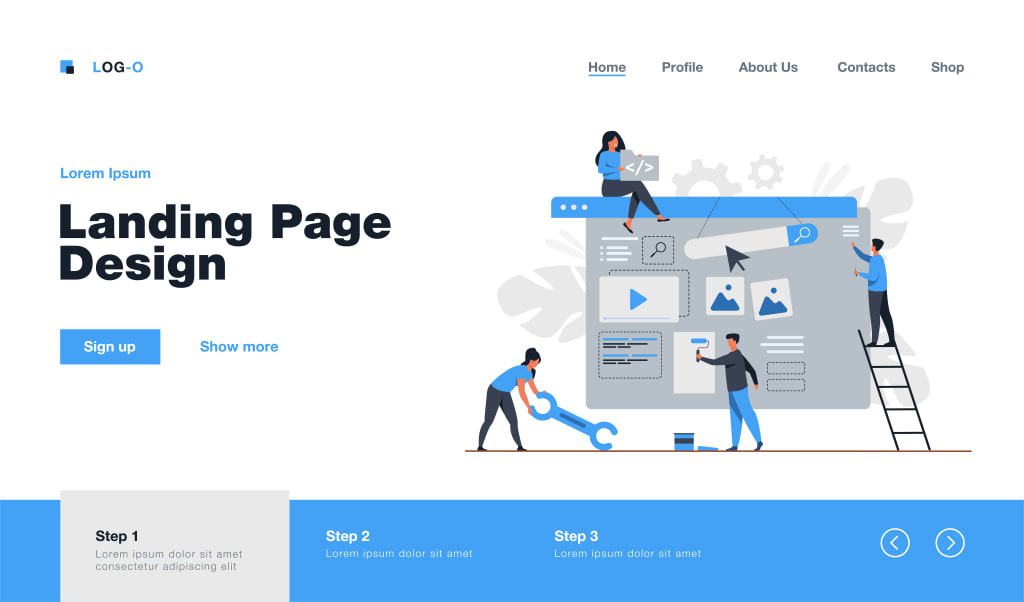
Web design can appear to be a bit like alchemy at times, especially to the ignorant. Beginners may often recognise the features of a high-quality website, but it is unusual for them to build the perfect potion from the start.
The perfect balance of innovation, creativity and commercial prowess is what web designers are striving to achieve as they toil over boiling liquids, intricate instruments, and the never-ending tiresome conversions between RGB hues and hex codes. While failure condemns the crazy scientist to a lifetime of frustration and endless experimentation, success brings lifelong glory and wealth.
More than simply visual components and aesthetics, modern website design also impacts your SEO and rankings, drives audience perceptions of your brand, and shapes visitor behavior. Your whole online visibility is impacted by the look and feel of your site.
There are a few essential steps to take and materials to utilise whether you're beginning from zero, revamping your never-ending fixer-upper, or examining an infinite stream of templates. Here, we'll go through the fundamental components that, if employed correctly and in the right proportions, may make your internet company and design aspirations come true.
Take care of the technical aspects first, or ask your host to do them for you.
You probably assumed that the key to successful web design was selecting the ideal colour scheme and images. You're not quite incorrect, however. We're just taking a more thorough look at how design may affect and enhance the user experience on your website.
Even if your website has the nicest design in the world, it won't matter if your visitors can't see it or don't stay long enough to convert. Internet users, regardless of who they are, tend to be impatient; over 30% of them anticipate a website loading in one second or less, and almost half expect it to do so in less than two. Any additional millisecond raises the likelihood that you will permanently lose that reader or customer.
The same is true for websites that completely fail to load. According to the Digital Care Agency, the leading Bakersfield web design agency, data centre outages may cost organisations an average of $9,000 per minute that their websites are offline. A website will lose over 75 percent of its visitors if it takes longer than five seconds to load.
Choosing a reputable web host eliminates all those problems without any bother or worry.
The Six Crucial Elements of an Effective Website
The fun things, including colours, font, call-to-action buttons, white space, and navigation, may now be discussed! There is a typical checklist of things and ideas that should be taken into consideration while building a website; however, every designer, web developer, and site owner may use a different approach.
Despite the fact that there are certain universally recognised design rules, web design is an art rather than a science, and that is what makes it so beautiful. Design that stands out from the crowd should take calculated risks that can be reversed if things don't work out as planned.
It's time to start creating and close that notebook. Here are six crucial design components that you should be sure to get correctly.
1. General Organization and Visual Appeal
Of course, a key aspect of web design is the general appearance of your website. We're using these general phrases to describe a spectrum of feelings you want visitors to your website to experience. You want to wow your target audience as soon as the website appears, since first impressions are so important. Users form an opinion of your website or company in only 50 milliseconds, and that impression will influence whether they remain or go.
This implies that your design should be basic, recognizable, intuitive, clean, and approachable, to name a few calming qualities. Give your website's components lots of whitespace (or spacing and margins) so they can breathe. Use grid-based designs to keep design elements arranged and in order.

Strong imagery, symbols, or graphics may supplement your text with more information, but make sure the pictures work well together to build the brand you're trying to convey.
Your website's components should be organised in accordance with the visual hierarchy you intend to provide. Depending on your design, you may influence visitors' eyes and actions, whether you strive for F-patterns or Z-patterns. Both designs draw attention to the top horizontal region of your website, which is where most designers add the brand's logo, navigation, and sometimes a search box. All three factors encourage consumer engagement and brand awareness.
2. Color scheme
Finally, the parts that you began reading and were probably most looking forward to The most common places for beginning designers to start are with their colour scheme and typefaces, which have a direct impact on how visitors perceive your website.
Regarding selecting a colour scheme, keeping in mind your brand's or industry's viewpoints as well as the characteristics of your target market will make the procedure fairly simple. Always seek strategies to focus your attention among the approximately 7 million distinct colours the human eye can distinguish.

A deep blue or green, for instance, would normally be ideal for lawyers and accountants to convey professionalism, while a photographer could want to use black and white to properly highlight the brilliance of his or her photos. Consider your readers' expectations in addition to the sector in which your brand operates. Soft pinks, blues, and yellows are appreciated by new parents; primary colours are expected by children in the K–6 age range. Teenagers and young adults are brazen, whereas grandparents and older people are a little more sophisticated and mature.
After deciding on your primary hue, think about the kind of colour palette you desire. Consider a scenario in which you desire a certain button, piece of information, or sort of response from your audience. You'll need a complimentary colour from the other side of the colour wheel in such a situation. Visit that blog article for extra guidance because we dedicated an entire piece to discussing colour selections.
3. Typefaces
The type (or fonts) you use to convey your message may typically follow the same demographics and industry standards. While we imagine the photographer would pick a very light and airy sans serif typeface, more formal positions, like those of attorneys and accountants, would probably prefer to stay with distinguishing serif typefaces (which have the extra parts hanging off at the ends of letters).
Body copy should typically be at least 16 pixels wide in order to make your material clearly legible. For headers or accents, using a complementing font is great; however, refrain from using more than three fonts or making pointless size changes.
Naturally, you'll want to ensure that there is sufficient contrast between your text and the backdrop colours of the website. To do this, typically use a bright hue and a dark tone.
4. Navigation
The navigation of your website is not a place for originality. Start by avoiding highly dynamic hover effects and intricate, multi-tiered subnavs. The purpose of navigational elements, which may be found in a site's header, body, and footer, is to help visitors find the content they're looking for as soon as possible.
Site owners will be presented with a very divisive design choice right at the top of the page: to hamburger or not to hamburger? By concealing your navigation off-site, the hamburger menu, which is symbolised by three parallel, horizontal lines, offers a practical approach to conserving space. It tends to have lower click rates and hides important information and interactions from your visitors.
Strong navigation goes beyond the header's primary menu. On long, scroll-intensive, or one-page designs, you might want to include directional arrows to help viewers navigate through each section. Most websites would benefit from a sticky "Back to Top" button that quickly takes visitors back to the top of the page.
Finally, pay attention to the navigation menu at the bottom. Users scroll down more often than you would think, and some firms have even seen up to a 50% increase in conversions with an optimised footer. If a reader has persisted long enough to reach the bottom of your homepage or landing page, they'll need to go someplace else or do something else, like sign up for your company's email updates.
5. Content
You're not finished after you've chosen the layout, colour scheme, fonts, and other attractive aspects of your choosing, just as interior designers don't stop once the walls are painted. Pay attention to how your message and design interact before bringing in the couch and hanging up the family photos.
Visitors to your website and prospective clients want information immediately. Is your company reliable? Experienced? able to provide excellent goods and services? Clarity in communication is essential since people's attention spans are short and their initial impressions are formed instantly. Information must be simple to read and comprehend.
Examine each phrase carefully: Do you really need it? Efficiency is essential since using too many words might obstruct your message and dilute the fundamental benefits of your brand. To arrange sections and rapidly notify your viewers of the information you're delivering, use headers and display text. You should divide up big lists into sorted or unordered lists rather than utilising long, winding phrases. Just keep it brief and sweet!
Remember to consider sources other than your blog or site while developing your content strategy. Make sure the information on your "About" and "Contact" pages is accurate and presented in the proper manner. A lifestyle blogger, for instance, would want to discuss her personal and family story, but a real estate agent is probably more concerned with professional outcomes.
6. Remember to Consider Mobile
Phew! Finally, with a slick, manageable, and user-friendly website, our web design journey is about to come to an end. Are you prepared to repeat the whole process in a lesser capacity?
Five years ago, mobile web traffic surpassed desktop traffic in volume, and that trend is still continuing today.
Google started using a mobile-first index to rank websites in search results nearly six years ago in order to better serve visitors who access your site on a phone or tablet. The search engine is also introducing Core Web Vitals in May 2021, a set of metrics to gauge how well your website provides a high-quality user experience. Google is more likely to give you a ranking boost the better your site performs for users, including on mobile devices.
In short, having a mobile-friendly website is now essential rather than just a cool feature.
The majority of WordPress themes and templates that you purchase from a developer are ready for mobile traffic. To make sure you're covered, you'll need to choose between a responsive template that adjusts to different screen sizes or a mobile-only look that only appears when a non-desktop device tries to access your site. If you're designing your own custom look or hiring a web designer, however, you'll need to make sure you're covered by one of these two main options.
Create a stunning website from the ground up.
It's time to create your website now that you are aware of the fundamental components of web design.
With our drag-and-drop WP Website Builder, Digital Care Agency makes it simple for website owners to quickly construct a website. But if you want a well-designed, personalised WordPress website that is entirely unique to your business, have a look at our custom Bakersfield website design service.
This is how the procedure goes: Your project manager will speak with you one-on-one to walk you through the requirements form, where we gather material and establish your objectives. Then, to guarantee that the design of your website reflects your identity, we'll compile your current logo and other branding assets into a straightforward, one-page reference document.
Next, a personalised prototype of your new website will be made by one of our talented designers so that you can quickly provide feedback. We will code it into a high-performance WordPress website after you have given your approval. You will get two rounds of design modifications and two rounds of code revisions for each page of your site as part of our commitment to ensuring that you are happy with the final output.
Your final website will include a bespoke blog, forms for submitting content, analytics, and e-commerce capabilities, and it will be mobile-responsive and SEO-ready. We'll even help you upload items to your web shop for an added cost.
Check out our custom website design service in Bakersfield right now if you're prepared to go beyond a standard design.
About the Creator
James William
I'm a blogger that enjoys writing about finance, technology, health, SEO, and online marketing.
Keep reading
More stories from James William and writers in Journal and other communities.
What is a Video Production Company?
As we are in a digital age today, there needs to be a digital tool for online communication, marketing, and storytelling. A “video production company” is that tool. It helps you create digital video content and reach out to your target audience building brand recognition. Don't think that if you are into a skin brand or a science data firm, you won't require a video production company. Every brand, whether from the hair or AI (Artificial Intelligence) industry requires a product video production company to showcase what you can offer.
By James William2 years ago in Journal
Ukraine Using The Copperhead Laser-guided Artillery Shell With Great Success
A video compilation has recently emerged showing the very successful use of the M712 Copperhead laser-guided artillery shell in Ukraine. That led me to a deep dive into the technology of this interesting, supposedly obsolete, weapon and what it teaches us for the future.
By James Marinero5 days ago in Journal


Comments
There are no comments for this story
Be the first to respond and start the conversation.