
Tips to grow your online business using Pinterest
Did you know that Pinterest is an important tool for digital marketing? Especially in the US it does an amazing job at bringing traffic to the website.


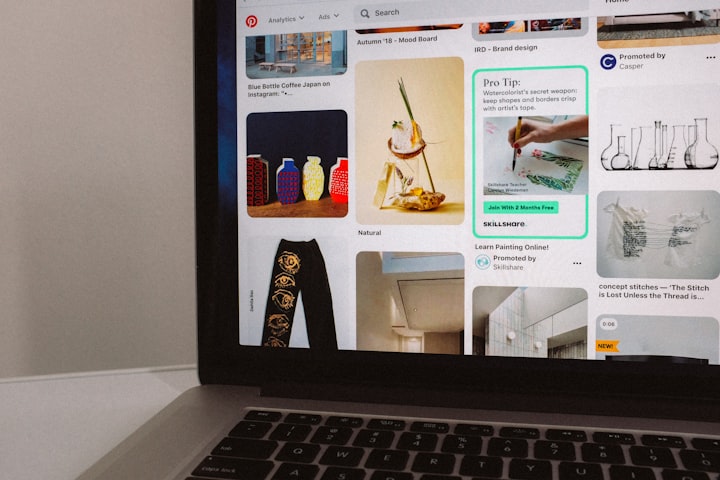
When was the last time you used Pinterest? Pinterest is often underrated. Maybe you've heard about it but you don’t know exactly what is Pinterest is used for? Let’s take a quick look at it... To explain it in a simple way, Pinterest is like the corkboard that you sometimes find in the kitchen or on your fridge, to which we pin our ideas, recipes, shopping list, etc. This is the same, just that this board is virtual.
Pinterest is a website that helps you find and organize pictures, ideas and other interests. Some say that it is a mix between a search engine and a social network.
Ideas are illustrated in a Pin, which is searched and saved by Pinterest users. You can choose between various Pin formats from static images to videos with autoplay. Whichever one you pick, you’ll need three main components: a featured image or video, a description and a website link. Besides this, possibility to link back to your website is really important because through it you can lead traffic and sales. Also pins enable people to find more information on products they plan to buy. Actually 90 % of users declared that Pinterest helps them decide what to purchase. Furthermore 66% buy something after seeing a brand’s Pins.
Then the user can create categories called “boards” to organize those pins.
If you don't have an account yet read my tutorial on how to create a Pinterest profile.
Ready to pin ? Let’s get started!
First of all you will need to create a Pinterest Business account. Guess what? It’s free. Moreover Pinterest does not give lower priority to business accounts in users newsfeeds.
Optimize your profile
To boost your profile reach include your major keywords into: your username, your business name and your bio.
The URL of your Pinterest profile includes your username, so use broad keywords in your username.
To create a business name, you’ll need to upgrade to a business account. After that you’ll also get access to promoted pins, to analytics and have the possibility to claim your website.
In that section Pinterest gives you more freedom. Include keywords right after your business name to make your activity visible.
Then add keywords to your pin titles and pin descriptions. Be careful to not act like a robot and add too many keywords to your titles or descriptions. Optimize and use a strong keyword in the right context.
How to make a popular pin?
Around 2 billion searches are made on Pinterest each month. So keep in mind that you have to optimize your profile enough to be seen because if you don't your content won’t be found or seen.
Knowing the most popular categories can be useful to understand which kind of boards can work better for your business - the most popular categories are food&drink, DIY crafts, home decor and women fashion.
The optimal size of a pin is 736×1102 pixels.
The most popular pins are clear images with high resolution. There are 20 times more repins when the images are light.
Tips to grow your online business using Pinterest
First you should be pinning several times per day (10 or more per day).
Secondly it’s not a rule or an obligation to post unique content. On the contrary, you should pin content from others that you find interesting to one of your boards. Just click the save button and pin it. Add articles to your boards about topics you’re interested in.
Thirdly when you’re pinning content, you need to attempt to link that content to your own products or services.
And to conclude: it is very important to stay engaged. Without commenting and participating on other people's boards, your number of followers will not grow.
So re-pin other’s pins especially those in your target audience. Theres a chance that you'll be noticed faster.
You can also join group boards. Those give you a big opportunity to grow traffic to your profile and website. So always remember to participate in the community. This is fundamental.
Make your pins optimal
Engagement will not be made by itself so you’ll need to optimize your pinning.
Based on several studies, the best times to post on Pinterest are between 8:00 PM and 11 PM and 2 AM and 4 AM. Fridays and Saturdays may be the best days.
Integrate a Pin It button to any image on any of your websites or app. But make sure that those extensions don’t slow down your webpage.
Pinterest offers different kinds of buttons and widgets : save button, follow button, pin widget, profile widget and board widget. With the profile and board widget you can show up to 30 of your latest Pins.
Then you can also connect your Pinterest for Business account to your Facebook and Twitter accounts. It will add Facebook and Twitter buttons to your Pinterest profile.
Just go to the networks sections in your account settings to connect your social media accounts.
For Facebook, you can connect only a personal account, not a page.
Instead of waiting for people to find your pins, you can show them directly. How? By sharing pins in your newsletter for example.
Improve the engagement and grow your reach
Knowing more about how to make popular pins and how to optimize them, you can start using them to create a strong relationships with your followers and influencers.
To follow or not follow ?
There are three important factors that convince Pinterest users to follow an account or not :
- how many accounts you are following/are following you ,
- how many pins you have ,
- how many boards you have.
As we said before, you’ll need to pin several times a day. You should pin for instance 5-30 pins every day to get more followers. But pay attention to not do one right after another. Deploy your pinning throughout the day.
Then engage with followers replying to their questions and comments, inviting them to pin on your boards.
It can be also really interesting to follow popular boards linked to your industry or business. Because first you can learn from them what kinds of pins they pin and what works best for them. Also if you comment on these popular pins, your brand can be noticed by a number of their followers.
THE BEST WAYS TO EARN SOMETHING THROUGH PINTEREST
You can make money with Pinterest in a lot of ways and as the platform keeps growing, opportunities will grow too. So you can’t miss this chance to reach potential customers.
Trust your passion and sell it
Do you have any interesting ideas? Because if people are spending money in a field you love, you can make money.
Let’s imagine that you’re a food lover and like to try new restaurants. You choose a target audience: women in their thirties who like to go out and discover new places. Then create a Pinterest account to attract these kinds of target costumers.
Once your number of followers starts to raise, marketers might approach you with offers.
Sponsor affiliate products
Nowadays many companies use the services of people who have a large number of followers to introduce their products in exchange for a small commission on the sales that result for them. Identify companies that sells products that you can promote and sign up as an affiliate. Promote the products on your board using your affiliate links.
Tip: utilize an URL-shortening service like Bitly to arrange your links. You’ll be able to track your pins and boards for the number of clicks.
Share your knowledge
After using the platform successfully for a while, you’ll become a Pinterest master. So why keep all this knowledge for yourself? When you can make money from it. Because as Pinterest keep growing and evolving, people need to be taught how to make the best out of this network. So you can create tutorials or e-books.
Pinterest Ads
Pinterest offers multiple types of ads. Do you want to increase sales or your brand awareness ? According to your goal, knowing them you will be able to find the one that answer to your strategy.
Promoted pins
This is the basic ad format. As a regular, they come into view in the home feed and search results. The difference is that they are boosted and deliver way more reach. Users have the possibility to pin them to boards, share them and comment on them.
A good point is that after sharing a Pin, the “Promoted” label goes away and following repins are viewed as earned media.
Standard organic Pin & Promoted Pin Specs:
Campaign objective: Brand awareness
File type: .PNG or .JPEG
Ideal aspect ratio: 2:3 or 1000x1500 pixels
File size: Max 10 MB
Title: up to 100 characters
Description copy: Max 500 characters
Promoted carousels
They contain two to five images that Pinners can swipe through.
You can fin them wherever Pins can and they act the same, except the dots highlighting the swipe option.
Each card in a Promoted Carousel ad can feature a different image, title, description, and landing page. So it’s a convenient format if you have several products or features to showcase.
Promoted Carousel Specs:
File type: .PNG or .JPEG
Aspect ratio: 1:1 or 2:3
File size: Max 32 MB per image
Title copy: Max 100 characters
Description copy: Max 500 characters
Promoted video Pins
Promoted Video Pins are just like Promoted Pins except the static image is replaced with video. You have the choice of the place you want your videos to show up : in search results, in people’s feed or in the “more like this” section below a Pin closeup.
The video autoplay is launched as soons as they’re 50 percent in view. But make sure to make a video that’s not dependent on audio because many viewers watch videos with sound off.
You can choose between two sizes for Promoted Video Pins : standard and Max width.
Promoted video at standard width are the same as regular Pins.
Max width videos spreads across the feed on mobile and they can be more expensive because minimum bids start higher.
Videos are perfect for awareness campaigns and tell a story about your brand or product.
Promoted Video Specs:
Campaign objective: Video views
File type: .MP4 or .MOV
Encoding: H264
Ideal aspect ratio: 1:1, 2:3, 9:16 or 16:9.
File size: Max 2GB
Video length: Minimum 4 sec, maximum 15 min
Description copy: Max 500 characters
Promoted App Pins
Promoted App Pins works only on mobile phones. But it’s not a problem at all because 80% of Pinterest traffic comes from mobile devices. They enable Pinners to download mobile app directly from Pinterest. They are linked to an iTunes or Google Play app store URL but you can download the new app without leaving Pinterest.
Story Pins
It’s a new type of Pin that is being tested with select business accounts only available on iOS at this time.
Each Story Pin has a cover image and title—people will see this with an icon in their Pinterest home feed. It can be images, text and links and must have a minimum of 2 pages to a maximum of 20. People can tap on the cover image to open the full Story Pin.
How to be discovered on Pinterest in 2020?
The algorithm used by Pinterest to decide what users see in their Pinterest feed is called the “Smart feed”.
Your home feed is built in three different groups of content:
- pins from your interests
- related pins
- saved pins from users you’re following
Pinterest pick pins from each of these three groups to display in your Smart feed and show you content that you might be interested in.
So you need to think about a SEO strategy if you want your pins to get discovered by your target audience.
First you have to research keywords. You can use a tool like Google Adwords Keyword Planner for example. Or you can use directly the search bar in Pinterest. While typing, it will show you auto-suggests keywords that are the most popular.
Don’t forget hashtags
You have to use hashtags. They work like keywords. It’s another way to reach users interested in your content. Usually it can take some time for keywords to be shown in the results when you make a research. But with a hashtag, the newest pins with that hashtag will show up at the top of the feed. This also means that you don’t need to update your older pins with hashtags.
You now have the tools to make the best of Pinterest and grow your business!
If you already had a Pinterest strategy, feel free to tell me about your experience in the comments.
--Martin Orange.
About the Creator
Martin Orange
Martin is a marketing expert with a lot of will to share his knowledge with others, help them realize that digital marketing is a neccessity in the business world at the moment.
https://www.martin-orange.com/
Keep reading
More stories from Martin Orange and writers in Journal and other communities.
The breakthrough posts on Twitter that will keep your followers engaged
Twitter platform provides a way to be seen or heard online. Being invloved with the community and staying active on the platform means that you can engage with your potential customers and followers. Before you start thinking what you should post and what is the best way to get more visibility, read this. This article will help you to understand Twitter users and their preferences.
By Martin Orange5 years ago in Journal
Bruce Lee and The God of War: Kuan Ti
It starts with love.. The Power to the God Of War and Wealth Walk into a Chinese restaurant (even in Oklahoma, USA), a Chinese police station, a kung fu martial arts studio or even a Chinese temple and you often see a red faced warrior holding a heavy quan-do (spear like weapon).
By WILD WAYNE : The Dragon King6 days ago in Chapters


Comments
There are no comments for this story
Be the first to respond and start the conversation.