
📸 The Unsung Creative Upgrade: Reviewing the iPhone 16 Plus Silicone Case with Camera Control
Beyond Protection: How a Simple Case Transformed My Mobile Photography Workflow.

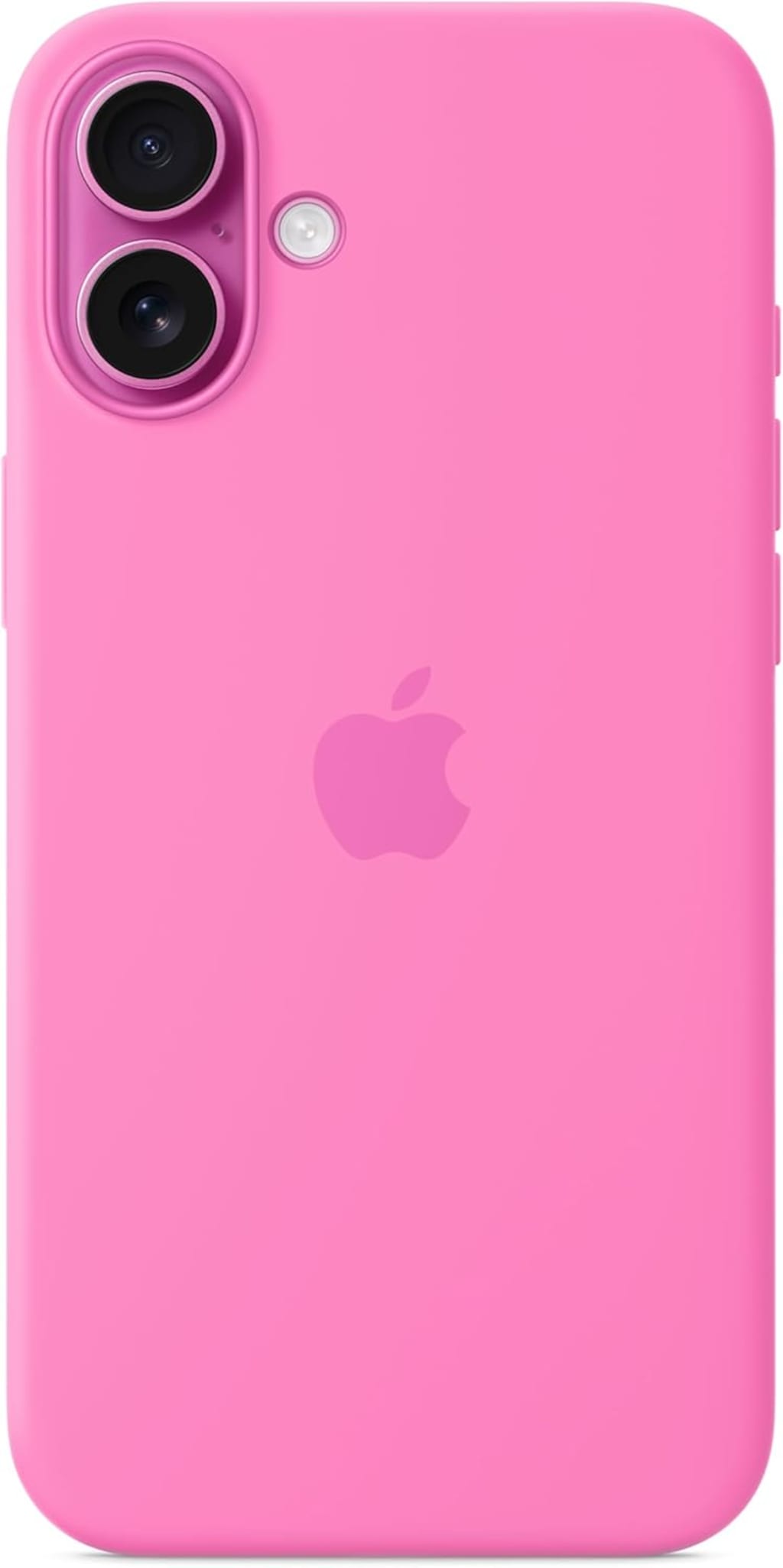
Alright, fellow tech enthusiasts and mobile shutterbugs, let's talk about something that often gets overlooked in the glitz and glamour of new phone releases: the accessories. Specifically, the cases. We slap 'em on for protection, sometimes for style, and often forget they can actually enhance our phone's capabilities. Today, I'm diving deep into a product that genuinely surprised me and earned its permanent spot on my iPhone 16 Plus: the official Apple Silicone Case with Integrated Camera Control.
I've been using Apple's silicone cases for years. They're reliable, feel great in the hand, and offer decent drop protection without adding too much bulk. But when they subtly introduced the "Camera Control" feature with the 16 Plus accessories, my interest was immediately piqued. Was this just a gimmick, or a genuinely useful addition? After several weeks of heavy use – from casual snaps to more deliberate photo walks – I can confidently say it's the latter.
First Impressions: Familiar Comfort, Unexpected Innovation
Unboxing this case felt... familiar. It's the same smooth, slightly grippy silicone I've come to expect from Apple's first-party offerings. The vibrant Midnight Blue color I chose looks fantastic against the iPhone 16 Plus's display, and the fit is, as always, absolutely perfect. There's no wobbling, no ill-fitting corners; it's like a second skin. The soft microfiber lining on the inside is a nice touch for preventing scratches, a detail I always appreciate.
But then there's the subtly integrated camera control. It's not a glaring physical button that sticks out; rather, it’s a tactile bump on the right side of the case, perfectly positioned where your index finger naturally rests when holding the phone horizontally for a shot. It blends seamlessly with the case's design, almost to the point where you might miss it if you weren't looking. This discreet integration is key; it doesn't detract from the iPhone's clean aesthetic.
The Game Changer: Camera Control in Action
This is where the magic happens. On my iPhone 16 Plus, this little tactile area isn't just a fancy design element; it's a customizable camera button. By default, a single press acts as a shutter button, taking a photo or starting/stopping video recording. A long press, and it will launch directly into the Camera app, even from the lock screen. But what really blew me away was the customization within the Settings app.
I can set it to:
Shutter Button: The default and most intuitive use.
Video Recording: Press once to start, press again to stop.
Portrait Mode: Instantly switch to Portrait.
Selfie Camera: Flip to the front camera with a single press.
Zoom In/Out: A quick double-tap to zoom in, another to zoom out. (This is brilliant for quick framing adjustments!)
I personally configured mine for a single press to be the shutter and a double-tap to toggle between the main and ultra-wide lenses. The responsiveness is instant, and the tactile feedback from the button is satisfying. It's not mushy; it has a confident click.
Why This Matters: Elevating the Photography Experience
You might be thinking, "Can't I just use the volume buttons as a shutter?" Yes, you absolutely can. I've done it for years. But here’s why this integrated camera control is superior:
Ergonomics: When holding the iPhone 16 Plus in landscape mode for a shot, my index finger naturally falls right on this new button. It feels far more natural and comfortable than awkwardly reaching for a volume button on the other side of the phone. This significantly reduces hand strain, especially during longer shooting sessions.
Stability: Using a dedicated, ergonomically placed button means less hand movement and less chance of camera shake when pressing the shutter. This translates to sharper photos, particularly in challenging low-light conditions. I noticed a subtle but definite improvement in the consistency of my handheld shots.
Speed & Convenience: Launching the camera app or switching modes with a single, intuitive press is faster than swiping, tapping on-screen icons, or fumbling for the volume rocker. When you're trying to capture a fleeting moment, every second counts.
One-Handed Operation: While the 16 Plus is a big phone, this button makes one-handed shooting (especially selfies) much easier and more secure. No more awkward thumb stretches to hit the on-screen shutter.
I also found it incredibly useful for discreet street photography or when trying to take photos in crowded places without making it obvious I'm fiddling with my phone. The simple press just feels more "camera-like."
Beyond the Button: The Case Itself
Aside from the innovative camera control, the case itself maintains Apple's high standards. The silicone provides excellent grip, reducing the risk of accidental drops, yet it slides easily into and out of pockets. Wireless charging works flawlessly, and all the ports and speakers are precisely cut out. The raised lip around the camera module offers decent protection for those magnificent lenses, and the slightly raised edge around the screen helps prevent scratches when placed face-down.
It's a fingerprint magnet, as most silicone cases are, but it wipes clean easily. Over time, these cases can sometimes show wear on the corners, but so far, after several weeks, mine looks brand new.
Final Verdict: A Must-Have for iPhone Photographers
Before using it, I was skeptical. Now, I can't imagine using my iPhone 16 Plus without the Apple Silicone Case with Camera Control. It’s not just a protective layer; it’s an integral part of my mobile photography toolkit. It transforms the iPhone into a more intuitive, camera-like device, making the act of capturing photos and videos faster, more stable, and genuinely more enjoyable.
For anyone who uses their iPhone 16 Plus extensively for photography or videography, this case is an essential upgrade. It's a small change with a surprisingly significant impact on workflow and shot quality. Apple has once again shown that innovation isn't always about groundbreaking internal specs, but sometimes about cleverly enhancing the user experience through thoughtful design and integration.
If you're on the fence, just try it. You might find your mobile photography game elevated to a whole new level.
🛍️ Ready to Upgrade Your Grip and Your Shots?
If the blend of the elegant Peony color and the powerful Camera Control feature sounds like the upgrade your iPhone 16 Plus deserves, you can check the current availability and price directly here: Apple iPhone 16 Plus Silicone Case with MagSafe and Camera Control
About the Creator
Author’s Advice
If you would’ve asked me 20 years ago did I know I’d become a writer and an author, I would’ve said “nope, ain’t happening”. As fate would have it I did become an author and I can honestly say I’m loving it so far. It really does feel good to be a writer. I’ve learned a lot on this journey and I feel like with even me being as new to this world as I am, there’s some wisdom I need to share with every other aspiring author.
By Joe Patterson4 days ago in Journal




Comments (1)
tks!