
The Role of Application Usage Tracking in Managing Remote Teams
Application Usage Tracking
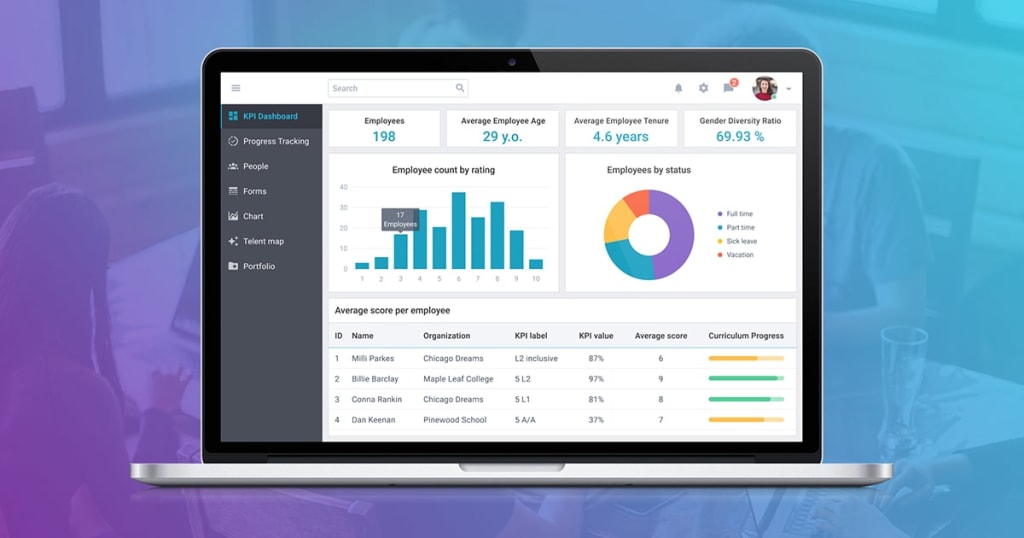
Remote work has redefined workplace dynamics, offering flexibility and global talent opportunities. However, managing remote teams effectively comes with its challenges. One of the most valuable tools for addressing these challenges is application usage tracking, a feature that provides insights into how employees utilize software and manage their time.
This article explores the pivotal role of application usage tracking in optimizing remote team management, enhancing productivity, and fostering a culture of accountability.
Why Application Usage Tracking is Essential for Remote Teams
Visibility into Workflow
Remote managers often lack the visibility they have in an office setting. Application usage tracking fills this gap by showing:
- The tools employees use.
- The time spent on productive vs. non-productive applications.
- Patterns of engagement and potential inefficiencies.
Measuring Productivity
Application usage tracking provides quantifiable data on employee activities, enabling managers to measure:
- Time spent on essential tools like project management or design software.
- Usage of non-essential applications that might indicate distractions.
- Opportunities to streamline workflows by identifying underutilized software.
Encouraging Accountability
Knowing their app usage is tracked can motivate employees to focus on their tasks and make better time-management decisions.
Read more👉 Top 15 Best Time Tracking Software for Freelancers
Key Benefits of Application Usage Tracking for Managers
Optimizing Tool Utilization
Application tracking identifies software that employees use most frequently. This helps managers:
- Invest in the right tools for their teams.
- Identify underutilized subscriptions and eliminate unnecessary expenses.
- Provide targeted training for tools that employees struggle to adopt.
Enhancing Team Performance
By analyzing usage data, managers can:
- Identify bottlenecks in workflows.
- Assign tasks more effectively based on employee tool expertise.
- Foster collaboration by connecting employees proficient in certain tools.
Supporting Employee Development
Usage tracking highlights areas where employees spend excessive time, pointing to potential skill gaps. This allows managers to:
- Organize training programs.
- Guide employees in mastering essential tools.
- Ensure the team is equipped with the knowledge to work efficiently.
Balancing Workload and Well-being
Tracking idle time and app usage patterns helps managers identify signs of burnout or overwork. By addressing these concerns proactively, they can foster a healthier, more balanced work environment.
Read more👉 Best Time Tracking Software In India
Integrating Application Usage Tracking into Remote Team Management
Choosing the Right Software
Select tracking software that balances monitoring capabilities with employee privacy. Key features to look for include:
- Real-time application tracking.
- Productivity categorization (e.g., productive vs. non-productive apps).
- Intuitive reporting dashboards.
Maintaining Transparency
To build trust among remote teams:
- Communicate the purpose of application usage tracking clearly.
- Highlight its benefits, such as better workflow support and personal productivity insights.
- Ensure privacy settings comply with legal and ethical standards.
Leveraging Data for Continuous Improvement
- Use tracking data to refine team workflows and improve tool adoption.
- Share insights with employees to help them self-assess and enhance their efficiency.
- Set realistic performance benchmarks based on application usage trends.
Read more👉 Best Time Tracking Software for Consultants
Challenges and How to Overcome Them
Employee Resistance
Some employees may view application tracking as intrusive. To mitigate this:
- Focus on outcomes rather than micromanagement.
- Reassure employees that the goal is to support, not monitor unnecessarily.
Data Overload
Excessive data can overwhelm managers. Prioritize tracking key metrics aligned with team goals and performance indicators.
Privacy Concerns
Implement clear policies to safeguard employee data, ensuring compliance with legal and ethical guidelines.
Conclusion
Application usage tracking has emerged as a cornerstone of effective remote team management. By providing visibility, enhancing productivity, and fostering accountability, it bridges the gap between physical and virtual workplaces.
For managers, it’s not just a monitoring tool—it’s a strategic asset for supporting employee growth, optimizing workflows, and building high-performing remote teams. When implemented with transparency and care, application usage tracking can drive both individual and organizational success.
About the Creator
DeskTrack
DeskTrack is an employee monitoring software designed to assist companies in tracking the time spent by their employees on the activities they do at work.
How Forward Thinking Accounting Firms are Rethinking Talent Retention
In accounting, culture is driving change in attracting, developing, and retaining talent. Historically, recruitment has been seen as the answer to skills shortages, but many firms have learned that longer-term stability comes from creating teams that want to stay.
By Angelo Eana day ago in Journal
How China’s Eyewear Supply Chain Fuels Lucrative D2C Brands
Two weeks ago, a European client came to us. They wanted to launch a line of eyewear including optional non-prescription or light reading lenses, sunglasses for cycling, fishing, skiing, and running, along with a few related accessories. They wanted product performance close to well-known brands like Oakley or Smith Optics, but at a much more competitive price.
By Jingsourcing.com 6 days ago in Journal




Comments
There are no comments for this story
Be the first to respond and start the conversation.