
Remote Work Tools for Creative Pros: Boost Your Workflow!
Working from home is now a big deal. Creative pros need good tools for this. Good tools make work go smoothly. They help you stay on top. They keep teams tied together. Let's talk about some great tools.

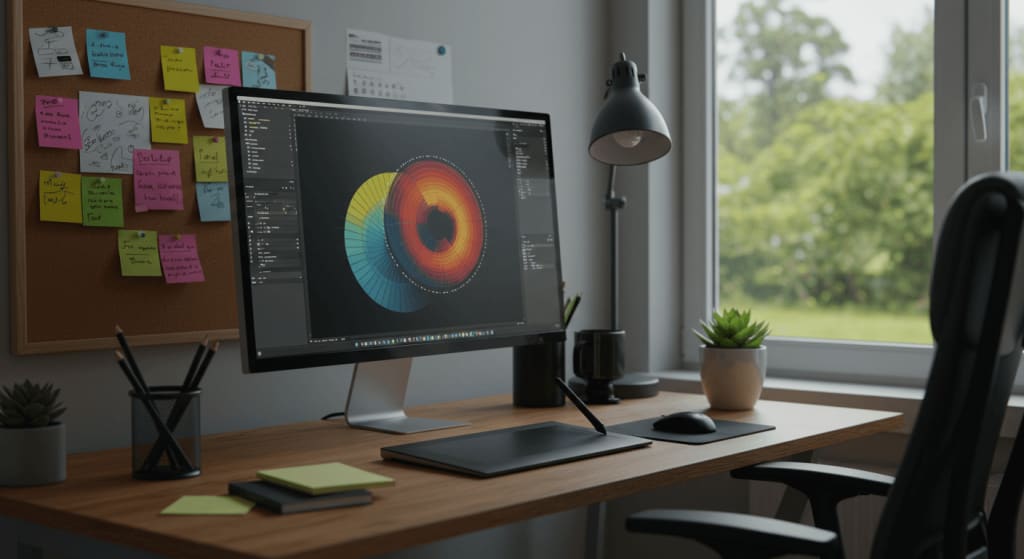
Why Tools Matter
Imagine you're an artist. You draw from your couch. Or a designer. You design from your kitchen table. You need to share your work. Get feedback. Make changes. And you must do it all. Without meeting in person. Tough, right? That's where tools come in.
Time Management Tools
Managing time is crucial for creative pros working remotely. Effective time management can boost productivity, reduce stress, and help meet deadlines. Let's explore some essential tools for managing your tasks and tracking your time.
Task Management Apps
Task management apps are designed to keep you organized. These apps help you list, prioritize, and track your tasks. Here are some popular options:
- Trello: A visual tool that uses boards, lists, and cards. It helps you organize projects and tasks.
- Asana: Allows teams to track work from start to finish. It helps in managing tasks, projects, and deadlines.
- Todoist: A simple yet powerful task manager. It helps you keep track of everything in one place.
Time Tracking Solutions
Time-tracking solutions help you understand where your time goes. They can track hours spent on tasks, projects, and even breaks. Here are some effective tools:
- Toggl: An easy-to-use time tracker. It provides detailed reports on how you spend your time.
- Harvest: Tracks time and expenses. It integrates with many project management tools.
- Clockify: A free time tracker. It helps you log hours and manage your work schedule.
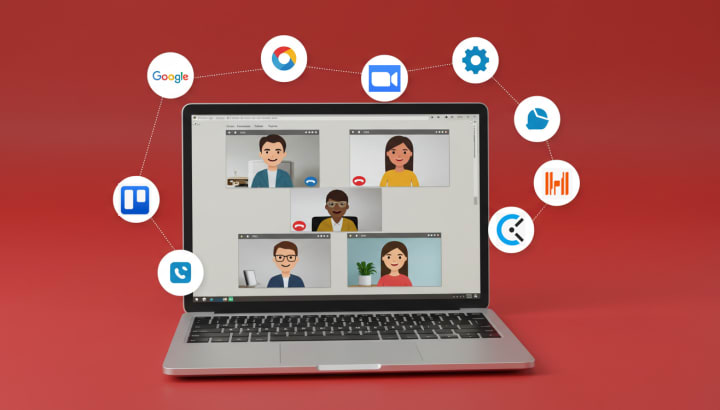
Tools for Teamwork
You need a way to talk when you're not all in one place. A way to share. A way to work together. Tools for teamwork can do this. They help you chat. They let you share files. They make sure everyone is on the same page.

Video Calls
Seeing faces is nice. It helps us feel close. Video call tools let us do that. They let us talk. See each other. Share screens. It's almost like being there.
Chat Apps
Quick messages help a lot. Chat apps let us send them. We can ask questions. Share ideas. Say hi. All without a big meeting.
Project Management
Keeping track of work is key. Project management tools help with that. They let us make lists. Set deadlines. See who's doing what. It keeps everyone in the loop.
Tools for Creating
Now, let's talk about making stuff. Designing. Drawing. Editing photos. You need tools for that too.
Design Software
Design needs good software. It lets you make things. Change them. Make them perfect. There's software for drawing. For layouts. For everything design.
Photo Editing
Photos tell stories. Good editing makes them shine. There are tools to help with this. Some are simple. Some are for pros. All help make photos better.
Let's look at PathEdits.com. It's a service for photo editing. It helps when you're far from others. You can edit photos. Get them just right. Then share them with your team. All online.

Tools for Learning
Learning never stops. Not even at home. There are tools for this too. They let you watch videos. Read articles. Take classes. All to help you get better at what you do.
Collaboration Platforms
In today's remote work environment, collaboration platforms are essential for creative professionals. These tools help teams stay connected, manage projects, and share files seamlessly. Let's explore some of the best collaboration platforms that can boost your workflow.
Project Management Software
Effective project management software keeps everyone on the same page. It ensures tasks are completed on time. Here are a few top choices:
- Trello: A visual tool to organize tasks and projects using boards, lists, and cards.
- Asana: Helps teams coordinate and manage their work with task assignments and deadlines.
- Monday.com: Offers customizable workflows and easy integration with other tools.
File Sharing Services
Sharing files quickly and securely is vital for remote teams. The right file-sharing service can make this process smooth. Consider the following options:

Free Tools
Money can be tight. But there are free tools out there. They help without costing much. You can find tools for creative pros. And they're free.
Why Free Tools Rock
They save you money. They're easy to try. No big commitment. Just use them. If they work, great. If not, no loss.
Staying Safe Online
Working online is great. But we must be safe. Safe from hackers. Safe from viruses. Tools can help with that too. They keep our work safe. They protect our computers. They help us work with no worry.
Conclusion
So, creative friends. Working from home is our new world. Good tools make it better. They help us create. They help us share. They help us grow. Try some out. See how they help you. Keep making great things, even from your living room.
Top Tools for Creative Pros

Remember, the right tools can make all the difference. Happy creating!
About the Creator
Biju Toha
Bijutoha is your go-to for digital solutions. We provide graphic design, product photo editing, website design that converts, and SEO expertise to boost organic traffic. Let us help you succeed online! https://bijutoha.com/
Product Photos That Sell: The Magic Number for Apparel
Too few, and your customers might hesitate. Too many, and you risk overwhelming them. Finding the right balance is crucial to capturing attention, establishing trust, and increasing your sales. You’ll discover the ideal number of product photos to showcase your apparel and how each image plays a crucial role in convincing shoppers to make a purchase.
By Biju Toha6 months ago in Photography




Comments (1)
This post addresses common challenges in Remote Work Tools for Creative Pros: Boost Your Workflow! and offers viable solutions that I can readily apply. Visit Here: https://www.adeptclippingpath.com/photo-retouching-service