
Omnichannel Integration: Why Small Businesses Need POS Systems That Sync Online and Offline Sales
POS System

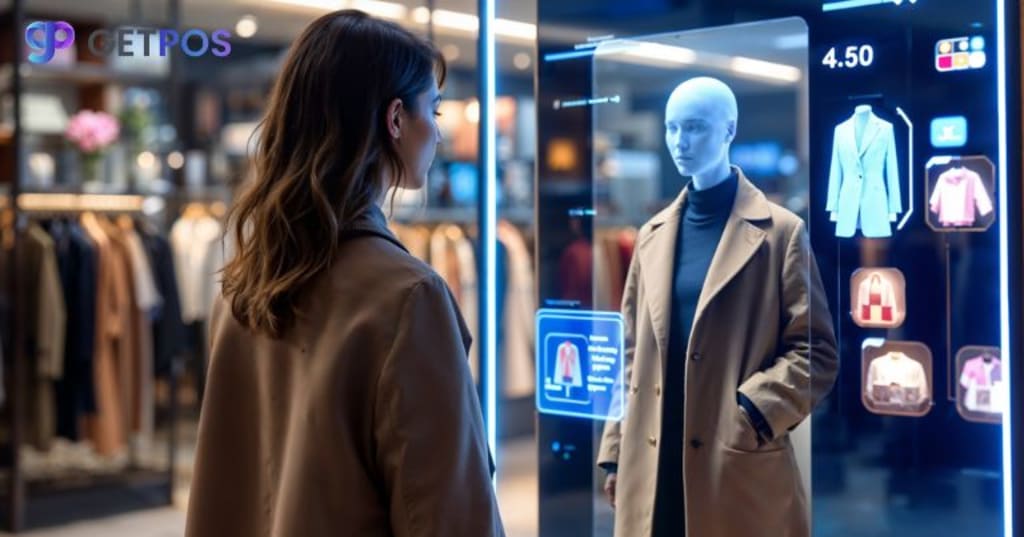
Running a shop today means business owners now need to be able to accommodate different ways to cater to their customers, and also deal with other business operations and functions. Whether you get sales from your online or offline store, you can benefit from the best pos systems omnichannel integration for your small business. For small business owners, managing all these channels separately is hard and often leads to errors. As the trends for digital shopping grows, customers want to switch seamlessly between your website, physical store, and mobile apps. This can lead to extra work and increased chances for errors if you rely on different systems for each channel. In this blog post, we will learn how an omnichannel POS system can connect all your sales and help your business grow.
How to Effectively and Seamlessly Blend Online and Offline Customer Journey
Customers today shop in many ways, they might see your store online, visit your website, and then come to your shop before buying. Also, the research shows that most people interact with a brand at least three times across different channels before buying. For example, many shoppers like to buy online and pick up their order in-store, or return items bought online at a physical location, and this mix of digital and in-person shopping is now very common.
Customers expect the same experience, prices, and service no matter where they shop. For small businesses, this means it’s important to connect all sales channels, so customers always get a smooth and reliable experience no matter from where they shop from your store.
What Is an Omnichannel POS System?
An omnichannel POS software connects your online store, physical shop, and even mobile sales into one simple system. It keeps all your sales, inventory, and customer details updated at the same time, no matter where the sale happens. This means if you sell something online, your in-store stock updates right away, and the same happens the other way around. You can see what products you have, what has sold, and who your customers are—all in one place.
The big difference that you can find from old POS systems is that an omnichannel POS links with your website, customer management, and mobile apps, not just your cash register. This helps you manage orders, payments, and returns from anywhere, and gives customers a smooth shopping experience.
Important Core Benefits for Small Businesses
For small businesses, using and implementing an efficient and multi functional POS can provide many benefits. Business owners can easily manage and scale their businesses, without spending on heavy upgrades and too many technical advancements.
Real-Time Inventory Management
An omnichannel POS system software updates your stock levels instantly whenever a sale happens, whether online or in-store, which then helps prevent selling items that are out of stock and avoids having too much inventory. With live updates, you can make smarter buying decisions and reduce mistakes caused by manual stock checks, to save time and money by keeping your inventory accurate and helping you order the right amount of products at the right time.
Unified Customer Experience
With an omnichannel POS, all customer information is stored in one place, so that you can see what each customer buys, no matter where they shop. You can offer personalized discounts and loyalty rewards that work both online and in-store. This way, your customers get the same offers and benefits everywhere, which makes shopping easier and encourages them to come back more often.
Streamlined Operations and Reporting
An omnichannel POS collects all your sales, inventory, and customer data in one system, which actually gives you clear reports and insights without extra work. You can quickly see which products sell best and understand customer habits. Automated reports save time and help you make better business decisions faster, improving how you run your store every day.
Overcoming Integration and Implementation Challenges
Small businesses often face problems when setting up an omnichannel POS system. Old systems may not connect well with new software. Data can get stuck in separate places, making it hard to see the full picture. Setting up new systems can also be confusing and take time.
To make things easier, look for POS systems that:
- Has open APIs, so it connects with your other tools
- Uses cloud technology for easy updates and access
- Offers strong customer support and training
Here are some simple tips for a smooth switch:
- Train your staff step by step so they feel comfortable using the new system
- Move your data and sales in phases instead of all at once
- Test the system before using it fully in your business
- Ask for help from your POS provider whenever you need it
- Keep checking for any problems and fix them quickly
How to Choose the Right Omnichannel POS System For Small Businesses
When choosing an omnichannel POS system, focus on features that help your business now and as you grow. You should pick a system that connects easily with your website, e-commerce store, and other tools you already use. Always make sure the interface is simple so your staff can learn it quickly. Security is important, so check for strong data protection and regular updates, as the system should also be able to handle more sales or locations as your business grows.
You should also look for real-time syncing, so your inventory and sales match everywhere. Check if the POS works well with e-commerce platforms and customer management tools (CRM), to help you keep all customer and sales data in one place. It is best to make a list of your must-have features and compare a few systems before deciding so you can find a POS that fits your needs and makes running your business easier.
Conclusion
Using an omnichannel POS system can help small businesses manage sales and inventory in one place, both online and in-store. It keeps everything updated, helps avoid mistakes, and gives customers a better shopping experience. And when you choose the right POS system, you can save time, understand your customers better, and make smarter business decisions. So, choose a system that fits your needs and helps your business run smoothly.
About the Creator
GETPOS
GetPOS.in offers advanced POS systems designed to streamline business operations, enhance sales management, and improve customer experiences. Our solutions are tailored to meet the unique needs of various industries.
Flexible Displays Are Bending the Future of Screens
The first time a screen bends without breaking, it feels like a magic trick. One moment it’s a rigid slab of glass, the next it curves, folds, or rolls as if it were paper. That quiet moment—when technology stops feeling mechanical and starts feeling alive—is where the flexible display story truly begins.
By Andrew Hamiltona day ago in Journal




Comments
There are no comments for this story
Be the first to respond and start the conversation.