
Is Your Data Really Deleted? The Truth About Hard Drive and Media Destruction
Learn why secure data destruction matters and how proper wiping, degaussing, and shredding methods protect your personal information from being recovered.

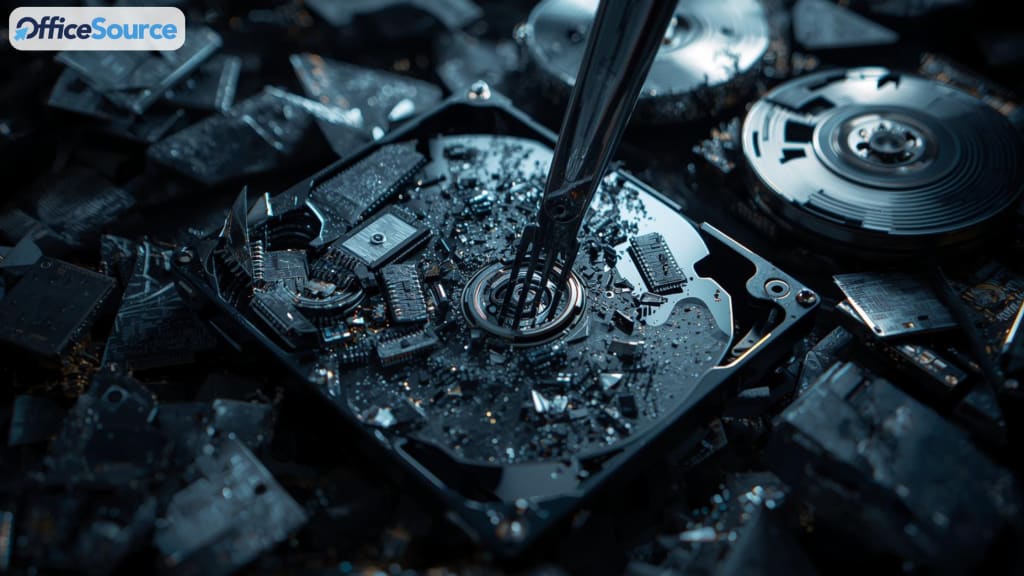
Most people assume that hitting “delete” clears a file forever. It doesn’t. In many cases, the data stays on the device quietly, waiting to be overwritten. Until that happens, it can often be recovered with surprising accuracy.
Old laptops, phones, USB sticks, and hard drives usually contain far more personal information than we realize. If these devices are thrown away or left in storage without proper destruction, the data stored on them can easily resurface. That’s where secure data-removal methods become essential , not just for privacy, but for long-term safety and peace of mind.
What Really Happens When You Delete Files
Deleting a file removes the system’s pointer to it, but the file’s contents remain on the drive. The system simply marks the space as “available,” not “erased.” Until that space is overwritten, the information can still be recovered.
Even formatting a drive doesn’t guarantee safety. A quick format only wipes directory information, not the underlying data. Recovery tools can reconstruct much more than people expect.
In short: deletion alone isn’t destruction.
Why Proper Data Destruction Matters
Whether it’s an old computer, phone, or portable drive, the risk is the same: deleted data can often be restored. That can expose personal photos, financial information, private messages, login details, or work-related documents.
For anyone who handles sensitive files , students, professionals, creatives, or business owners , protecting old data prevents identity theft, account breaches, and accidental information leaks. Once a device leaves your hands, you lose control over whatever was on it. Secure destruction removes that vulnerability.
How to Make Sure Your Data Is Truly Gone
1. Data-Wiping Software
Data-wiping tools overwrite the entire drive with random patterns, often multiple times. This makes previous information extremely difficult or impossible to retrieve.
It’s a good option if the device will be reused. But wiping must be done thoroughly , partial or rushed wiping can leave fragments behind.
2. Degaussing
Hard drives store data magnetically. Degaussing disrupts those magnetic patterns so the stored information becomes unreadable.
It’s fast and effective, but it permanently disables the drive. Once degaussed, a drive cannot be used again.
3. Physical Destruction
Physical destruction is the final and most definitive step.
Methods include:
- shredding internal components
- crushing the platters
- drilling through storage layers
- breaking chips on solid-state drives
When the storage medium itself is destroyed, the data becomes unrecoverable. Many people prefer this option when disposing of older devices they never plan to reuse.
Don’t Forget Other Storage Media
It’s not only hard drives that store information. Items like:
- CDs and DVDs
- USB flash drives
- memory cards
- backup tapes
- external drives
all hold data long after they’ve been “deleted.” These smaller items are often forgotten in drawers, boxes, or old bags , and they are just as vulnerable to unauthorized recovery.
Proper destruction applies to all forms of digital storage, not just computers.
Is DIY Destruction Enough?
Some people try destroying drives at home. While it can work, it’s not always dependable. A hammer or drill might create visible damage but leave intact sections of a drive that still contain recoverable data.
A safer approach is:
- wipe the drive
- then physically destroy it
This combination greatly reduces the chance of leftover information.
For those who want absolute certainty, professional destruction (including industrial-grade shredding) provides the most complete result, with clear evidence that the media can no longer be read.
Why Careful Destruction Is Worth It
Many data breaches happen because old devices weren’t properly wiped or destroyed. Discarded drives are sometimes recovered, repaired, or resold without anyone realizing what’s still on them.
A single overlooked hard drive can reveal:
- login details
- bank records
- sensitive emails
- business documents
- personal photos or messages
The consequences can reach far beyond the moment someone hits “delete.” Responsible destruction prevents these long-term problems before they begin.
Final Thoughts: Protect Your Information Before Disposing of Old Devices
Deleting a file doesn’t erase it. Formatting doesn’t guarantee safety either. True data protection requires a deliberate approach , wiping, degaussing, or physical destruction.
If you’re upgrading your tech or cleaning out old storage devices, treat the data they hold with the same care you would give your current files. Whether you choose software wiping or physical shredding, the goal is the same: keep private information private.
Secure, permanent data destruction isn’t just a technical step , it’s part of protecting your identity, your work, and your peace of mind.
wiping, degaussing, crushing, or hard drive shredding what matters is ensuring that data can’t be reconstructed. Secure destruction protects you from accidental leaks, identity theft, and unwanted recovery of old information.
About the Creator
Josephr Jones
I am joseph jones, Manager at Office Source, offer reliable shredding services tailored to meet all your document disposal needs. With a focus security & confidentiality, we ensures safe, eco-friendly solutions for your business.
Keep reading
More stories from Josephr Jones and writers in Journal and other communities.
10 Hard Drive Destruction Myths That Endanger Your Business
Introduction: When it comes to Hard Drive Destruction, many businesses still rely on outdated practices or half-truths. Some believe hitting a hard drive with a hammer or simply pressing "delete" is enough to keep their data secured.
By Josephr Jones3 months ago in Journal
The Strategic Impact of Accolades on Hospitality Brands
In the hospitality industry, reputation is a measurable business asset. Hotels, resorts, and restaurants operate in a market where customer decisions are heavily influenced by perception, credibility, and trust. Accolades—such as awards, certifications, and industry recognitions—play a significant role in shaping these factors. When understood and applied correctly, accolades can strengthen brand equity, influence consumer behavior, and support long-term growth.
By Asad Malik3 days ago in Journal
Affection and Healing for Yourself
During the night of the last quarter moon, I gathered my ritual supplies. I carefully handled the chunk of black tourmaline that would protect me from your overall negative and narcissistic energy. I carefully walked the house with my stick of selenite in hand, asking the universe to cleanse our working space.
By Alisha Wilkins ✒️🦋🖋️4 days ago in Fiction


Comments
There are no comments for this story
Be the first to respond and start the conversation.