
How to Generate an E-Way Bill Easily? A Step-by-Step Guide
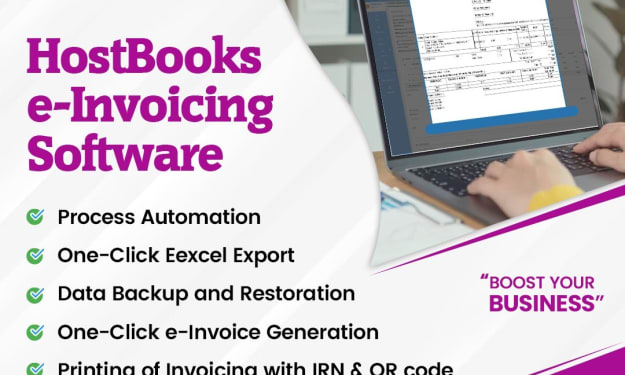
Best E Way Bill Generation Software In India - HostBooks


Introduction
With the advent of the Goods and Services Tax (GST) in India, compliance and transparency in the movement of goods have significantly improved. One such crucial compliance requirement is the E Way Bill system, which helps track the transportation of goods worth over a specific limit. If you're involved in supply chain management, logistics, or running a business, understanding how to generate an E-Way Bill easily is essential. In this guide, we will walk you through the entire process, making it simple and straightforward.
What is an E-Way Bill?
An E Way Bill (Electronic Way Bill) is a mandatory document required for the movement of goods valued at more than Rs. 50,000 under the GST regime. It is generated electronically through the E Way Bill portal and serves as proof that the goods are being transported legally.
The bill ensures that goods are not moved without proper documentation, reducing tax evasion and increasing accountability in the supply chain.
Importance of E-Way Bill in GST Invoicing
Before we delve into the steps of generating an E-Way Bill, it’s important to understand its significance in GST invoicing.
• Legal Compliance: The E-Way Bill ensures that goods are transported in compliance with GST regulations.
• Transparency in Transactions: It helps the government track the movement of goods, minimizing fraudulent activities.
• Efficient Logistics: It streamlines logistics and transportation by reducing checkpoints and manual verifications.
• Reduces Tax Evasion: With the proper documentation of goods, authorities can ensure that the correct taxes are being paid.
Who Needs to Generate an E-Way Bill?
The responsibility of generating an E-Way Bill depends on different parties involved in the supply chain:
1. Registered Suppliers: If a supplier is transporting goods worth over Rs. 50,000, they must generate the bill.
2. Registered Recipients: If the buyer is transporting the goods, they must generate the bill.
3. Transporters: If the supplier or recipient has not generated the bill, the transporter must do so before moving the goods.
How to Generate an E-Way Bill Easily? A Step-by-Step Guide
Generating an E-Way Bill is a straightforward process. Here’s how you can do it:
Step 1: Register on the E-Way Bill Portal
To generate an E-Way Bill, you must first be registered on the official E-Way Bill portal
1. Go to the portal and log in using your GST credentials.
2. If you are a first-time user, register your details and create a username and password.
Step 2: Log in to the E-Way Bill System
Once registered, follow these steps:
1. Visit the E-Way Bill portal.
2. Enter your credentials and log in to access the dashboard.
Step 3: Select 'Generate E-Way Bill'
On the dashboard, locate the ‘E-Way Bill’ option and click on ‘Generate New’ to create a new bill.
Step 4: Fill in the Required Details
You need to provide essential details such as:
• Transaction Type: Select whether it is an outward or inward supply.
• Supplier & Recipient Details: GSTIN, name, and address.
• Invoice or Bill Number: Provide the invoice details related to the transportation.
• Goods Description: Details of the product, HSN code, and taxable value.
• Transportation Details: Mode of transport (road, rail, air, or ship), vehicle number, and transporter ID.
Step 5: Verify and Submit
After entering all details, verify the accuracy of the data and click ‘Submit’. The system will validate the information and generate an E-Way Bill number (EBN).
Step 6: Download and Share the E-Way Bill
Once the bill is generated, download a copy and share it with the transporter. The bill contains a QR code for easy verification during transit.
Additional Methods to Generate an E-Way Bill
Apart from the portal, you can generate an E-Way Bill through:
1. SMS Mode: Businesses with frequent shipments can generate bills via SMS for quick processing.
2. Mobile App: The E-Way Bill system provides a mobile app for generating and managing bills efficiently.
3. API Integration: Large businesses can integrate their billing systems with the E-Way Bill API for automatic generation.
Validity of an E-Way Bill
The validity of an E-Way Bill depends on the distance of transportation:
• Up to 100 km: 1 day
• Every additional 100 km: 1 extra day
If the goods are delayed, you can extend the validity through the portal before expiration.
Common Mistakes to Avoid While Generating an E-Way Bill
1. Incorrect GSTIN: Double-check the GSTIN of both the supplier and recipient.
2. Wrong Vehicle Number: Enter the correct vehicle number to avoid penalties.
3. Incomplete Details: Ensure that all required fields are filled correctly.
4. Expired E-Way Bill: If an E-Way Bill expires before the journey is completed, update it in advance.
Penalties for Non-Compliance
Non-compliance with the E-Way Bill regulations can result in severe penalties:
• Moving Goods Without an E-Way Bill: A penalty of Rs. 10,000 or the tax amount involved (whichever is higher) applies.
• Incorrect Details on the E-Way Bill: Fines and seizure of goods.
• Failure to Show E-Way Bill During Transit: The transporter can face penalties and delays in transportation.
Conclusion
Generating an E-Way Bill is a simple yet essential compliance requirement under GST invoicing. Whether you are a supplier, buyer, or transporter, understanding the process will ensure hassle-free movement of goods. By following the step-by-step guide above, you can generate an E-Way Bill easily and avoid unnecessary delays or penalties.
By staying compliant and using digital tools like the E-Way Bill portal, SMS services, or API integration, businesses can streamline logistics, reduce paperwork, and enhance efficiency in the supply chain.
If you have any questions or need assistance with GST invoicing and E-Way Bill generation, feel free to reach out in the comments below!
About the Creator
HostbooksIndia
HostBooks, an automated all-in-one accounting & compliance software provides you with a comprehensive platform for GST, E Way Bill, TDS, Accounting & Tax Pay.
Keep reading
More stories from HostbooksIndia and writers in Journal and other communities.
How to Integrate GST E-Invoicing with Your Accounting Software
Introduction Accounting software is a critical tool for businesses of all sizes, helping streamline financial management, automate tasks, and ensure compliance with tax regulations. With the introduction of GST e invoicing, businesses must choose software that supports seamless compliance while offering robust financial features. This guide will help you understand how to select the best accounting software for your business in 2025.
By HostbooksIndia11 months ago in Journal
LBMA Precious Metals Analyst Survey Sees Silver Well Above $100, Wide Range for Gold, New Highs for PGMs
The latest LBMA Precious Metals Analyst Survey has sent strong signals across global commodity markets, projecting an exceptionally bullish long-term outlook for silver, a wide and uncertain price band for gold, and fresh highs for platinum group metals (PGMs). Compiled from leading analysts, banks, traders, and industry experts, the survey reflects growing confidence that structural shifts in the global economy are redefining the role of precious metals beyond traditional safe-haven demand.
By Salaar Jamali5 days ago in Journal


Comments
There are no comments for this story
Be the first to respond and start the conversation.