
How to Create a Virtual Map: A Complete Guide
The world of maps has come a long way from paper and compass. Today, anyone can create a virtual map, a digital representation of a location bursting with information and interactivity.
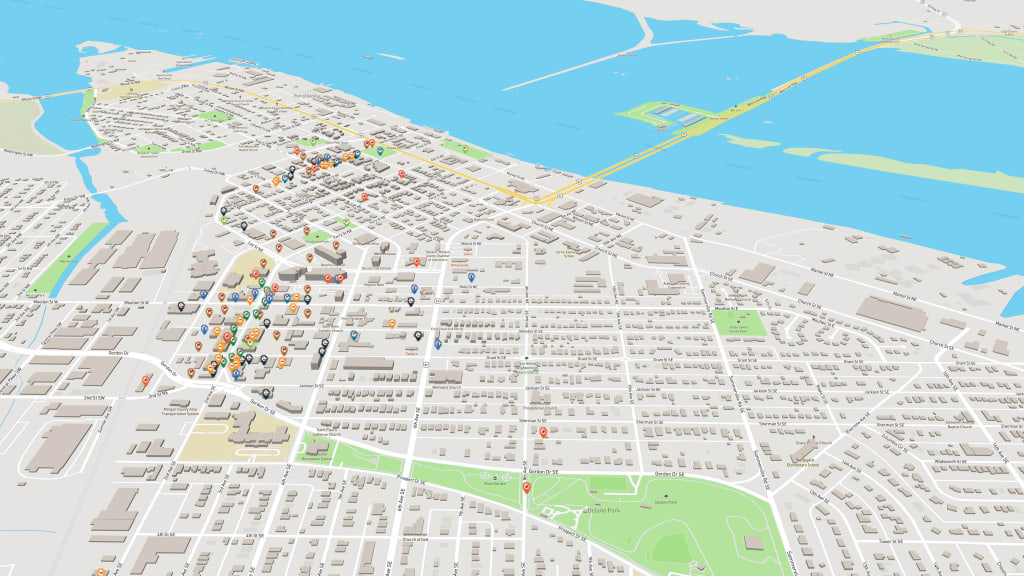
These virtual maps, also known as interactive maps, can be incredibly useful for various purposes, from showcasing your favorite hiking trails to building a virtual campus map for new students.
But how do you, a complete beginner, create a virtual map without needing coding skills or expensive software? This guide will walk you through the process, step-by-step, and introduce you to a fantastic virtual map maker called Mapme that simplifies the whole experience.
Why Create a Virtual Map?
Virtual maps offer a wealth of benefits compared to traditional static maps. Here are just a few reasons why you might want to create one:
- Engaging Information: Virtual maps add interactivity. Users can zoom in, click on markers to access details, and explore layers of information, making them more engaging and informative.
- Visual Storytelling: Showcase a location in a compelling way. Combine markers, images, and even videos to tell a story and guide viewers through your virtual world.
- Accessibility and Sharing: Share your creation easily! Embed it on a website, share it on social media, or download it as an image file. This allows your virtual map to reach a wider audience.
- Customization: Virtual maps offer endless possibilities for personalization. Tailor them perfectly for your specific needs and audience.
What You'll Need to Create a Virtual Map
The good news is, you don't need a lot to get started with virtual maps! Here are the essentials:
- A Virtual Map Maker: We'll be focusing on Mapme, a user-friendly platform that makes creating virtual maps a breeze.
- A Computer and Internet Connection: Any device with an internet connection will work for creating and editing your virtual map.
- Content for Your Map: This could include location data (addresses, coordinates), descriptions, images, and even videos.
Optional but helpful:
- A Spreadsheet or Database: If you have a lot of data points to include on your map, having them organized in a spreadsheet or database beforehand can save you time.
- A Clear Idea: Think about the purpose of your virtual map. Who is your audience? What information do you want to convey? Having a clear idea will guide your design choices.
Choosing the Right Virtual Map Maker
Not all virtual map builders are created equal. Here's what to look for when choosing a platform:
- Ease of use: The interface should be intuitive and easy to navigate, especially if you're a beginner.
- Features: Consider the features you need. Does the platform offer data visualization tools? Can you embed the map on your website?
- Customization options: Do you want to personalize the map's style and design? The more customization options, the better you can tailor it to your needs.
- Price: Many platforms offer free plans with limited features, while others have paid options with more functionalities and support.
Getting Started with Mapme (Your Perfect Virtual Map Maker)
Mapme shines as a fantastic choice for beginners thanks to its user-friendly approach and intuitive features. Here's how to create a virtual map with Mapme:
- Create a Free Account: Signing up with Mapme is absolutely free and takes just a few minutes.
- Choose a Template (Optional): Mapme offers a library of pre-designed templates for various uses, like city guides, restaurant locations, or even floor plans. These can be a great starting point, especially if you're short on time.
- Customize Your Map: This is where your creativity comes in! Edit the map base layer, choose a style that suits your needs, and personalize with your brand colors and logos.
- Add Markers: The heart of your virtual map! Use markers to pinpoint locations, add descriptions, and even include images or videos for a richer experience.
- Data Visualization (Optional): Want to display complex data on your map? Mapme allows you to upload data or utilize its built-in integrations to showcase data points with icons, charts, or heatmaps.
- Share Your Map: Once your masterpiece is complete, share it with the world! Embed it on your website, share it on social media platforms, or simply download it as an image file.
Mapme also offers a free 7-day trial for full access to Mapme Pro features. Discover now and create your first virtual map now!
About the Creator
Troy Walter
Blogger and Entrepreneur since 2010. Helping startups and brands to get more leads and traffic with the help of digital marketing.
Keep reading
More stories from Troy Walter and writers in Journal and other communities.
Top 5 Field Service Management Trends for 2024
In the dynamic landscape of field service management (FSM), staying ahead requires embracing emerging trends and technologies. As we approach 2024, several key trends are shaping the industry, revolutionizing how businesses manage their field operations. Let's explore the top five Field Service Management trends that are set to define FSM in the coming year:
By Troy Walter2 years ago in Journal
Total Rewards Statement Examples: Inspiring Transparency and Employee Engagement
Employees often focus only on their base salary, missing the full value of their total rewards. Bonuses, equity, benefits, retirement contributions, and perks can represent a significant portion of overall compensation—but if employees don’t see the full picture, engagement suffers.
By Muhammad Owais SEO3 days ago in Journal



Comments (1)
Thanks for the well detailed analysis