
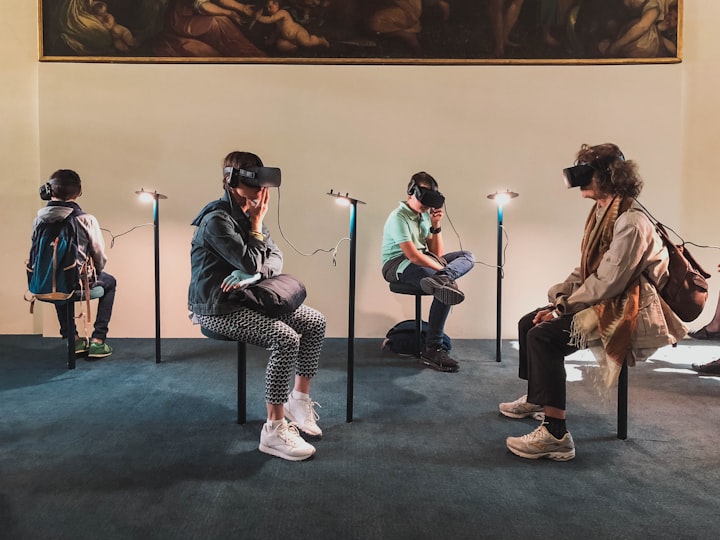
If you're interested in developing virtual reality applications, then this guide is for you. In it, we'll teach you everything you need to know about becoming a VR developer. From the basics of programming and software development to the specific tools and platforms required for VR development, we'll cover it all. So start your journey to becoming a VR developer today!
Introduction: What is virtual reality?
Virtual reality (VR) is a technology that immerses the user in an artificial environment. This environment can be anything from a 3D video game to a 360-degree panoramic view of a real-life location. VR allows users to feel as if they are inside the virtual world. The technology has been around for many years, but it has only recently become mainstream. There are many different types of VR headsets, and there are many applications for VR. Some people use VR to experience new environments or to train for certain activities. Others use it to interact with virtual characters or to treat serious medical conditions. Although VR is still in its early stages, it has the potential to change the way we interact with our surroundings and with each other.
What are the key requirements for becoming a VR developer?
VR development is a rapidly growing field with many opportunities for those who are interested in it. There are a few key requirements that must be met in order to become a VR developer. First, the person must have a strong understanding of computer programming and graphics design. Second, they must have experience working with software such as Maya or 3D Max. Third, they must be familiar with VR hardware and software development frameworks. Fourth, they need to be able to work independently and as part of a team. Fifth, they should have excellent communication and problem-solving skills. Sixth, they should be knowledgeable about the industry and its trends. Seventh, they should have a passion for VR technology and gaming. Eighth, they should be able to stay up-to-date with the latest VR technology developments so that their work looks current and professional.
How to get started with VR development?
Virtual reality has quickly become one of the most popular genres of gaming. With so many headsets available on the market, it can be difficult to know where to start when it comes to developing VR. In this guide, we will outline the basics of VR development and provide a few resources to help get you started.
There are a few different ways to develop for VR: using an existing game engine such as Unity or Unreal; building a custom engine from scratch, or using software such as Adobe Photoshop or 3D Studio Max and creating your own games. Whichever route you decide to take, there are some essential steps that you need to complete before starting your project.
Tips for success in VR development.
Virtual reality (VR) is quickly becoming one of the most popular forms of entertainment. With its immersive nature, VR can be a great way to explore new worlds or learn new information. However, there are some tips for success in VR development that everyone should know.
First and foremost, make sure that your computer is up to the task. Many people assume that their computer is good enough for VR, but this isn’t always the case. Make sure to have an updated graphics card and processor, as well as plenty of free space on your hard drive.
Second, be prepared to spend some time in VR. It can take a few minutes for your eyes to adjust to the virtual environment, so don’t be discouraged if it takes a little longer than usual to get used to VR.
In conclusion, becoming a VR developer can be a rewarding experience. The steps outlined in this guide will take you on the path to success. If you are interested in learning more about VR development, be sure to continue reading for even more resources. Finally, remember that practice is key when it comes to any new skill, so don’t stop learning once you’ve completed this guide. If you have any questions or comments, feel free to reach out.
About the Creator
Keep reading
More stories from PERFECT GAMING and writers in Journal and other communities.
How To Become AR Developer
Augmented reality is a fascinating new technology that lets you see the world in a different way. It's like being able to overlay digital information on top of your real-world surroundings. If you want to become an AR developer, this is the guide for you! In this article, we'll show you everything you need to know to get started. We'll explain what augmented reality is and how it works. We'll also teach you how to create your own AR applications.
By PERFECT GAMING4 years ago in Journal
The 5 AM Myth: Why I Trashed My Alarm Clock to Finally Find My Edge
The blue light of the smartphone screen felt like a laser beam hitting my retinas at 4:58 AM. Outside my window, the world was a bruised purple—silent, freezing, and utterly indifferent to my "ambition."
By George Evan7 days ago in Journal
Miss Persephone's Manual to a Seemingly Ordinary Life
Miss Persephone was found at the dining table, her blue eyes swollen, her tears arriving and retreating like the tides of the ocean. Earlier that day, her family had visited her in the retirement home where she had lived for eight years. It was her eightieth birthday.
By Imola Tóth3 days ago in Fiction


Comments
There are no comments for this story
Be the first to respond and start the conversation.