
Google AI features from the Pixel 10 launch is the best features
Google Pixel 10 Best AI Features

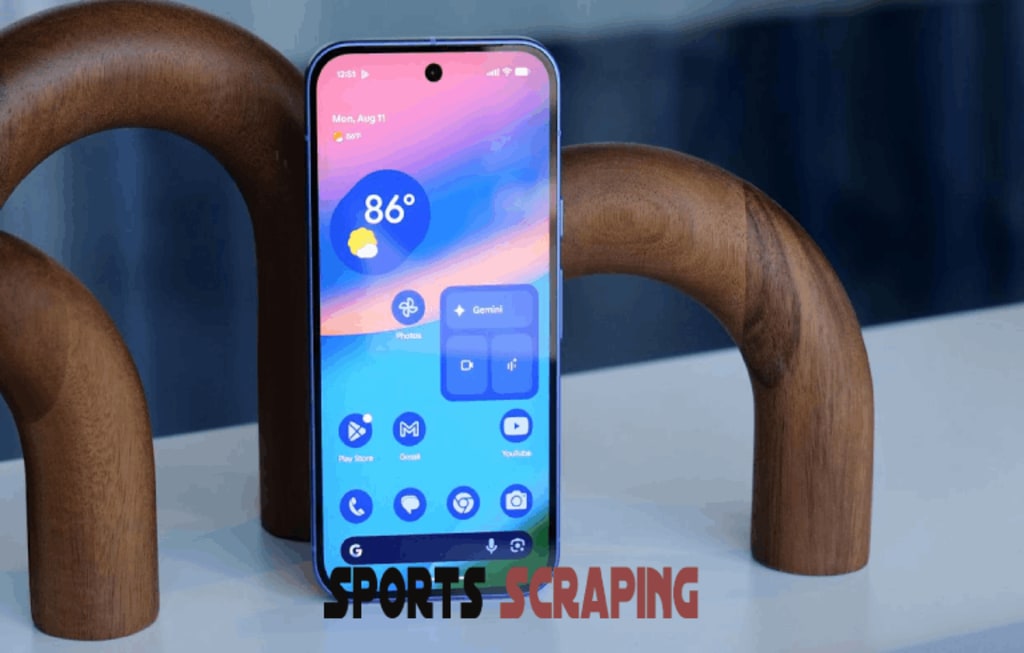
The Made by Google event wasn’t just another shiny smartphone launch, it was a full-on AI showcase. Sure, we got the brand-new Pixel 10 lineup, but the real stars of the show were the fresh, AI-powered tools that promise to make your phone feel smarter, more personal, and actually useful in everyday life.
Now, I’ll be honest: I’m usually pretty skeptical when companies slap the words “AI-powered” onto their products. Too often, it feels like hype rather than something that actually changes the way we live. But as I tested Google’s new software demos, my cynicism slowly gave way to curiosity, and, in some cases, excitement.
Google has clearly taken lessons from competitors like Apple and Samsung, but instead of just gimmicks, these updates aim to be genuinely helpful, fun, and even a little magical.
The Pixel 10 series officially hits shelves later this month, but let’s break down some of the standout AI features you’ll want to try as soon as you get your hands on one. Spoiler: if you love music, calls, photos, or just want life to be easier, you’re going to like what’s coming.
AI Music in Your Pocket: Recorder App Gets a Major Upgrade
If you’ve ever used Google’s Recorder app, you know it’s already great at transcriptions. For journalists, students, or anyone who needs notes, it’s a lifesaver. But now, Google is turning Recorder into something much more playful, and possibly addictive.
At the event, Shenaz Zack, Google’s senior director of Pixel software, revealed that Recorder on the Pixel 10 can actually generate AI backing music for your recordings.
Yes, you read that right. Sing into your Pixel, and the app can whip up an instrumental track to match your performance.
For anyone who’s ever spent hours hunting for karaoke versions of songs on YouTube or downloading “minus one” tracks, this feels like a dream. And as someone who grew up messing around with makeshift covers of favorite songs, I couldn’t believe what I was seeing.
Here’s how it works:
- You record yourself singing.
- The app recognizes your vocals (it even shows a “singing” tag while you record).
- Afterward, a “Create and add music” button pops up.
- You pick a vibe: Chill beats, Cozy, Dance Party, Rainy Day Blues, Romantic, or just let Google surprise you.
I tried two songs during the demo: “Golden” from the Kpop Demon Hunters soundtrack and the childhood classic “Mary Had a Little Lamb.”
The results? Well, let’s just say Google isn’t about to replace Spotify. The backing tracks didn’t sound like the originals at all, but that’s the point, there’s no copyright issue. The AI-generated music kept to the right key and rhythm, making my voice feel less lonely, though not studio-ready.
Even so, it was fun. And for casual users who just want to play around, or for aspiring singers looking for practice tracks, this feature could be a hidden gem.
Voice Translate: Breaking Down Language Barriers, One Call at a Time
One of the boldest features Google announced is Voice Translate, a new call tool designed to make it sound like you’re speaking another language, in your own voice.
The idea here is pretty incredible: instead of a robotic translator cutting into your conversation, the Pixel 10 will replicate your tone, rhythm, and expression in another language, making it feel more personal.
Zack explained why this matters. Her parents live in India and can speak some English, but not fluently. When they call her kids, it’s often a challenge to communicate. A generic translation voice would feel cold and impersonal. This new system helps preserve the warmth of conversation while still making sure everyone understands each other.
Here’s the catch: the person making the call has to be on a Pixel phone. Once you enable Voice Translate from the Call Assist submenu, you choose a language, and Google handles the rest. At the start of the call, both parties hear: “This call is translated by Google AI in each speaker’s voice. Audio is not saved.”
During my demo with a German-speaking Google rep (let’s call him “Uncle Tim”), the feature worked surprisingly well. I’d hear him speak German, then a chime, followed by an English translation, in his voice, but adapted. When I spoke, my German “version” played on the other end, and strangely enough, it kind of sounded like me.
Of course, it’s not flawless. Some translations came out clunky, and sometimes Uncle Tim’s voice shifted accents, from American to Australian. Still, the overall experience was impressive.
At launch, Voice Translate will support English, Spanish, German, Japanese, French, Hindi, Italian, Portuguese, Swedish, Russian, and Indonesian.
For me, this is the Pixel 10’s most “sci-fi made real” feature. Imagine calling a relative abroad and sounding like a fluent speaker, even if you barely know the basics.
Magic Cue: Your Flight Info Pops Up When You Call the Airline
Another clever addition is Magic Cue, think of it as Google Assistant, but smarter and woven right into your calls and texts.
For example, say you’re calling your airline to change a booking. Normally, you’d have to dig through your email for that long reservation number. With Pixel 10 Magic Cue will pull up the details and display them right in the call screen.
That alone could save you minutes of fumbling around. And it’s not just airlines, Google hinted at expanding this to things like doctor’s appointments, insurance calls, or any situation where having info at your fingertips matters.
Honestly, this feels like one of those features you’ll barely notice, until you use another phone and realize how annoying life is without it.
Pixel 10 Camera Magic: Zoom, Coaching, and Smarter Edits
Google has always leaned heavily on AI to make its smartphone cameras stand out, and the Pixel 10 is no different.
The big headline is Pro Res Zoom, which delivered crisp, detailed shots of skyscrapers during my test, even when zoomed up to 100x. Google warns that text at a distance might look funky and that people aren’t the intended subjects for this mode. In those cases, it switches to Super Res Zoom (20x–30x, depending on the phone).
Still, the clarity was impressive. People in far-off scenes looked slightly pixelated, but buildings and landscapes were shockingly sharp.
Other camera highlights include:
- Camera Coach: AI tips for framing and composition. Surprisingly helpful, even for photography nerds.
- AI-powered editing in Photos: Just tell it what you want, like “turn that red dress blue” or “remove people in the background.” Simple and surprisingly effective.
- Guided Frame improvements: Now powered by Gemini, making photography more accessible for visually impaired users.
- Content Authenticity: Pixel 10 will be the first phone to adopt C2PA Content Credentials, embedding metadata to show whether a photo was AI-edited or not.
For anyone worried about deepfakes and manipulated images, this last part is a huge step in the right direction.
Extra AI Goodies Worth Mentioning
On top of the big headline features, there are plenty of smaller upgrades:
- Pixel Journal: A new app for note-taking and memory keeping.
- Gemini Live overlays: Adding visual cues to enhance your experience.
- “Take a message” transcription: Better voicemail handling.
Daily Hub: An updated Google feed on your home screen. (Personally, I’m not sold on this one, Reddit is still my doomscroll app of choice.)
Final Thoughts: Google’s AI Features Might Actually Be Worth Using
I went into the Pixel 10 demos ready to roll my eyes at more AI hype, but left feeling genuinely impressed. From fun tools like Recorder’s backing tracks, to practical ones like Magic Cue and Voice Translate, Google is striking a rare balance between playful and practical.
No, these features aren’t perfect. Voice Translate sometimes stumbles, Recorder’s backing music is more “toy” than “studio,” and Daily Hub might not be for everyone. But in a world where most AI updates feel like fluff, Google has managed to pack the Pixel 10 with tools that could actually change how you use your phone day to day.
With AI becoming the new battleground for smartphones, it’s safe to say: Google just raised the bar.
Follow me on Twitter: Sports Scraping
About the Creator
Sports Scraping
Welcome to Sports Scraping your one-stop hub for real-time sports scores, breaking news, in-depth stats, and everything in between. My name is Admin, and I’m the founder, creator. https://sportsscraping.com/
Keep reading
More stories from Sports Scraping and writers in Journal and other communities.
Alabama High School Football Live Updates and Scores
It’s finally here, Week 0 of the Alabama high school football season, and fans around the state are fired up. The Tuscaloosa area alone is serving up some mouth-watering matchups, with several games promising high drama and intense rivalries. Whether you’re a parent, student, or just a football fanatic, this opening week has something for everyone.
By Sports Scraping5 months ago in Journal
Ludacris and Nelly draw backlash over bookings at MAGA-coded music festival
Ludacris and Nelly headlining a mostly right-wing event is good for them. It’s also great for the genre of hip hop. The two rap veterans have showcased their talents on other stages. Why can’t they perform for mostly MAGA folks and grab that bag?
By Skyler Saunders6 days ago in Beat




Comments
There are no comments for this story
Be the first to respond and start the conversation.