
Connect with Alumni from Your Alma Mater: How to Use LinkedIn's Advanced Search (3 sample scripts included)
LinkedIn is a powerful tool that can help you connect with the right people and expand your professional network. You can sort your connections by a variety of factors, including education, using the Advanced Search feature. This can help you find mentors, collaborators, or even job opportunities. Another powerful tool for sales professionals is LinkedIn Sales Navigator, which offers advanced filters and targeting options to help you find the right prospects, accounts, and leads. This tool can help you grow your network and connect with the right people. Keep your LinkedIn profile up to date, personalize your connections' requests and messages, engage with your connections, and follow best practices to get the most out of these tools.

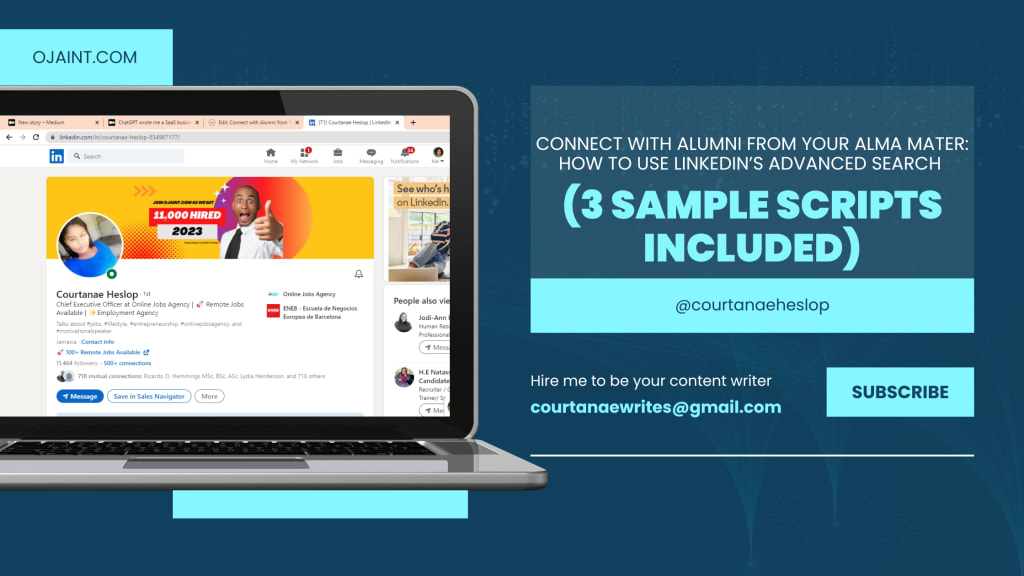
LinkedIn is a powerful tool that can help you connect with the right people and expand your professional network. The Advanced Search option on LinkedIn is one of its most useful features because it lets you sort your connections by a variety of factors, including education.

By going to your LinkedIn profile, clicking on the "Network" tab, and then clicking on the "Manage all" button next to the "Connections" section, you can access the Advanced Search feature. A "Advanced" button can be found in the page's upper right corner. You can filter your connections by entering the name of the school and the year of graduation under the "Education" section. You can also use other filters like current company, industry, location, and so on. to further narrow your search.
If you want to get in touch with specific people in your network, the Advanced Search feature can be a useful tool. In the Advanced Search option, for instance, you can enter the school's name and the year of graduation to find alumni from your alma mater who graduated in 2000. This will display all of your connections that meet that criteria.
Using the Advanced Search feature can help you find mentors, collaborators, and even job opportunities, which is one of its main advantages. For instance, if you're looking for a job in a particular industry or location, you can use the Advanced Search to sort your connections based on those criteria and get in touch with people who work in the same place and in the same industry.
Utilizing the Advanced Search feature has the additional advantage of assisting you in expanding your professional network. You can develop a robust alumni network that will be able to offer you helpful advice and support throughout your career by connecting with others who attended the same school and graduated in the same year.
LinkedIn Sales Navigator is a powerful additional tool that complements the Advanced Search feature. This tool, which was made for salespeople, can help you connect with the right people and expand your network. It gives you advanced targeting options and filters that can help you find the right leads, accounts, and prospects.
It is essential to keep your LinkedIn profile up to date and complete in order to get the most out of the Advanced Search feature and LinkedIn Sales Navigator. Your chances of being found by the right people will rise as a result of this. In addition, you should ensure that your messages and requests for connections This will demonstrate that you have done your homework on the person and are truly interested in connecting with them.
Engaging with your connections through liking and commenting on their posts, sharing relevant content, and joining LinkedIn groups are also essential. You will gain more visibility on the platform and strengthen your connections as a result of this.
What could you say to your friend?
- "Hello, [Name], it has been a while! I just wanted to get in touch with you and get back in touch after finding your LinkedIn profile. How are things going? I would love to talk to you and find out what you've been doing since high school.
- "Hello, [Name], I hope all is well with you. When I saw your LinkedIn profile, I thought back to the wonderful times we shared in high school. I can't wait to talk to you again and find out what you've been up to since then. Are you available for a quick call this week?
- Hello, [Name], it's been a long time! I came across your profile while looking through LinkedIn. I couldn't help but think back to my good high school days. I would love to connect with you again and learn about your journey since then. We could meet up for a virtual cup of coffee sometime this week.
In conclusion, LinkedIn's Advanced Search feature and LinkedIn Sales Navigator are potent tools that can assist you in connecting with the right people and expanding your professional network. You can increase your chances of finding mentors, collaborators, and job opportunities by utilizing these tools and best practices. It is essential to keep in mind that the quality of the information and the manner in which it is presented are just as important as the number of words in a blog post. Utilizing these tools will assist you in elevating your networking to the next level.

About the Creator
Courtanae Heslop
Courtanae Heslop is a multi-genre writer and business owner.
Keep reading
More stories from Courtanae Heslop and writers in Journal and other communities.
Polyglot's Pen: Breaking through Language Barriers for Effective Global Communication (2 SAMPLE TRANSLATIONS INCLUDED)
Welcome to Polyglot's Pen, where you can get accurate and professional translations all in one place. Communication that is accurate and precise is more important than ever in the globalized world of today. The ability to communicate effectively in multiple languages is essential whether you are an individual in need of legal or official document translation or a business looking to enter new markets. Polyglot's Pen comes in handy here.
By Courtanae Heslop3 years ago in Journal
Driving Simulator Market: What’s Next for Virtual Roads
You grip the wheel. The road ahead never existed in the real world. Yet every curve feels familiar, every reaction instinctive. No risk, no injuries, no traffic. Just you and a digital highway that teaches you how to drive better than any classroom lecture ever could.
By william jackabout 8 hours ago in Journal


Comments
There are no comments for this story
Be the first to respond and start the conversation.