
Common Signs Your Laptop Needs Professional Repairs
Identifying Key Warning Signs Before Bigger Problems Arise
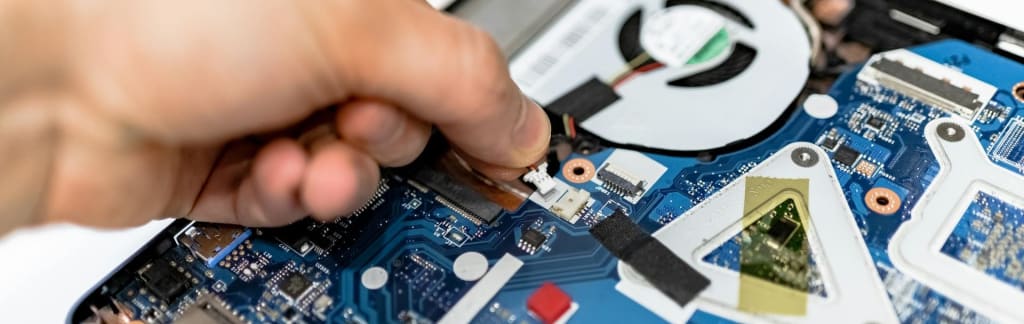
Laptops have become essential tools for work, entertainment, and communication. However, like any piece of technology, they are not immune to wear and tear. Whether it's from daily use or unexpected issues, your laptop can start showing signs that it needs professional attention. Ignoring these signs can lead to bigger problems down the line, potentially resulting in permanent damage or costly repairs. To help you avoid such situations, here are some common signs your laptop needs professional repairs.
Overheating
Overheating is one of the most common issues in laptops, especially as they age. While all laptops generate heat, excessive overheating can damage internal components, reduce performance, and shorten the device’s lifespan. If your laptop frequently becomes hot to the touch, the cooling fans are running louder than usual, or it shuts down unexpectedly due to heat, it’s a sign that something isn’t right.
Overheating can be caused by blocked or malfunctioning cooling fans, dust buildup inside the laptop, or even software issues that cause the processor to overwork. Professional repair services can clean the internal components, replace faulty fans, and ensure that your laptop’s cooling system is functioning properly.
Slow Performance
A noticeable slowdown in your laptop’s performance can be frustrating and is often a sign of underlying issues. If simple tasks such as opening programs, browsing the web, or using basic applications take significantly longer than they used to, your laptop may need professional attention.
Several factors can cause slow performance, including insufficient RAM, a failing hard drive, or too many background programs running. In some cases, malware or viruses may be the culprit. A professional technician can diagnose the root cause, upgrade hardware, remove viruses, or optimise the system to restore its speed and efficiency.
Battery Problems
Laptop battery issues are common, especially in older devices. If your laptop battery drains quickly, doesn’t hold a charge, or only works when plugged into an outlet, it’s a clear sign that the battery needs attention. Over time, all rechargeable batteries degrade, and while it’s normal for battery life to decrease, sudden or severe changes in performance indicate a problem.
A professional repair service can test the battery, replace it if necessary, and check for other power-related issues, such as a faulty charging port or charger, that might be contributing to the problem.
Unusual Noises
Laptops are generally quiet devices, so if you start hearing strange noises, it's a good indication that something is wrong. Clicking, grinding, or buzzing sounds can signal hardware problems. For example, a clicking noise may come from a failing hard drive, while buzzing or grinding noises could indicate issues with the cooling fan.
Ignoring these sounds could result in more significant damage. If your laptop is making unusual noises, it’s best to have a professional examine it before a minor issue turns into a costly repair.
Frequent Crashes or Freezes
Laptops that frequently crash, freeze, or display the "blue screen of death" (BSOD) are showing signs of serious hardware or software issues. Random crashes may be caused by faulty RAM, a failing hard drive, or software conflicts. Sometimes, the issue can be related to overheating or corrupted system files.
If your laptop crashes or freezes regularly, it’s a clear signal that it needs professional repairs. A technician can run diagnostic tests to identify the issue and recommend the appropriate fix, whether it’s hardware replacement, software repair, or a system reset.
Screen Issues
The laptop screen is one of the most sensitive components, and issues with the display are common. If your screen flickers, shows distorted images, has dead pixels, or doesn’t light up at all, it’s time to seek professional repairs. Physical damage such as cracks or breaks in the screen are obvious reasons to have it repaired, but internal issues with the display connections can also cause problems.
In some cases, display issues may be related to a malfunctioning graphics card or loose screen connections. A professional can accurately diagnose the problem and provide the necessary repairs, such as replacing the screen or repairing internal components.
Keyboard or Trackpad Malfunctions
If your laptop's keyboard or trackpad becomes unresponsive or certain keys or gestures stop working, it’s a sign that the hardware may need repairs. Spilled liquids, physical damage, or general wear and tear can cause keyboards and trackpads to malfunction. While you can sometimes troubleshoot keyboard issues with software fixes, persistent problems often require professional intervention.
A repair technician can replace damaged keyboards, fix unresponsive trackpads, or clean the components to restore full functionality. Continuing to use a malfunctioning keyboard or trackpad can hinder productivity and lead to further damage, so it’s best to address the issue promptly.
Connectivity Issues
Laptops rely on Wi-Fi, Bluetooth, and other ports for connectivity, and when these functions start failing, it can severely impact usability. If your laptop frequently loses Wi-Fi connection, has trouble connecting to Bluetooth devices, or has malfunctioning USB ports, it may require professional repairs.
Connectivity issues can stem from hardware failures, outdated drivers, or internal damage to the ports or wireless card. A technician can test your laptop’s connections, update drivers, and repair or replace faulty components to restore seamless connectivity.
Unresponsive Programs or Applications
If programs or applications on your laptop are frequently becoming unresponsive or crashing, it could be a sign of underlying hardware or software issues. This can be caused by corrupted files, failing memory, or software incompatibilities. In some cases, it could be a result of malware or a failing hard drive.
A professional technician can run diagnostics to determine whether the issue is hardware-related, software-related, or caused by malicious programs. By addressing the root cause, they can restore your laptop’s functionality and ensure that your applications run smoothly.
System Not Booting Properly
If your laptop fails to boot up or takes an unusually long time to start, it’s a sign that something is wrong. You may encounter issues like error messages, a blank screen, or repeated restarting loops. Boot-up issues can be caused by problems such as a failing hard drive, corrupted system files, or faulty RAM.
Professional repairs can address these issues by diagnosing the exact cause and repairing or replacing the faulty components. A technician may need to reinstall the operating system, repair corrupted files, or replace the hard drive to get your laptop back to normal.
Laptops are essential devices that often show early signs of trouble before they fully break down. Overheating, slow performance, battery issues, screen problems, and frequent crashes are all indicators that your laptop may need professional attention. Rather than waiting for the problem to worsen, addressing these issues early can help you avoid costly repairs and prolong the life of your device. If your laptop is showing any of these signs, it’s best to consult a professional repair technician who can accurately diagnose and fix the problem.
About the Creator
Keep reading
More stories from Your NZ Local and writers in Journal and other communities.
The Role of Pergolas in Sustainable Outdoor Spaces and Rainwater Harvesting
As sustainability becomes a core focus in home and garden design, more people are looking for ways to create environmentally friendly outdoor spaces. Pergolas, known for their aesthetic appeal and practical use, have become a popular feature in backyards and gardens around the world. Beyond enhancing visual appeal and providing shade, pergolas can play a significant role in promoting sustainability through the integration of rainwater harvesting systems and eco-friendly materials. By thoughtfully incorporating a pergola into your outdoor design, you can not only create a beautiful space but also contribute to water conservation and greener living. Here’s an in-depth look at how pergolas can support sustainable outdoor spaces and facilitate rainwater harvesting.
By Your NZ Localabout a year ago in Journal
"Scream 7" (2026): Running out of Fresh Screams
This is the seventh time we’ve had a Ghostface crisis. Scream 7 is the latest edition of the Scream franchise. Sydney Prescott and her family are under attack by another anonymous killer dressed in a Ghostface costume. While having issues with her daughter, Tatum, they run from the bloody murders, trying to determine who is behind it all.
By Marielle Sabbag6 days ago in Horror




Comments
There are no comments for this story
Be the first to respond and start the conversation.